WooCommerce Free Shipping Progress Bar
Overview
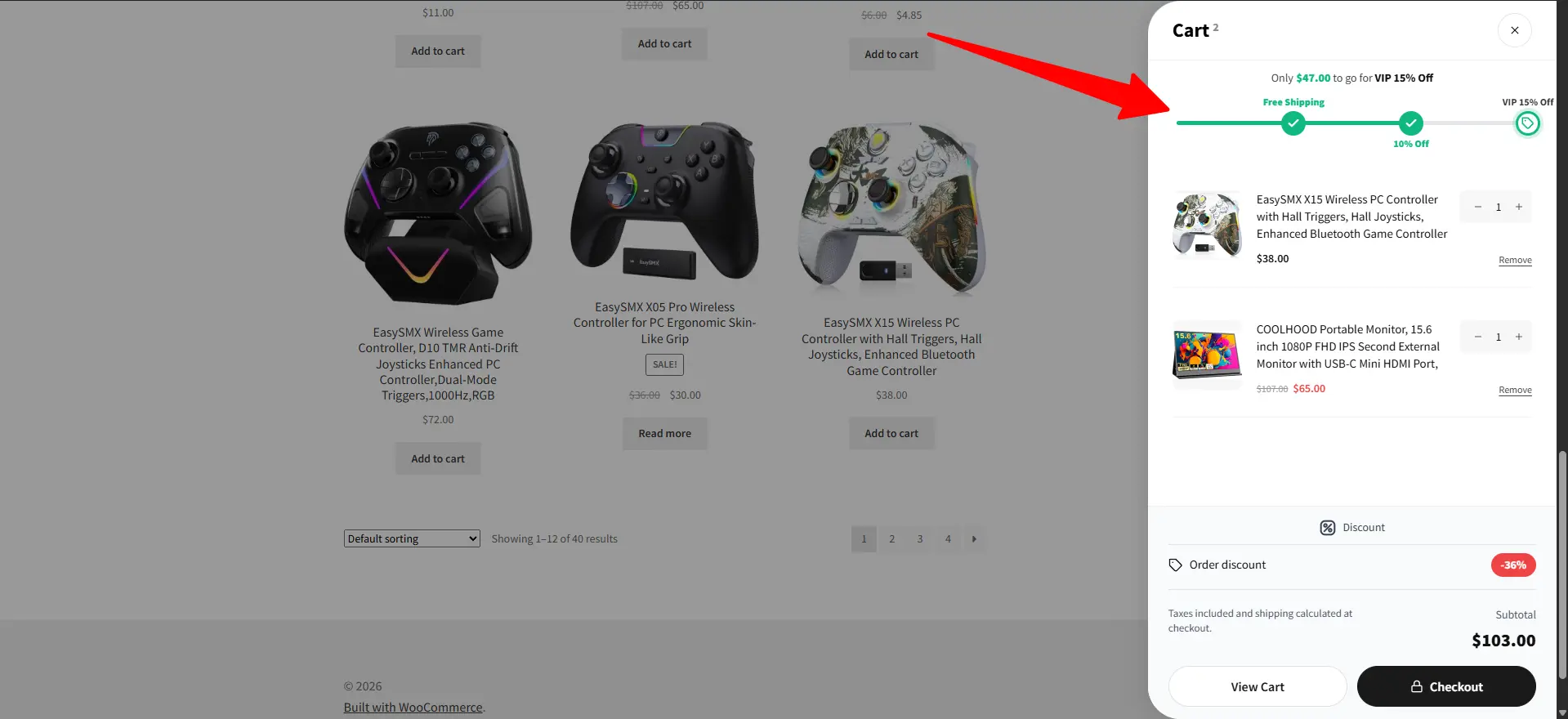
The Free Shipping embed is an on-page progress bar that tells shoppers how much more to spend to unlock free shipping — and updates live as the cart changes. It's the product/cart-page counterpart of the Notification Bar free-shipping type, with an optional product upsell.
Add a WooCommerce free shipping progress bar or free shipping bar WooCommerce shoppers can understand at a glance. Set the WooCommerce shipping threshold, enable a free shipping upsell, and use a live cart progress bar WooCommerce stores can place on product or cart pages.
How it works
A shopper has $70 in the cart and your free-shipping threshold is $100. The embed shows "Spend $30 more to get free shipping" with a progress bar — and (with Upsell on) suggests a $30 add-on they can drop straight into the cart. Order value goes up; shoppers feel they're getting a deal.
Embeds are available in the Pro version.
Content
| Setting | What it does | Placeholders |
|---|---|---|
| Free shipping amount | The threshold that unlocks free shipping. | — |
| Start Message | Shown before progress starts. | {currency}{amount} |
| Progress message | Shown part-way to the threshold. | {currency}{remaining_amount} |
| Success message | Shown once the threshold is reached. | — |
All three messages are rich text and have a Translate button.
Upsell
On the Upsell tab, toggle Upsell on and add products that help shoppers reach the threshold. For each product:
| Setting | What it does |
|---|---|
| Products | The product to recommend. |
| Button Action | Add to Cart or View Product. |
| Quantity | Default quantity, with optional min/max and an editable quantity control. |
| Button text | Labels for the Add / View buttons; open in a new tab. |
Style the upsell card (background, name, price, button, arrow, border, box shadow) on the same tab.
Style
On Theme & Styles: templates, fonts, border, and the progress-bar/amount colors on the Colors tab.
🧪 Example configuration
| Setting | Value |
|---|---|
| Type | Free Shipping |
| Free shipping amount | 100 |
| Progress message | Spend {currency}{remaining_amount} more to get free shipping |
| Upsell | On — one $25–$35 add-on product |
| Placement | After the Add to Cart form |
Placement, targeting & schedule
Set where and to whom the bar shows on the Targeting and Schedule tabs — see the Embeds overview.
Next Steps
Frequently Asked Questions
How does a WooCommerce free shipping progress bar work?
Set the free-shipping amount, add start, progress, and success messages, and the bar calculates the remaining spend from the current cart. It updates when the cart contents change.
Can the free shipping bar recommend products?
Yes. Turn on Upsell and select products to recommend. The embed can suggest an add-on while the shopper is still below the shipping threshold.
Can I place the free shipping progress bar on a product page?
Yes. Use the embed’s Targeting tab to choose a product-page position, products, devices, conditions, and schedule. It can also be used in cart-related placements supported by the plugin.