WooCommerce Store Features for Faster Shopping
Overview
WooCommerce store features are Sale Booster conversion tools that change how shoppers browse and buy across your catalog. Open them from Sale Badges → Store Features to configure Quick View, Sticky Add to Cart, Gutenberg blocks, and other WooCommerce conversion tools.
The tab is grouped by where each feature appears, and you can filter the list with the All / Archive Page / Product Page / Blocks buttons at the top:
| Group | Feature | Where it appears | Guide |
|---|---|---|---|
| Archive Page | Quick View | Shop and category grids | Quick View |
| Product Page | Sticky Add to Cart | Single product pages | Sticky Add to Cart |
| Gutenberg Blocks | Shop the Look | Any page/post you insert it on | Shop the Look |
| Gutenberg Blocks | Countdown Banner | Any page/post you insert it on | Countdown Banner |
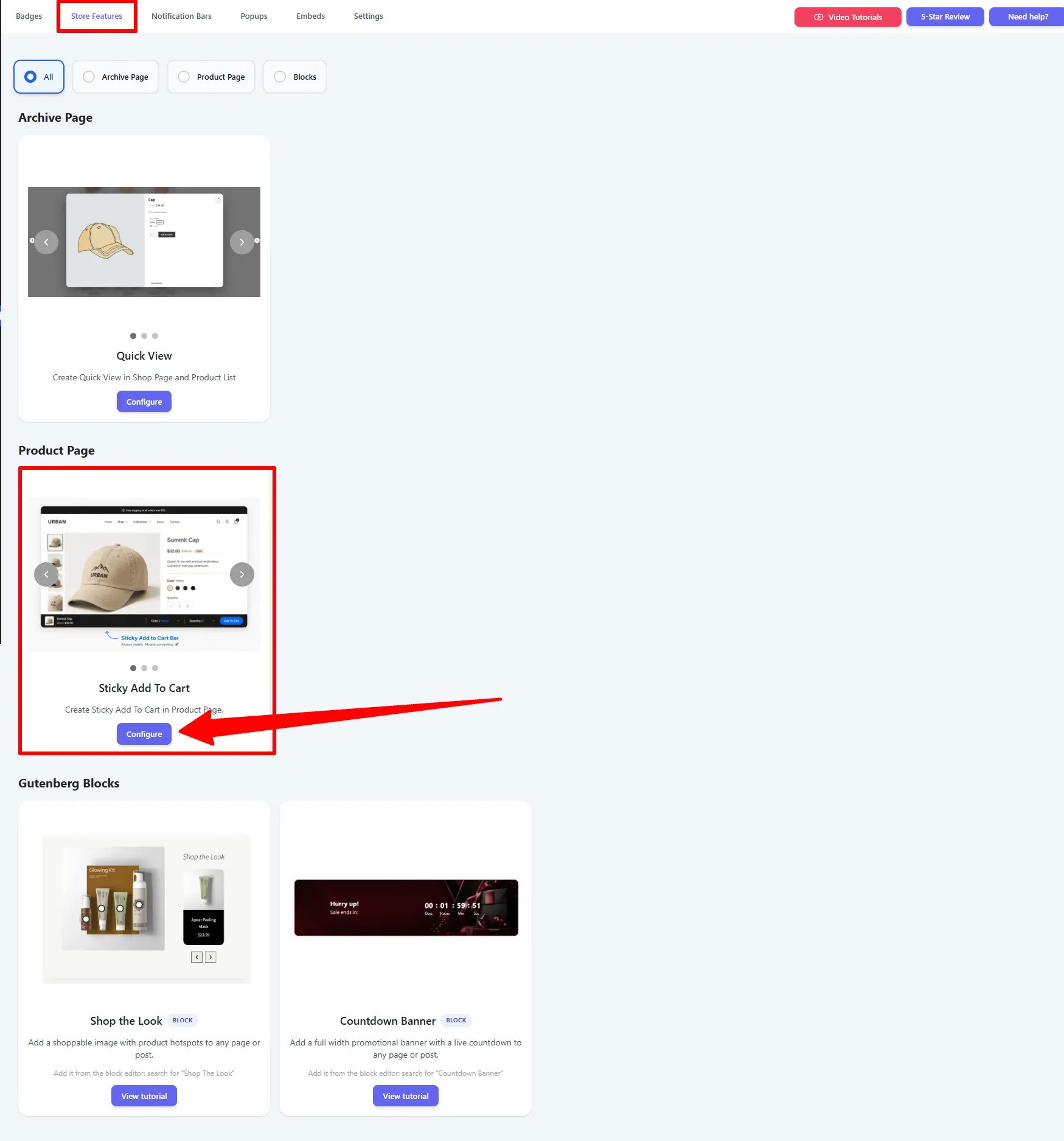
Quick View is available in Free (with extra themes in Pro). Sticky Add to Cart and the Gutenberg Blocks are Pro features.
Popular use cases
Each Store Feature solves a different drop-off point in the buying journey. Match your goal to the right one:
| Your goal | Best feature | How to set it up |
|---|---|---|
| Let shoppers preview a product without leaving the shop grid | Quick View | Enable the Popup display, an eye icon trigger, and Next / Previous so they can flip through items. |
| Reduce clicks from browse to add-to-cart | Quick View | Show the short description and the Add to Cart button in the modal. |
| Keep Add to Cart reachable on long product pages | Sticky Add to Cart | Bar pinned to the bottom, set to appear When Add to Cart is out of view. |
| Recover mobile conversions where the buy button scrolls away | Sticky Add to Cart | Enable Display on Mobile, use the compact icon (bag) mobile button. |
| Highlight a discount right next to the buy button | Sticky Add to Cart | Turn on the Discount Badge (Percentage or Amount) on the Design tab. |
| Drop a promo hero with a live countdown on a landing page | Countdown Banner | Insert the block, pick a layout, point the timer at your sale end date. |
| Turn a lifestyle photo into a shoppable lookbook | Shop the Look | Insert the block, add hotspots, and link each to a product. |
| Place a feature exactly where you want it on one page | Gutenberg Blocks | Use a block instead of an embed for one-off placements. |
Use Quick View on the shop grid to speed up discovery, Sticky Add to Cart on product pages so the buy button is always one tap away, and a Countdown Banner block on your campaign landing page to add urgency — each targets a different moment in the journey.
SEO and conversion checklist
Treat each WooCommerce store feature as an interaction layer, not a replacement for the product content that search engines and shoppers need. Keep product names, descriptions, prices, availability, and links visible in the normal page HTML; use Quick View, sticky buying controls, and countdown banners to shorten the path to action.
Before publishing, test the shop archive, a category archive, a single product, a variable product, mobile breakpoints, keyboard navigation, and a product that is out of stock. Confirm that each feature appears only in its intended location, that overlays do not cover prices or product links, and that a countdown uses a genuine campaign deadline. Track product-card clicks, Quick View opens, add-to-cart events, checkout starts, completed orders, and conversion rate so each feature has a measurable purpose. For product search visibility, keep offer and availability data accurate according to Google’s Product structured data guidance.
Frequently Asked Questions
What are WooCommerce store features?
WooCommerce store features are storefront tools that improve browsing or buying across product archives and product pages. Sale Booster includes Quick View, Sticky Add to Cart, and Gutenberg blocks such as Countdown Banner and Shop the Look.
Which WooCommerce conversion tool should I enable first?
Enable Quick View when shoppers compare many visual products, Sticky Add to Cart when product pages are long or mobile shoppers scroll past the buy button, and a Countdown Banner when a landing page needs a time-limited campaign message.
Do WooCommerce store features replace product SEO content?
No. Keep the canonical product page, product title, description, price, availability, and internal links intact. Store features should support the buying journey without hiding or duplicating the information search engines and shoppers use.
Can I combine Quick View, Sticky Add to Cart, and a countdown banner?
Yes. Use each feature at a different stage: Quick View for discovery, Sticky Add to Cart for product-page purchase access, and a countdown banner for a genuine promotion with a defined end time.