Settings
Overview
The Settings tab holds the global options that control where and how badges, popups, and embeds attach to your theme — plus your license. Most stores never need to change these, but when a badge lands in the wrong spot for a particular theme, this is where you fix it. Settings are split into sub-tabs: General, Product Page, Sales Popup, Embeds, and Enable Updates.
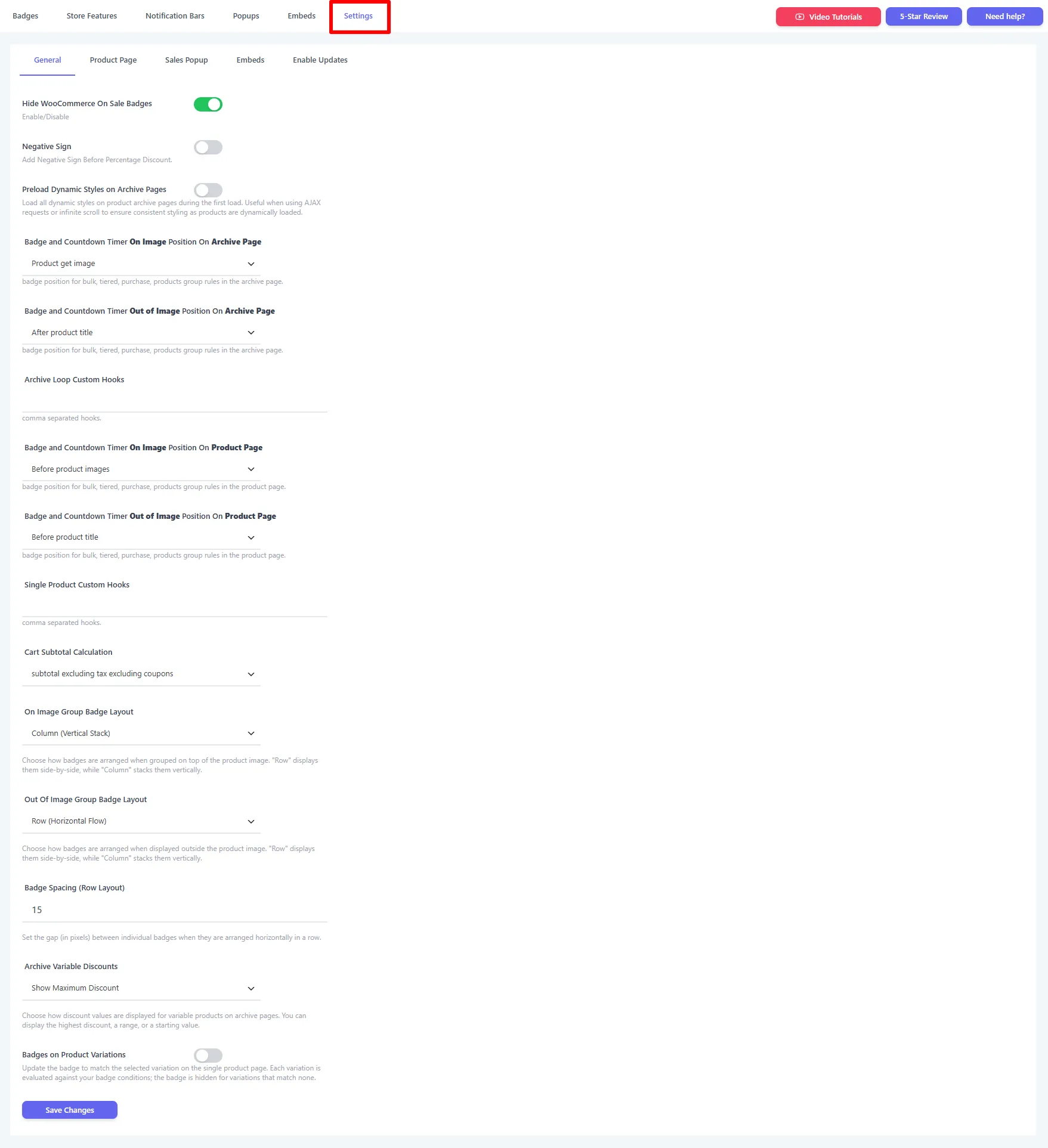
One Save button
There's a single Save Changes button — saving applies to every sub-tab on this screen, so you can edit several tabs before saving once.
The sub-tabs
| Sub-tab | What it controls | Guide |
|---|---|---|
| General | Where badges/timers attach (position hooks), group layout, and how discounts display. | General |
| Product Page | The product-image container selector and the master product-page toggle. | Product Page |
| Sales Popup | The cache limit for sales popups. | Sales Popup |
| Embeds | The default embed position + performance/caching options. | Embeds |
| Enable Updates | Your Pro license key. | Enable Updates |
When to use this tab
- A badge appears in an odd position on your theme → adjust the position hook (General).
- WooCommerce's default "Sale!" flash clashes with your badge → Hide WooCommerce On Sale Badges (General).
- You want out-of-image badges laid out in a row → set the group layout / spacing (General).
- An embed needs a different default spot → set the Embed Position On Product Page (Embeds).
- You bought Pro → enter your license key under Enable Updates.