Infinity Bar
Overview
The Infinity Bar (loop bar) is a continuously scrolling marquee of text — a smooth, never-ending stream of short promotional phrases moving across the bar. It's perfect for a steady drip of trust and benefit messages, with no buttons or clicks required.
How it works
You want an always-on ribbon of quick promos. You add a few short phrases — Free shipping over $100 · 30-day returns · New arrivals weekly — and they scroll endlessly across the top of the store, one after another.
The Notification Bar module is available in Sale Booster Pro.
Step-by-step setup
1. Pick the Infinity Bar template
Open Sale Booster → Notification Bar → Add New, name the bar, and pick the Infinity Bar template from the gallery — it previews as a marquee of text scrolling sideways.
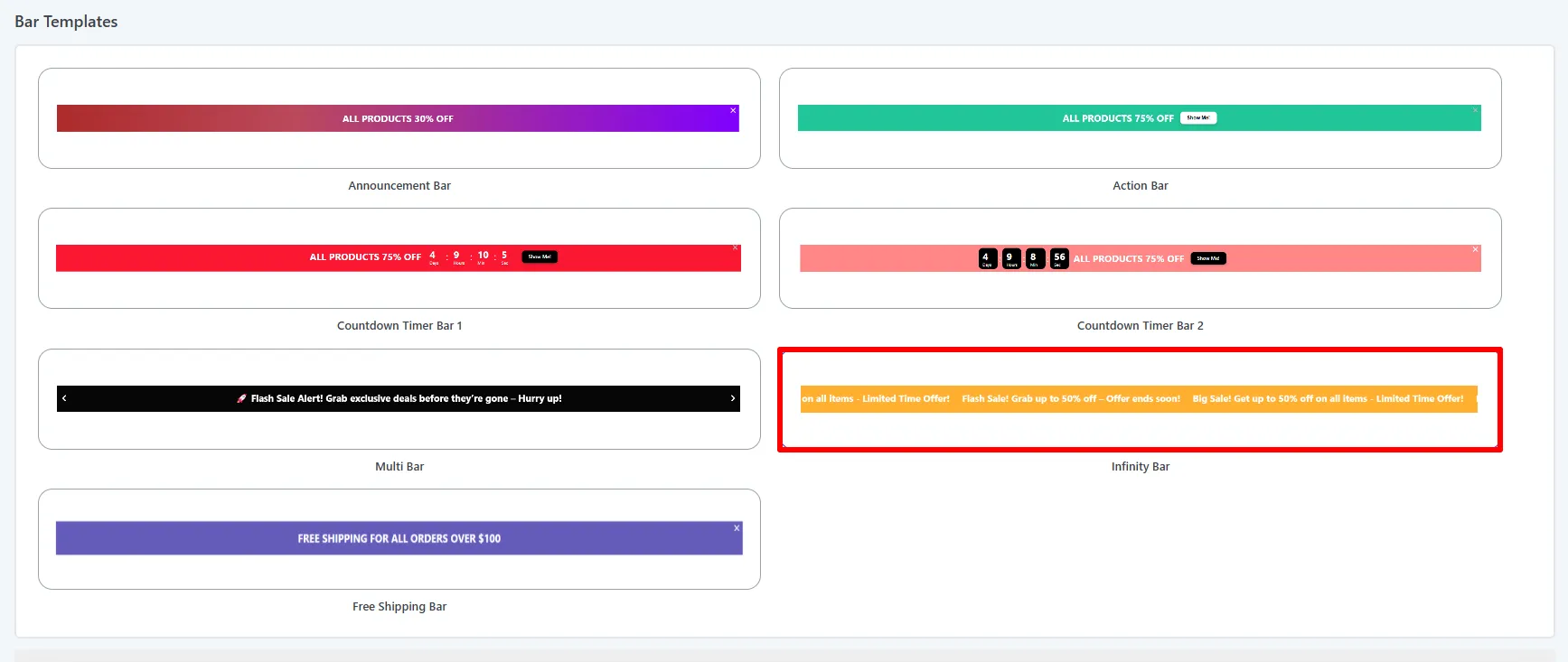
2. Add your scrolling phrases
On the Content tab, set the Animation Speed (lower = faster) and toggle Pause On Hover. Then add a bar for each phrase — type its Message — and click Add New Bar for more. Infinity bars are text-only, so there are no buttons or coupons here.
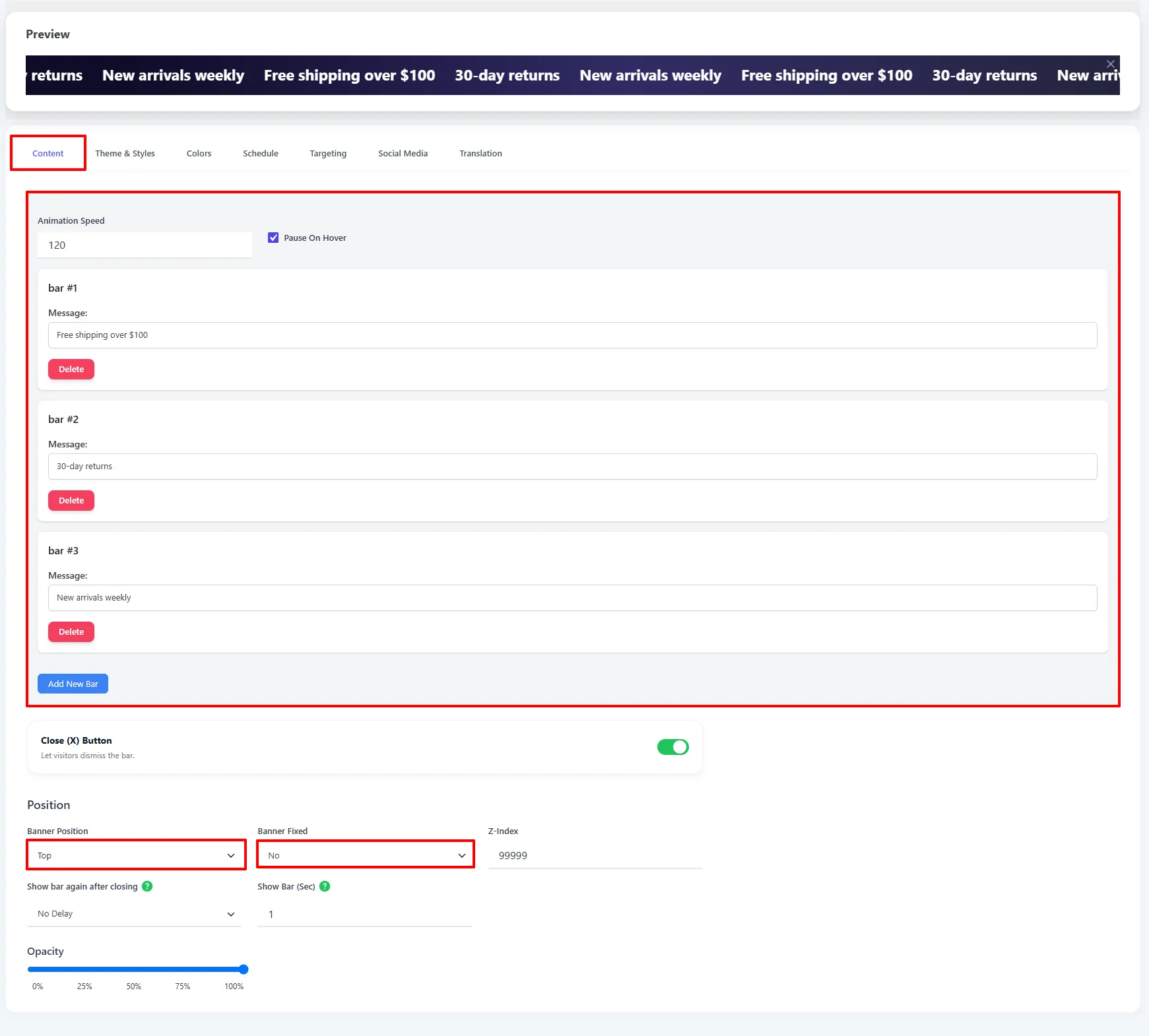
3. Style the bar
On the Theme & Styles tab, pick a Color Template (e.g. Neon Cyber) to recolor the whole bar in one click, then fine-tune the Font Size / Weight, the Height Size, the background Theme, and the Banner Animation.
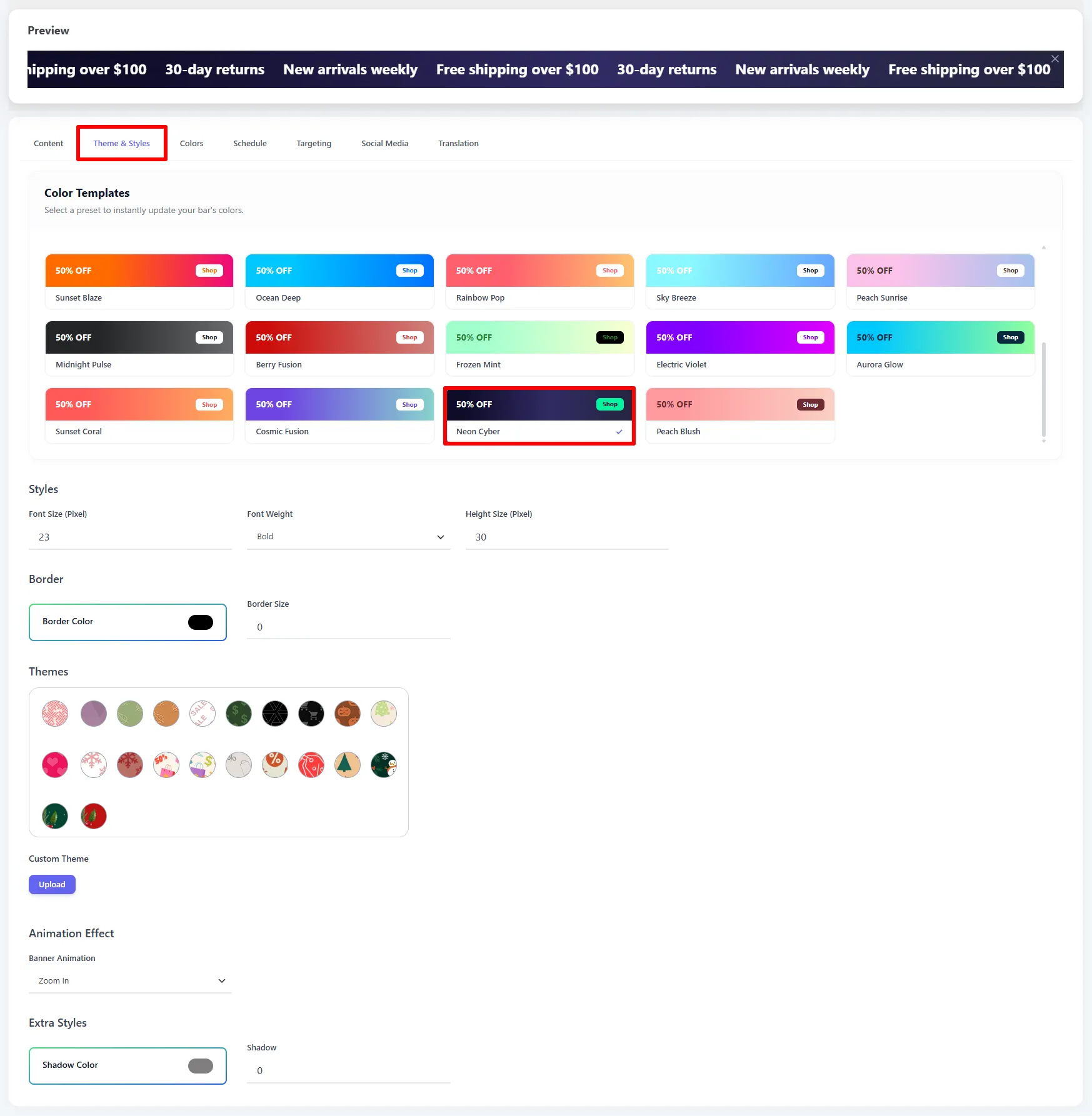
4. Choose where it shows, then Save
On the Targeting tab, pick the Devices (Desktop / Mobile) and add Pages & Products rules — for example Shop page → Yes to show it only on the shop — then click Save.
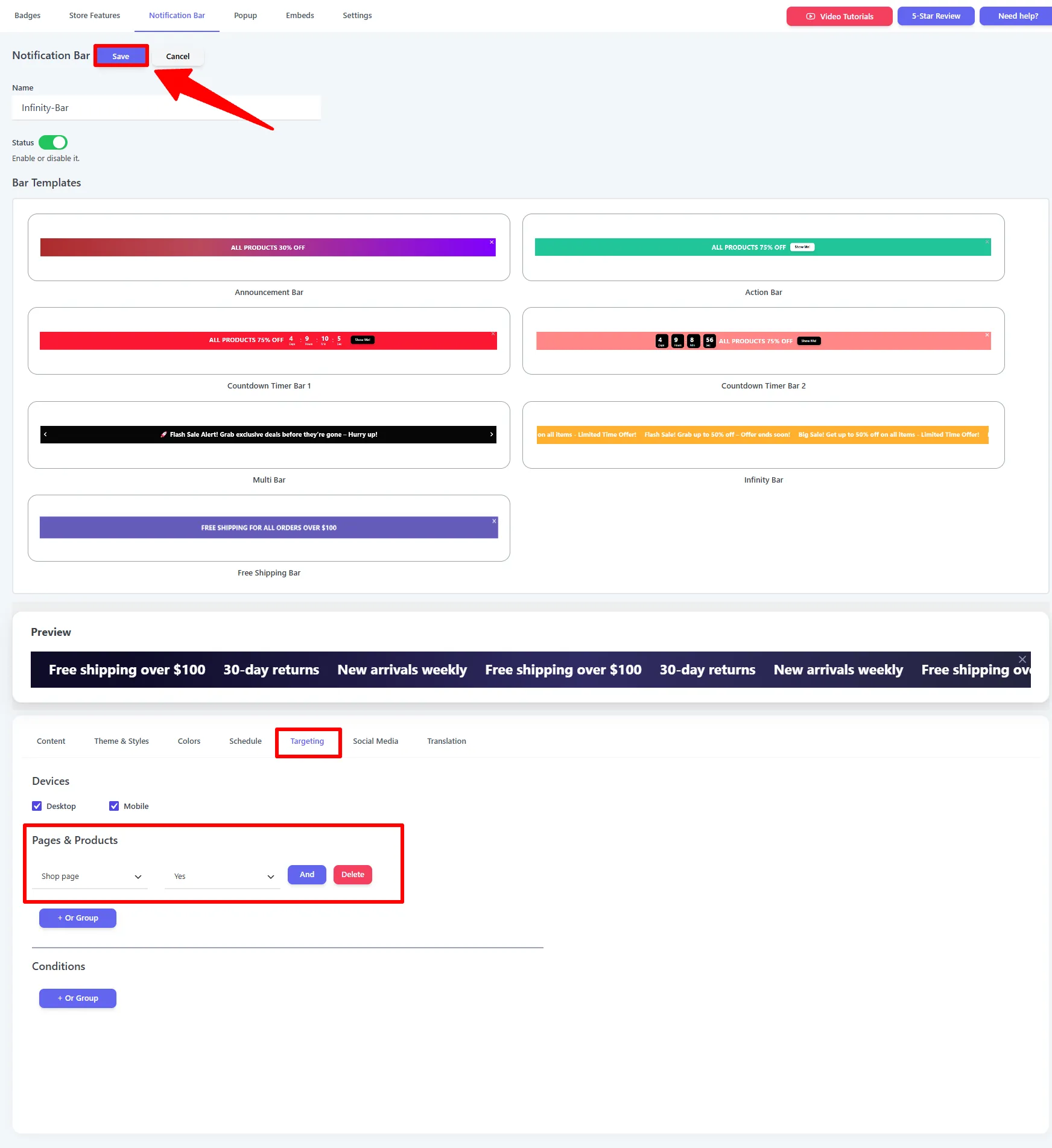
Options explained
| Option | What it does |
|---|---|
| Animation Speed | How fast the text scrolls (lower = faster). |
| Pause On Hover | Stop the scroll while the shopper hovers over the bar. |
| Message | Each phrase in the scrolling loop. |
| Add New Bar / Delete | Add or remove phrases. |
| Color Template | One-click color preset for the whole bar (Theme & Styles tab). |
| Height Size (Pixel) | The bar's height (Theme & Styles tab). |
See Shared settings for position, close-behavior, targeting, schedule, and translation.
🧪 Example configuration
The setup shown in the screenshots above:
| Setting | Value |
|---|---|
| Type | Infinity Bar |
| Animation Speed | 120 |
| Pause On Hover | On |
| Messages | Free shipping over $100 · 30-day returns · New arrivals weekly |
| Color template | Neon Cyber |
| Position | Top |
| Targeting | Shop page |
What customers see
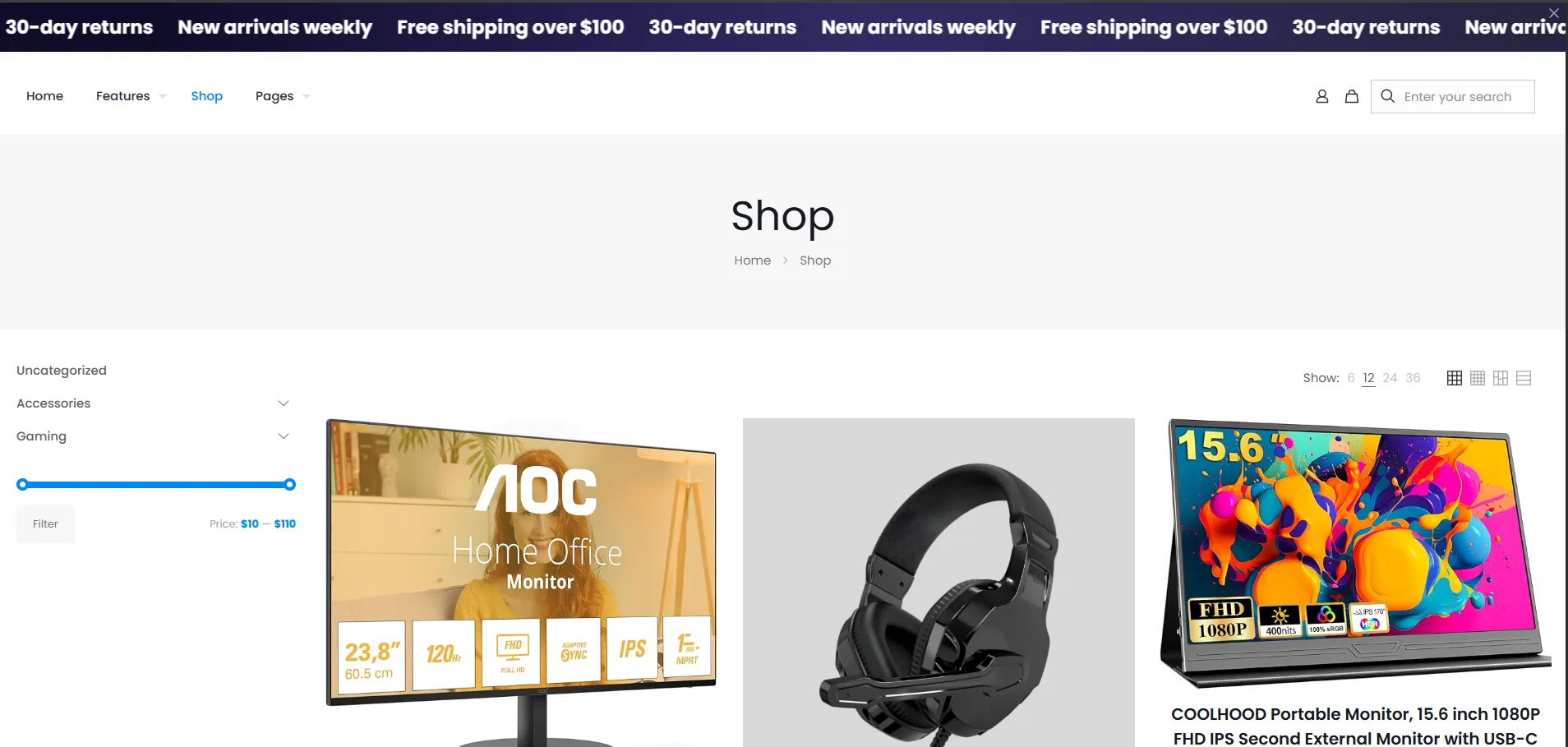
A smooth, continuously scrolling ribbon of promotional phrases across the top of the store — here the dark Neon Cyber bar looping "Free shipping over $100 · 30-day returns · New arrivals weekly".
- Keep phrases short so several fit on screen as they scroll.
- Enable Pause On Hover so shoppers can read a phrase that catches their eye.
- Use it for evergreen trust messages (shipping, returns, guarantees) rather than time-limited offers.
Next Steps
- Multi Bar — fading slides with buttons/coupons instead of a marquee.
- Notification Bar overview
Frequently asked questions
What is a WooCommerce Infinity Bar?
A WooCommerce Infinity Bar is a continuously scrolling notification bar that loops through short text messages. It works well for evergreen benefits such as free shipping, easy returns, and secure checkout.
Can an Infinity Bar contain buttons or coupons?
No. The Infinity Bar is text-only. Use an Action Bar for one CTA or a Multi Bar for several messages with buttons or coupons.