General
The General sub-tab controls where badges and countdown timers attach to your theme, how grouped badges are laid out, and how discounts display. Most theme placement issues are solved here.
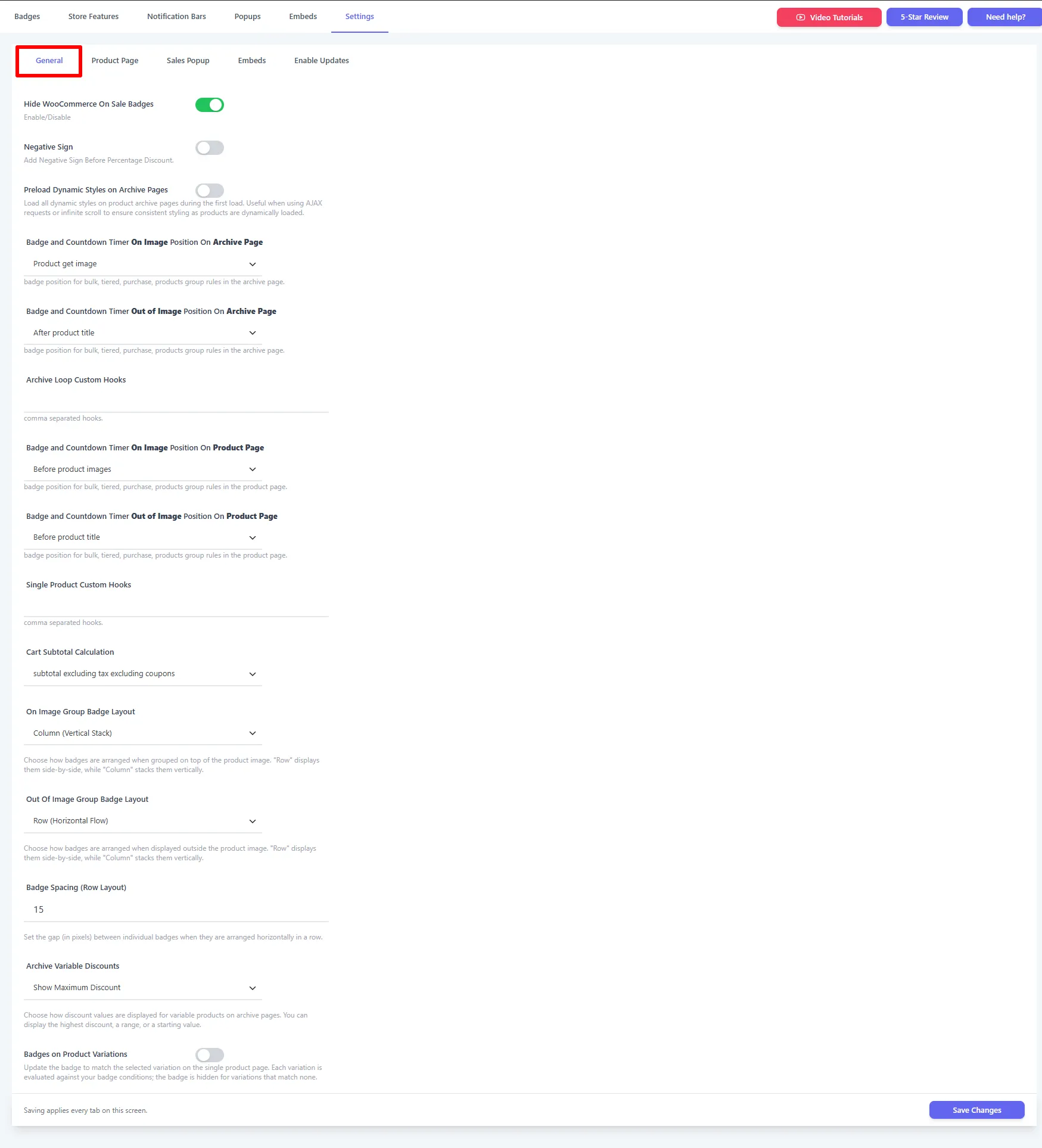
| Setting | What it does | When & why to use |
|---|---|---|
| Hide WooCommerce On Sale Badges | Removes WooCommerce's default "Sale!" flash. | Turn on so only your badges show. |
| Negative Sign | Adds a leading minus before the percentage discount (-20%). | Stylistic preference. |
| Preload Dynamic Styles on Archive Pages | Loads all dynamic styles on the first archive load. | Turn on for AJAX / infinite-scroll shops so styling stays consistent as products load. |
| On Image Position On Archive Page | Hook for On Image badges/timers in shop loops (default Product get image). | Change if badges are misplaced on the shop grid. |
| Out of Image Position On Archive Page | Hook for Out of Image badges in shop loops (e.g. After product title). | Position badges that sit below the image on archives. |
| Archive Loop Custom Hooks | Comma-separated custom hook name(s) for archives. | When your theme needs a non-standard attachment point. |
| On Image Position On Product Page | Hook for On Image badges on the product page (e.g. Before product images). | Change if badges are misplaced on product pages. |
| Out of Image Position On Product Page | Hook for Out of Image badges on the product page (e.g. Before product title). | Position below-image badges on product pages. |
| Single Product Custom Hooks | Comma-separated custom hook name(s) for product pages. | Advanced theme placement. |
| Cart Subtotal Calculation | How the subtotal is computed for free-shipping logic (e.g. excluding tax excluding coupons). | Match your tax/coupon setup. |
| On Image Group Badge Layout | Row (side-by-side) or Column (stacked) when badges are grouped over the image. | Neatly arrange several on-image badges. |
| Out Of Image Group Badge Layout | Row or Column for grouped out-of-image badges. | Neatly arrange several below-image badges. |
| Badge Spacing (Row Layout) | The gap (px) between badges arranged in a row. | Space stacked badges apart. |
| Archive Variable Discounts | Show maximum, minimum, or a range/starting discount for variable products. | Control how "% off" reads on variable products. |
| Badges on Product Variations | Re-evaluate the badge against the selected variation on the product page (hidden for non-matching variations). | Turn on so the badge follows variation selection. |
Badge not showing or misaligned?
Most theme placement issues are solved here. If a badge doesn't appear, try a different position hook, or switch the badge to Out of Image and set the out-of-image hook. The Custom Hooks fields let you target any hook your theme provides.