Analytics
Open Preorders → Analytics to review preorder demand, fulfilment progress, and waitlist activity. The Analytics tab requires RestockBeacon Pro alongside the active Free plugin. It reports activity already recorded by your store; it does not create campaigns or send notifications.
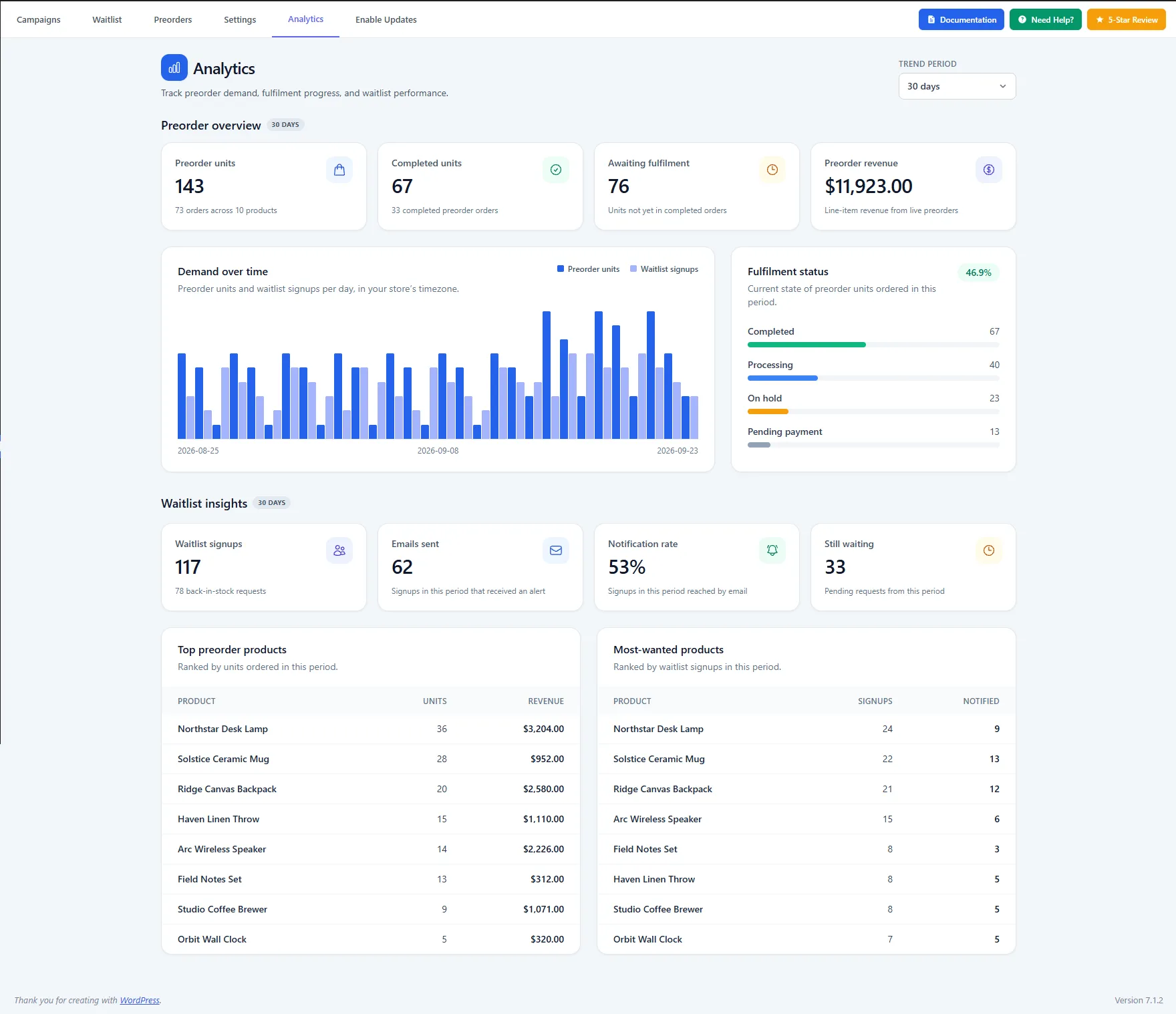
The dashboard shown with a 30-day trend period, preorder and waitlist summaries, and product rankings.
Choose a trend period
Use Trend Period at the top right to change the reporting window. The screenshot shows 30 days; the selected period also appears beside the Preorder overview and Waitlist insights headings. Compare the same period when reading preorder units alongside waitlist signups in the demand chart.
Read the preorder overview
The first four cards show Preorder units, Completed units, Awaiting fulfilment, and Preorder revenue. Preorder units includes the number of orders and products behind the unit count. Completed units counts units in completed preorder orders. Awaiting fulfilment shows units that are not yet in completed orders. Preorder revenue is the line-item revenue shown for preorders in the selected period.
Demand over time plots preorder units and waitlist signups by day in the store's timezone. Use the two series together to see when customers place preorders and when they join a waitlist. Fulfilment status breaks preorder units down by their current order status, with a completion percentage above the bars. The screenshot shows completed, processing, on-hold, and pending-payment units.
Read the waitlist insights
The waitlist cards show Waitlist signups, Emails sent, Notification rate, and Still waiting. Emails sent counts signups that received an alert. Notification rate compares those reached by email with signups in the period. Still waiting represents pending requests from that period. The signup card also identifies how many requests came from Back in Stock.
Top preorder products ranks products by units ordered and shows their preorder revenue. Most-wanted products ranks products by waitlist signups and shows how many signups were notified. Compare the tables to distinguish products customers are already buying from products attracting interest while unavailable.
For the signup records, manual alerts, and CSV export, see Waitlist. For campaign setup, see Preorders and Back in Stock. Return to Pro Features for the other Pro options.