Settings & Privacy
Overview
Global options live under Preorders → Settings, split across three tabs: General, Emails and Pro Features. Most stores never need to change anything here — the defaults are the safe choice. Each tab has its own Save Changes button.
General
The General tab has two options. Both are off by default.
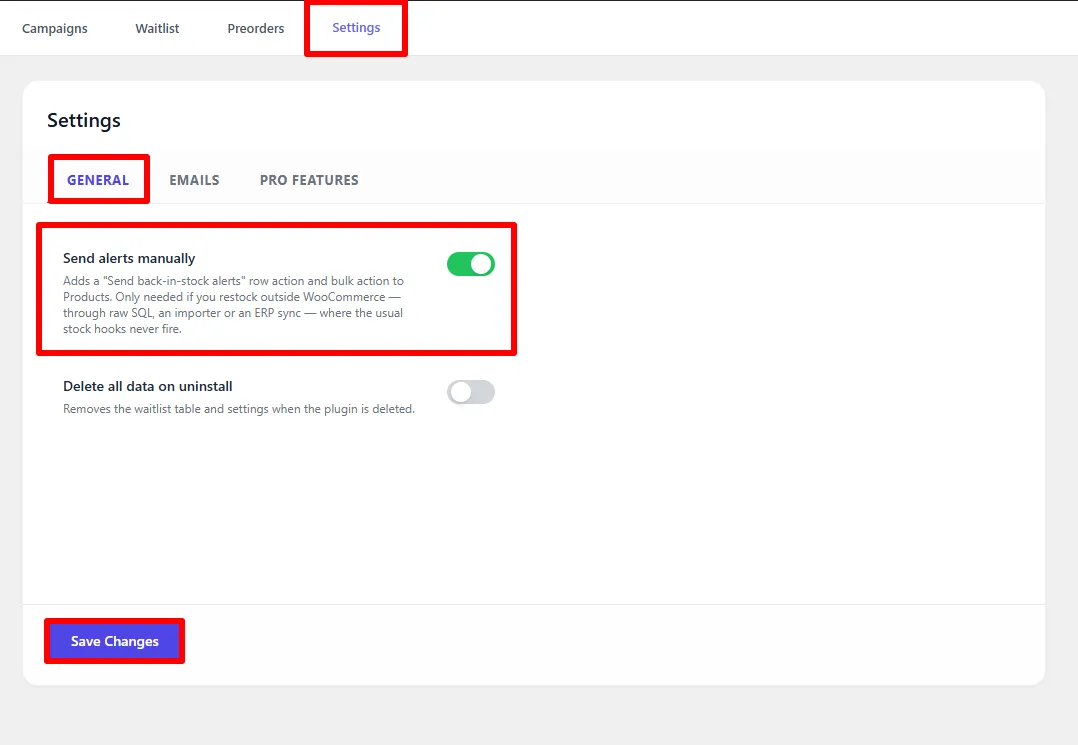
Preorders → Settings → General.
| Setting | What it does |
|---|---|
| Send alerts manually | Adds a row action and bulk action to Products → All Products. Use it only when an importer or external system changes stock without WooCommerce's stock hooks. Normal WooCommerce restocks notify the waitlist automatically. See Waitlist. |
| Delete all data on uninstall | Removes the waitlist table and settings when the plugin is deleted. Off by default, so your data survives a reinstall. |
With Delete all data on uninstall enabled, deleting the plugin permanently removes every campaign and every waitlist sign-up. Export your waitlist first if you might want the data back.
Emails
The Emails tab is a signpost rather than a settings screen. The Back in Stock and Preorder Confirmation emails are WooCommerce emails, so they are enabled and configured under WooCommerce → Settings → Emails, and their templates are overridden by copying them into yourtheme/woocommerce/emails/.
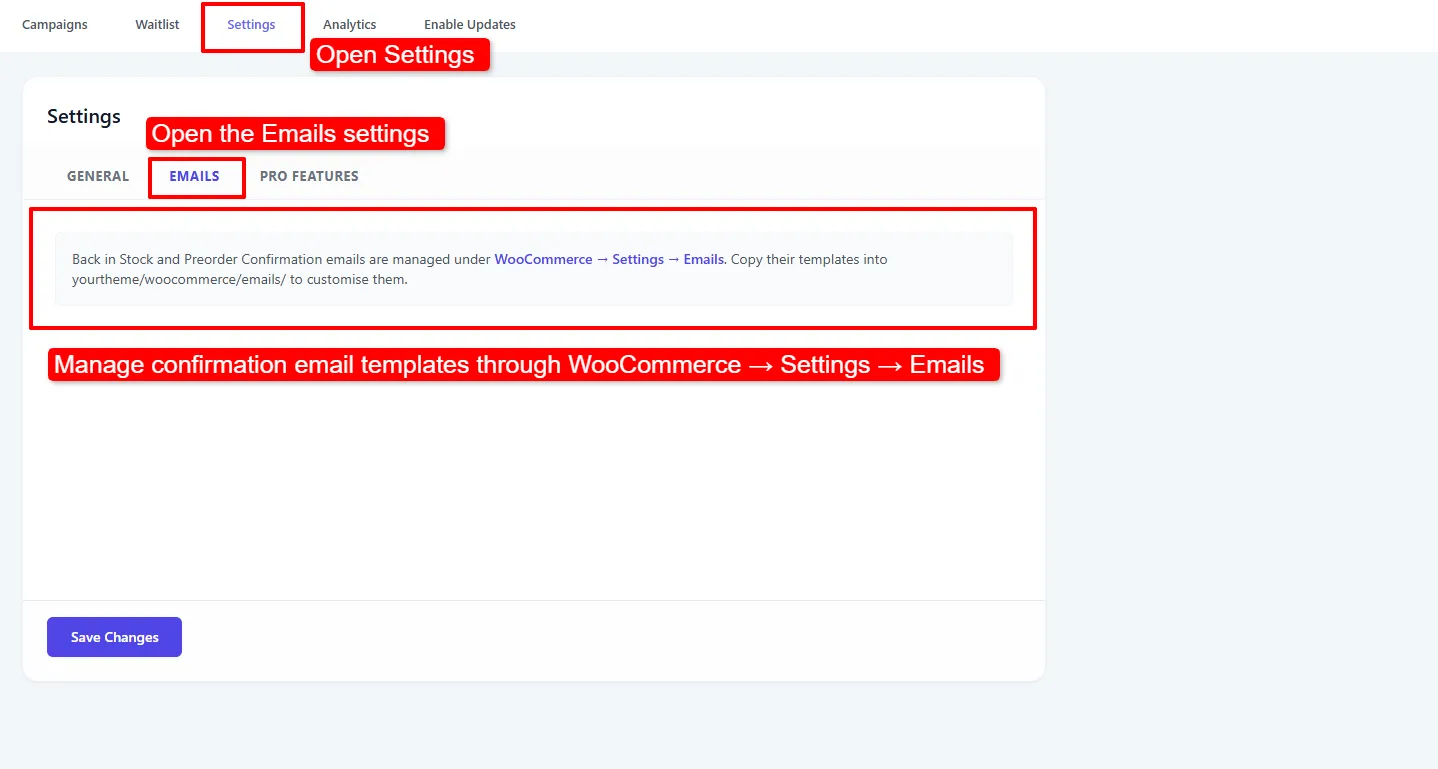
Preorders → Settings → Emails. The links take you straight to the WooCommerce email screen.
See Emails for the full walkthrough, including the per-campaign email designer.
Pro Features
Four global toggles for premium behaviour. Each one is a store-wide switch — the per-campaign Pro options live in the campaign editor instead.
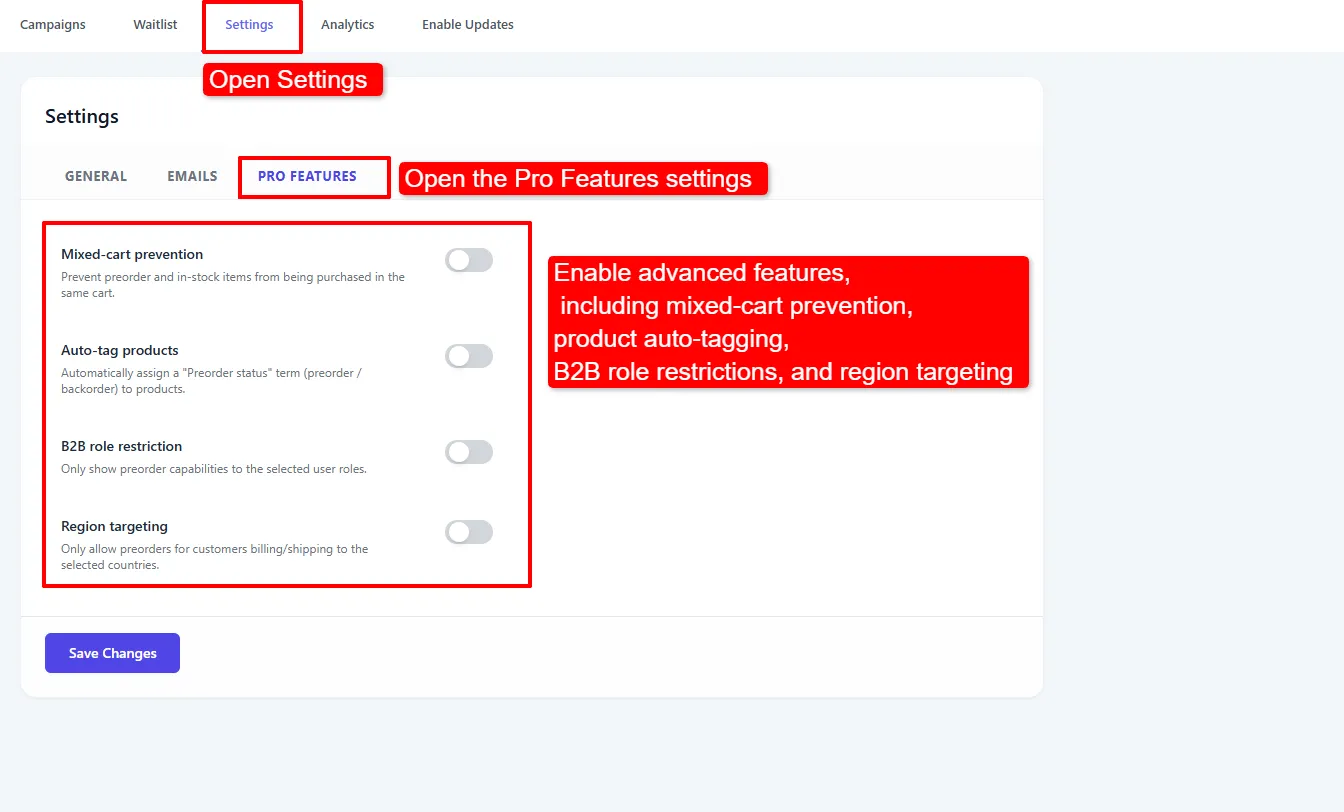
Preorders → Settings → Pro Features.
| Setting | What it does |
|---|---|
| Mixed-cart prevention | Prevents preorder and in-stock items from being purchased in the same cart. |
| Auto-tag products | Automatically assigns a "Preorder status" term (preorder / backorder) to products. |
| B2B role restriction | Only shows preorder capabilities to the selected user roles. |
| Region targeting | Only allows preorders for customers billing or shipping to the selected countries. |
B2B role restriction and Region targeting reveal a second field — the roles or countries to allow — once switched on.
See Advanced Rules for how these restrictions behave for guests and customers whose country is not yet known, plus mixed-cart and auto-tagging setup.
Without Pro each toggle carries a PRO badge and does nothing when switched on. Installing Pro removes the badge and activates the behaviour. See Pro Features.
Data & Privacy (GDPR)
The plugin is built to be privacy-friendly out of the box.
- Consent — every "Notify me" sign-up requires the customer to tick a consent checkbox before they are added to the waitlist. Sign-ups without it are rejected.
- One-click unsubscribe — every notification email includes a secure, signed unsubscribe link. Customers can also unsubscribe under My Account → Preorders.
- Personal-data export — waitlist sign-ups are included in WordPress's Tools → Export Personal Data report.
- Personal-data erasure — sign-ups are removed by WordPress's Tools → Erase Personal Data tool.
What data is stored?
| Field | Why |
|---|---|
| Product / variation ID | To know what they are waiting for |
| Email address | To send the restock notification |
| Consent flag | Proof the customer opted in |
| Language | To send the email in the right language |
| IP address | Anti-spam rate limiting only |
| Timestamps | Signed-up and notified dates |
No payment data is stored by the waitlist.
Anti-spam protections
Every sign-up passes through a nonce check, a honeypot field, per-IP rate limiting (filterable), email validation, the required consent checkbox, and duplicate suppression. These are always on and need no configuration.
- Leave Delete all data on uninstall off unless you have a specific reason. Reinstalling with data intact is usually what you want.
- Make sure your privacy policy mentions that you store an email address and IP for restock notifications — the plugin collects consent, but the disclosure is your responsibility.
Next Steps
- Emails — enable and design the customer emails.
- Waitlist — where the stored data is managed.
- Pro Features — what the Pro toggles unlock.
- Advanced Rules — configure and test the Pro restrictions.
Frequently asked questions
Is the plugin GDPR compliant?
It provides the tools: explicit consent at sign-up, one-click unsubscribe, and integration with WordPress's personal-data export and erasure. Compliance also depends on your privacy policy and how you use the data.
What happens to my waitlist if I uninstall the plugin?
By default it is preserved, so reinstalling restores everything. If you enable Delete all data on uninstall, the tables are dropped when the plugin is deleted.
Why is an IP address stored?
Solely for per-IP rate limiting, to stop a bot submitting thousands of sign-ups. It is not used for identification or tracking.
Can customers withdraw consent?
Yes — through the unsubscribe link in any email, from My Account → Preorders, or via a WordPress personal-data erasure request.
Where are the email settings?
Not here. The Emails tab links out to WooCommerce → Settings → Emails, which is where both plugin emails are switched on and configured.