Product Upsell Popup
📋 Table of Contents
Overview
The Product Upsell Popup presents an offer in a modal at the exact moment a customer adds a product to their cart. It captures attention at a high‑intent moment — the shopper has already decided to buy — making it one of the most effective ways to cross‑sell and raise average order value.
You control what triggers the popup, whether it appears before or after the item is added, and how often it can reappear.
How it works
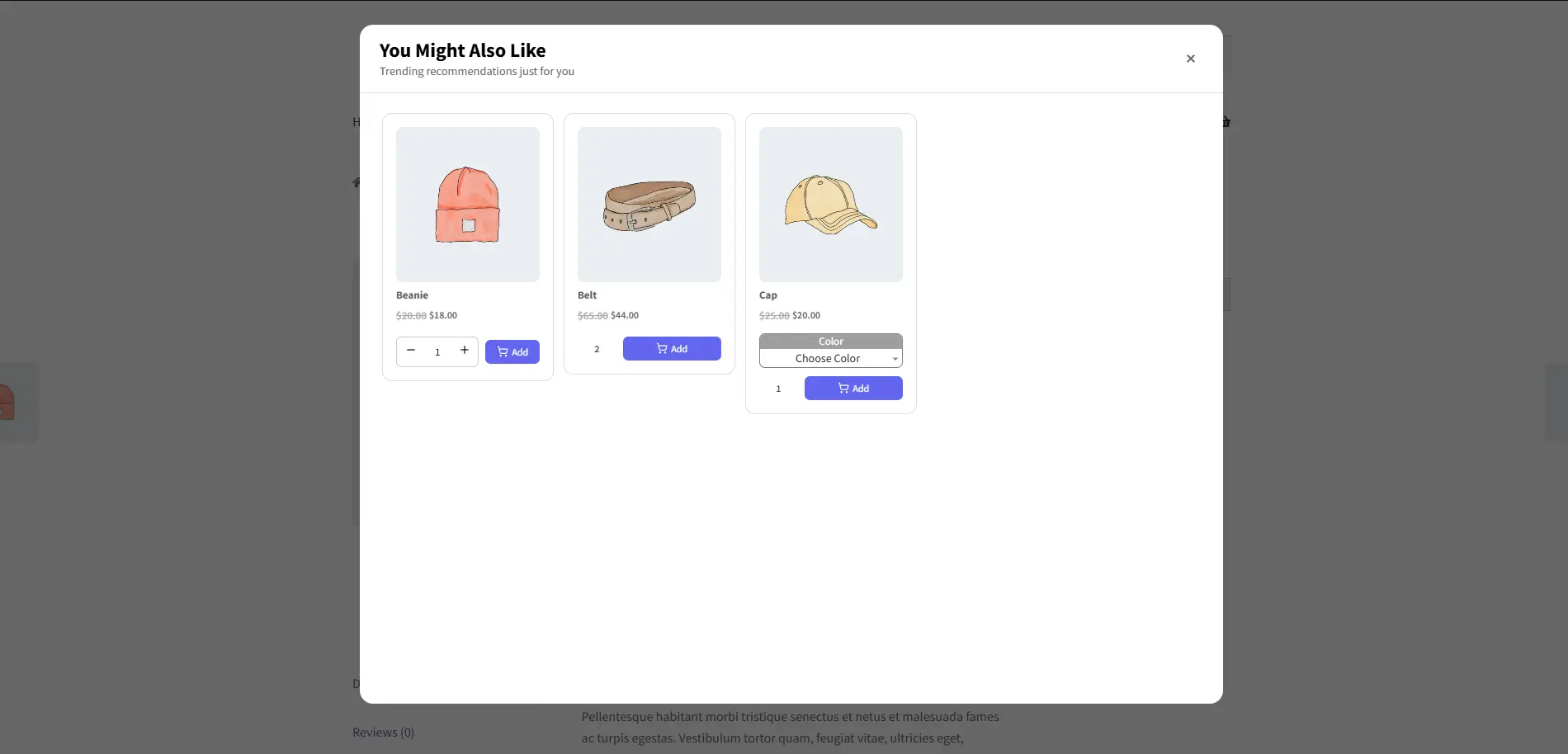
A customer clicks Add to Cart on a pair of Sunglasses. Before the item is added, a popup slides in suggesting a Beanie, a Belt, and a Cap, one of them discounted. The shopper can add the extras and continue — or dismiss the popup — without breaking their flow.
The Product Upsell Popup is a Pro feature.
Step-by-Step Setup
1. Create the campaign
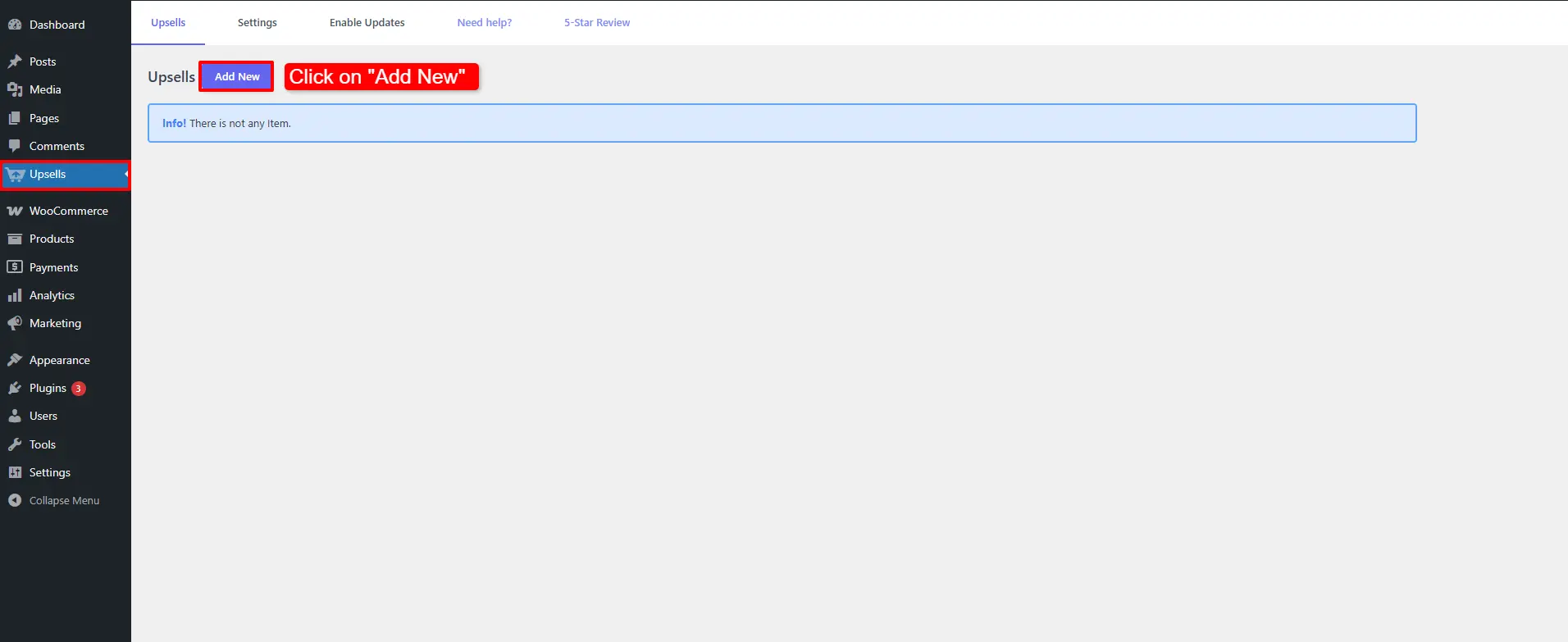
Open Side Cart & Upsell → Campaigns, then click Add New.
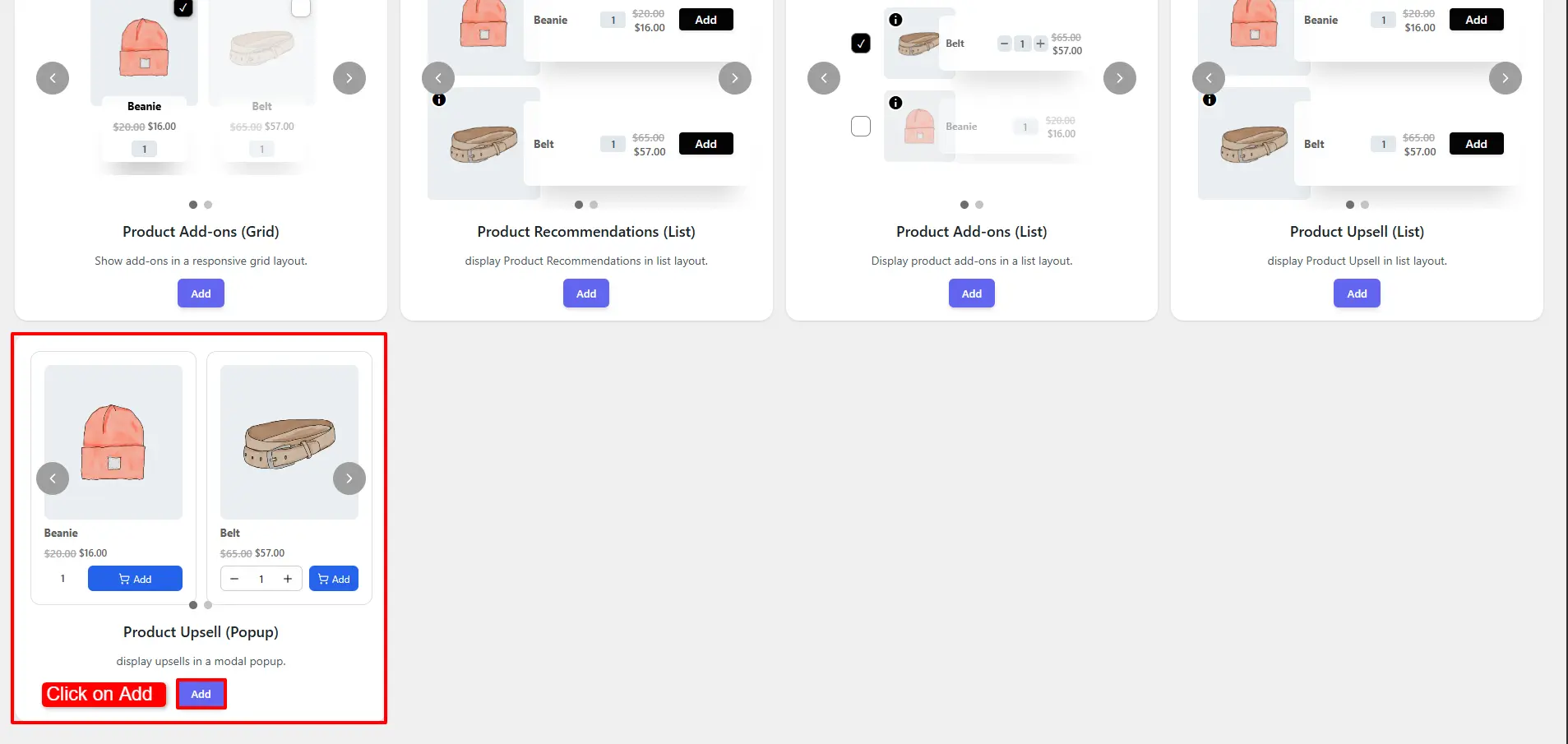
Choose Product Upsell (Popup) and click Add.
2. Configure the General tab
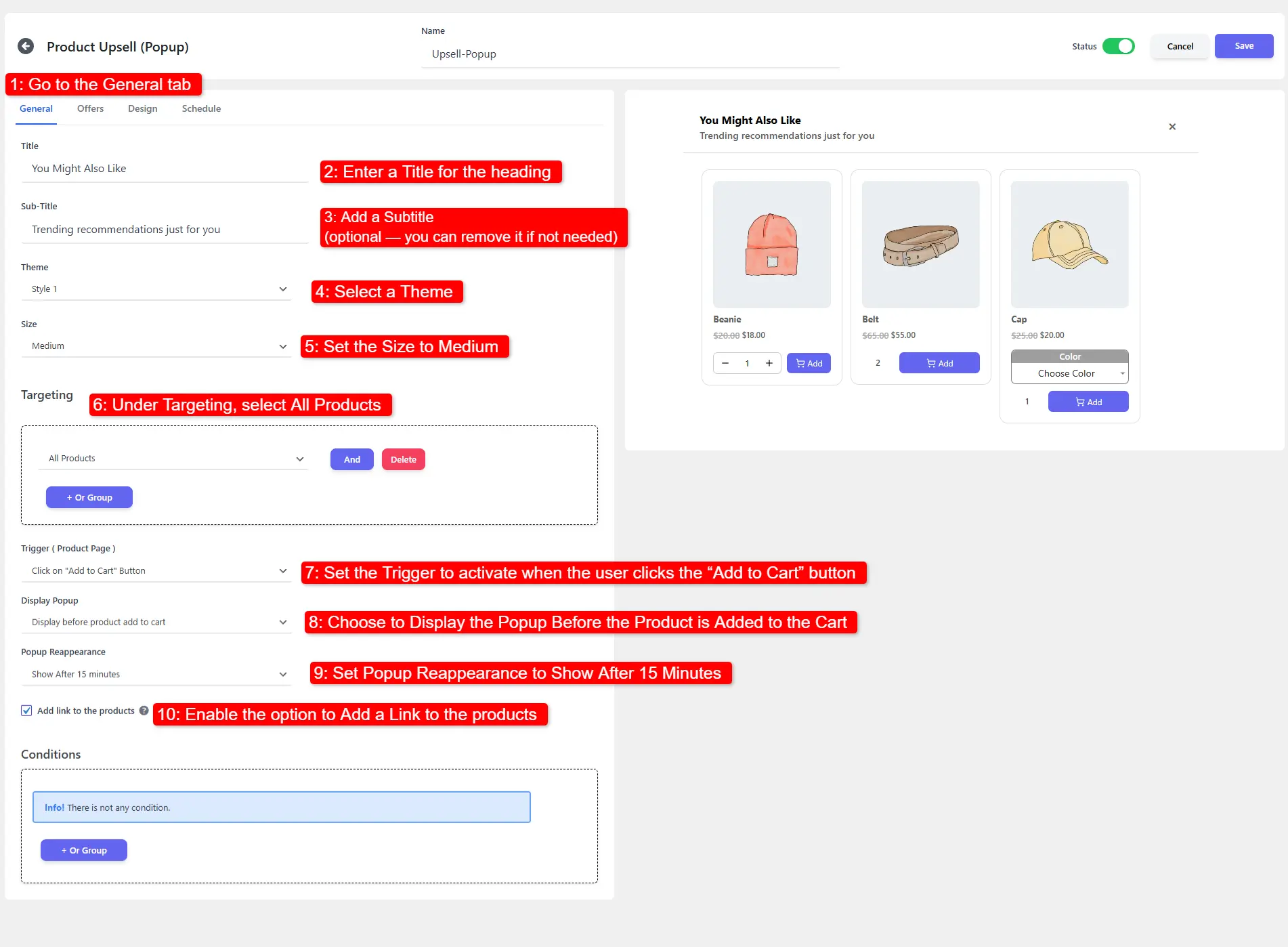
- Enter a Title and, optionally, a Subtitle.
- Select a Theme and set the Size (e.g. Medium).
- Under Targeting, choose All Products.
- Set the Trigger to fire when the customer clicks Add to Cart.
- Choose to show the popup before the product is added to the cart.
- Set Popup Reappearance — e.g. Show After 15 Minutes — to avoid nagging repeat visitors.
- Enable Add a Link to the Products.
3. Add your offers
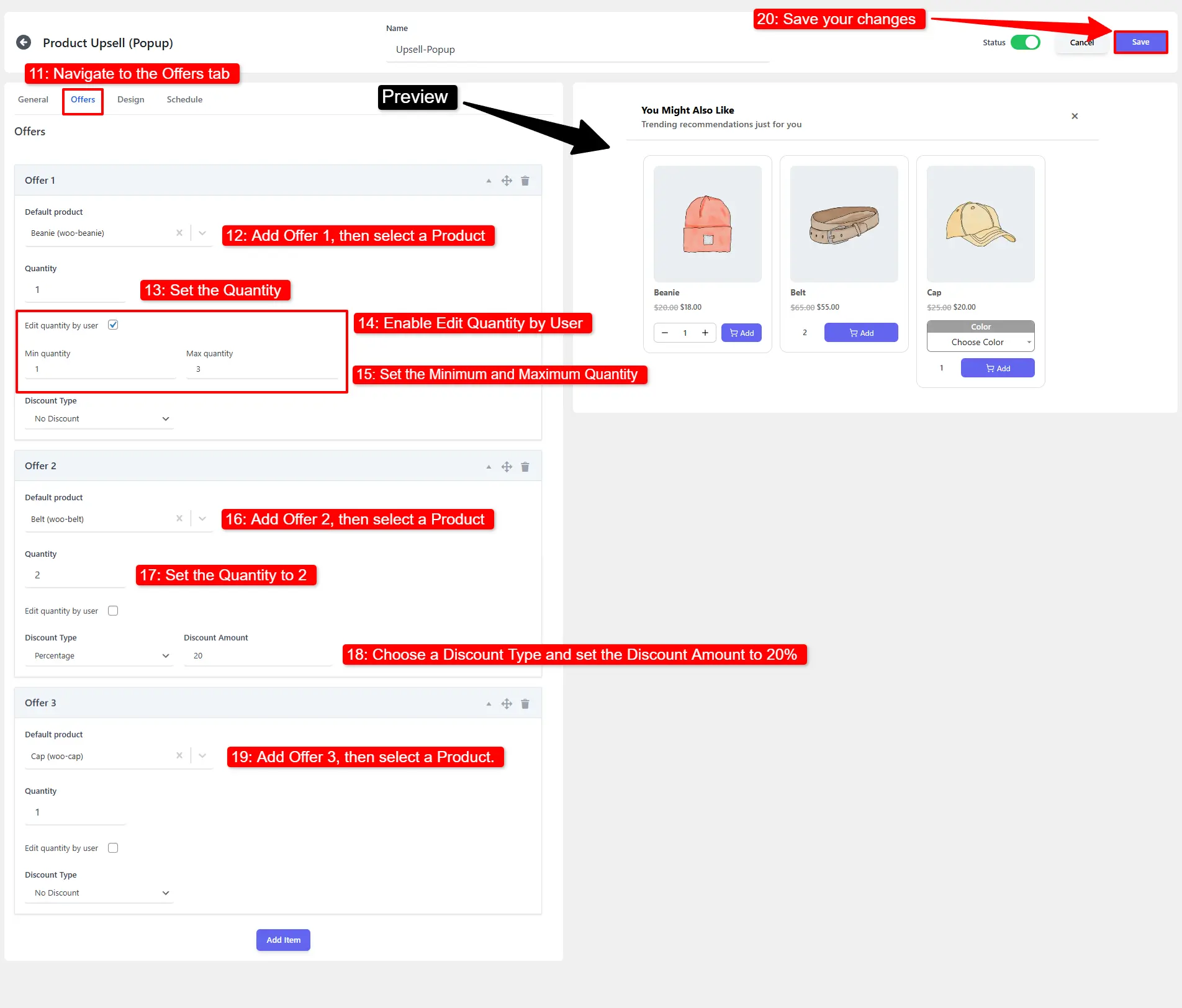
- Open the Offers tab.
- Add Offer 1 (e.g. Beanie), set the Quantity, enable Edit Quantity by User, and set the Minimum and Maximum.
- Add Offer 2 (e.g. Belt) with a Quantity of 2 and a Discount of 20%.
- Add Offer 3 (e.g. Cap).
- Click Save Changes.
🧪 Example configuration
| Setting | Value |
|---|---|
| Layout | Product Upsell (Popup) |
| Title | Wait — add these too? |
| Size | Medium |
| Targeting | All Products |
| Trigger | On Add to Cart click |
| Display | Before product is added |
| Reappearance | After 15 minutes |
| Offer 1 | Beanie — edit qty by user, min 1 / max 3 |
| Offer 2 | Belt — qty 2, 20% off |
| Offer 3 | Cap — qty 1 |
What customers see
The popup appears before the product is added to the cart on all product pages, showing your offers with the chosen theme and layout.
- Showing the popup before the add keeps the offer part of the same decision; showing it after confirms the add first — test both.
- Set a sensible reappearance window so returning shoppers aren't interrupted every visit.
- Keep the copy short and the offer count low so the modal stays fast to scan.
📚 Next Steps
Now that you've set up product upsell popups, explore other on-page and cart promotions:
- Product Upsell (On-Page) — Place embedded upsell recommendation blocks directly on product pages.
- Product Add-ons — Allow customers to select add-on options before clicking add to cart.
- Side Cart Upsells — Display upsell offers inside the slide-out cart drawer.
- Cart Upsell Campaigns — Display complementary offers on the cart page.
- Checkout Upsell Campaigns — Offer final impulse add-ons on the checkout page.