Product Recommendation
📋 Table of Contents
Overview
Product Recommendation automatically surfaces related or popular products based on dynamic filters — no need to hand‑pick items for every product. Set a rule once (for example, "show the 4 most popular products from the current product's category") and the plugin keeps the suggestions fresh as your catalog and sales data change.
It's the ideal way to keep shoppers engaged and drive cross‑sells with minimal maintenance.
How it works
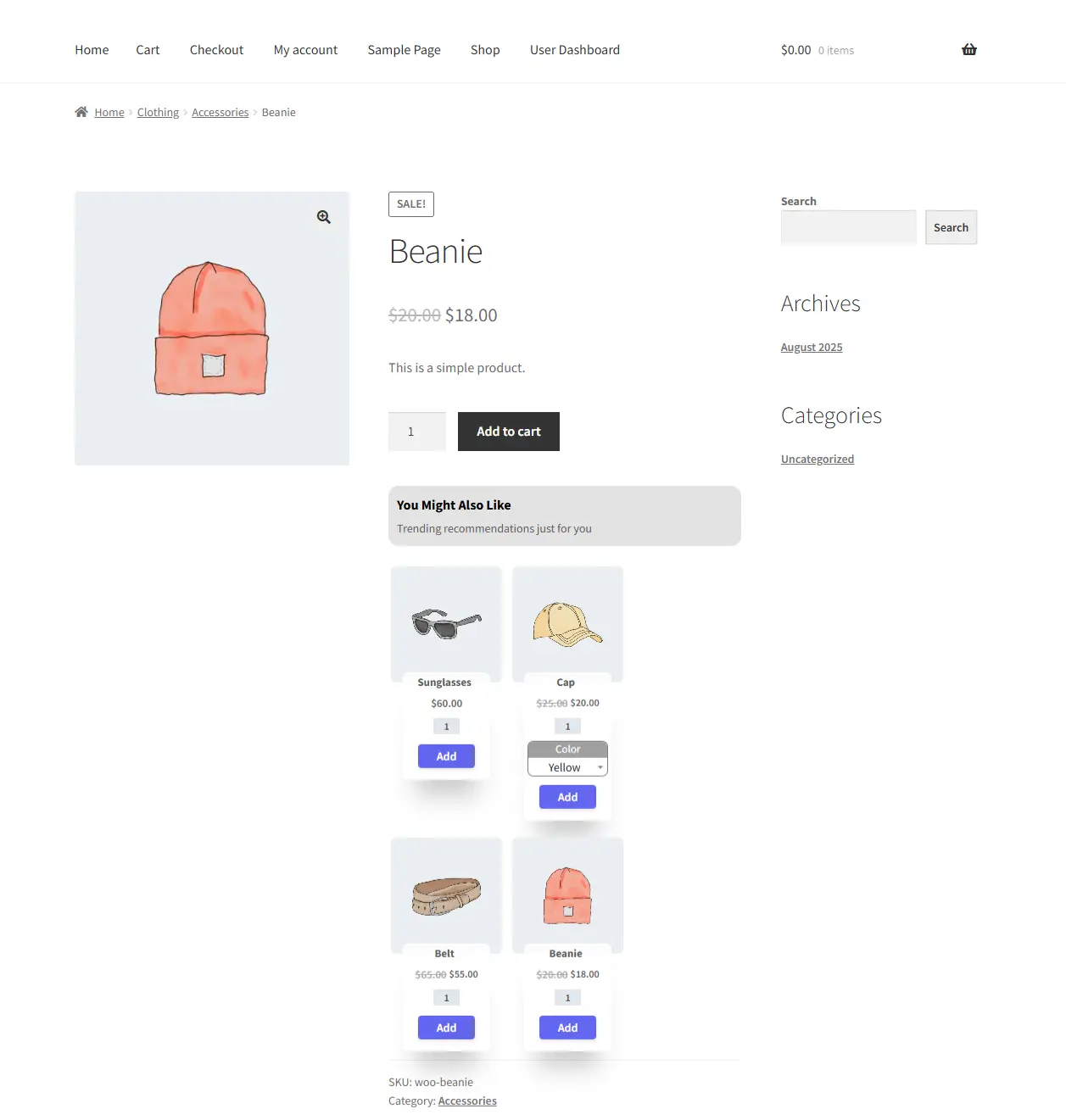
A customer is viewing a Beanie. Instead of leaving after one product, they see a "You may also like" row featuring the four most popular items from the same category — perhaps Sunglasses, a Cap, and a Belt. Because the list is generated from live popularity data, it stays relevant over time.
The Grid layout is available in the Free version. The List layout requires Pro.
Step-by-Step Setup
1. Create the campaign
Open Side Cart & Upsell → Campaigns, then click Add New.
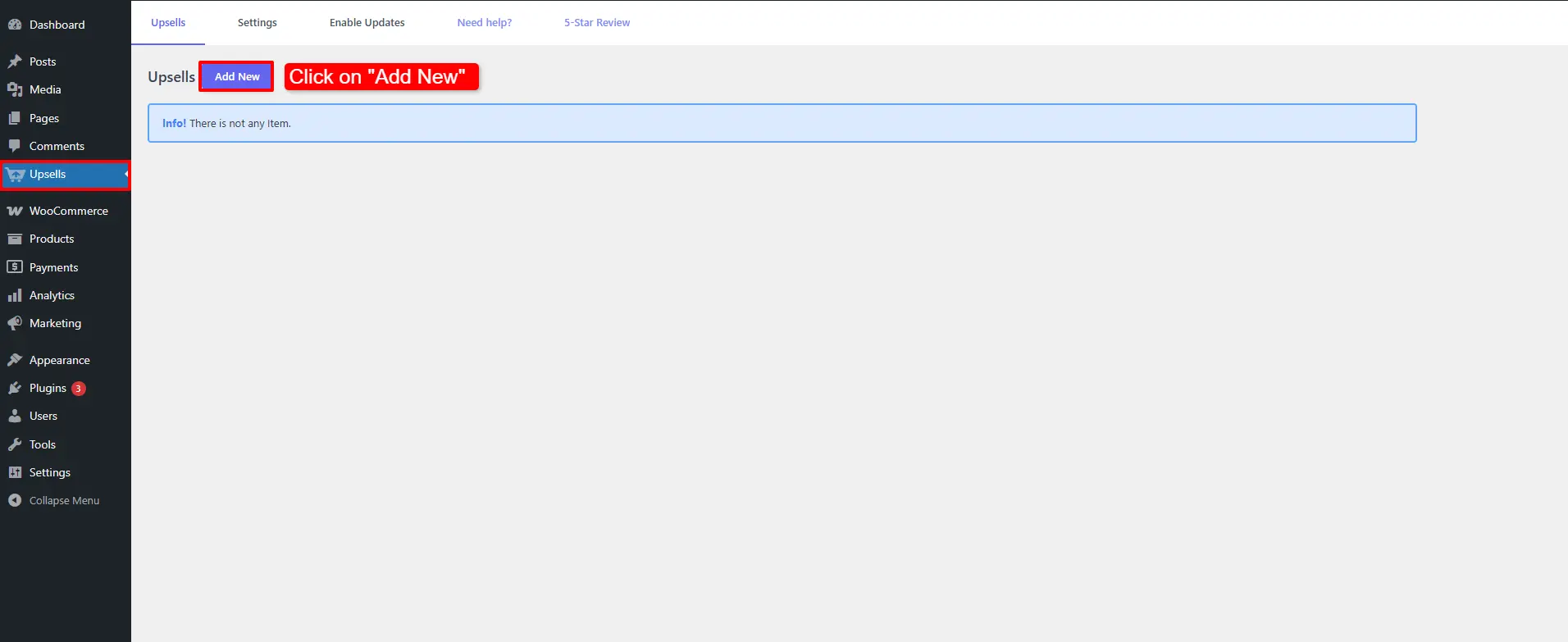
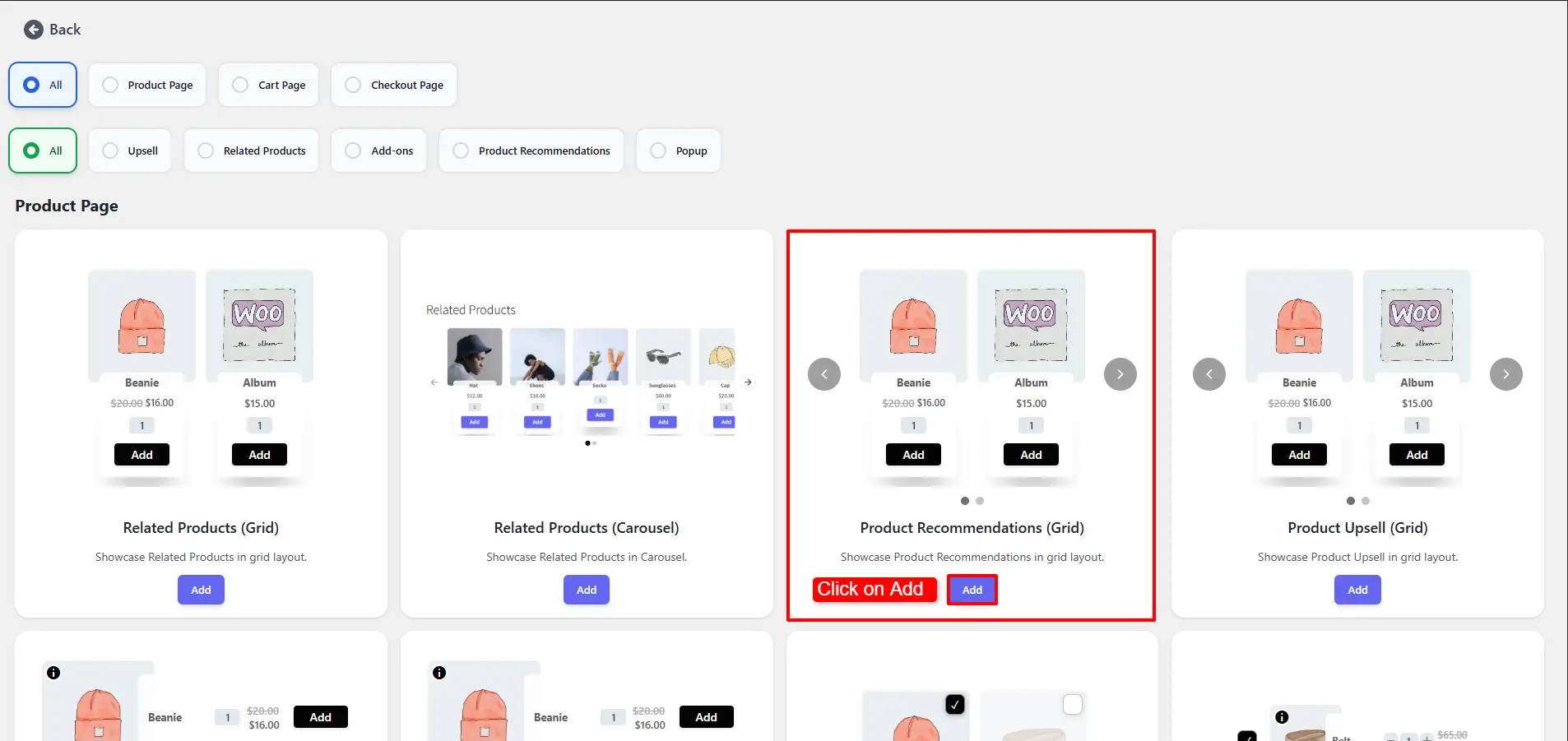
Choose Product Recommendations (Grid) and click Add.
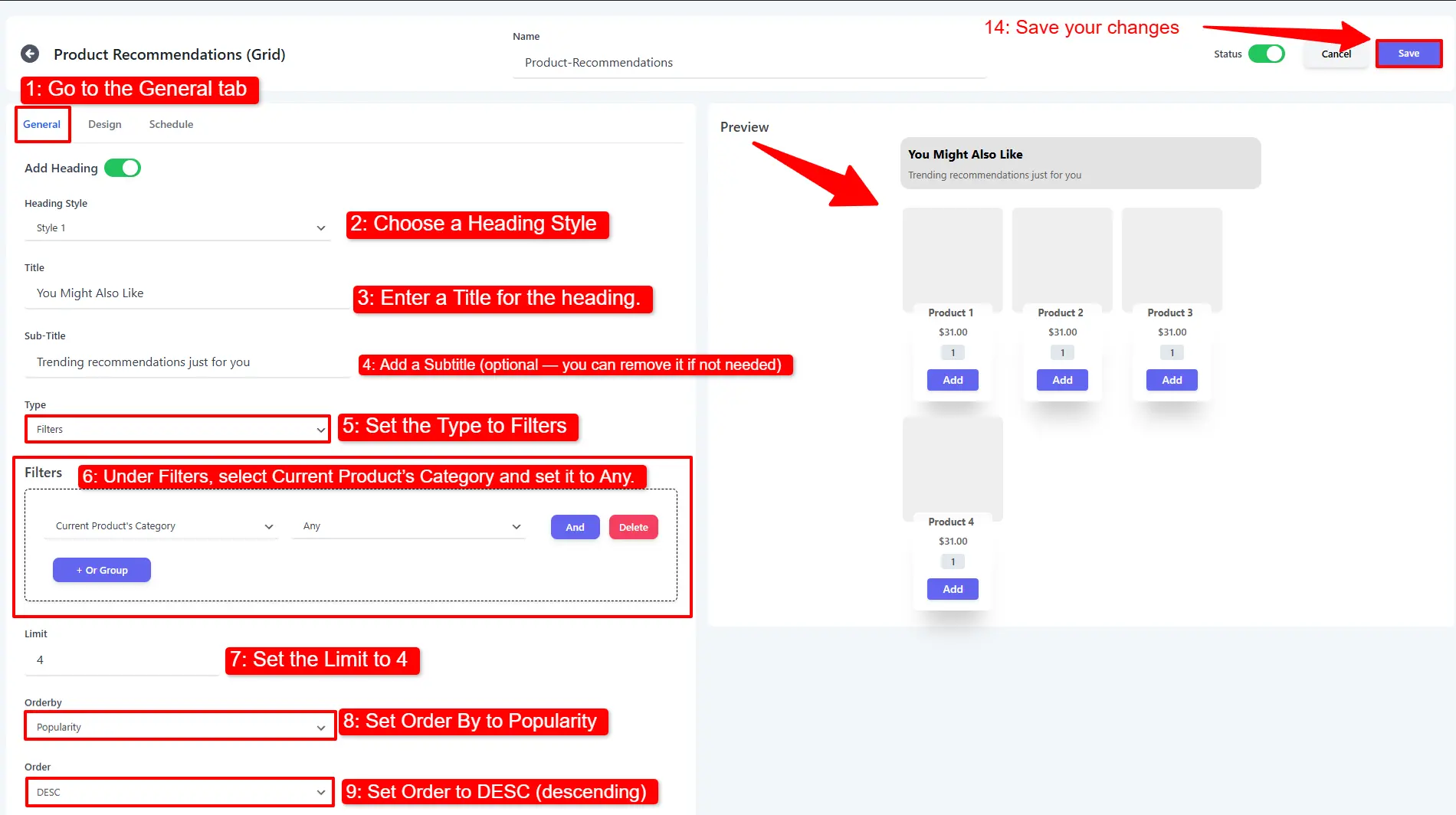
2. Define the recommendation rule
- On the General tab, choose a Heading Style and enter a Title.
- Optionally add a Subtitle.
- Set Type to Filters to generate suggestions automatically.
- Under Filters, choose Current Product's Category and set it to Any.
- Set the Limit to 4 (how many products to show).
- Set Order By to Popularity and Order to DESC (descending).
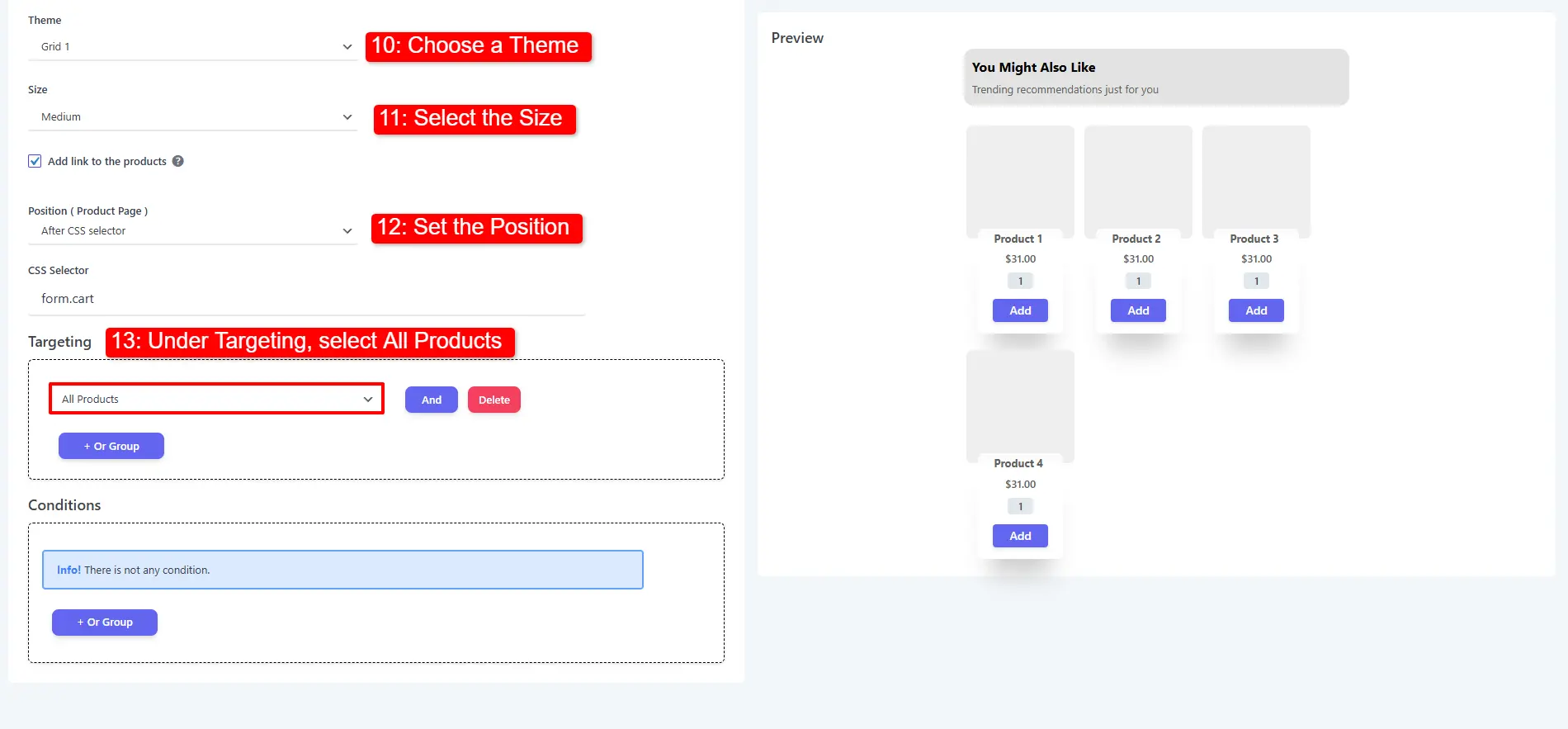
3. Choose appearance and targeting
- Select a Theme and a Size.
- Set the Position on the product page.
- Under Targeting, choose All Products (or narrow it down).
- Click Save Changes.
🧪 Example configuration
| Setting | Value |
|---|---|
| Layout | Product Recommendations (Grid) |
| Title | You may also like |
| Type | Filters |
| Filter | Current Product's Category → Any |
| Limit | 4 |
| Order By / Order | Popularity / DESC |
| Theme / Size | Grid 1 / Medium |
| Targeting | All Products |
What customers see
The recommendation block automatically displays the four most popular products from the current product's category, styled with your chosen theme.
- Popularity + DESC is a reliable default; switch to Date to spotlight new arrivals.
- A Limit of 4 keeps a single tidy row on most themes.
- Combine this with a Related Products carousel lower on the page for broader discovery.
📚 Next Steps
Now that you've configured product recommendations, explore targeted upsell placements across your store:
- Related Products Campaigns — Customize related product displays and rules.
- Product Upsell Campaigns — Place targeted upsells on single product pages.
- Cart Upsell Campaigns — Display recommendations on the cart page.
- Checkout Upsell Campaigns — Add last-chance impulse purchases at checkout.
- Side Cart Upsells — Recommend products inside the side cart drawer.