Posted on — Leave a comment

Best Free WooCommerce Side Cart Plugins Compared

A free WooCommerce side cart plugin lets customers check their basket, update items, and move toward checkout while staying on the page they are browsing. Some free plugins also let you recommend an accessory, accept a coupon, or show how much more a customer needs to spend for free shipping.

In this guide, we compare five of the best free WooCommerce side cart plugins, including their features, demos, pricing, and screenshots. Start with AsanaPlugins if you want conditional offers across your store, or compare Caddy if a free shipping bar and in-cart recommendations are your main priorities.

Disclosure: AsanaPlugins develops the first plugin on this list. Features and listed prices were checked against official sources on October 31, 2026. This is a feature comparison, not a performance test. However, vendor demos and screenshots may include Pro features, which we identify below.

1. Side Cart & Upsell for WooCommerce by AsanaPlugins

Side Cart & Upsell for WooCommerce brings a slide-out cart and product offers into one plugin. Customers can review their basket in the drawer, while you choose relevant recommendations for the product page, side cart, Cart page, and Checkout page.

If you want a WooCommerce side cart plugin with targeted offers, this one gives you control over each offer. You can build conditions around the shopper or basket, then recommend an appropriate product with an optional discount. For example, an accessories store could suggest a matching belt when a customer adds an item from a selected category. However, the free edition supports up to three side-cart upsell rules.

Examples

🚀 Free WooCommerce Side Cart Features

Included in the free version:

  • Open the floating cart icon, then review items in the AJAX drawer.
  • Build up to three side-cart upsell rules so you can target different offers.
  • Show product recommendations as well as related-product campaigns.
  • Also offer product add-ons for complementary items.
  • Offers on the Cart and Checkout pages.
  • Conditions based on login status, user role, cart contents, item quantity, and subtotal.
  • Apply offer discounts automatically so shoppers can see the savings.
  • For example, adjust the cart appearance, text, and icons to match your store.

Available in Pro:

  • Unlimited side-cart rules and dedicated exclusions for items already in the cart or previously purchased.
  • Free shipping progress bar and reward milestones.
  • Premium cart theme, promo banner, and countdown.
  • Upsell, add-ons, and downsell popups.
  • Additional offer layouts and product quick view.

See the side-cart upsell documentation for the rule limit and available controls. Therefore, choose this plugin when targeted offers matter more than having a shipping bar on the free plan.

📽️ Demo

Explore the AsanaPlugins storefront demo, then follow our free side-cart setup tutorial to build your own drawer. The demo also showcases Pro options.

💵 Free WooCommerce Side Cart Pricing (Free vs Pro)

📽️ Video Tutorial

Alternatively, watch the official free-features overview for a closer look at the plugin.

🖼️ Free WooCommerce Side Cart Screenshots

Free WooCommerce side cart plugin by AsanaPlugins with upsells on desktop and mobile.
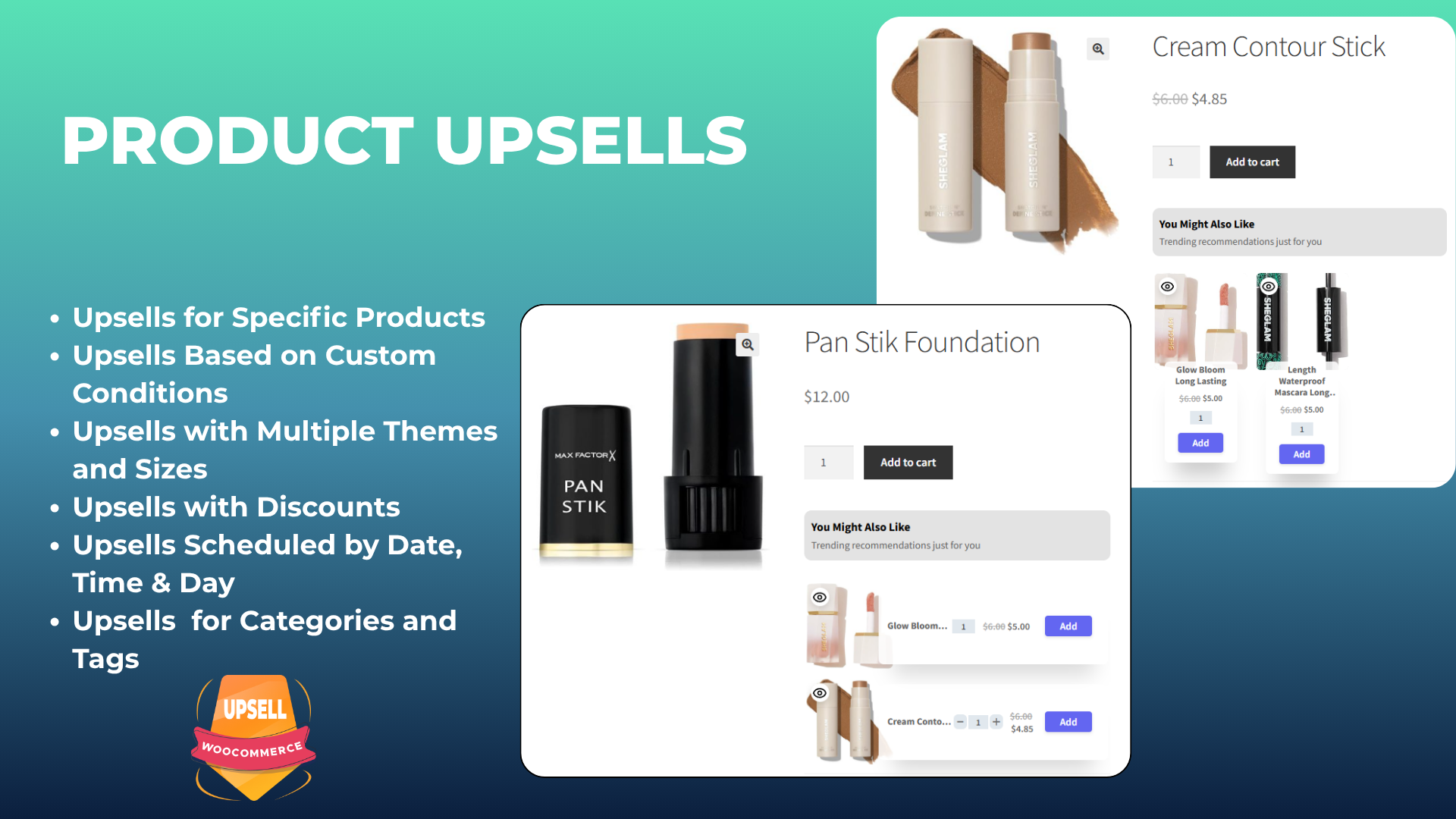
Product upsell recommendations on WooCommerce product pages.
Cart-page upsell offers for complementary WooCommerce products.
Checkout-page upsell recommendations before order completion.
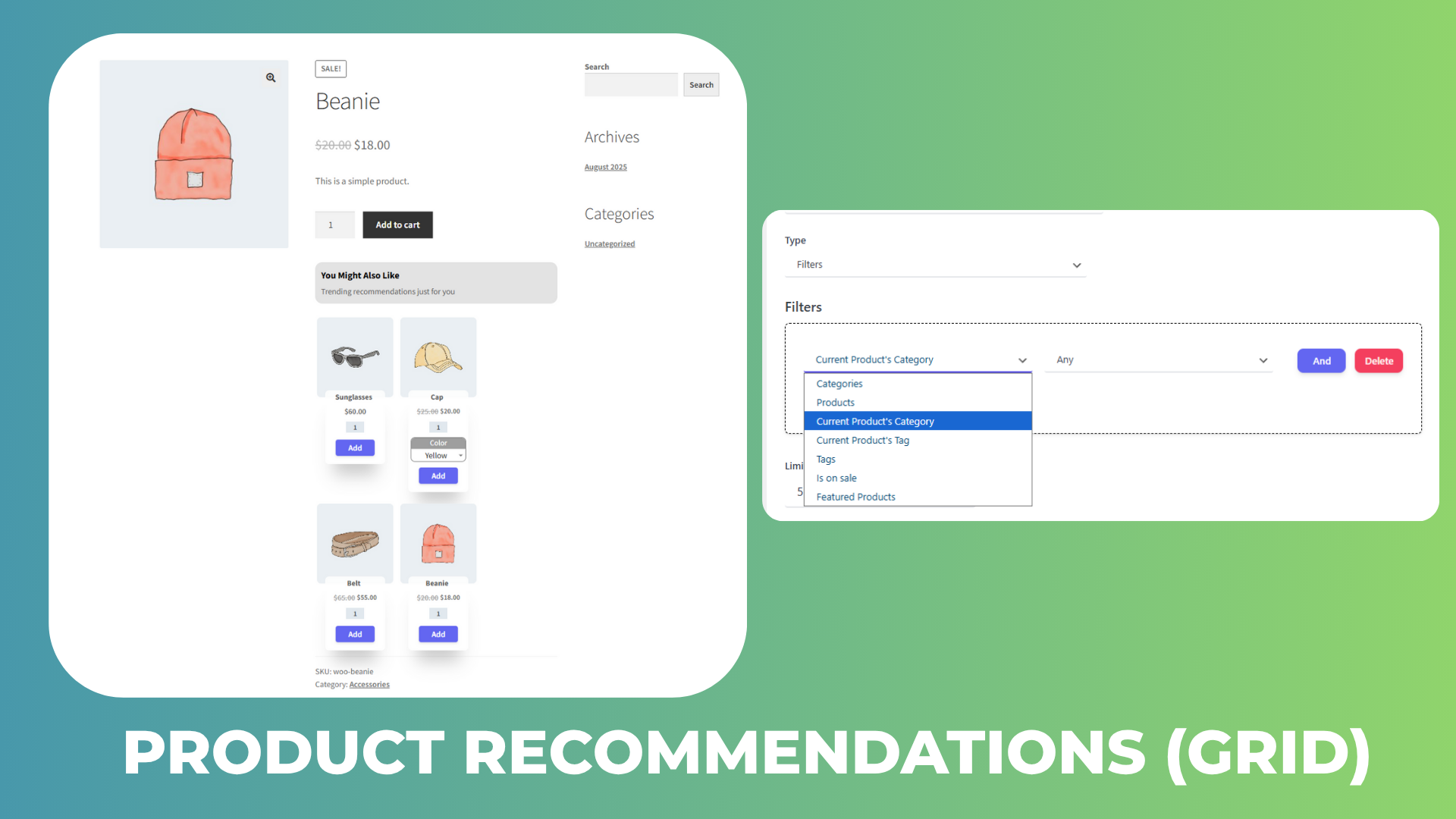
Product recommendations grid and category-based selection controls.
Related products displayed on product and cart pages.
Product add-ons for complementary items on a WooCommerce product page.
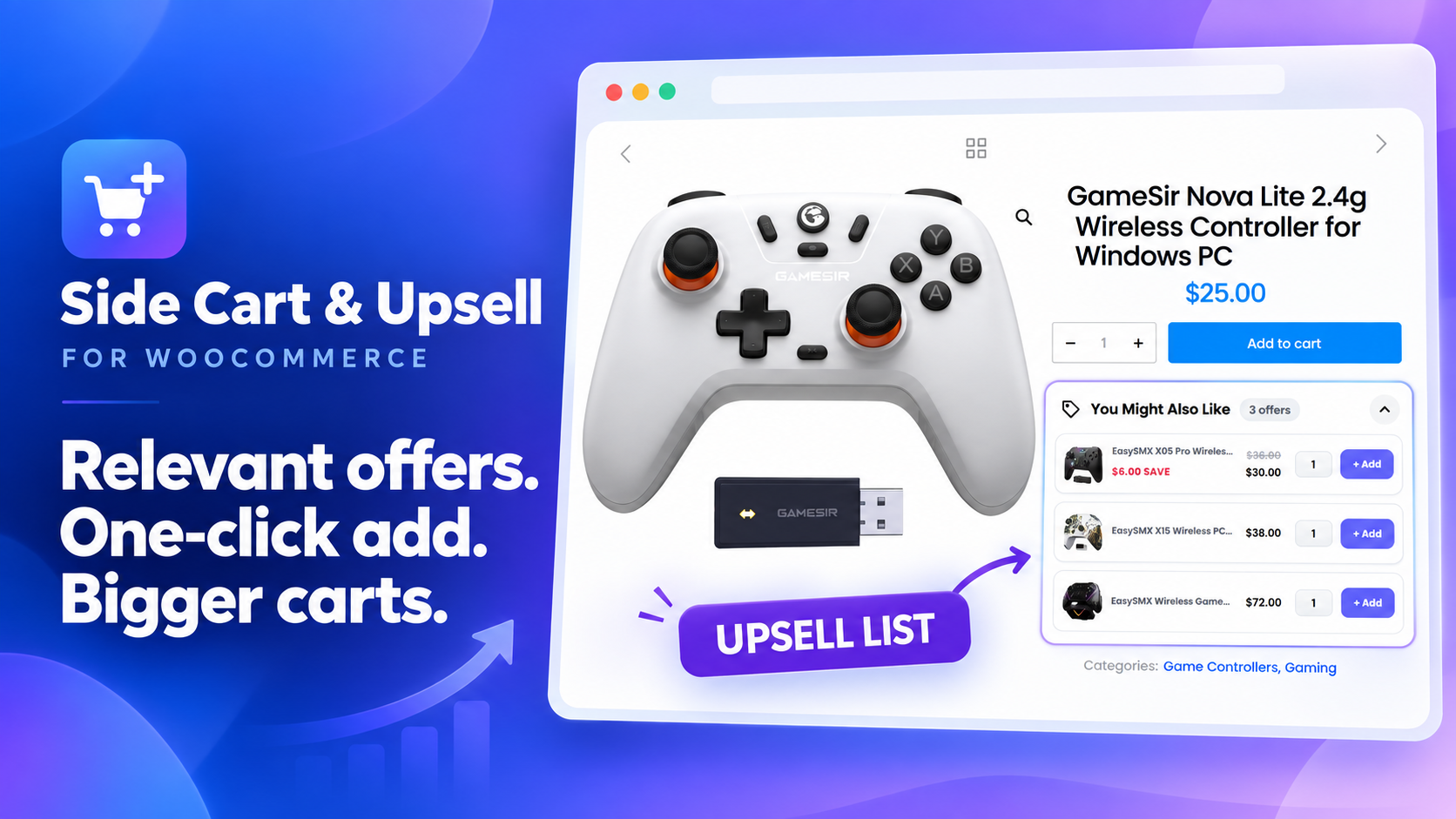
Product upsell list with one-click add buttons on a product page.

2. Caddy — Free WooCommerce Side Cart & Shipping Bar

Caddy is a useful side cart plugin when you want recommendations and shipping progress in the drawer. Lite also lets shoppers apply coupons and save products for later when they are logged in.

Caddy documents its use of the WooCommerce Store API and WordPress Interactivity API. However, these describe how it is built; they do not prove that it is faster than other cart plugins.

🚀 Free WooCommerce Side Cart Features

Included in Lite:

  • Open the floating cart drawer and then adjust item quantities.
  • Show upsell recommendations as well as cross-sells inside the cart.
  • Free shipping progress meter.
  • Coupon entry in the drawer.
  • Logged-in shoppers can save products for later and then return to them.
  • In addition, customize the drawer with CSS.

Pro adds: advanced workflows, cart analytics, multi-tier rewards, and further design controls. Basic recommendations are free. In contrast, the automation engine is a paid feature.

📽️ Demo

Visit the Caddy live demo to explore the drawer. Check the tier of any advanced feature you try.

💵 Pricing

  • Lite: free.
  • Single: $99/year for one website.
  • Multi-Site: $199/year for five websites.
  • Agency: $399/year for unlimited websites.

Source: Caddy pricing. In addition, annual plans include support and updates.

🖼️ Side Cart Screenshots
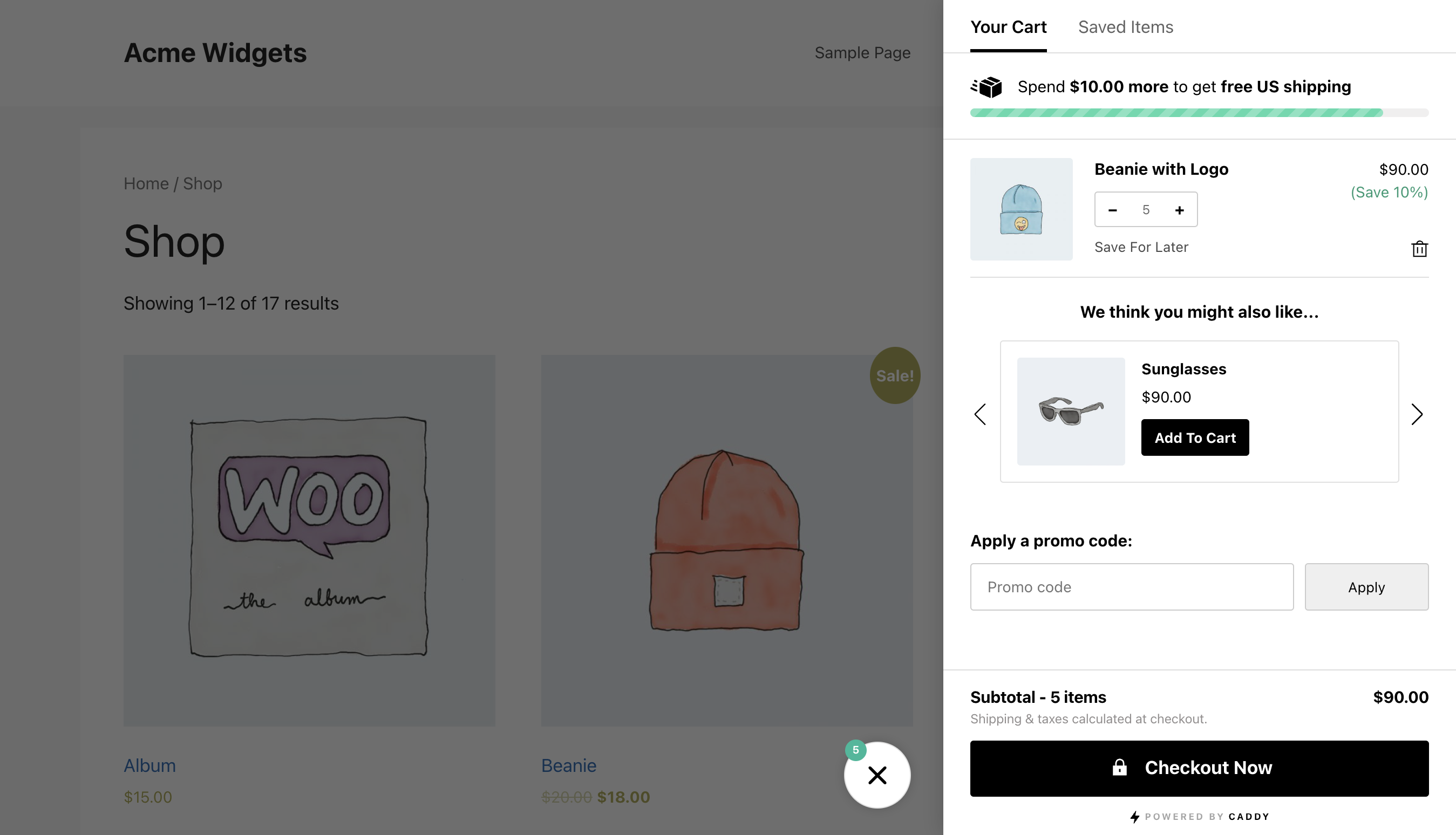
Caddy WooCommerce side cart with a shipping progress bar, product recommendation, coupon field, and saved-items tab.
Caddy side cart open over a WooCommerce shop page, showing a recommendation and shipping goal.

3. Side Cart WooCommerce by Xootix

Xootix Side Cart WooCommerce focuses on a configurable cart drawer with a floating basket and appearance controls. For example, consider it when you want to adjust the cart’s layout and keep shoppers on the current page.

🚀 Free WooCommerce Side Cart Features

Included in the free version:

  • AJAX drawer for viewing and managing items.
  • Floating basket and menu integration.
  • For example, change the cart width, height, colors, and icons.
  • Hide the drawer on selected pages so it appears only where you need it.
  • Also edit quantities in the free edition, starting with version 2.8.0.

Pro adds: product recommendations, in-drawer coupons, shipping calculation, rewards, and additional payment options.

The 2.8.0 changelog confirms free quantity editing, although an older marketing section still groups quantity management under Pro.

📽️ Demo

Try the Xootix side-cart demo. However, the demo includes paid recommendations and reward features.

💵 Pricing

  • Free: base cart plugin.
  • Pro, single site: $29.
  • Pro, up to five sites: $89.
  • Pro, unlimited sites: $139.

Source: Xootix product page. The license includes one year of updates. After that, renew it to keep receiving updates and register new sites.

🖼️ Side Cart Screenshots

Xootix WooCommerce side cart with Pro recommendations, reward milestones, cart items, and payment buttons.
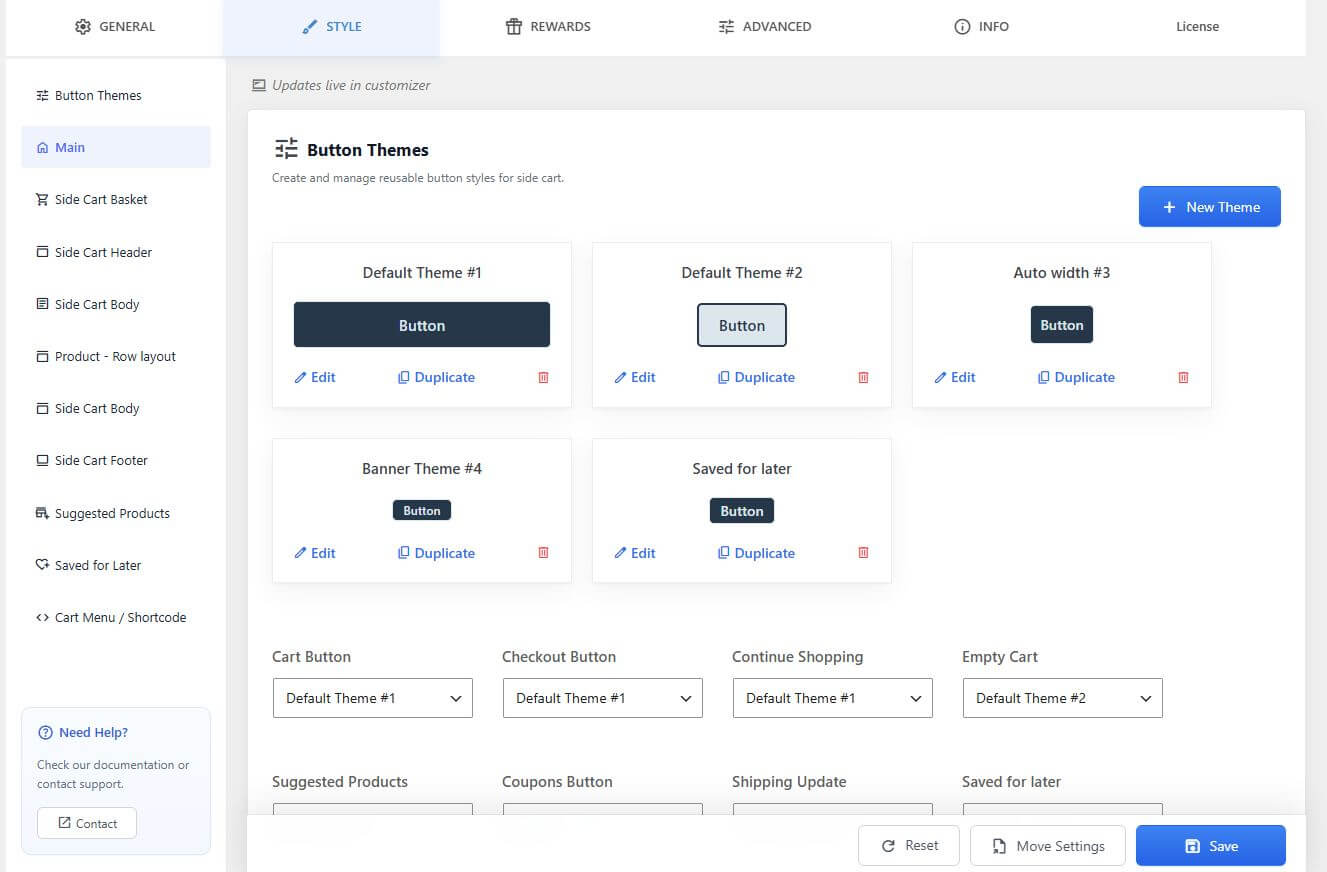
Xootix WooCommerce side cart button theme settings screen.

4. Sliding Cart for WooCommerce by FunnelKit

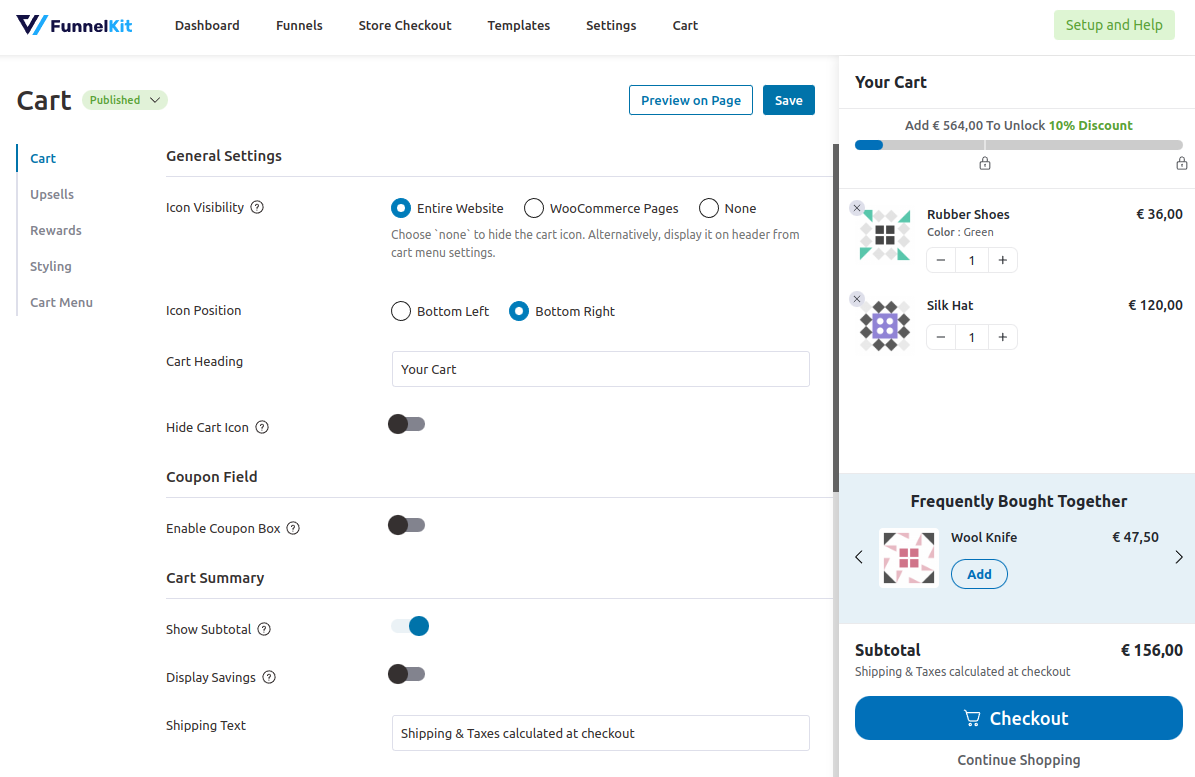
FunnelKit Cart Lite gives shoppers a drawer where they can change quantities, remove products, and apply a coupon. Therefore, this WooCommerce side cart plugin suits stores that want cart controls without buying an upsell toolkit immediately.

🚀 Free WooCommerce Side Cart Features

Included in Lite:

  • Slide-in cart with a cart icon.
  • AJAX item changes and removal.
  • Quantity editing inside the drawer.
  • For example, keep the coupon field open or let shoppers expand it.
  • In addition, adjust the cart text, colors, and styling.

Pro adds: in-cart upsells and cross-sells, milestone rewards, free-shipping incentives, and additional checkout options. These are distinct from the free coupon field.

📽️ Demo

Explore the official cart showcase and the free and Pro setup walkthrough. However, the showcase includes premium features.

💵 Pricing

  • Cart Lite: free on WordPress.org.
  • Paid cart features: available through qualifying FunnelKit plans. Compare the specific Slide Cart Pro features in the current plan table, including introductory and renewal terms.

Installing Cart Lite does not include every FunnelKit funnel or automation product.

🖼️ Side Cart Screenshots
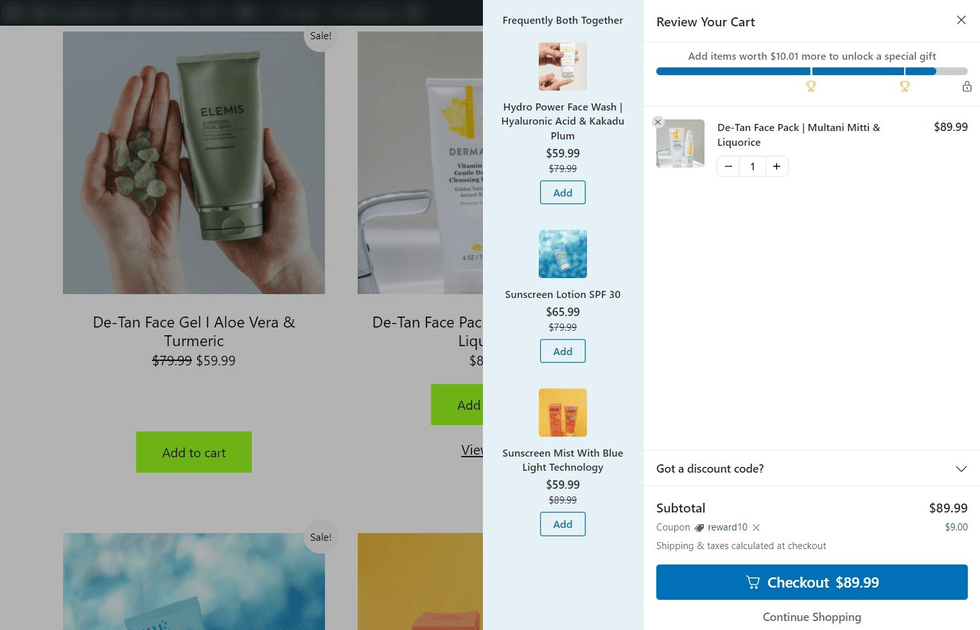
FunnelKit WooCommerce side cart with Pro product suggestions, reward progress, a cart item, and a coupon field.
FunnelKit WooCommerce cart drawer showing Pro shipping rewards, a recommended product, coupon field, and checkout.
FunnelKit WooCommerce side cart settings and preview with Pro rewards and recommendations.

5. Modern Cart — WooCommerce Side Cart & Popup Cart

Modern Cart offers a slide-out cart with a coupon form and shipping progress. As a result, it is another free WooCommerce side cart plugin to compare when a visible shipping goal matters most.

🚀 Free WooCommerce Side Cart Features

Free features documented by the vendor:

  • Side-cart drawer and floating cart icon.
  • Change items and quantities with AJAX so the page does not need to reload.
  • Also let shoppers enter a coupon directly in the cart.
  • Show a free shipping progress bar so shoppers can see the remaining amount.

Pro adds: in-cart product recommendations and additional display and design controls.

Popup availability needs checking: the directory listing says both drawer and popup modes are included, but the settings guide labels the Cart Type selector Pro. Therefore, verify the free version before choosing it specifically for a popup.

📽️ Demo

Open the official Modern Cart demo launcher to explore the product. However, the demo may include Pro features.

💵 Pricing

  • Free: base plugin from WordPress.org.
  • Pro annual: advertised at $99 for the first year, renewing at $149/year, for up to three websites.
  • Pro lifetime: advertised at $299 for up to three websites.

Source: Modern Cart pricing. Because offers can change, check the selected term before purchase.

🖼️ Side Cart Screenshots

Modern Cart WooCommerce cart drawer showing cart items, Pro product suggestions, a coupon field, subtotal, and checkout button.

Which free WooCommerce side cart plugin should you choose?

The right free WooCommerce side cart plugin depends on the feature you need today. For example, AsanaPlugins suits stores that want conditional offers across product, cart, and checkout pages. In contrast, Caddy is a strong alternative when free recommendations and a shipping bar matter most. Xootix offers a configurable drawer, FunnelKit Lite includes convenient coupon and item controls, and Modern Cart provides another shipping-bar option.

Before choosing, test a simple product, a variable product, a coupon, and a complete test order with your theme. Next, check mobile scrolling and keyboard access, and make sure the shipping message agrees with checkout. Above all, activate one cart drawer at a time while comparing.

Ready to try the first option? Follow our WooCommerce side-cart setup tutorial or use the Side Cart & Upsell documentation to create your first drawer and offer.
Updated on — Leave a comment

4 Best WooCommerce free plugins to boost sales and revenue

In this article, we want to introduce 4 Best WooCommerce free plugins to boost sales and revenue for online stores that use WooCommerce, which is a popular e-commerce platform for WordPress websites. These plugins offer various features and tools to help store owners promote their products and incentivize customers to make more purchases and make it easy for website visitors to contact the website owner or customer support team. Overall, WooCommerce Boost Sales plugins aim to help store owners increase sales and revenue by making it easier and more appealing for customers to make additional purchases.

The desired plugins are as follows:

  1. Discount Rules and Dynamic Pricing for WooCommerce
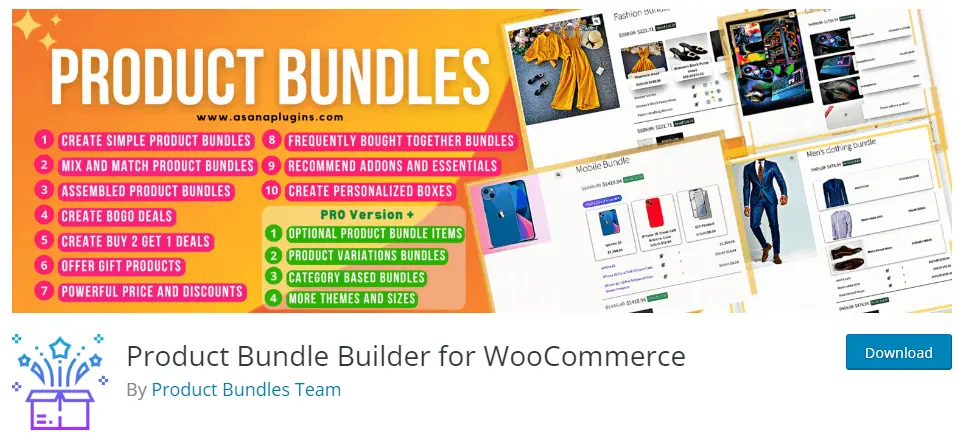
  2. Product Bundle Builder for WooCommerce
  3. Badge and Product Label for WooCommerce
  4. AI Content Writing and Chat with ChatGPT

1) Discount Rules and Dynamic Pricing for WooCommerce

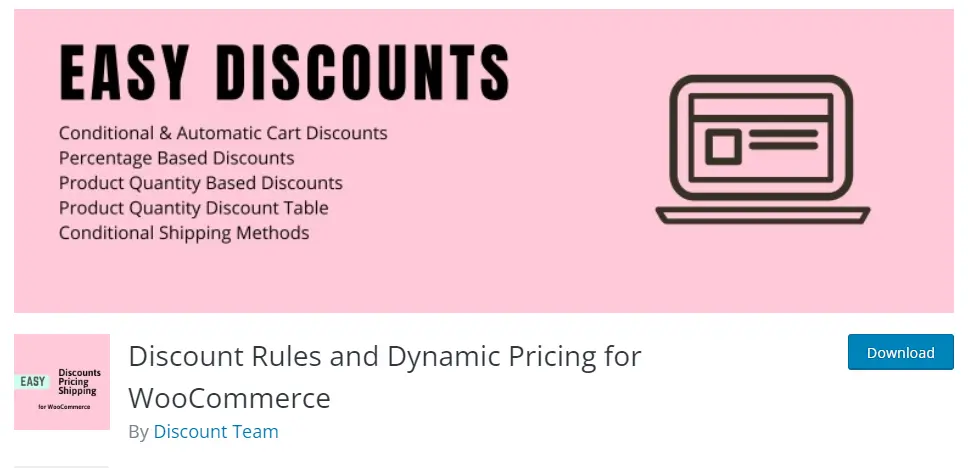
Best WooCommerce free plugins to boost sales-Discount Rules and Dynamic Pricing for WooCommerce

The WooCommerce Dynamic Pricing & Discounts plugin is a comprehensive tool that provides practical solutions for setting up discount offers on your WooCommerce store. As one of the best WooCommerce free plugins to boost sales, it offers a perfect combination of ease of use and powerful features. Whether you’re a beginner or an experienced user, this plugin is easy to use and comes with advanced features to cater to your needs. It enables you to create and customize your discount rules with ease, ensuring that your customers get the best deals on your products. With its intuitive interface and out-of-the-box functionality, this plugin is an ideal solution for anyone looking to boost sales and improve customer engagement on their WooCommerce store.

Video tutorial

🚀FEATURES

  • Create a bundle discount in WooCommerce
  • WooCommerce dynamic pricing and discounts free plugin
  • WooCommerce Discount Rules | Video Tutorial
  • Create Category Discount
  • Percentage OFFs
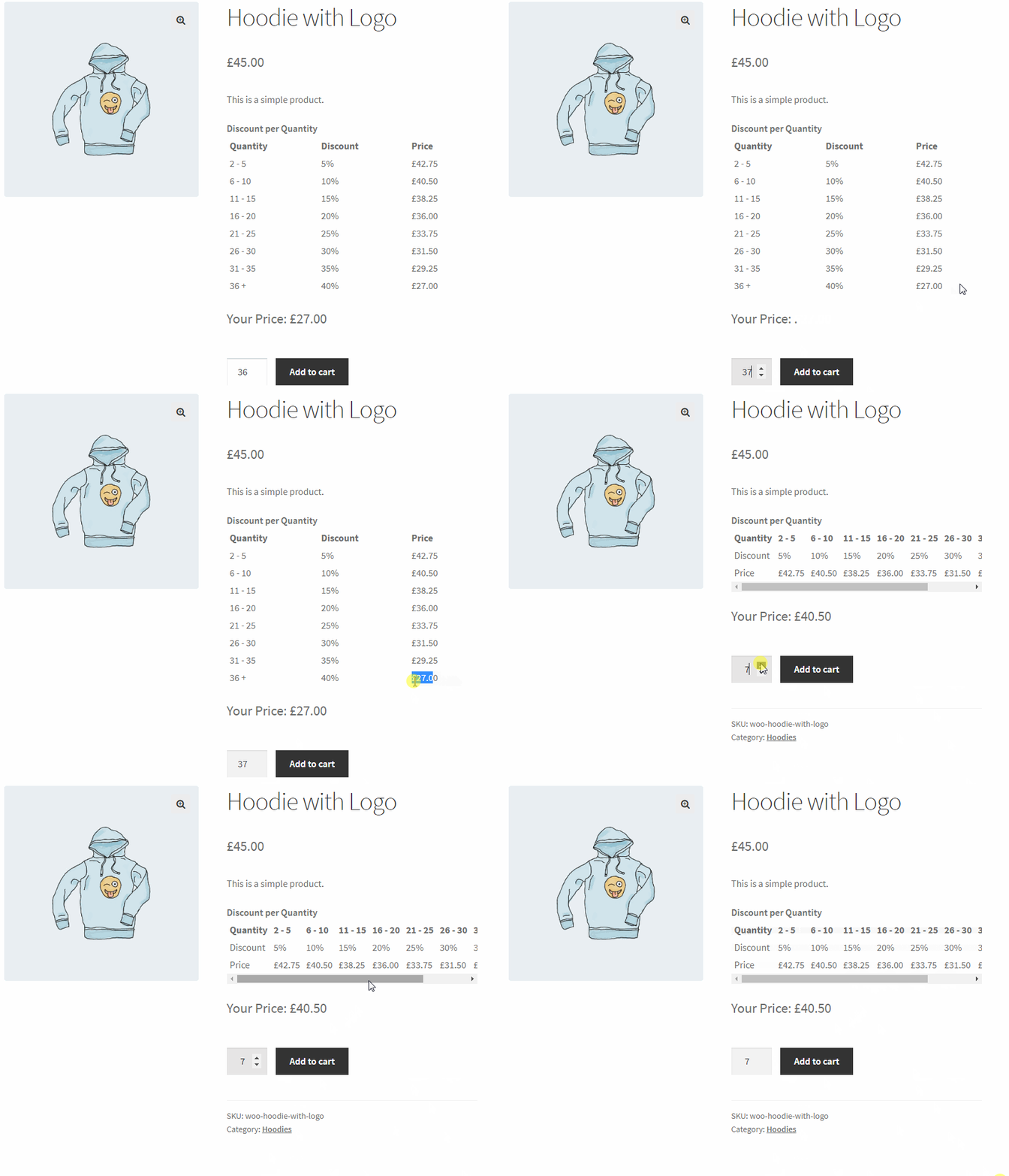
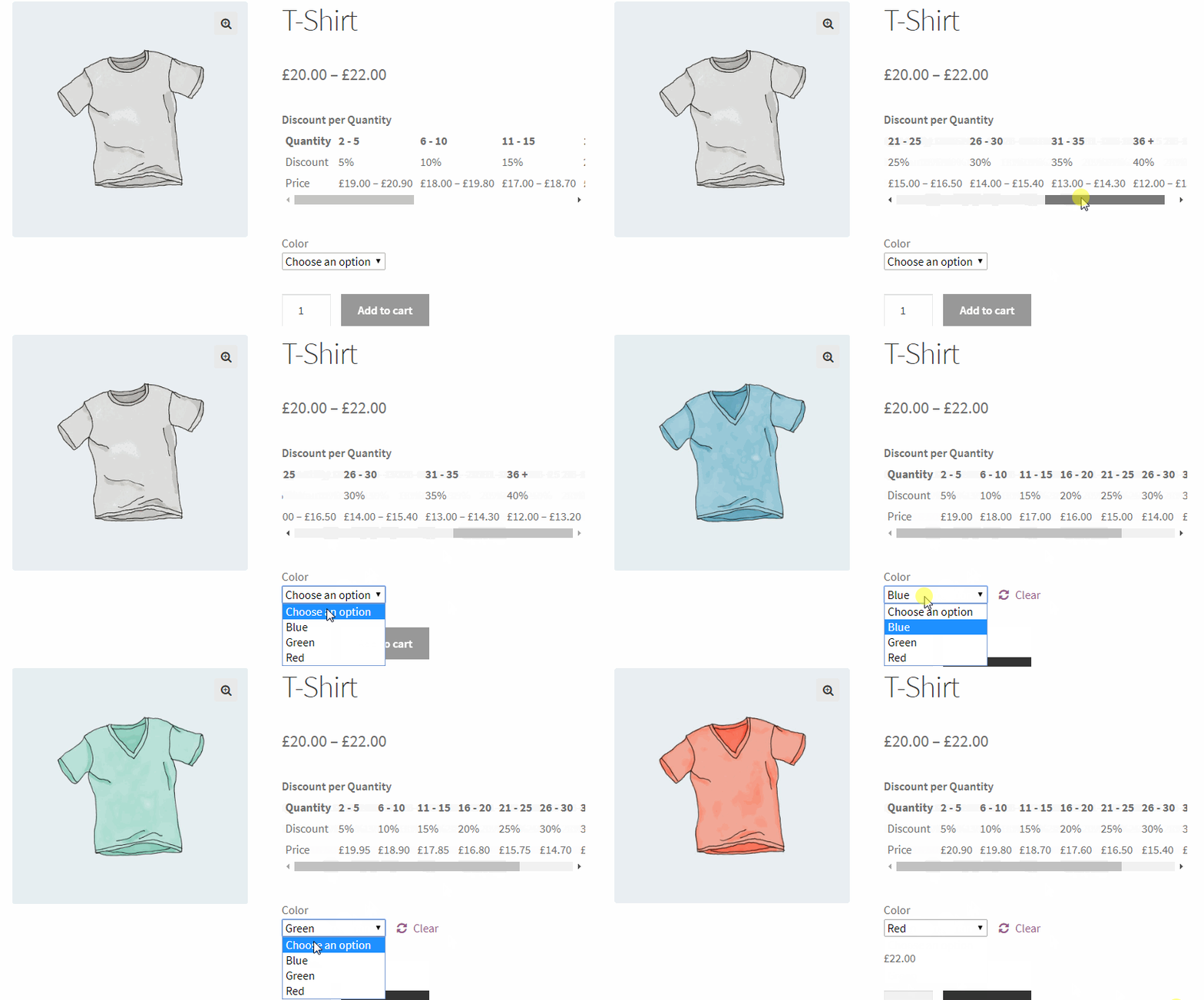
  • Bulk pricing (Example: Buy 2 to 5 with 5%, 6 to 10 with 10%, 11 to 15 with 20%, 16 and greater with 25%)
  • Display quantity table on product page
  • Product based OFFs
  • Scheduled product OFFs
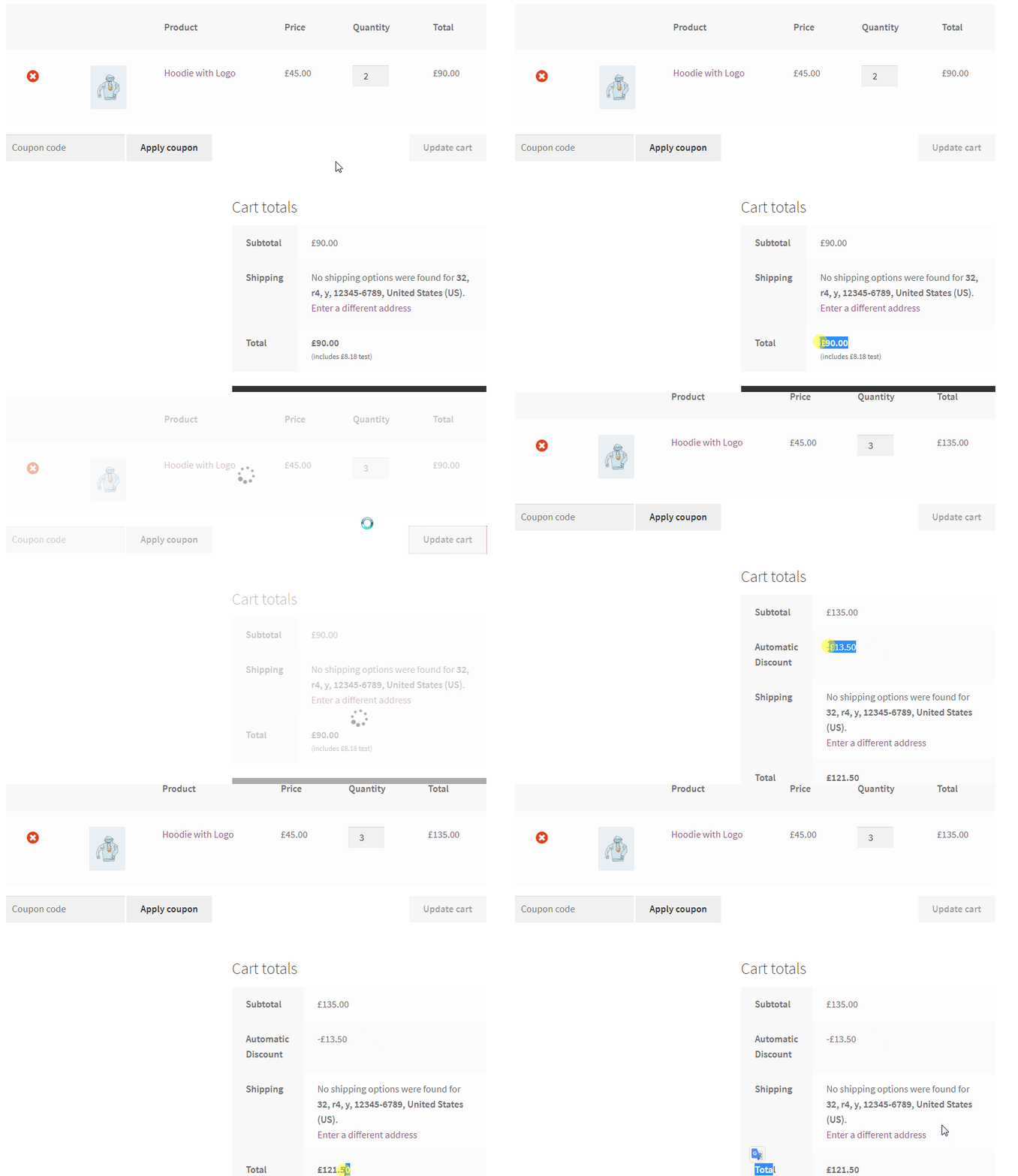
  • Cart offers (Example: Get 20% OFF on Black Friday or get 15% OFF on specific date)
  • cart total based offers(Example: Spend more than $500, get 20% OFF)
  • Order total based offers
  • Exclude selected products from rules (product price based rules)
  • Date based rules(validity)
  • Show bulk table or quantity table on the product pages
  • A shortcode for quantity based table or bulk pricing table
  • Option to set rules expiry date (From Date , To Date)
  • Weight based shipping
  • Free shipping based on cart total amount condition
  • Shipping method based on cart total amount, number of cart items, date or date period, cart weight, cart total amount
  • Scheduled shipping methods

📽️Demo

Visit this plugin Live Demo here to see how it works.

💵Pricing

  • SINGLE SITE 👉 €60.00  €39.00
  • SINGLE SITE + ADDONS 👉 €180.00 €68.00
  • 5 SITES 👉 €200.00 €89.00
  • 5 SITES + ADDONS 👉 €360.00 €120.00
  • 25 SITES 👉 €400.00 €99.00
  • 25 SITES + ADDONS 👉 €760.00 €180.00

🖼️Screenshots

2) Product Bundle Builder for WooCommerce

Product Bundle Builder for WooCommerce-Best WooCommerce free plugins to boost sales

WooCommerce Product Bundle Builder is a top-notch WooCommerce free plugin designed to help online store owners create irresistible deals that package multiple products for sale together. This powerful tool provides an excellent way to boost sales of various product types while also offering customers attractive benefits. With Woo Product Bundle Builder, you can enhance cross-selling strategies on your WooCommerce shop, which is a smart way to increase revenue. Moreover, this plugin is search engine optimized, which helps improve your site’s ranking and ensure a higher conversion rate. Whether you’re a small business owner or a large enterprise, WooCommerce Product Bundle Builder is a smart tool to help you create compelling deals and increase sales on your WooCommerce store.

Video tutorial

🚀FEATURES

Let’s take a brief look at some of the cool features of this plugin:

  • Create Simple to Advanced Product Bundles
  • Create Woocommerce Composite Products
  • Create Dynamic Product Bundles Allow your customers to create dynamic and advanced bundles at the same time.
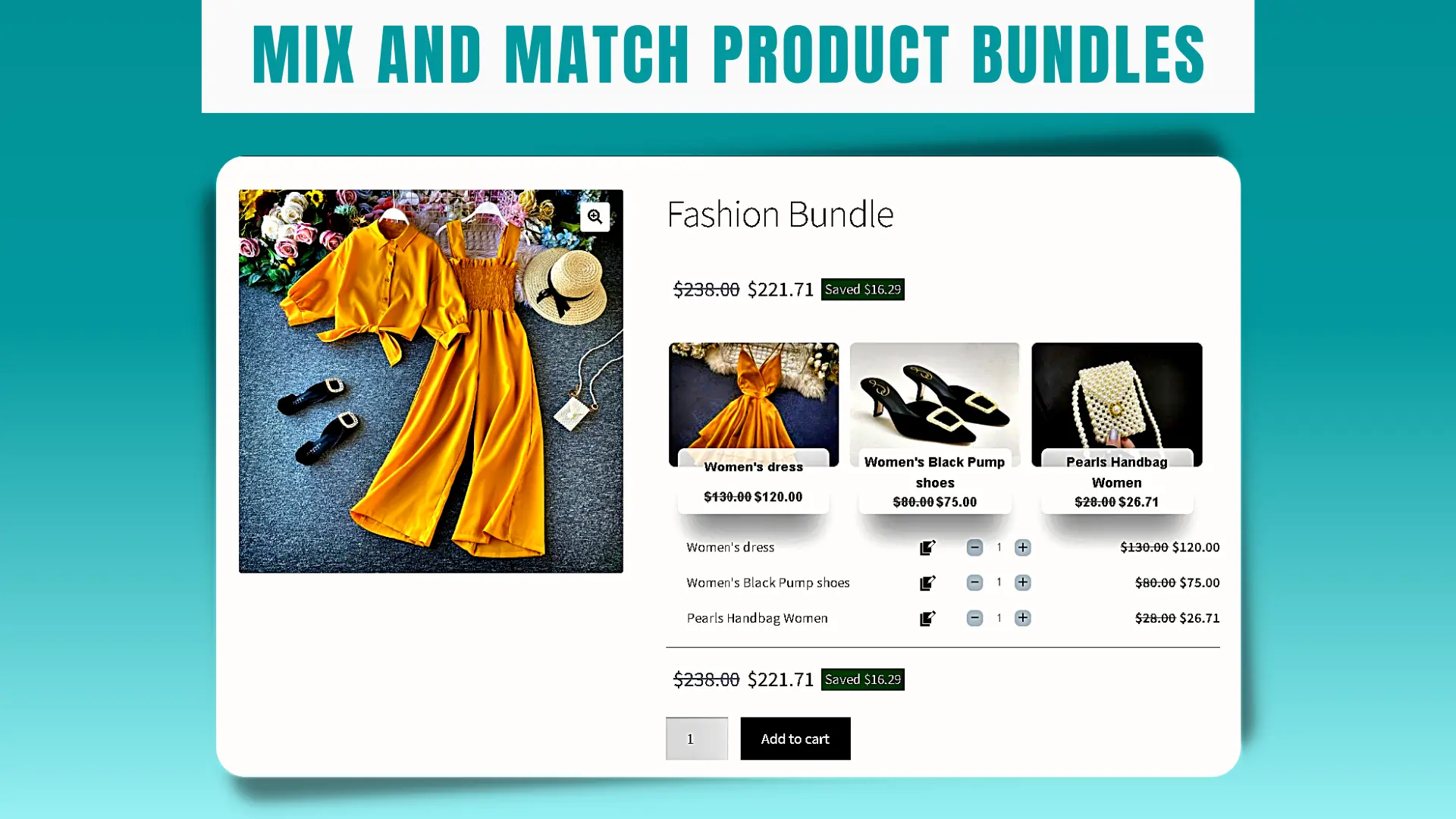
  • Create Mix and Match Products
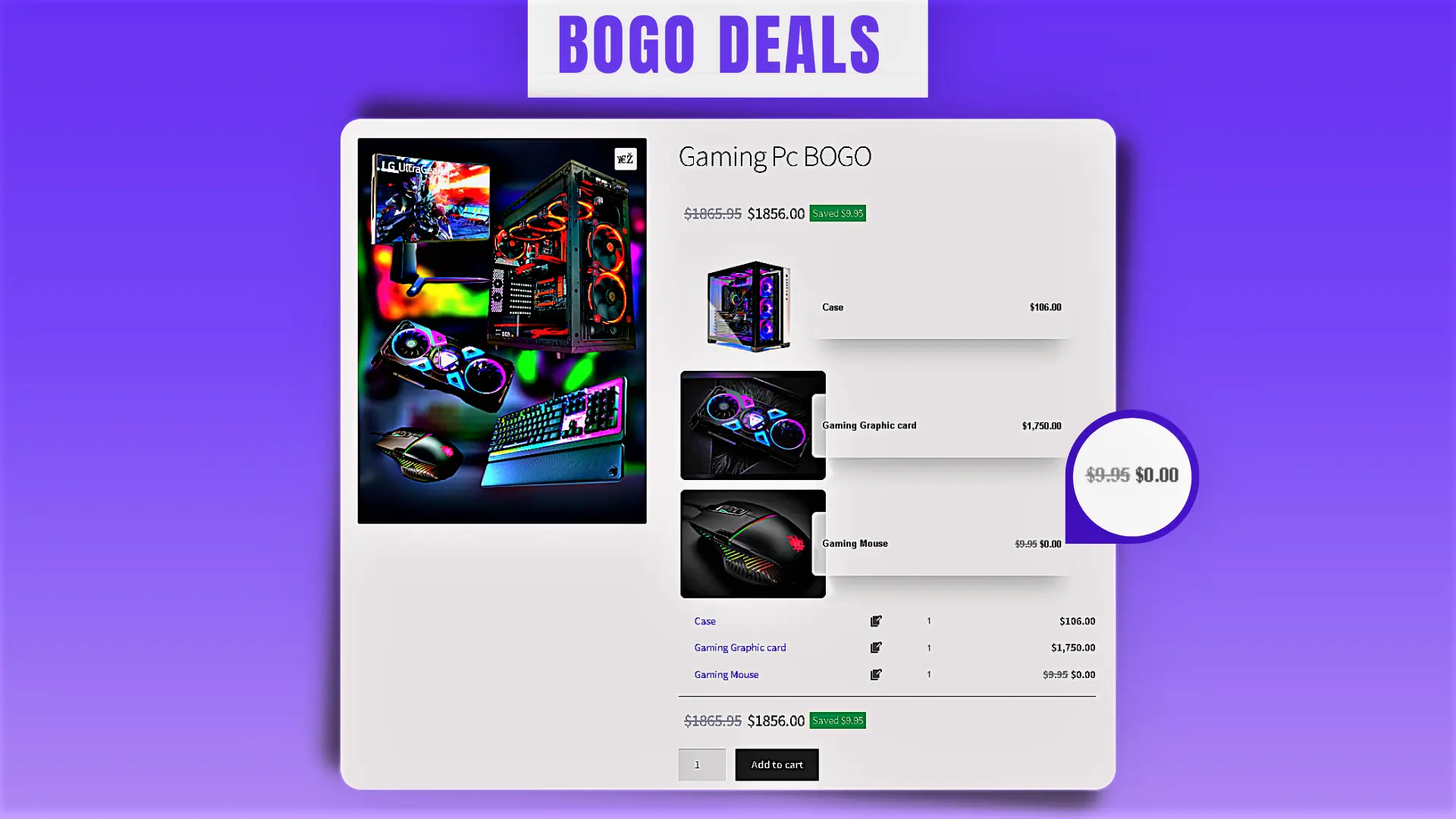
  • Create BOGO deals Offer Buy One Get One deal.
  • Create Assembled Products
  • Gift Products Allow your customers to choose gift products from multiple available gift products.
  • Bundle Discount Set discount for product bundles by percentage or price.
  • Dynamic Price Calculates dynamic price for product bundles based on chosen items in the bundle.
  • Min/Max Quantity Set the min/max quantity for each item in the bundle.
  • Fixed Price Set a fixed price for each bundle item.
  • Item Gallery View the product gallery in a popup.
  •  Customize the title for empty items.
  • Hide out of stock products option to the plugin settings.
  • include parent price Added an option to include parent price in the bundle total price or no.
  • Product Sorting now you can sort products by ID, Title, Menu order, Date, Price, Popularity, and Rating.

🚀 PRO VERSION FEATURES

  • Variation Products Allow selecting variation products for the bundle items. (Premium Version)
  • Categories Selecting products of certain categories to appear on the bundle item list. (Premium Version)
  • Tags Selecting products of certain tags to appear on the bundle item list. (Premium Version)
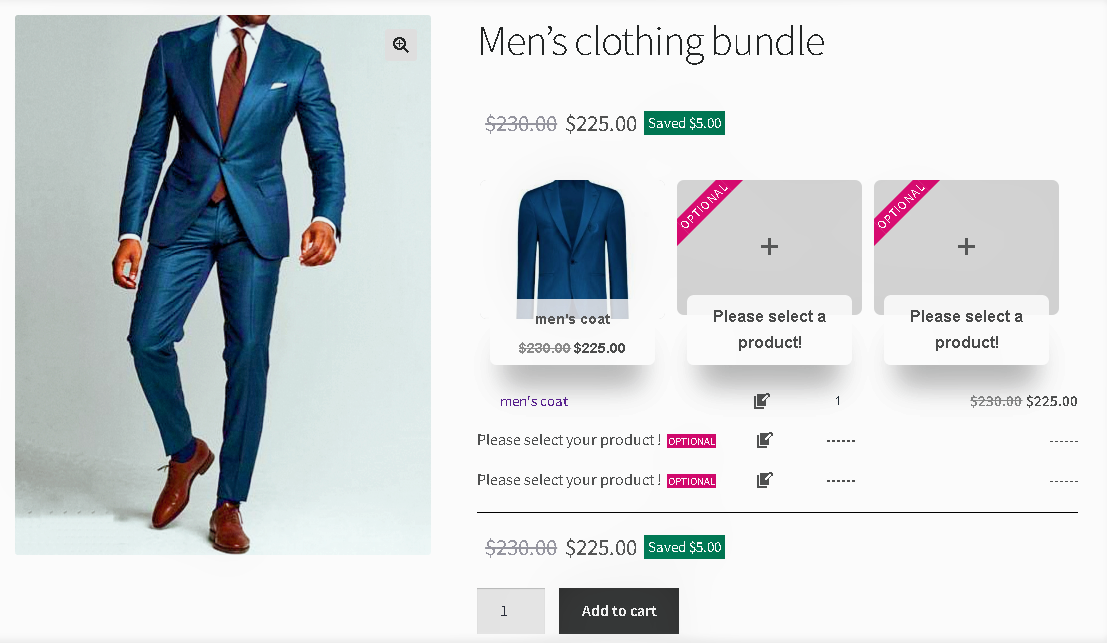
  • Optional Items Make an item of the product bundle optional so the customer does not have to choose a product for that item. (Premium Version)
  • Themes Multiple and beautiful grids and list items theme. (Premium Version)
  • Size Small/Medium/Large size for bundle items. (Premium Version)
  • Product Quick View View the product quick view in a popup. (Premium Version)
  • Total quantity Set min or max total quantity of bundled items. (Premium Version)
  • Duplicate the item in the backend. (Premium Version) (new)
  • Empty item image assign a photo to the empty item. (Premium Version) (new)

📚SUPPORTED LANGUAGES

  • English
  • Français (French)
  • Deutsch (German)
  • Dutch (Nederlands)
  • Dansk (Danish)
  • Italiano (Italian)
  • Português (Portuguese)
  • Polski (Polish)
  • Русский (Russian)
  • Español (Spanish)
  • Türkçe (Turkish)
  • עִבְרִית (Hebrew)
  • العربية (Arabic)
  • فارسی (Persian)
  • Български (Bulgarian)
  • 简体中文 (Chinese)
  • 日本語 (Japanese)
  • हिन्दी (Indian)

📽️Demo

Visit the below links to see how it works:

💵Pricing

  • SINGLE SITE 👉 €60.00 €39.00
  • 5 SITES 👉 €200.00 €89.00
  • 25 SITES 👉 €400.00 €99.00

🖼️Screenshots

3) Product Badge, Label, Countdown Timer for WooCommerce – Sale Booster

Best WooCommerce free plugins to boost sales

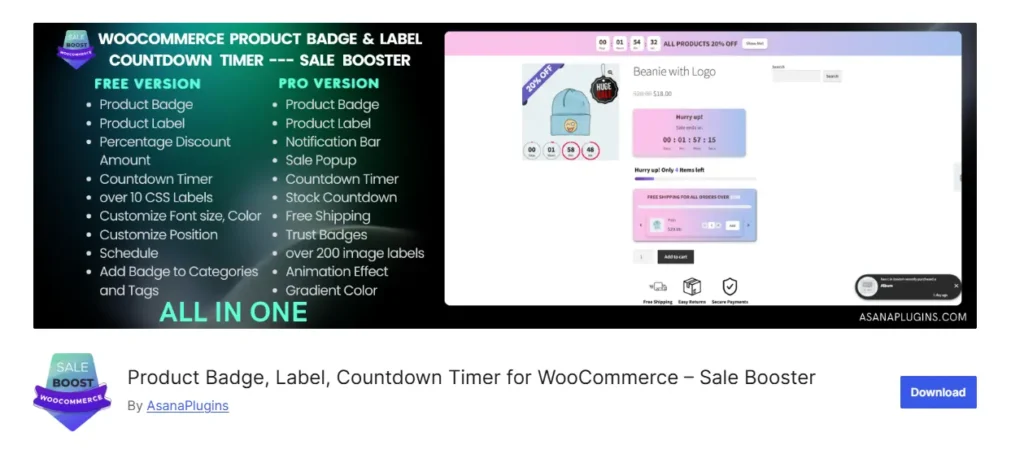
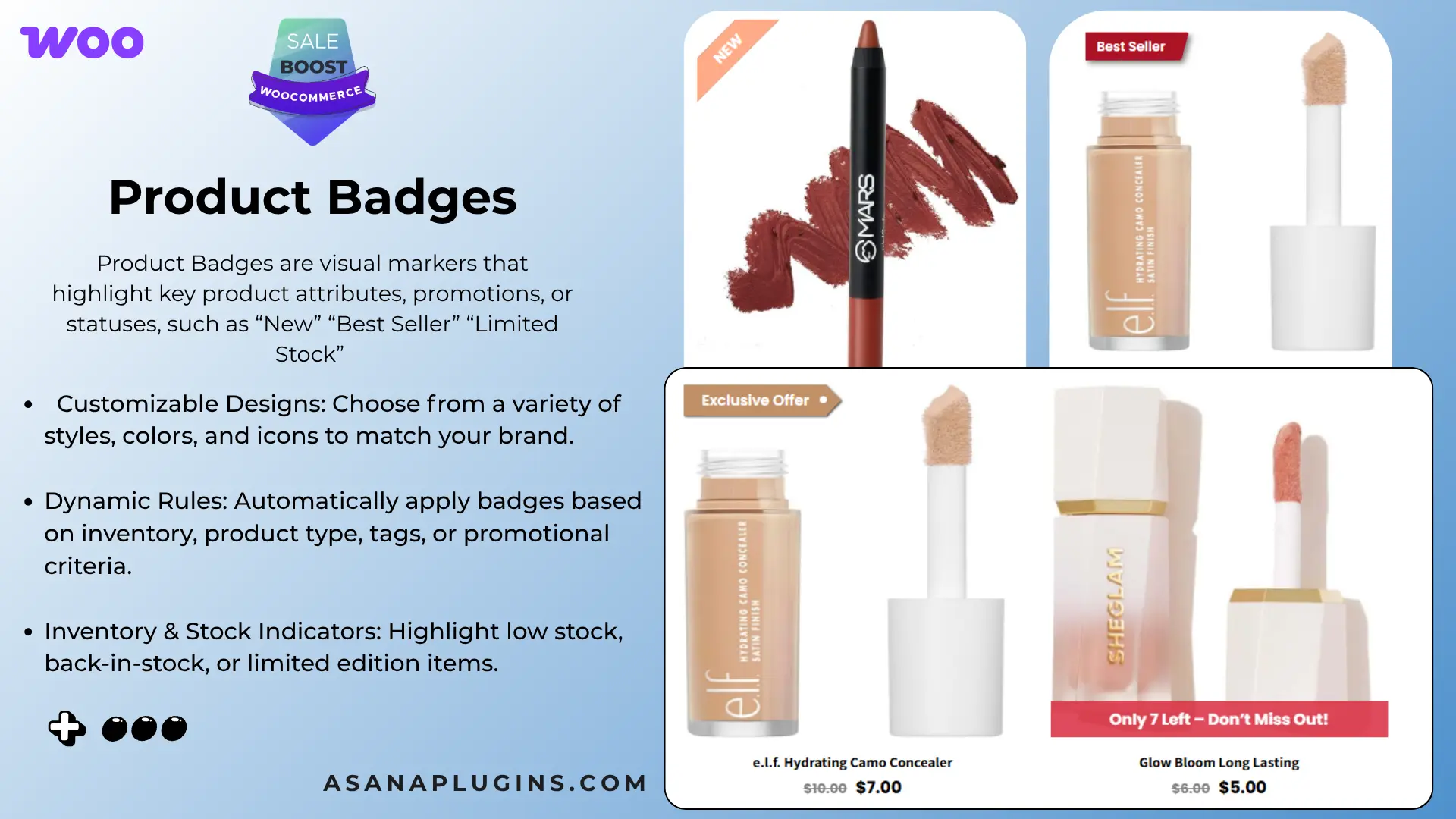
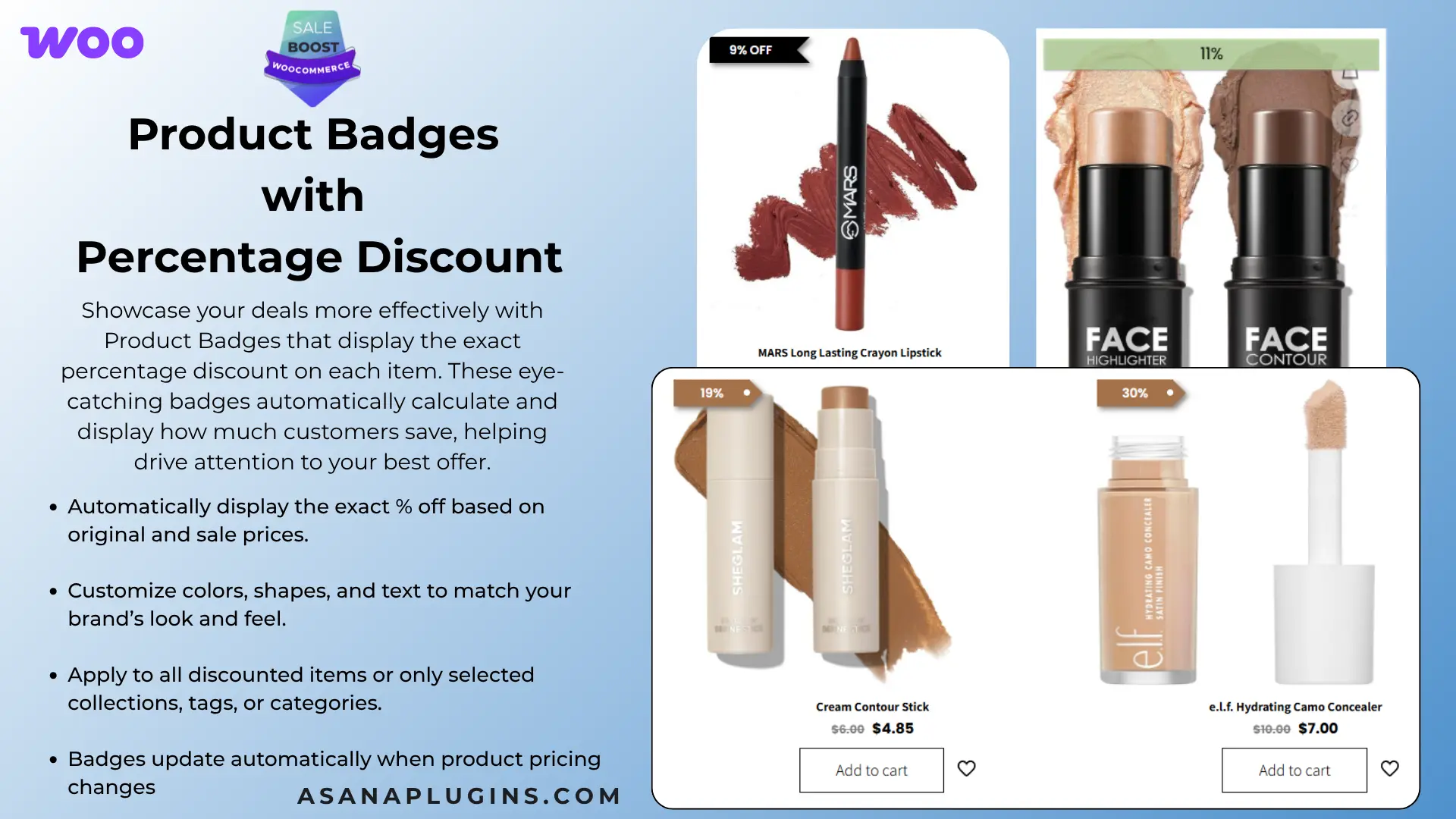
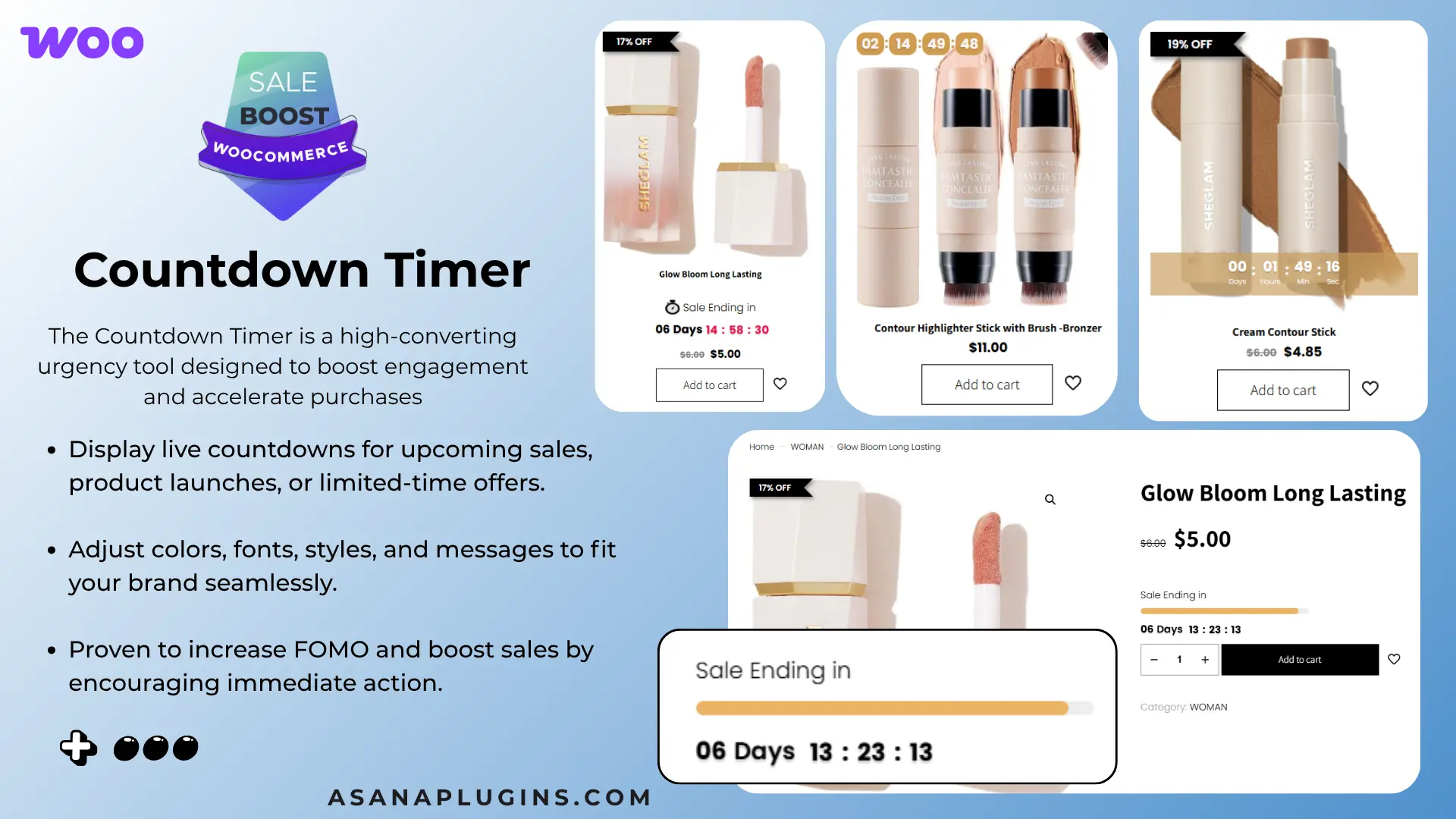
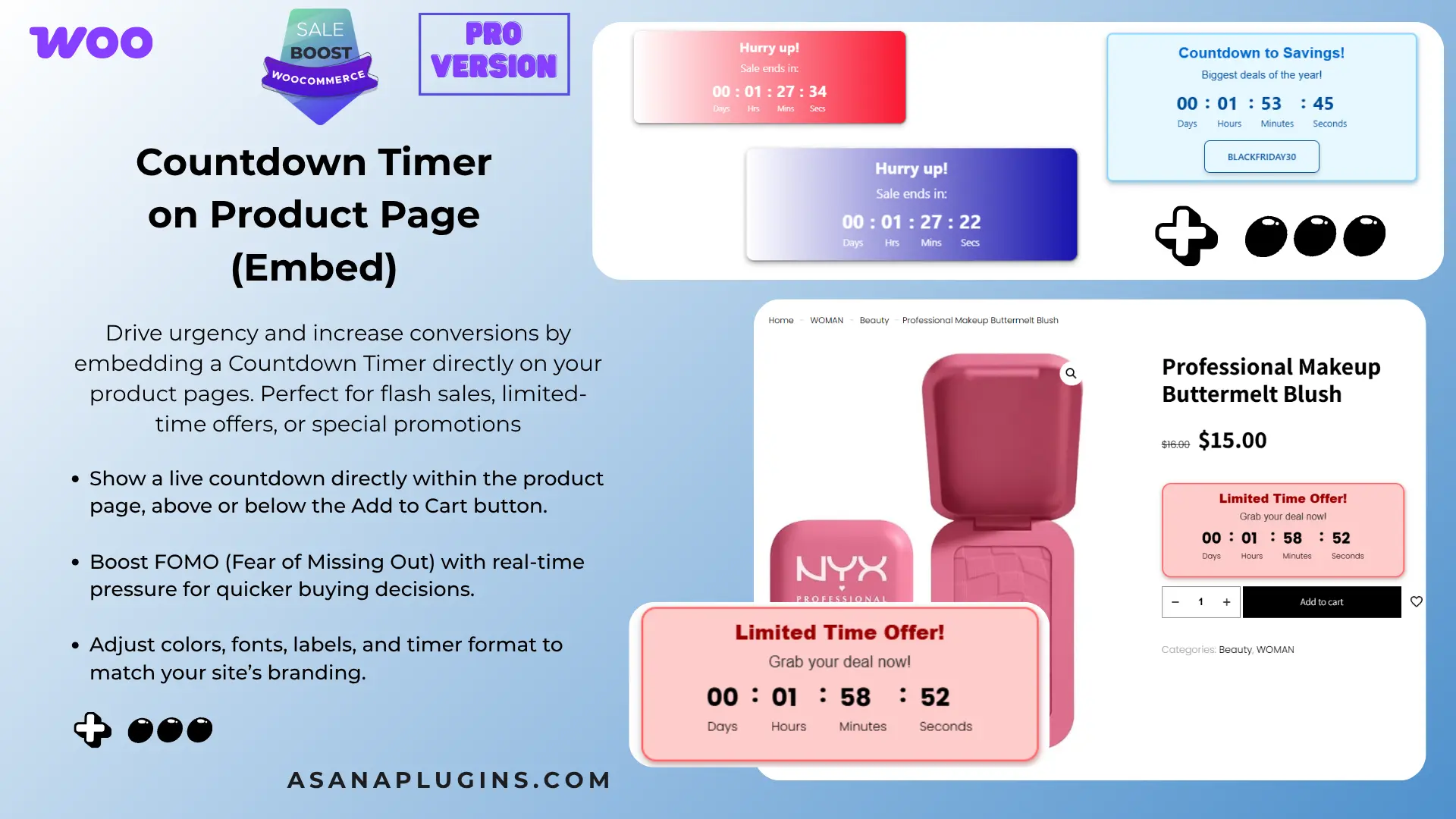
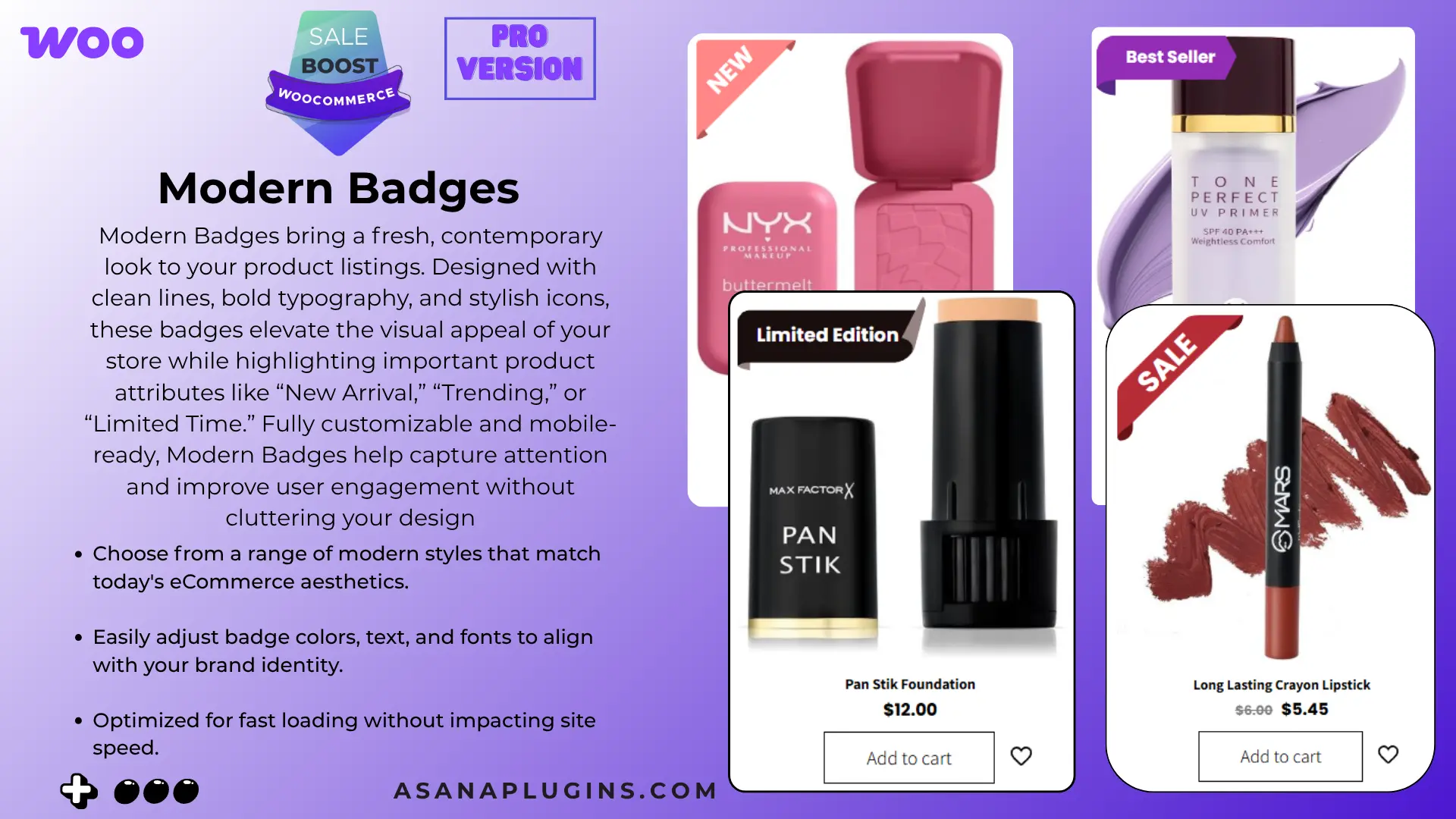
WooCommerce Badge and Product Label elevate your store’s appeal with customized badges and countdown timers (PRO Version). As one of the best WooCommerce free plugins to boost sales, it enhances your store with sale badges, product labels, and countdown timers designed to drive conversions. This all-in-one plugin empowers you to create eye-catching labels and scheduled badges for products, categories, and tags. Highlighting discount values, product quantities, ratings, shipping classes, stock status, and sale status, these labels provide valuable information to your customers. Plus, leverage the power of countdown timers to create urgency and boost sales. With an intuitive interface, you can easily customize labels and replace default on-sale badges. Take your WooCommerce store to new heights with visually appealing badges, labels, and countdown timers tailored to your unique offerings.

Video tutorial

Examples

🚀FEATURES

Let’s take a brief look at some of the cool features of this plugin:

  • Over 15 Product Badges
  • Over 10 Modern Badges
  • Free Shipping With Upsell
  • Free Shipping Bar
  • Order Notifications
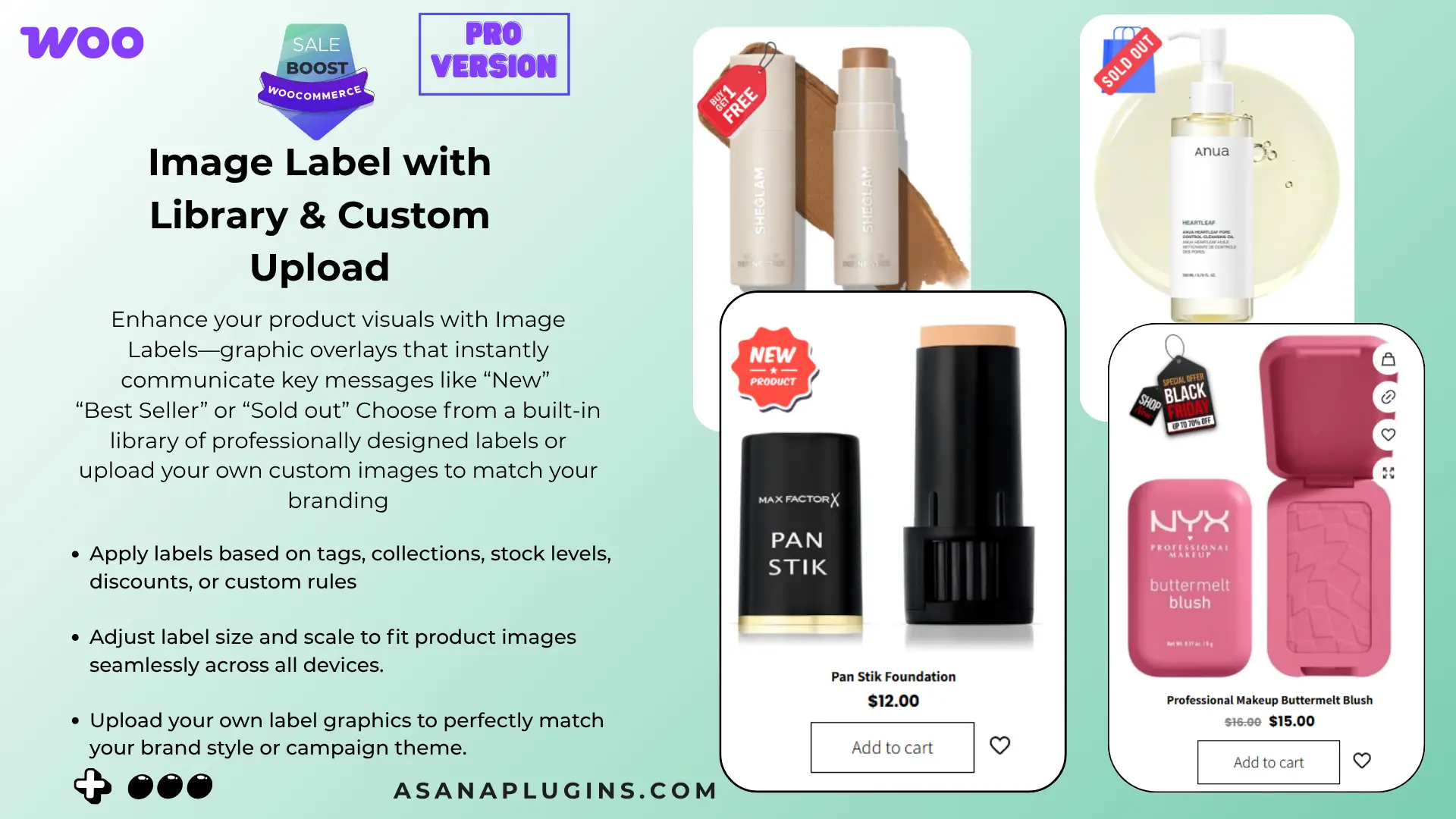
  • Over 200 Image Labels
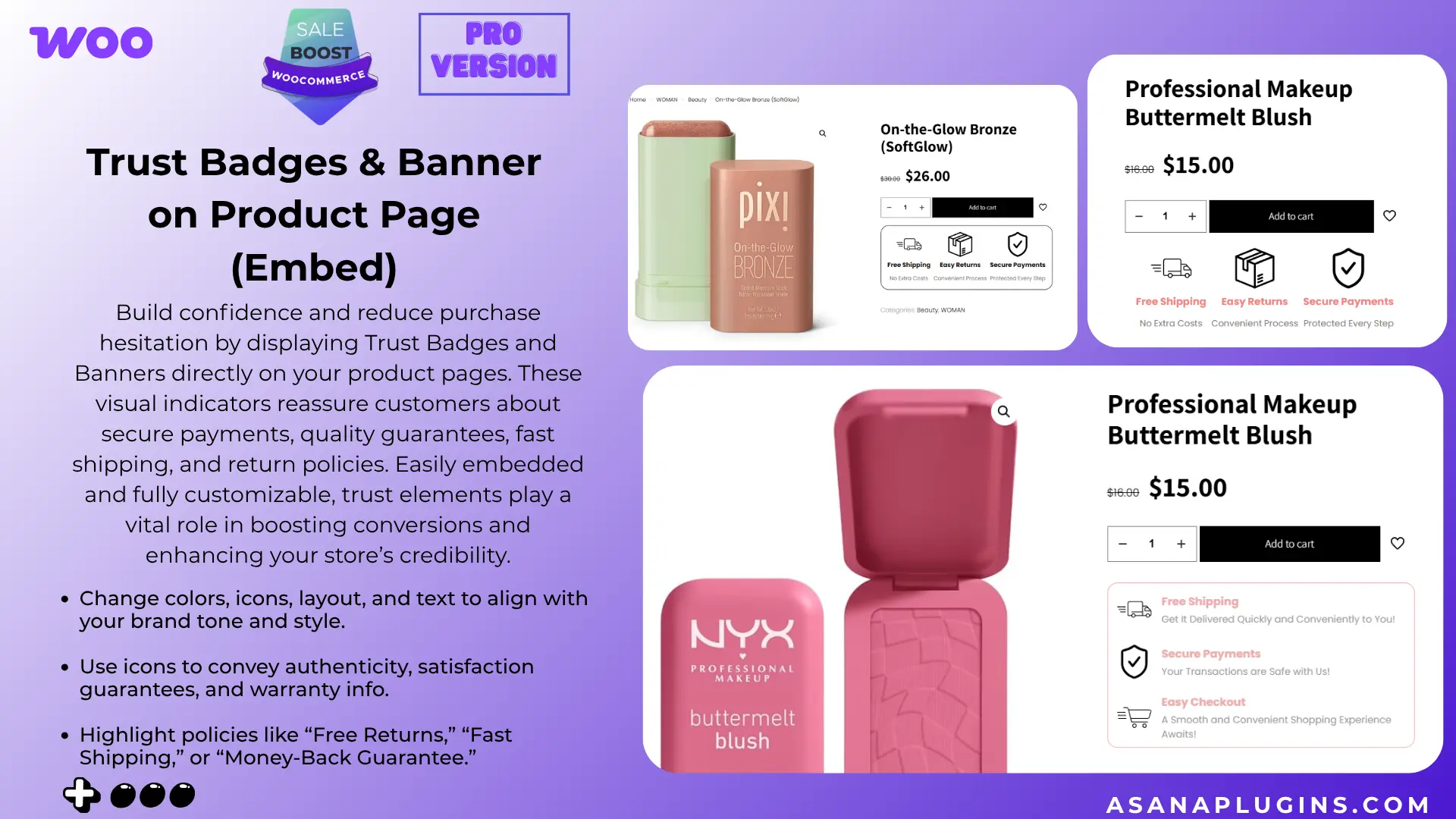
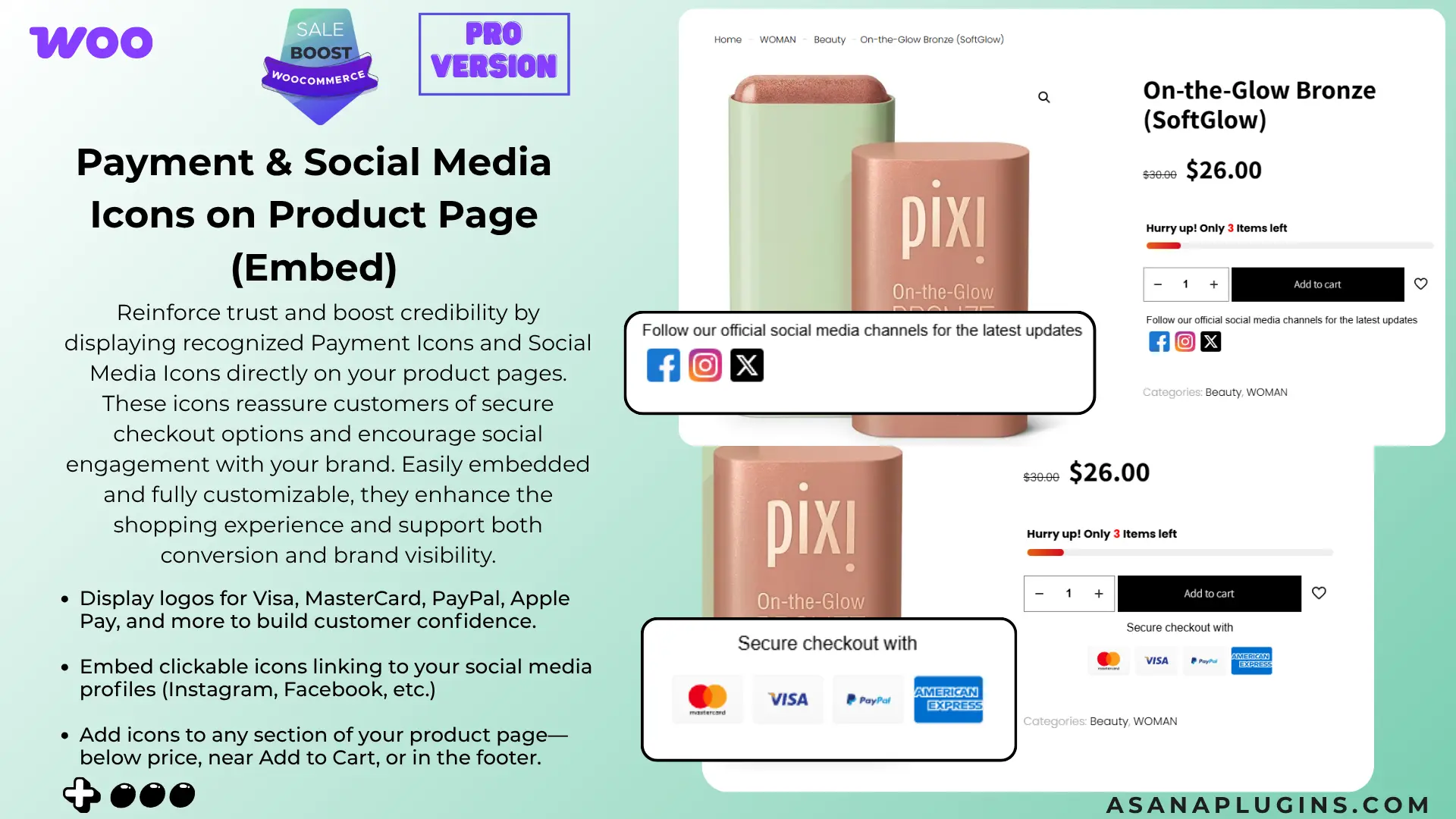
  • Trust Badges
  • Payment icons
  • Social Media Icons
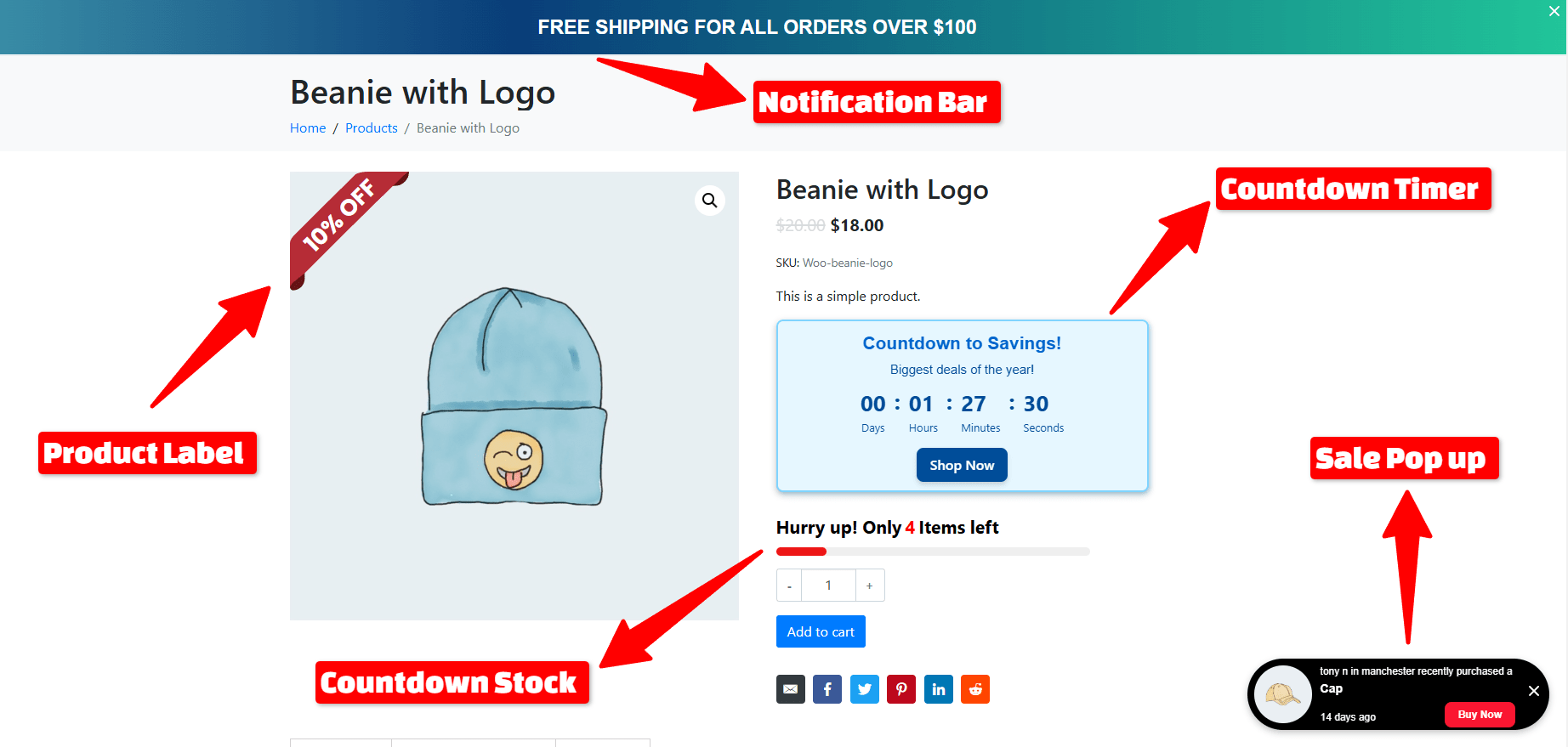
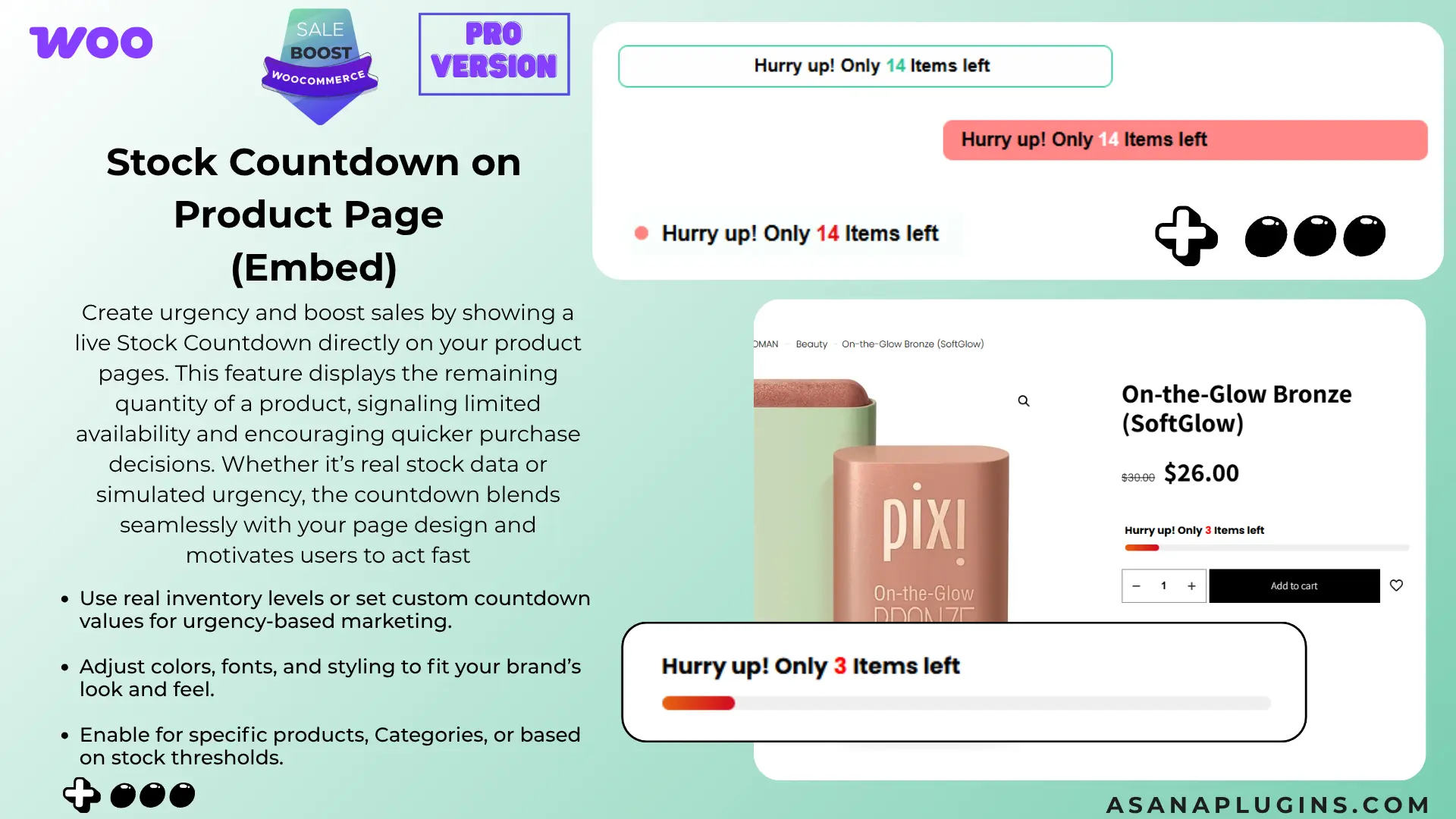
  • Countdown Timer
  • Countdown Stock
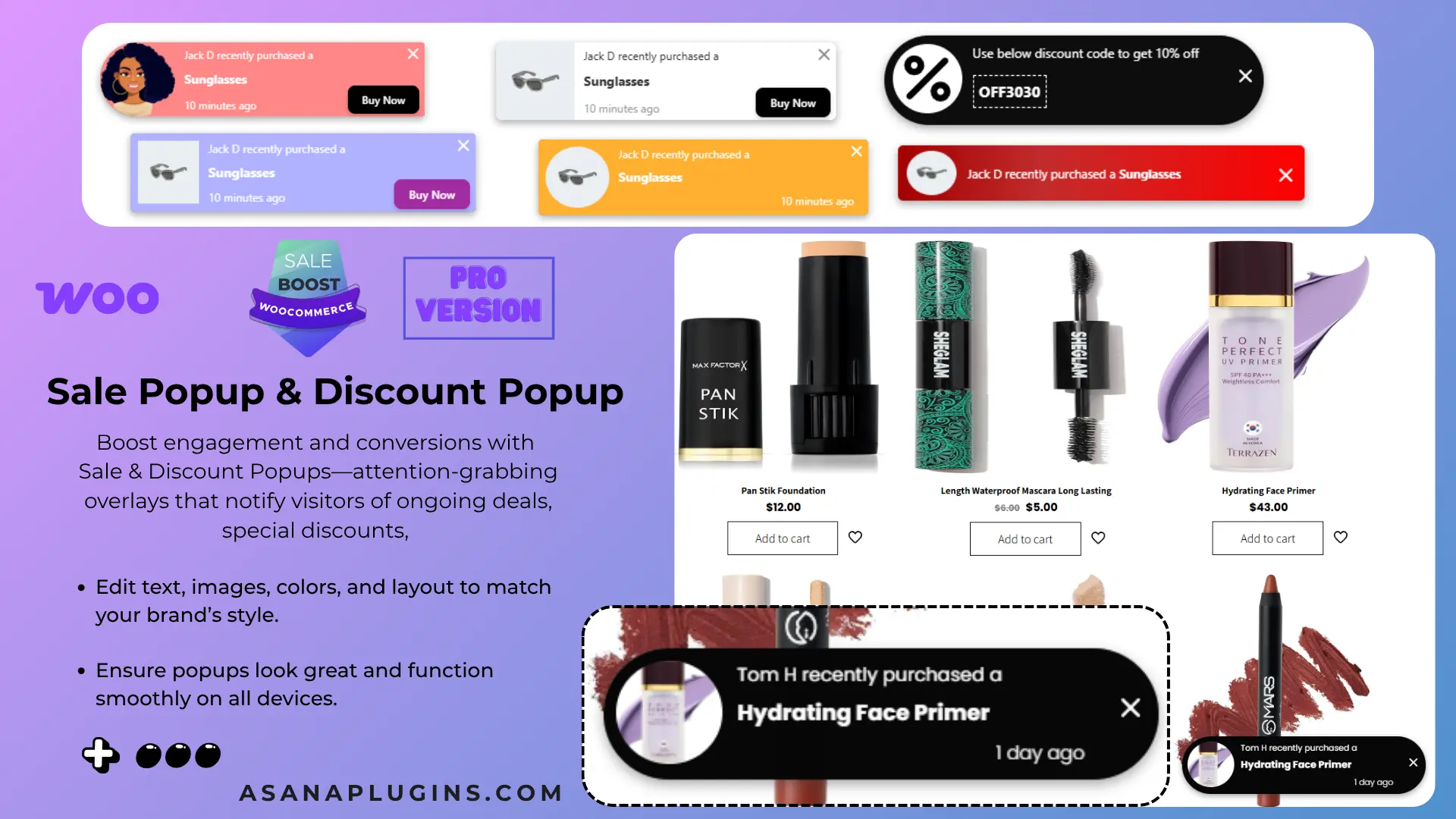
  • Sales Pop-up
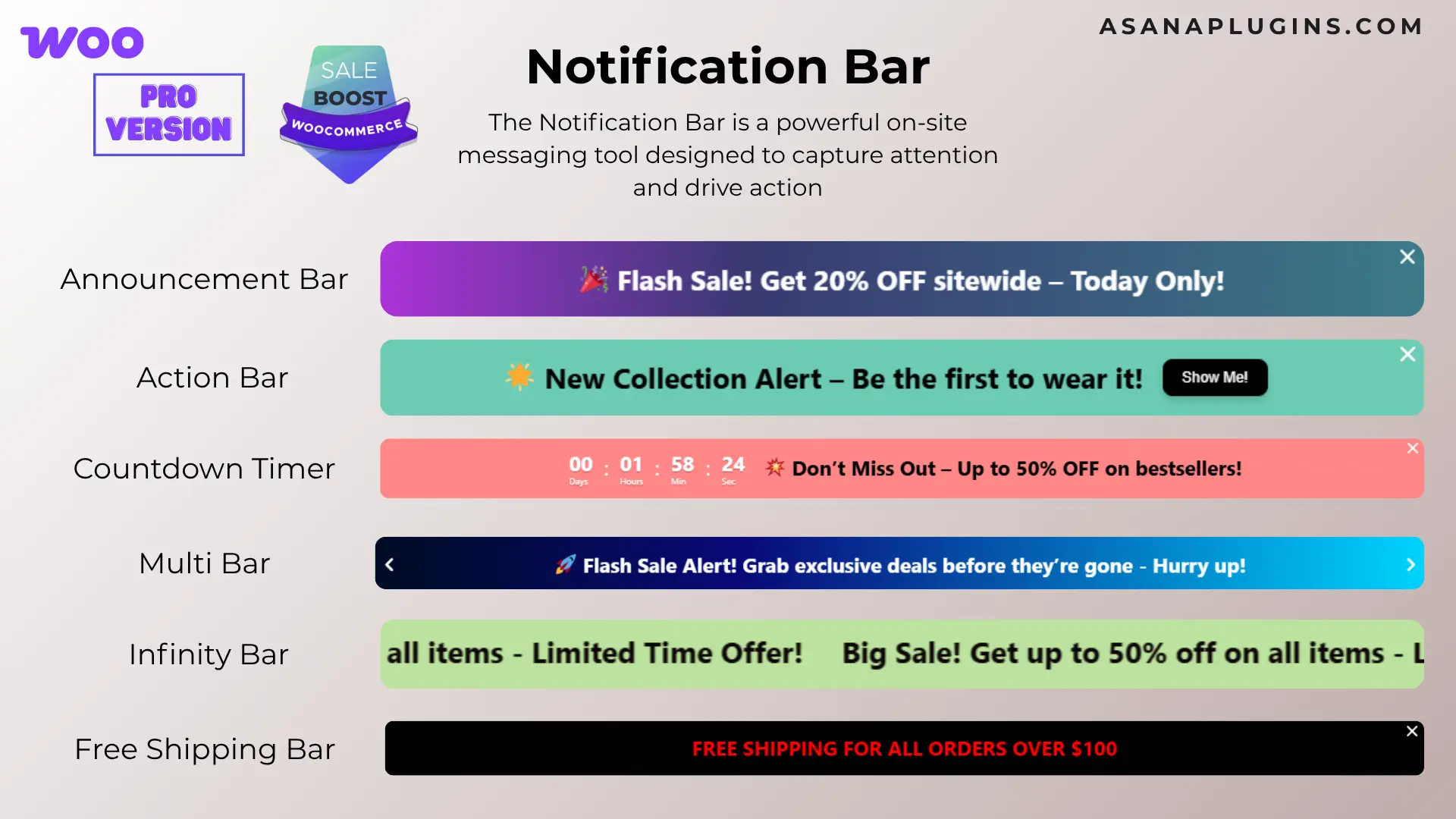
  • Notification Bar
  • Over 10 CSS Labels
  • Over 10 Countdown Timers
  • 10 Animation Effects
  • Add Badge to Out Of Image Position
  • Incorporate Gradient Colors
  • Implement Discount Rules
  • Add a Percentage Discount amount
  • Rotate CSS Labels, Image Labels, and Advanced Labels
  • Add Easy Custom labels on products
  • Access CSS label templates
  • Preview is available live for easy placement and customization
  • Add Badges to specific WooCommerce products, categories, or tags
  • Add Badges to “Is On Sale”
  • Add Badges to “In Stock” and “Out Of Stock”
  • Customize label attributes, including color, font size, line height, width, opacity, position, and much more
  • Transform And Rotate Css Labels
  • Set Toggle To the visibility of badges
  • Include an option to set an expiration Date and Time for badges
  • A unique feature for adjusting hooks that control the presentation of product labels, beneficial if your theme encounters issues displaying them or if you wish to reposition the labels
  • Adjust the Position of CSS Labels, Image Labels, and Advanced Labels
  • Include both Vertical and Horizontal Timers
  • Personalize Sale Timers with Styling Options
  • Sale Image Labels
  • Percentage Off Image Labels
  • Coming Soon Image Labels
  • Pre-Order Image Labels
  • Free Image Labels
  • Black Friday Image Labels
  • Valentine’s Day Image Labels
  • Xmas Image Labels

Tested with more than 40+ Themes

  • Flatsome
  • WoodMart 
  • Avada 
  • The7
  • Divi
  • Betheme
  • Uncode 
  • Enfold 
  • Bridge 
  • Salient
  • JupiterX 
  • XStore 
  • Porto 
  • StoreFront
  • Astra
  • OceanWP
  •  and much more

📽️Demo

Visit this plugin Live Demo here to see how it works.

💵Pricing

  • SINGLE SITE 👉 €60.00 €39.00
  • 5 SITES 👉 €200.00 €89.00
  • 25 SITES 👉 €400.00 €99.00

🖼️Screenshots

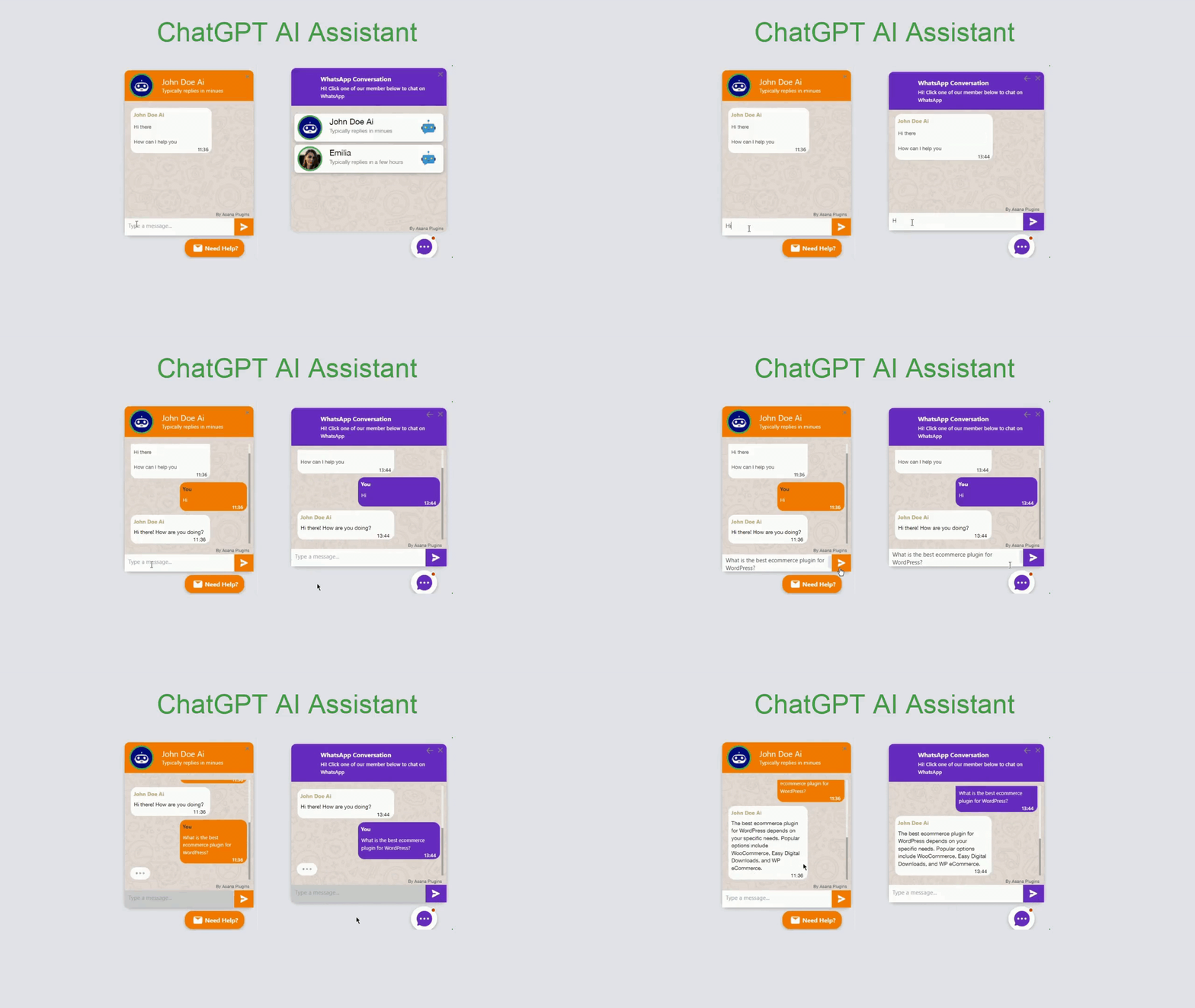
4) AI Content Writing and Chat with ChatGPT

Best WooCommerce free plugins to boost sales

AI Content Writing and Chat with ChatGPT is one of the best WooCommerce free plugins to boost sales, combining the power of AI and real-time messaging to elevate your customer support and lead generation efforts. With WhatsApp being the most popular messaging app globally—used by over 2 billion people—adding a chat support feature to your website is essential for engaging with your customers where they already are. This plugin allows you to seamlessly integrate a WhatsApp chat button into your site, giving visitors a quick and direct way to reach your support team. At the same time, it helps capture valuable leads and drive more conversions, ultimately increasing your store’s revenue.

Video tutorial

🚀FEATURES

  • Add ChatGpt AI BOT
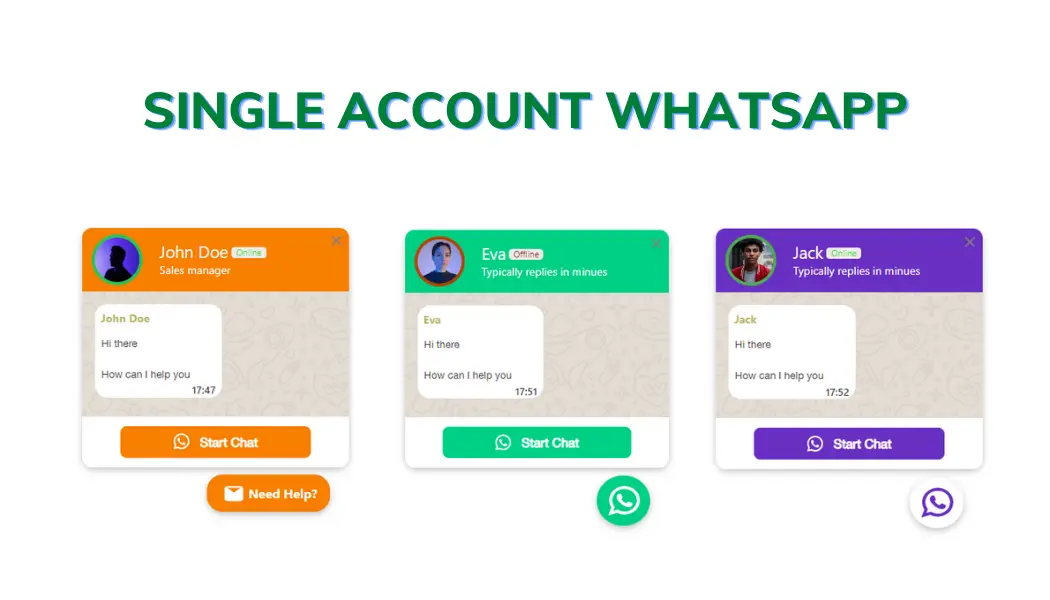
  • Add single-agent WhatsApp chat support
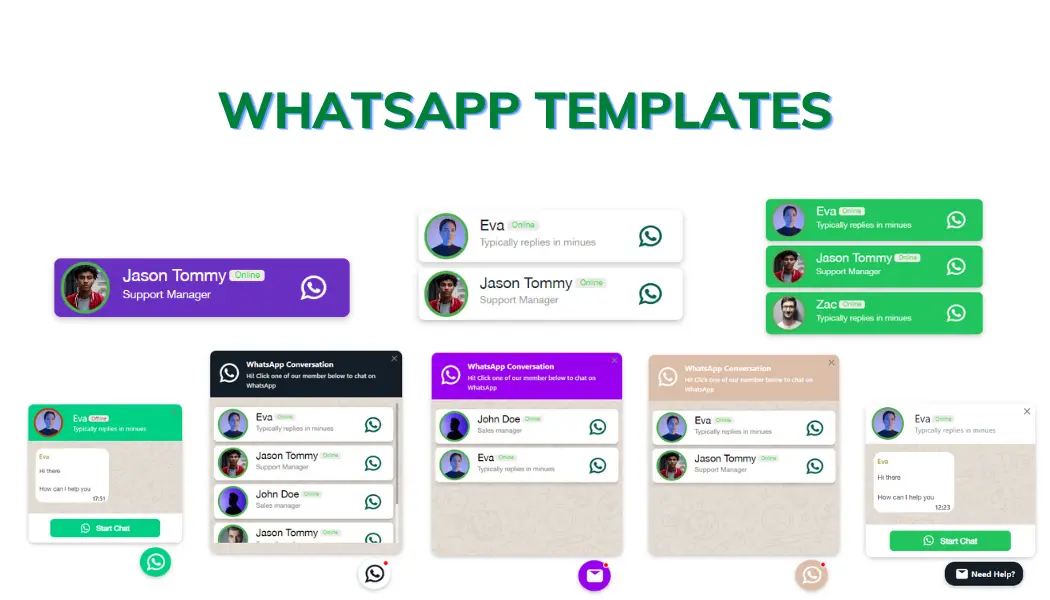
  • Add multi-agent WhatsApp chat support
  • Add a floating chat button to your website
  • Add a floating chat button to specific pages
  • Display chat support for “All Visitors”, “New Visitors”, “Returning Visitors”, “Logged in users (PRO)”, “Guest Users (PRO)”
  • Add a chat button to specific WooCommerce products, categories (PRO) or tags (PRO)
  • Add chat support to specific pages by URL.
  • Exclude chat support from specific pages by URL.
  • Display single account or multi account chat window in the floating chat button
  • Create multiple accounts with specific avatars or predefined avatars
  • Predefined templates to create chat easily and in a minute
  • Different styles and positions for Mobile and Desktop
  • Preview the live chat button in the admin when designing it
  • Custom colors, greetings, icons and avatars
  • Define custom availability and working hours for each account (PRO)
  • Define custom availability timezone for each account (PRO)
  • Keep communicating directly from your WhatsApp account
  • 4 types of chat “Floating Bubble”, “Embed Bubble”, “Embed Chat Window”, “Button”
  • WPML Ready
  • Google Analytics (PRO)
  • Facebook Pixel Analytics (PRO)

📽️Demo

Visit this plugin Live Demo here to see how it works.

💵Pricing

  • SINGLE SITE 👉 €60.00 €20.00
  • 5 SITES 👉 €200.00 €59.00
  • 25 SITES 👉 €400.00 €89.00

🖼️Screenshots

Related Resources

Want to learn more about WooCommerce product bundles and related strategies? Explore these helpful guides:

🌐SOCIAL MEDIA LINKS