
Sticky Add to Cart WooCommerce Plugin
A sticky add to cart WooCommerce bar keeps buying within reach as shoppers scroll.
Keep the product, current price, options, quantity, and Add to Cart button close at hand on long product pages. Then, show the bar when the original buy button leaves view, and style it to fit your store.
Pro feature · Three bar styles · Desktop and mobile controls
Storefront examples
See sticky Add to Cart in context
Each demo shows one product and one sticky bar. Then, compare the space-saving layouts, product options, and purchase controls without browsing a slider.
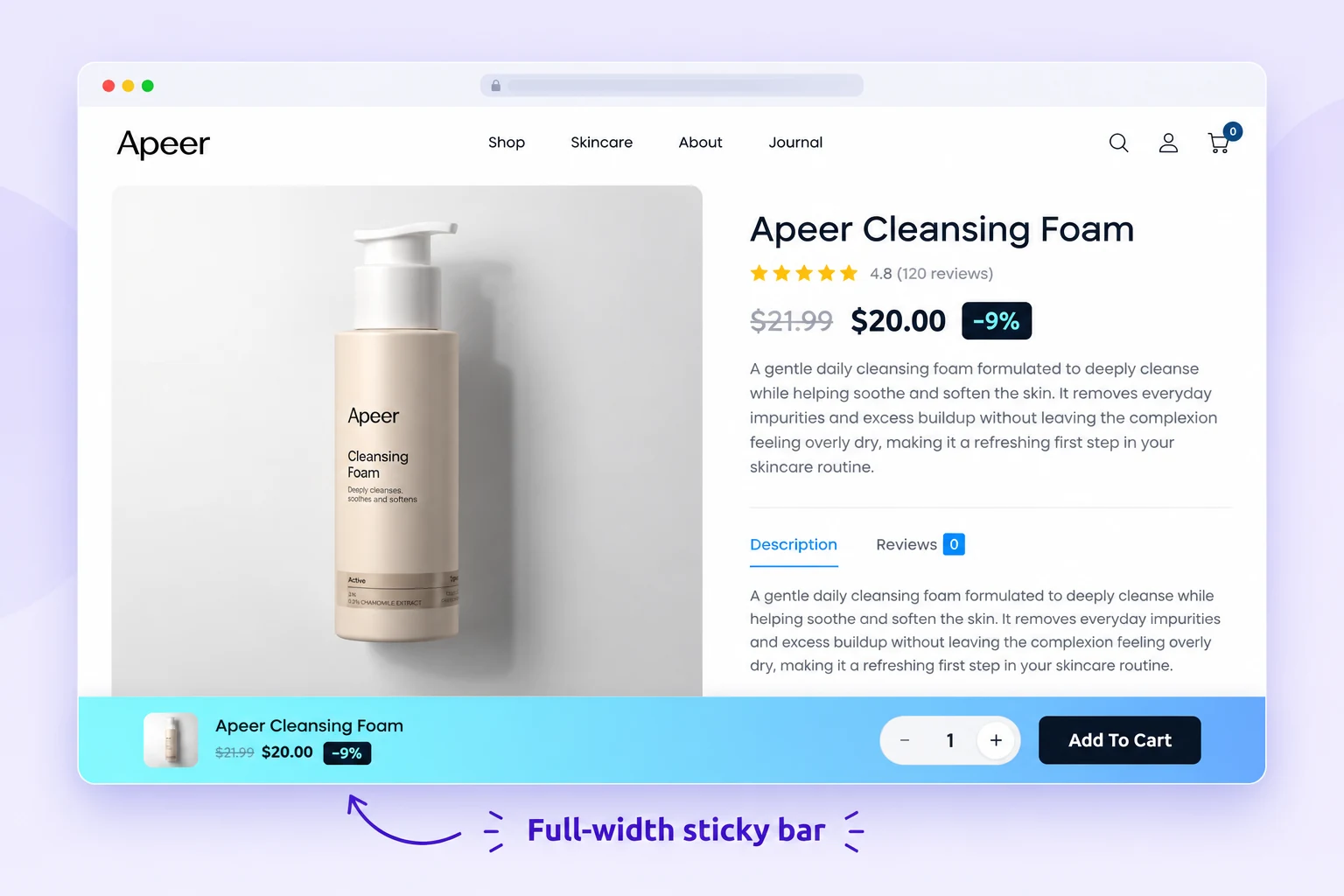
Keep the complete purchase row visible
When shoppers scroll through product details, the bar can retain the product image, live price, chosen option, quantity, and Add to Cart button in one clear row. As a result, the buying controls stay close while shoppers explore the page.
- Useful on long single-product pages
- Choose top or bottom placement
- Use a full-width or custom-width layout
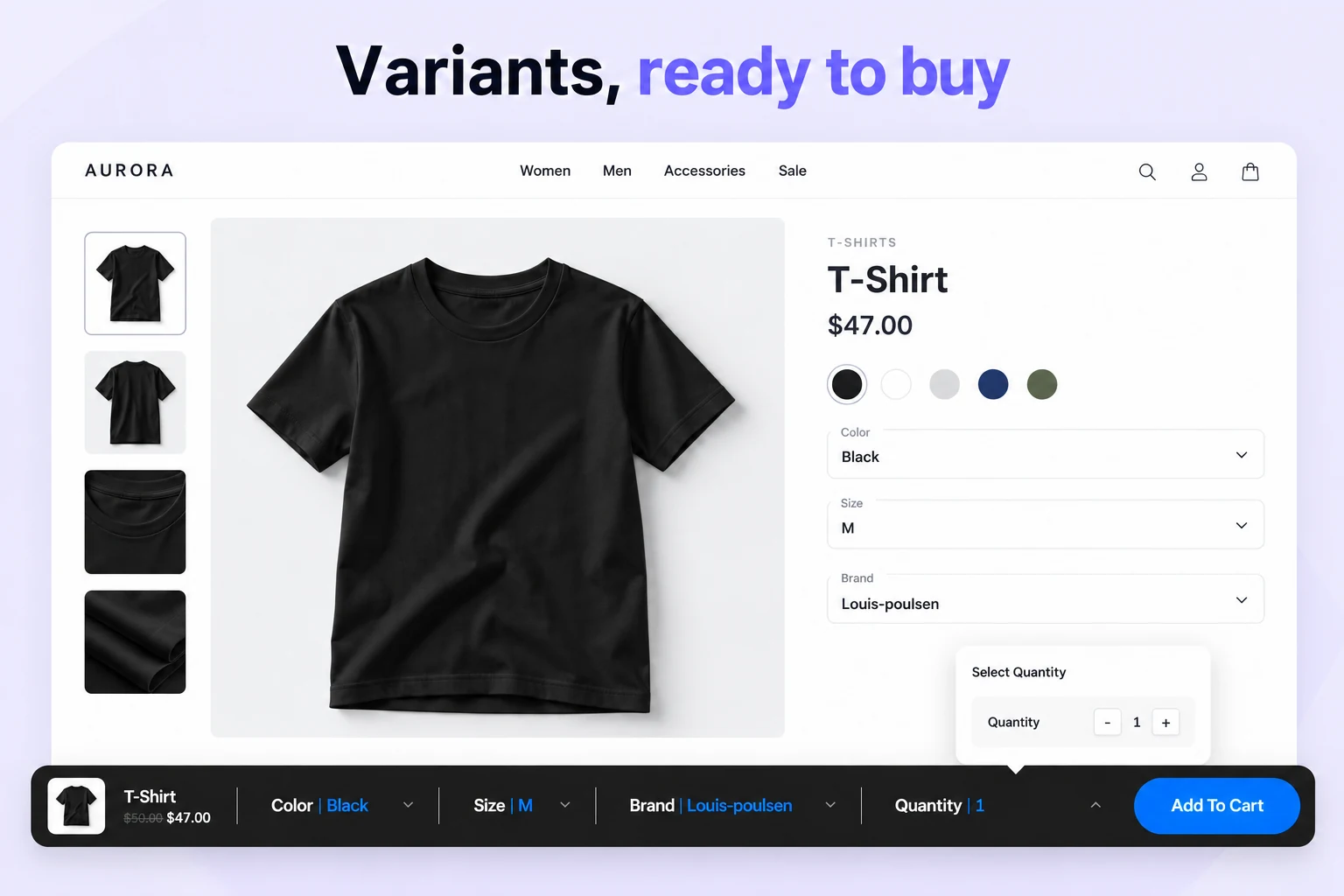
Let shoppers choose before they add
For variable products, keep the selected color, size, and other options beside the purchase button. Then, shoppers can adjust quantity without returning to the original product form.
- Variation selectors remain accessible
- Quantity can open in a compact popover
- Current product price stays visible

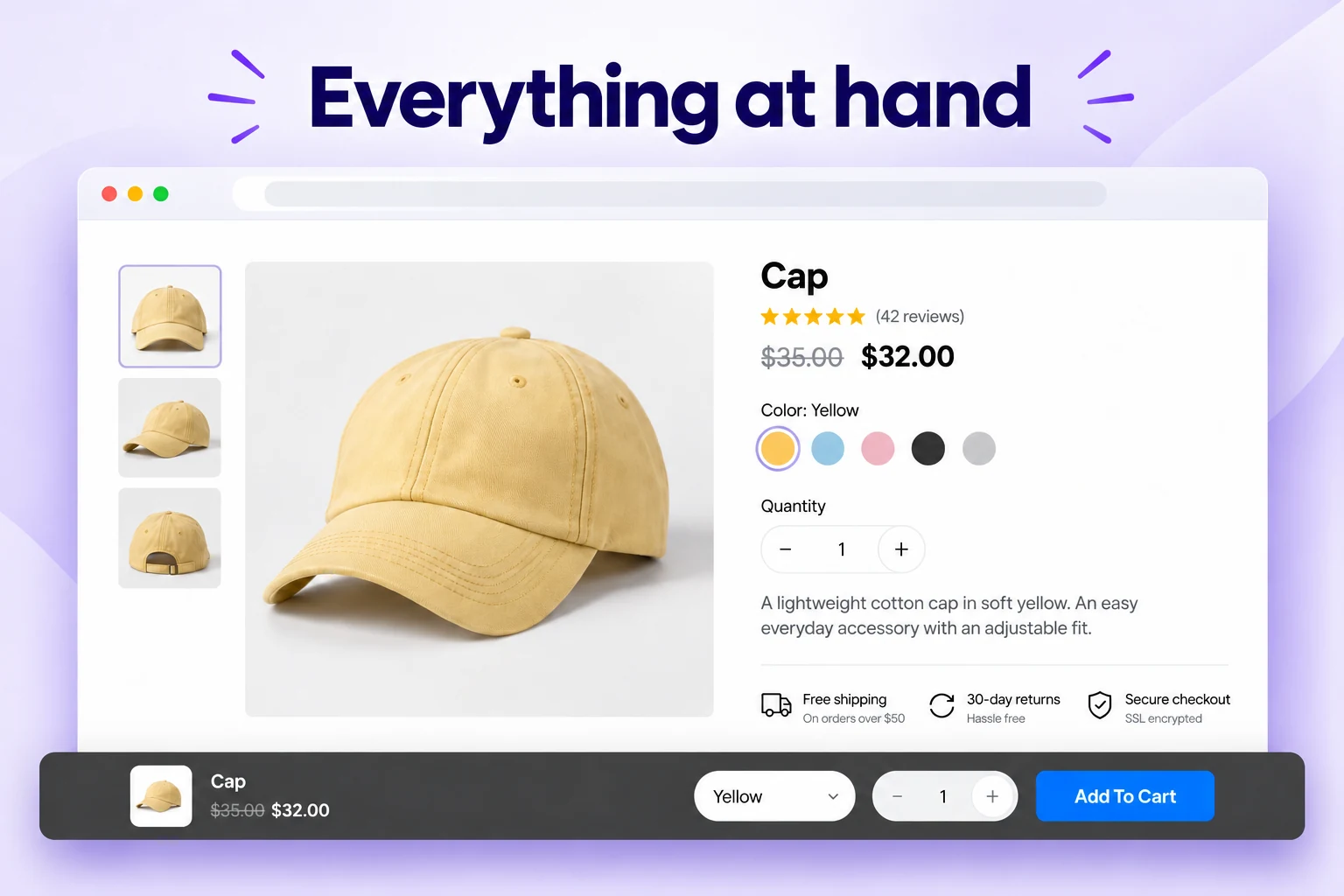
Give the product page more room
A floating purchase bar keeps the product, price, and button together in a smaller footprint. For example, use it when you want the buying action visible without a full-width strip.
- Compact layout for less visual weight
- Mobile-specific button and visibility options
- Color and size controls to fit your brand
These storefront mockups are based on the plugin’s frontend screenshots. Example products and store styling illustrate how each bar can look in context.
More visual examples
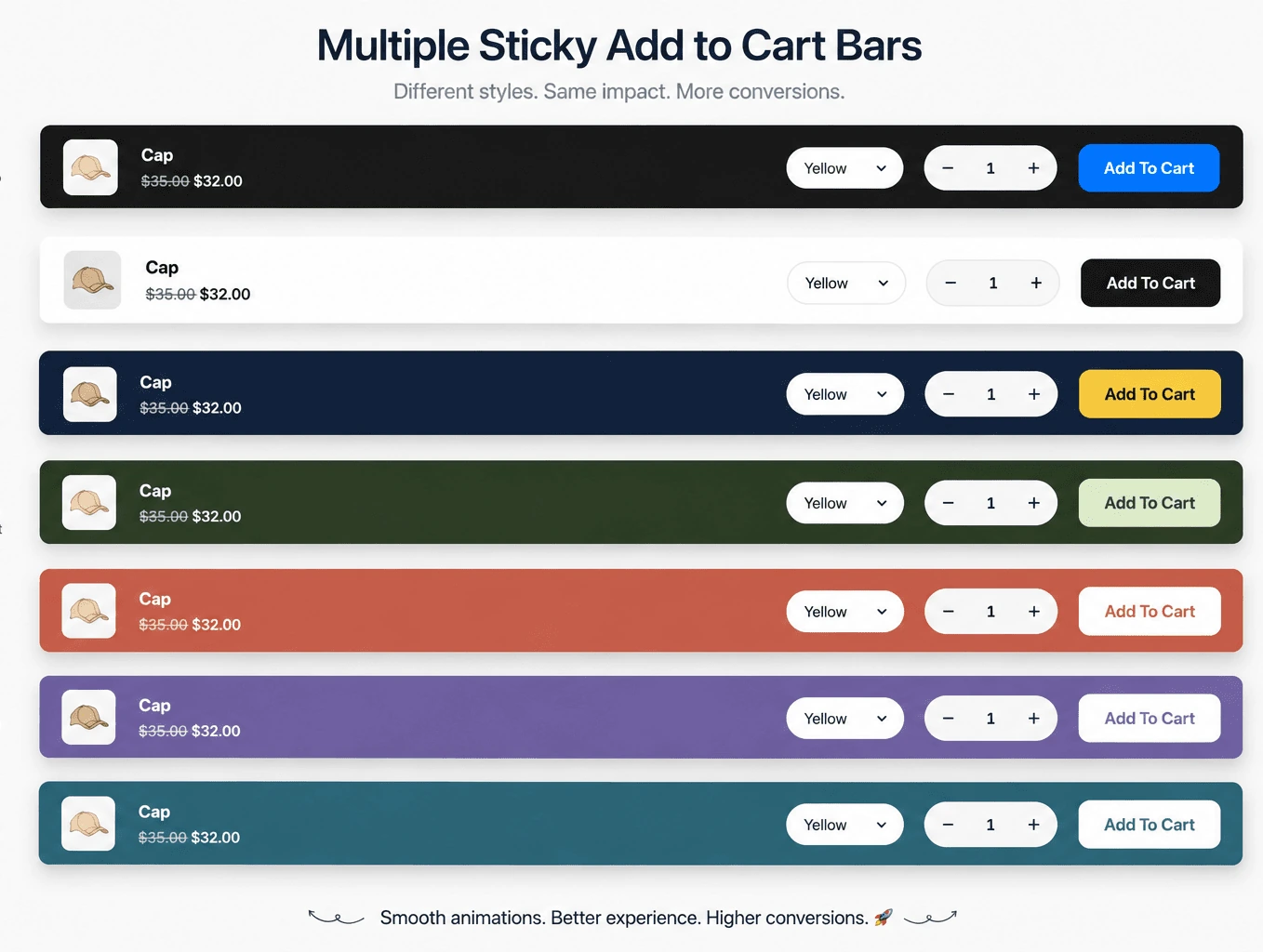
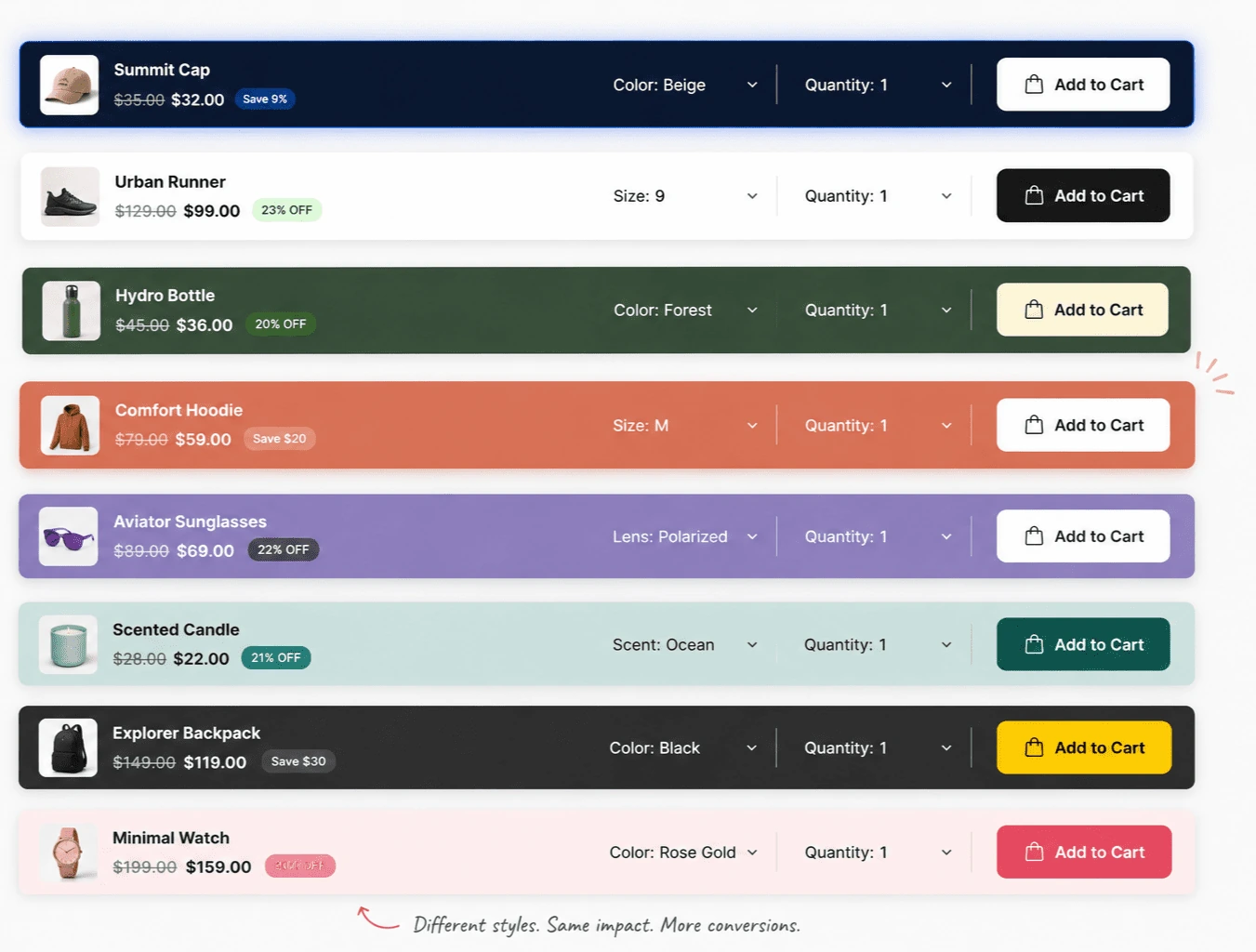
Sticky add to cart WooCommerce color options
These additional examples show how the same buying controls can work with light, dark, colorful, and product-specific palettes. For example, use a light bar on a minimal store or a darker bar when you want stronger contrast.
From setup to storefront
Set up sticky Add to Cart in three steps
Start with one product page, confirm that the bar follows the real product form, then expand your display rules.
Choose a bar style
Open Sale Badges → Store Features → Sticky Add to Cart. Next, pick a style, position, width, and color template.
Set buying controls
Choose when the bar appears. After that, decide whether to show the product image, price, variations, quantity, and discount badge.
Target and test
Finally, select products and devices, then save. Check a simple product, a variable product, and a mobile screen.
Need the exact settings? Read the WooCommerce sticky Add to Cart setup guide.
Common questions
Sticky Add to Cart WooCommerce FAQ
Is sticky Add to Cart included in the free plugin?
No. Sticky Add to Cart is part of Sale Booster Pro. Instead, the free plugin focuses on product badges and other included features.
Can I show the sticky bar only after the normal button scrolls away?
Yes. For example, choose “When Add to Cart is out of view” or “After Scroll past Add to Cart” so the bar appears at the right moment.
Does it work with variable products?
Yes. The bar can show variation selectors and quantity. Before launching, test required options and unavailable variations on your own theme.
Can I limit it to mobile or selected products?
Yes. To narrow its reach, use desktop and mobile visibility controls plus product targeting rules for categories, tags, stock status, sale status, and supported conditions.
Keep the next purchase within reach
Give shoppers a clear way to choose options and add the product to their cart, even after they scroll past the original buy button.