WooCommerce Side Cart & Upsell Plugin | Boost AOV Fast
The Ultimate WooCommerce Side Cart & Upsell Plugin
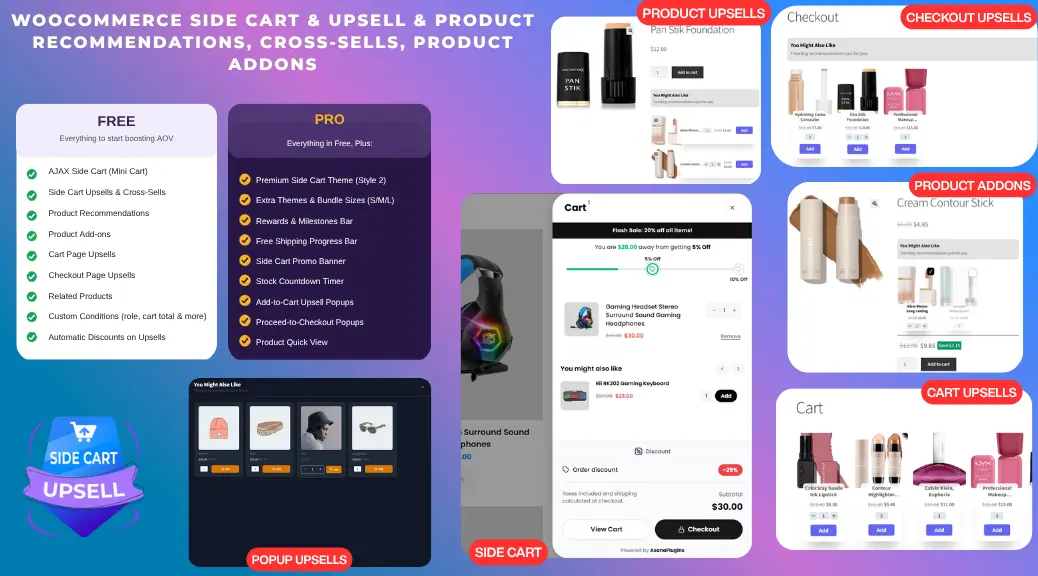
A WooCommerce Side Cart replaces the clunky default cart with a fast, AJAX-powered slide-out drawer — no page reload, no lost momentum. Built as a complete WooCommerce upsell plugin, it adds targeted upsells, cross-sells, and product recommendations directly inside the cart, turning every add-to-cart click into a higher-value order. No coding, no page builder required.
Why Your WooCommerce Store Needs a Side Cart (Mini Cart)
Replace the Clunky Default Cart with a Cart Drawer
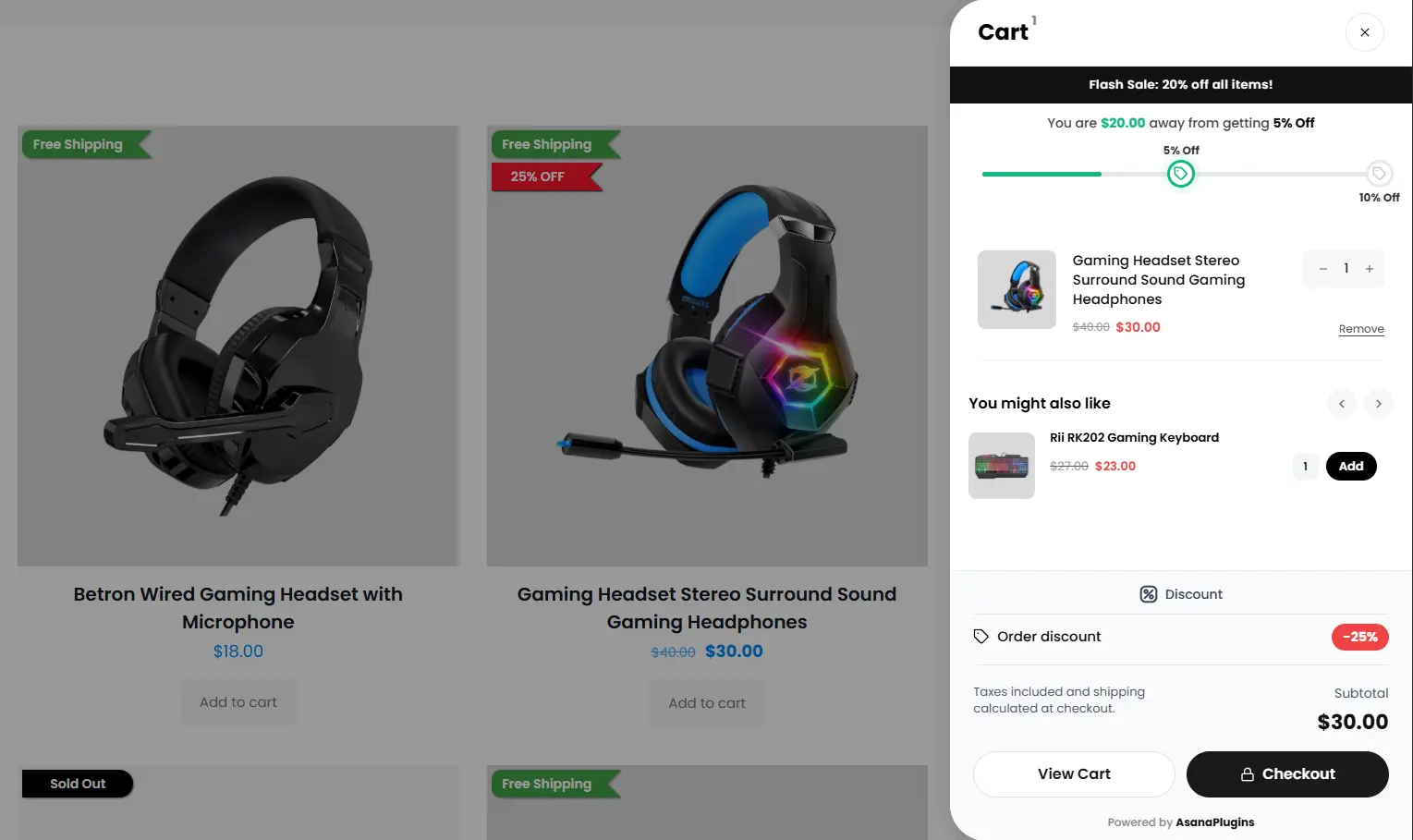
The default WooCommerce cart forces a full page reload on every add, update, or remove. A Side Cart updates instantly via AJAX, keeping shoppers on the page and in a buying mindset.
Reduce Cart Abandonment at Checkout
Every reload is a chance for a customer to lose interest and leave. A slide-out cart with visible upsells and a clear path to checkout keeps momentum going all the way to purchase.
See It In Action
- Side Cart
- Product Recommendations
- Product Upsells
- Product Upsell & Cross-sell List
- Cross-sell List 3
- Product Add-ons
- Cart Page Upsell
- Checkout Upsell
- Add-ons Popup
- Downsell Popup
- Product Upsell Popup
The Complete WooCommerce Upsell Toolkit — Upsells, Cross-Sells & Recommendations
Upsells & Cross-Sells
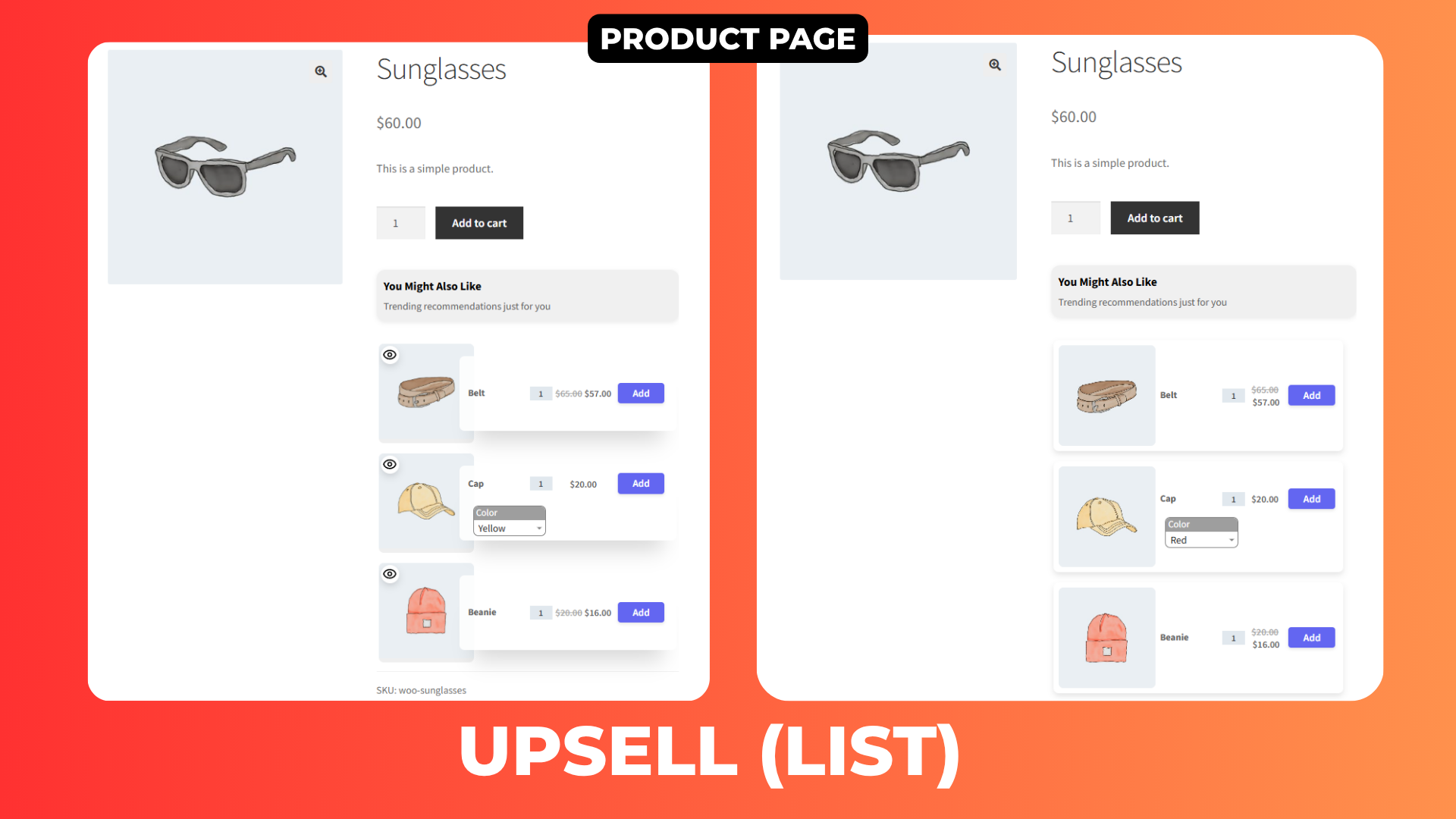
Show targeted upsell products directly inside the Product page, every stage of the funnel becomes an AOV opportunity.
In-Cart Upsells & Cross-Sells on WooCommerce Side Cart & Upsell Plugin
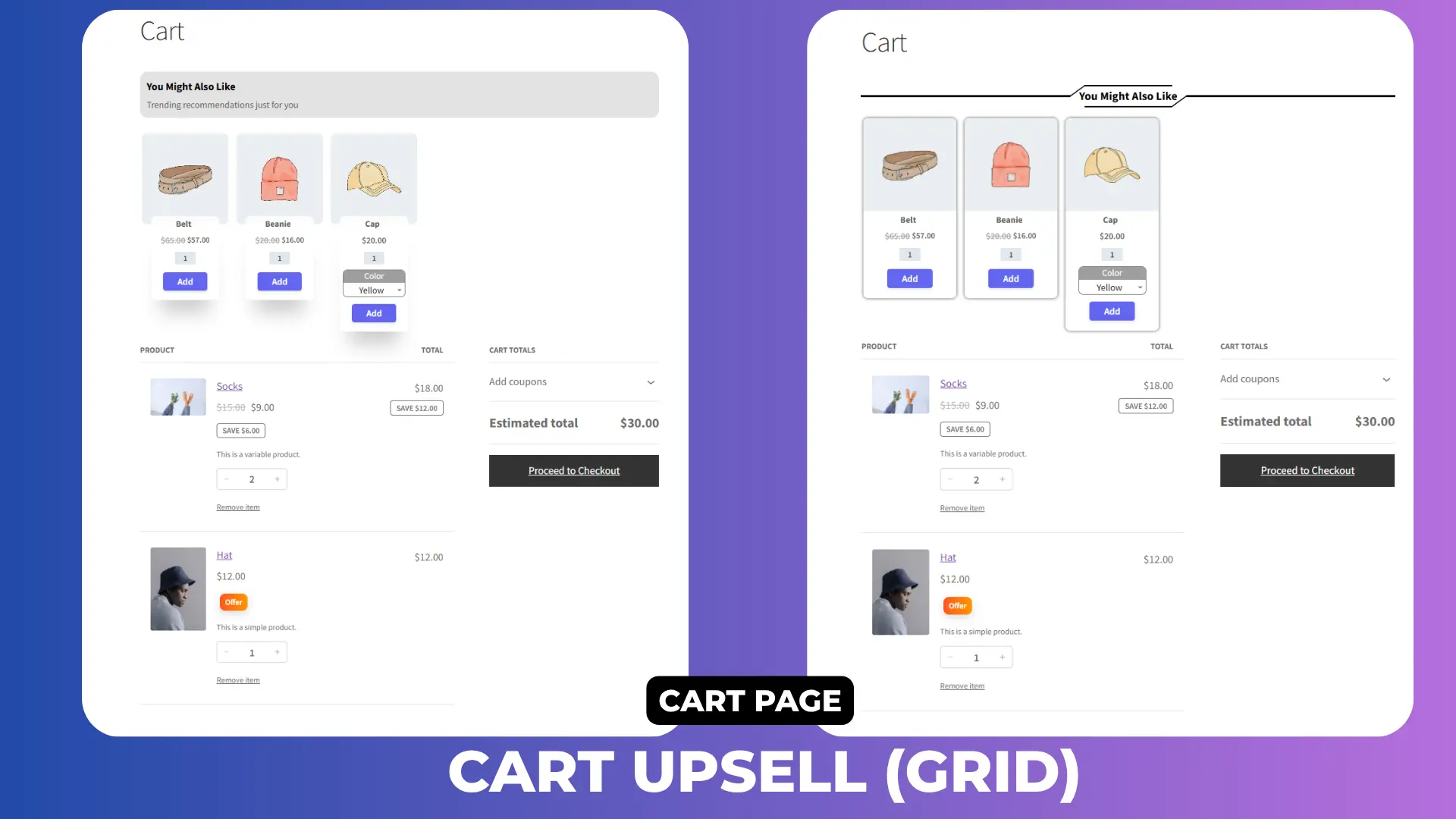
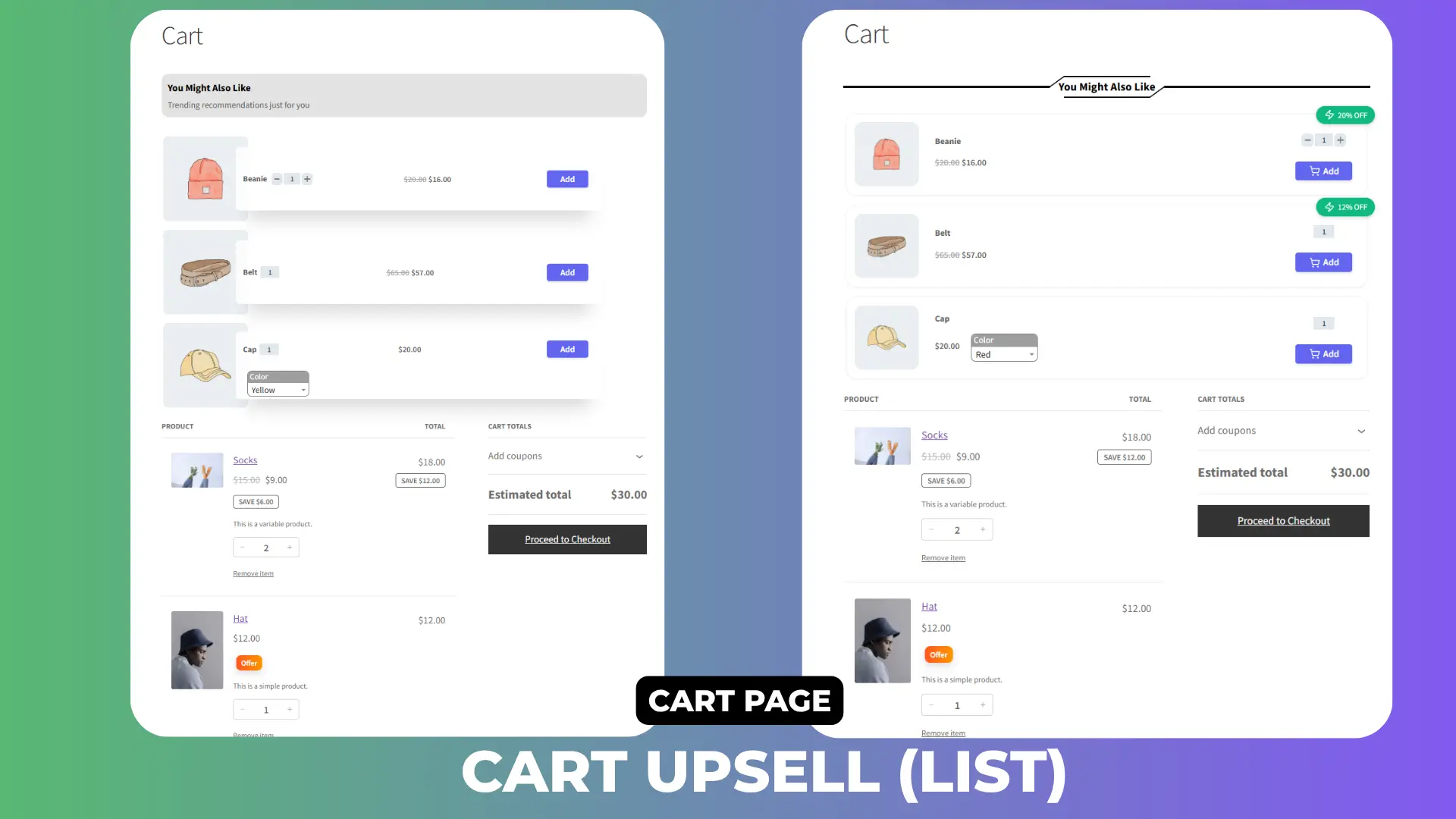
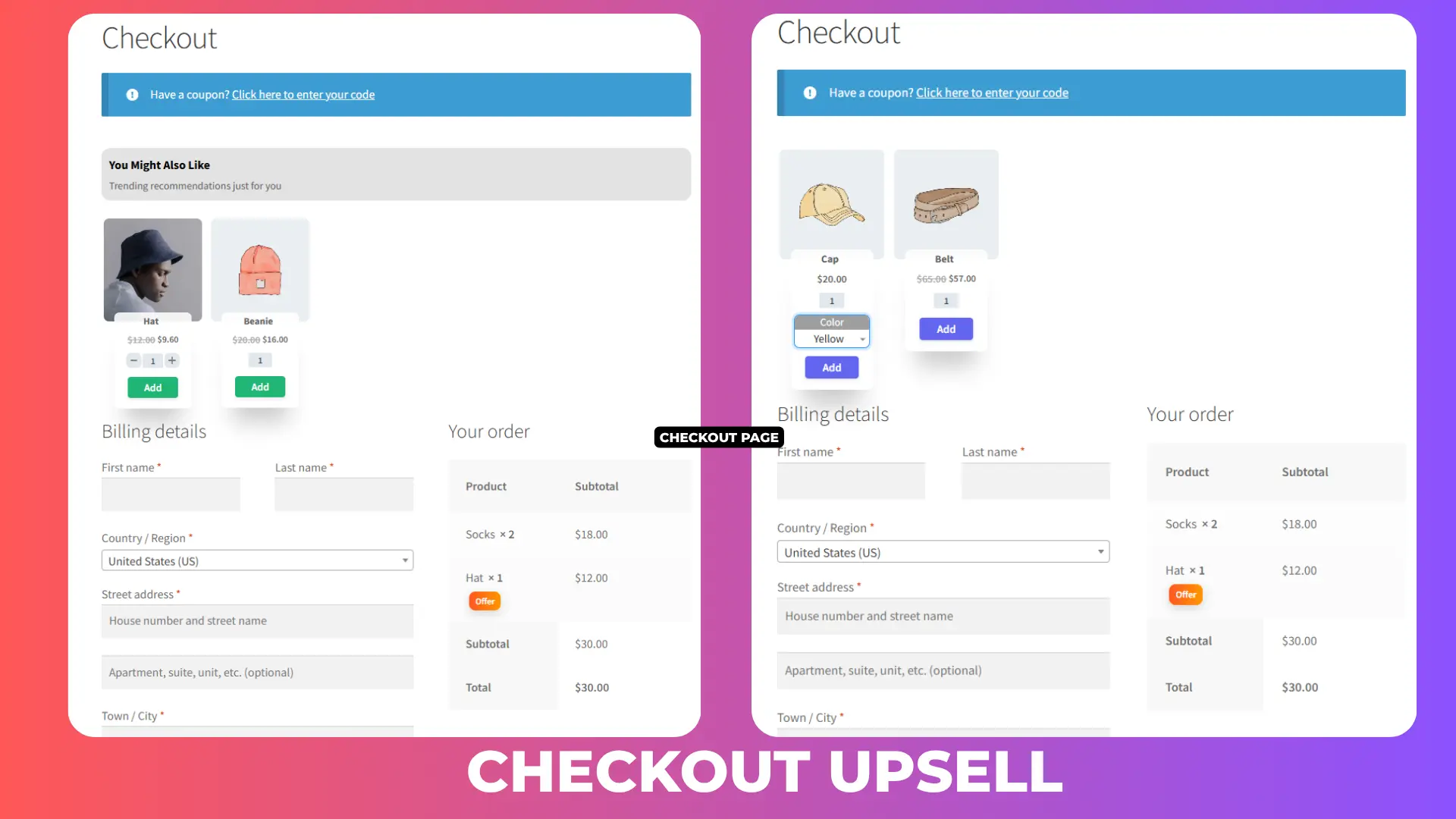
Show targeted upsell products directly inside the Side Cart, on the Cart page, and at Checkout — every stage of the funnel becomes an AOV opportunity.
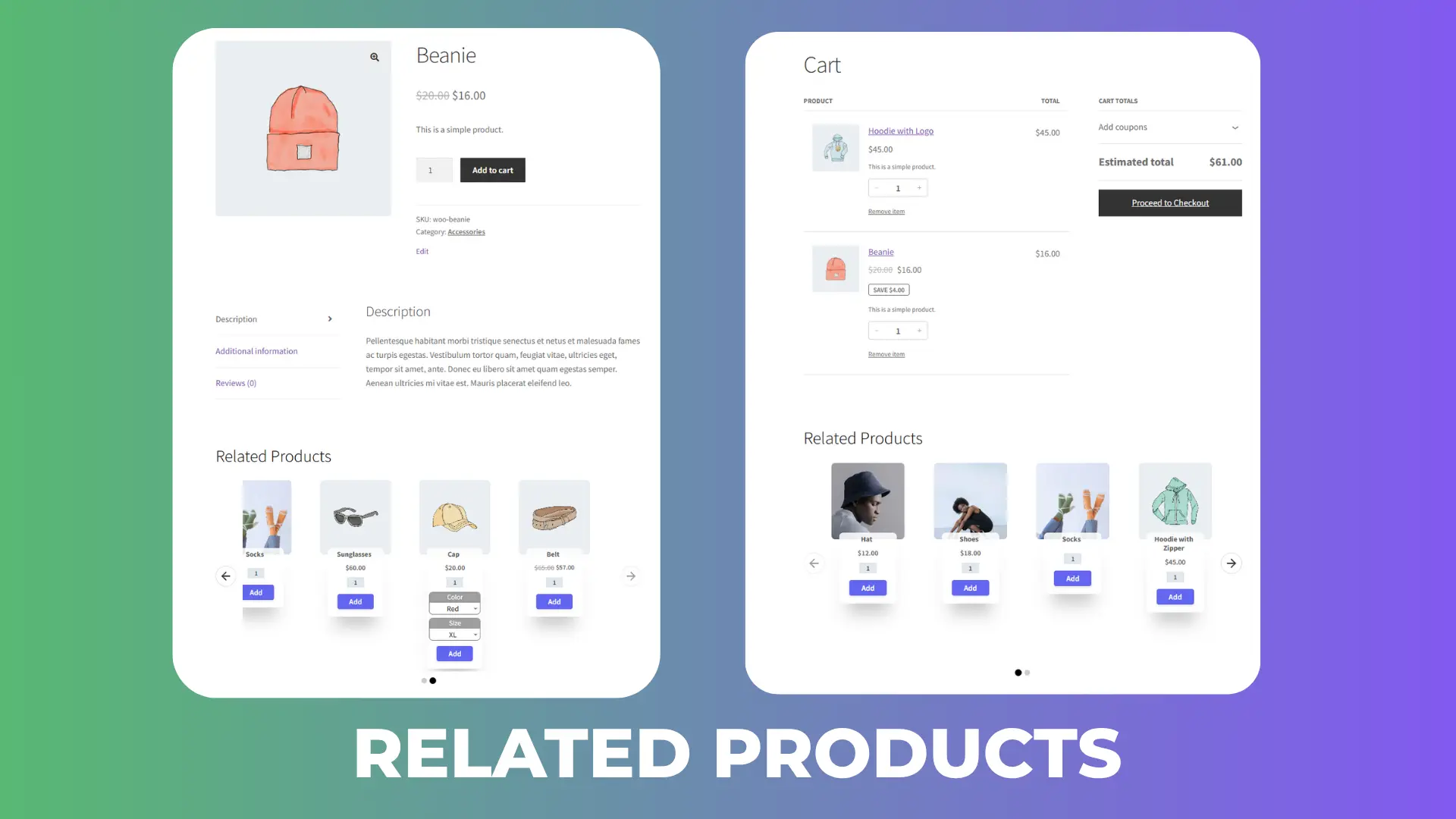
Smart Product Recommendations & Related Products in WooCommerce Side Cart & Upsell Plugin
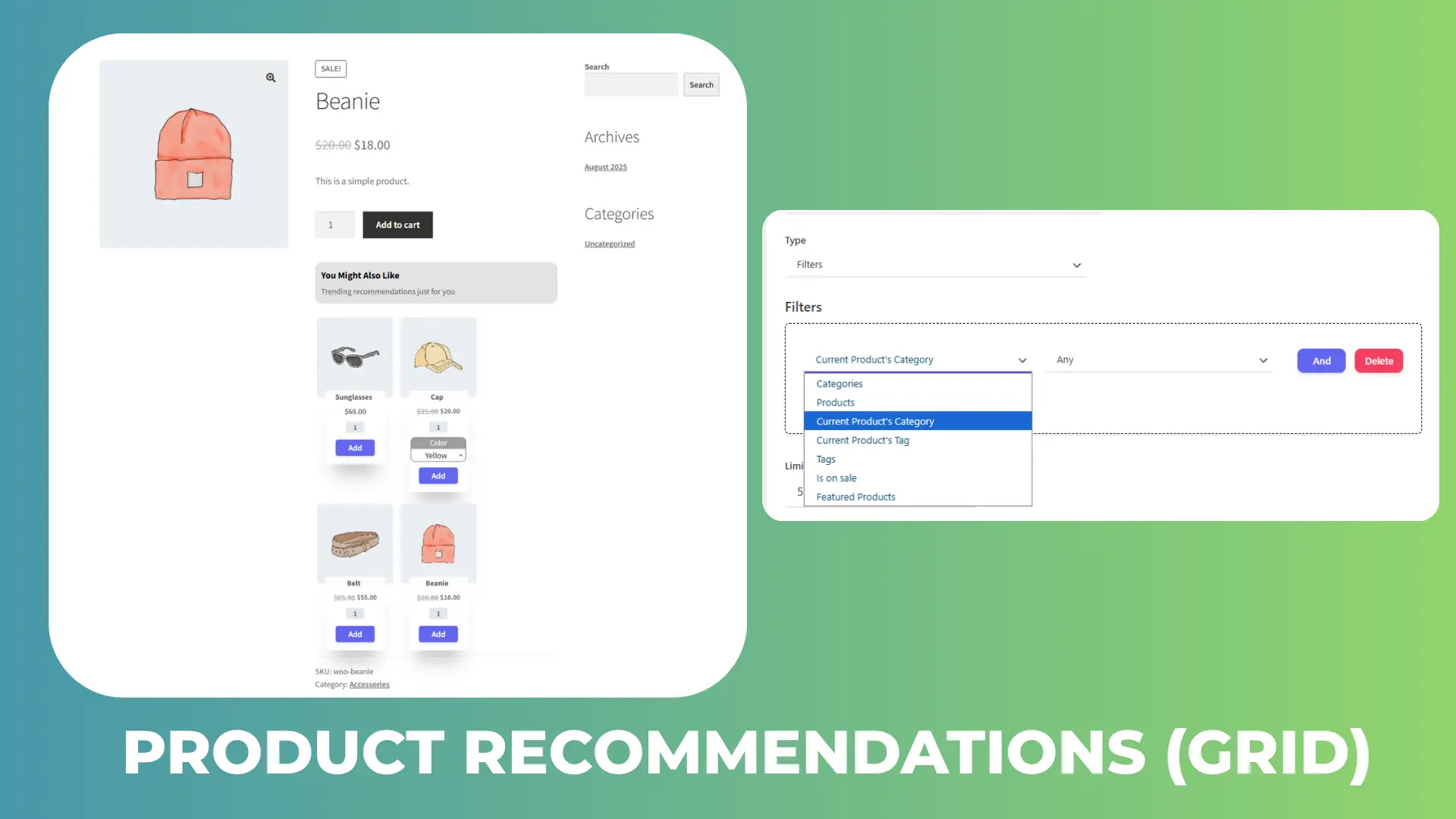
Add personalized recommendations to any product page in a grid or list layout, targeted by product, category, tag, sale status, or custom condition. Sort by popularity, price, date, or random order to match how your catalog sells.
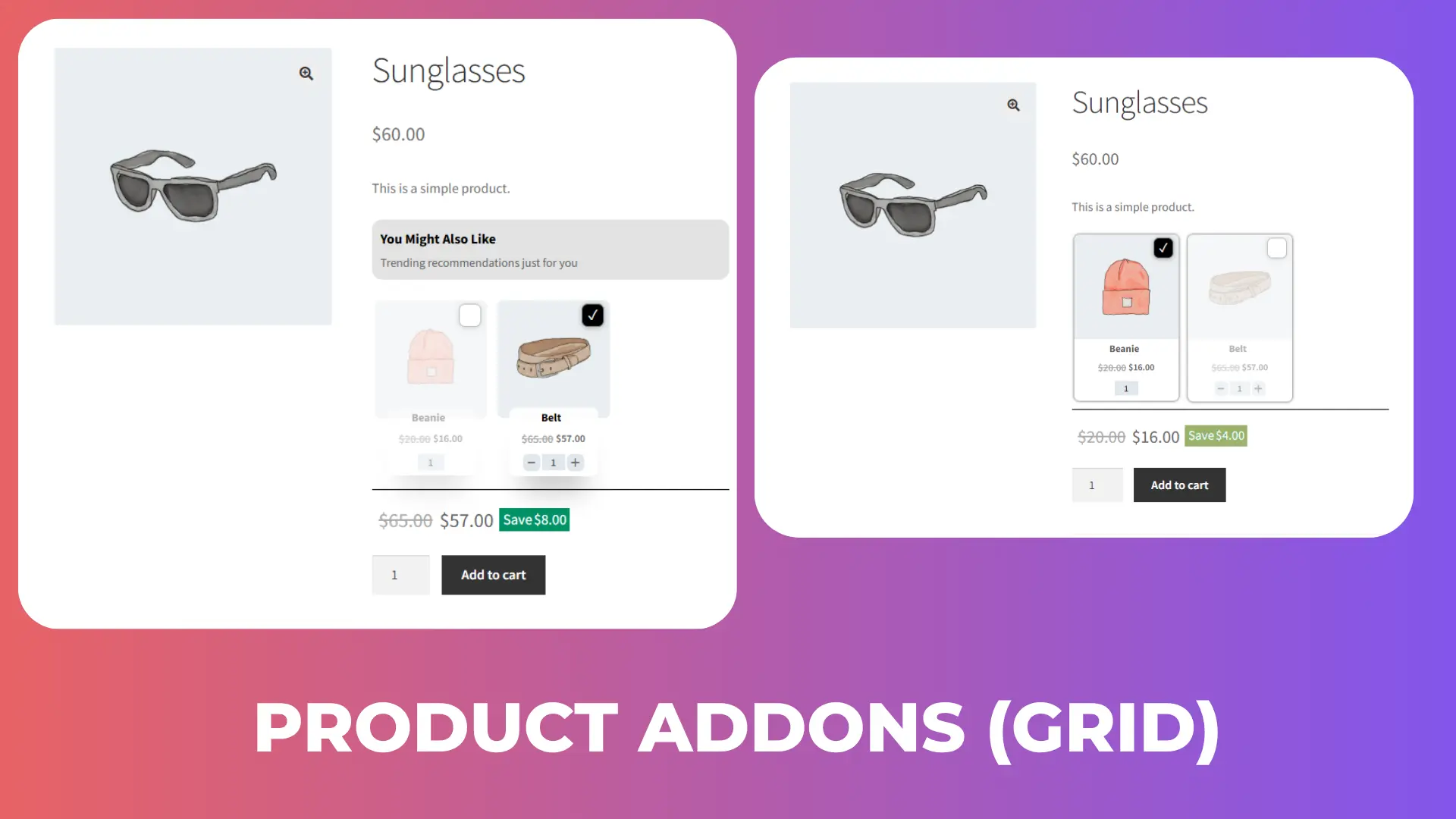
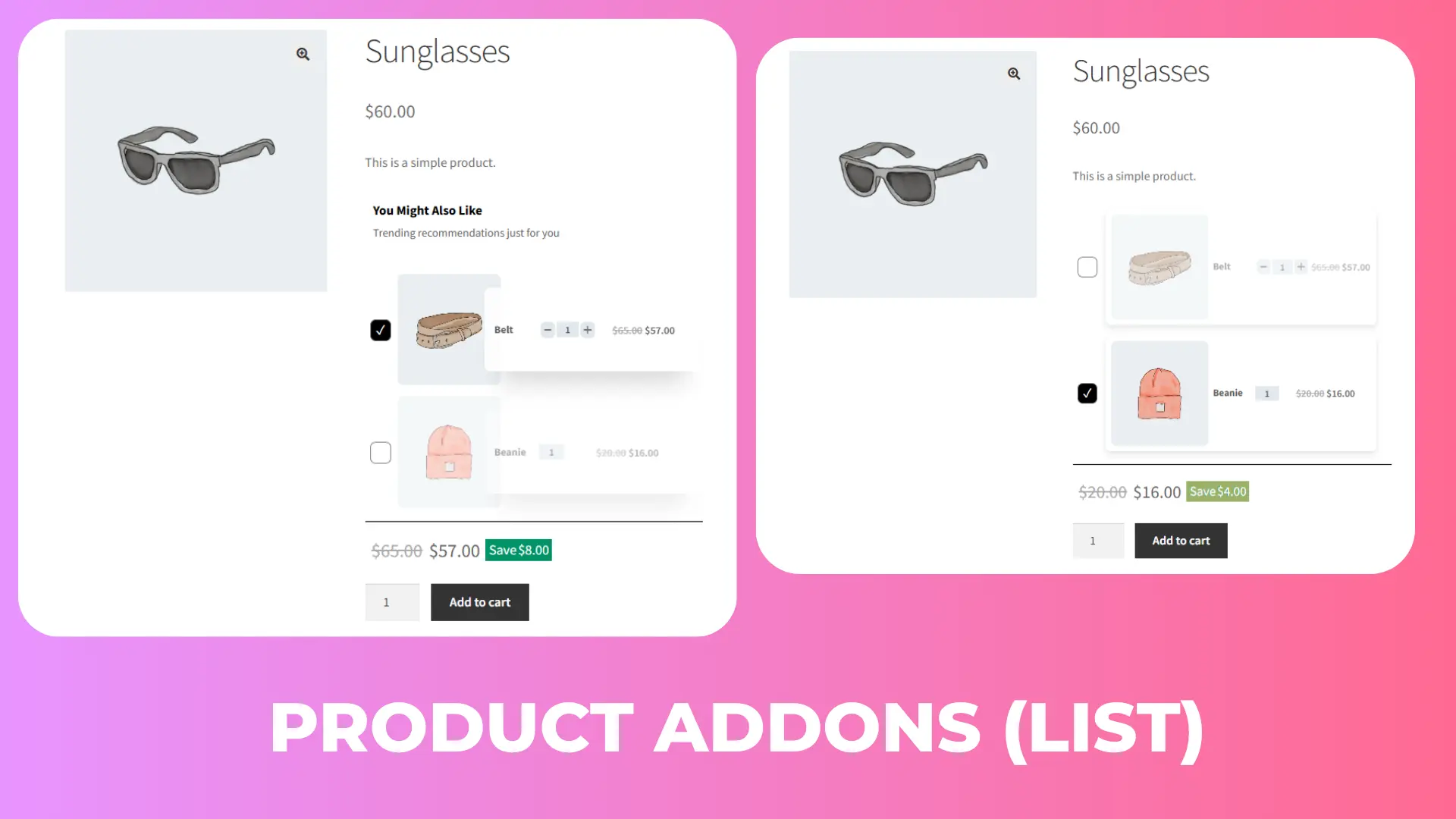
Product Add-Ons & Order Bumps in WooCommerce Side Cart & Upsell Plugin
Offer accessories, warranties, or complementary items on the product page — a low-friction way to add revenue to every order, styled in the same grid or list layout as your recommendations.
Design & Display Options for Every Offer
Every offer inside your WooCommerce Side Cart — and on the product, cart, and checkout pages — shares the same design system, so nothing looks bolted on.
Layouts, Sizes & Where Offers Appear
Every upsell, recommendation, and add-on block can be styled independently:
- Layout — Grid or List
- Size — Small, Medium, or Large
- Placement — Product page, Side Cart, Cart page, or Checkout page
Targeting Rules — Products, Categories, Tags & Sale Status
Show any offer on all products, or narrow it down to specific Products, Categories, or Tags, or trigger it only when a product is on sale. Combine placement with targeting so the right offer shows on the right page to the right shopper.
Advanced Conditional Logic & Automatic Discounts
Fine-tune exactly who sees which offer inside the WooCommerce Side Cart, so every upsell feels relevant instead of random.
Target Offers by Who’s Shopping and What’s in Their Cart
Show or hide any offer based on:
- Login status — guest vs. logged-in
- User role — wholesale, VIP, subscriber, and more
- Products already in the cart
- Cart item quantity
- Cart subtotal (minimum or maximum spend)
Automatic Discounts on Any Upsell or Recommendation
Apply a fixed amount or percentage discount to any recommended, upsell, or add-on product the moment it’s added — making the upgrade an easy yes.
How the WooCommerce Side Cart & Upsell Plugin Works
1. Install & Activate
Install the plugin from Plugins → Add New (or upload the folder), then activate it. WooCommerce must already be installed and active.
2. Enable the WooCommerce Side Cart
Side Cart
Open the plugin settings and turn on the Side Cart — your default cart becomes a fast, AJAX-powered drawer with one click, no code required.
3. Add Your First Upsell
Create an Upsell, Cross-Sell, or Add-on, choose where it appears and who sees it, and optionally attach an automatic discount.
Premium Features to Push AOV Even Further
Pro layers urgency and gamification on top of your WooCommerce Side Cart, without touching anything you’ve already set up in the free version.
Rewards & Milestones Bar in WooCommerce Side Cart & Upsell Plugin
Auto-apply tiered coupons or free shipping as customers hit spend goals, shown live in the Side Cart.
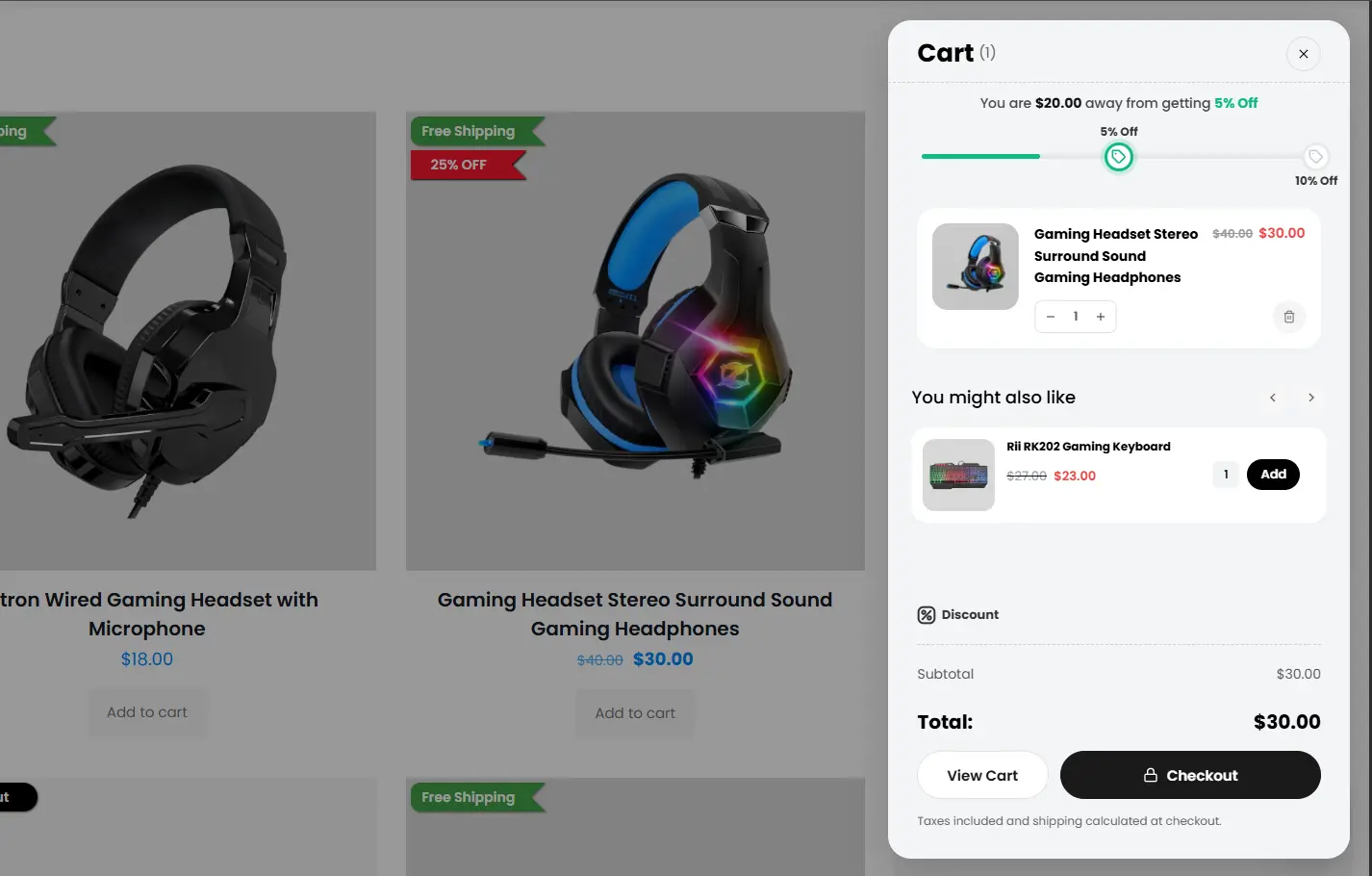
Free Shipping Progress Bar in WooCommerce Side Cart & Upsell Plugin
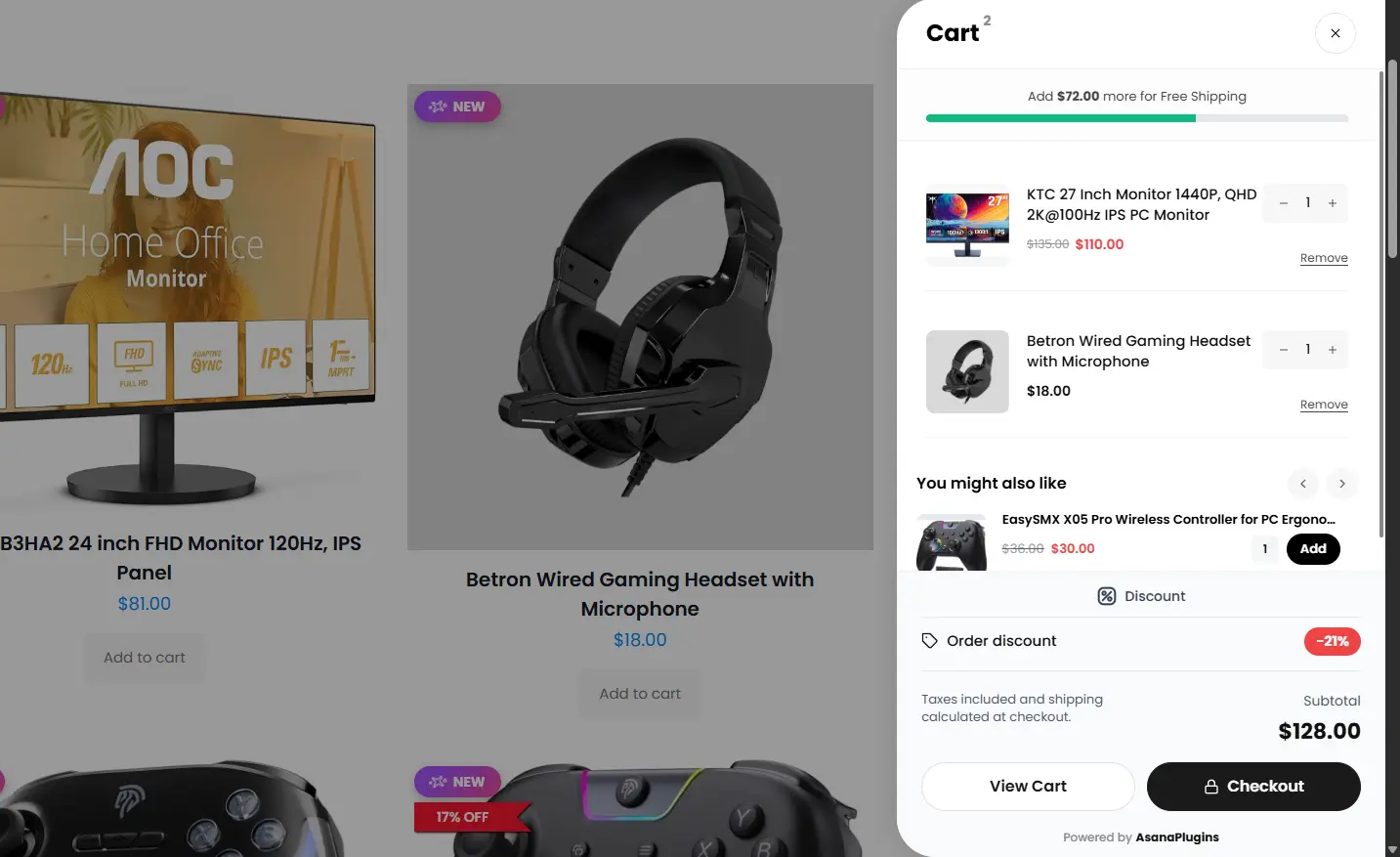
Show shoppers exactly how much more they need to spend to unlock free shipping — a proven AOV lever.
Add-to-Cart & Checkout Upsell Popups
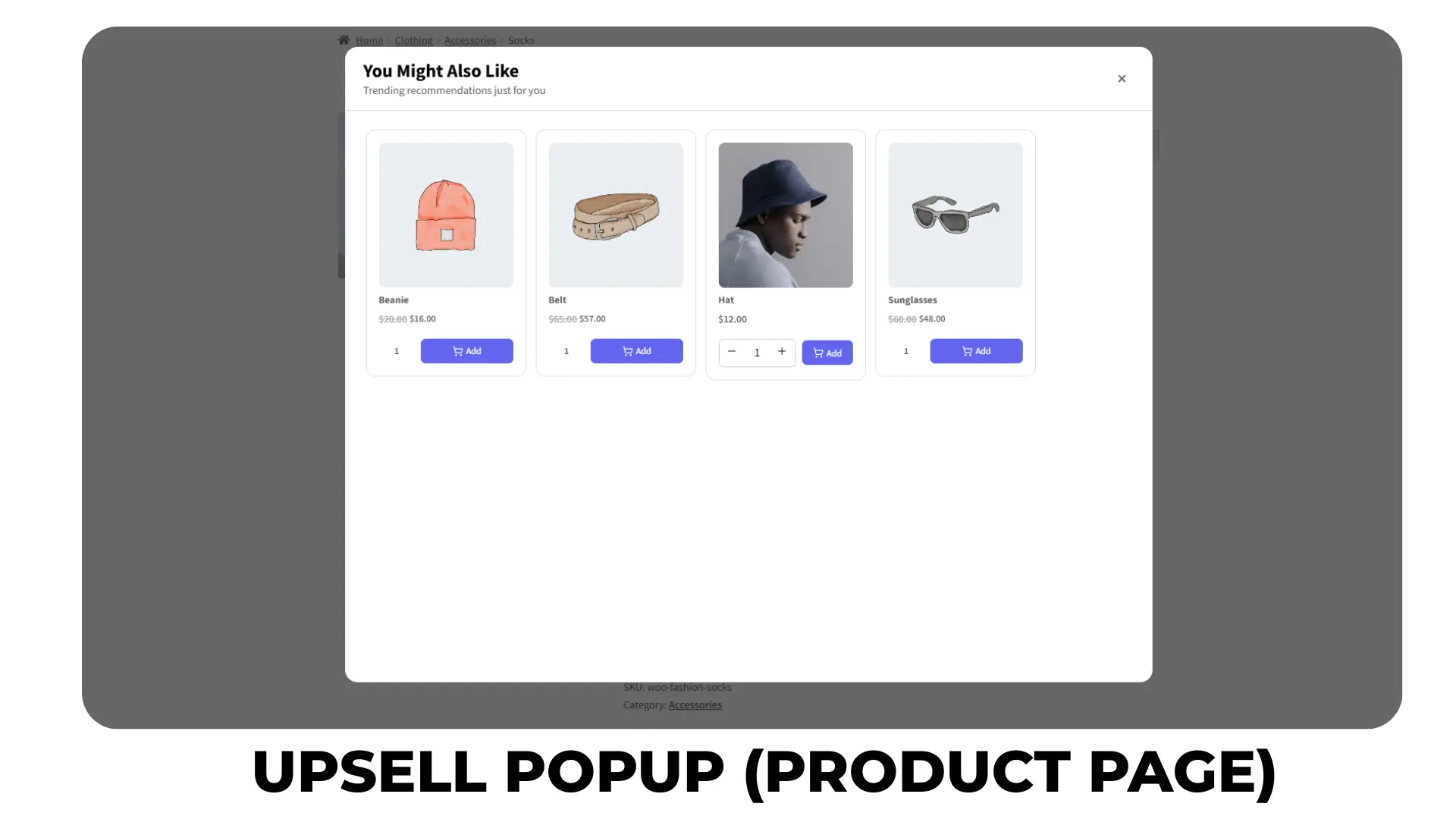
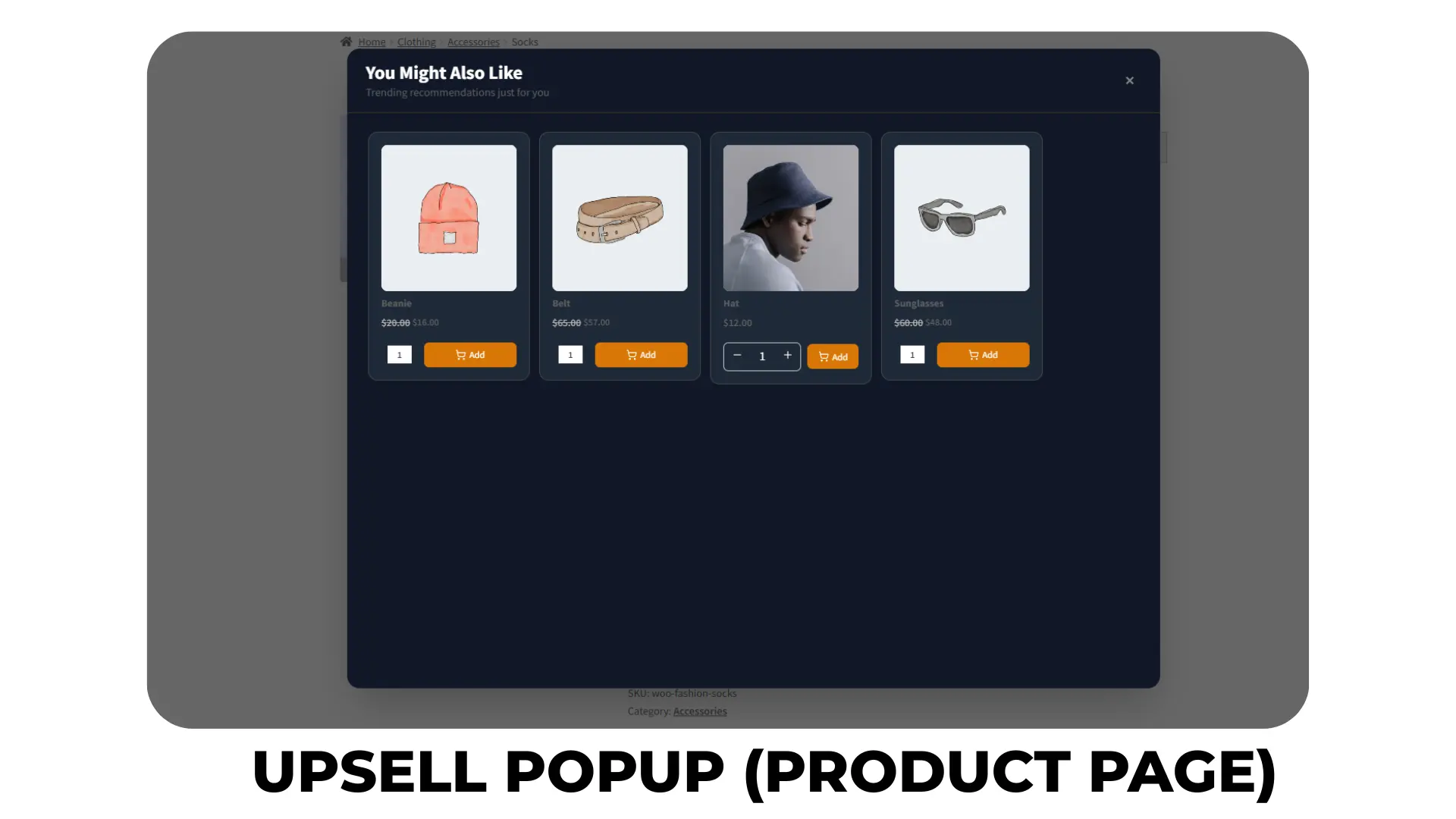
Trigger upsell popups the instant a customer adds to cart or heads to checkout.
WooCommerce Add-ons Popups — Sell Complementary Products Together
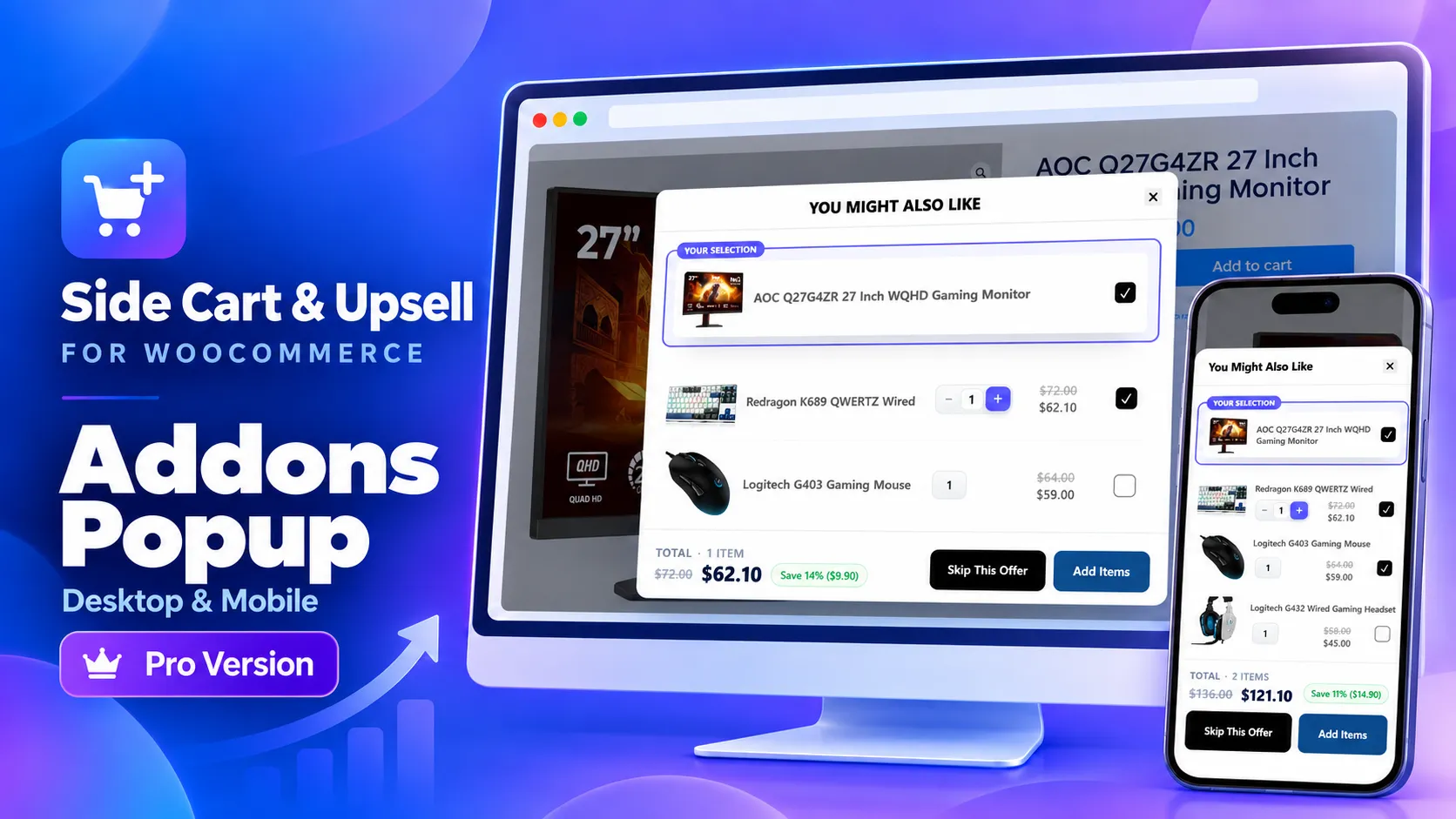
Offer relevant accessories and complementary products in a popup on the product or cart page. Shoppers can select multiple extras, see their combined total, and add their choices together. Apply optional discounts to make completing their purchase more appealing.
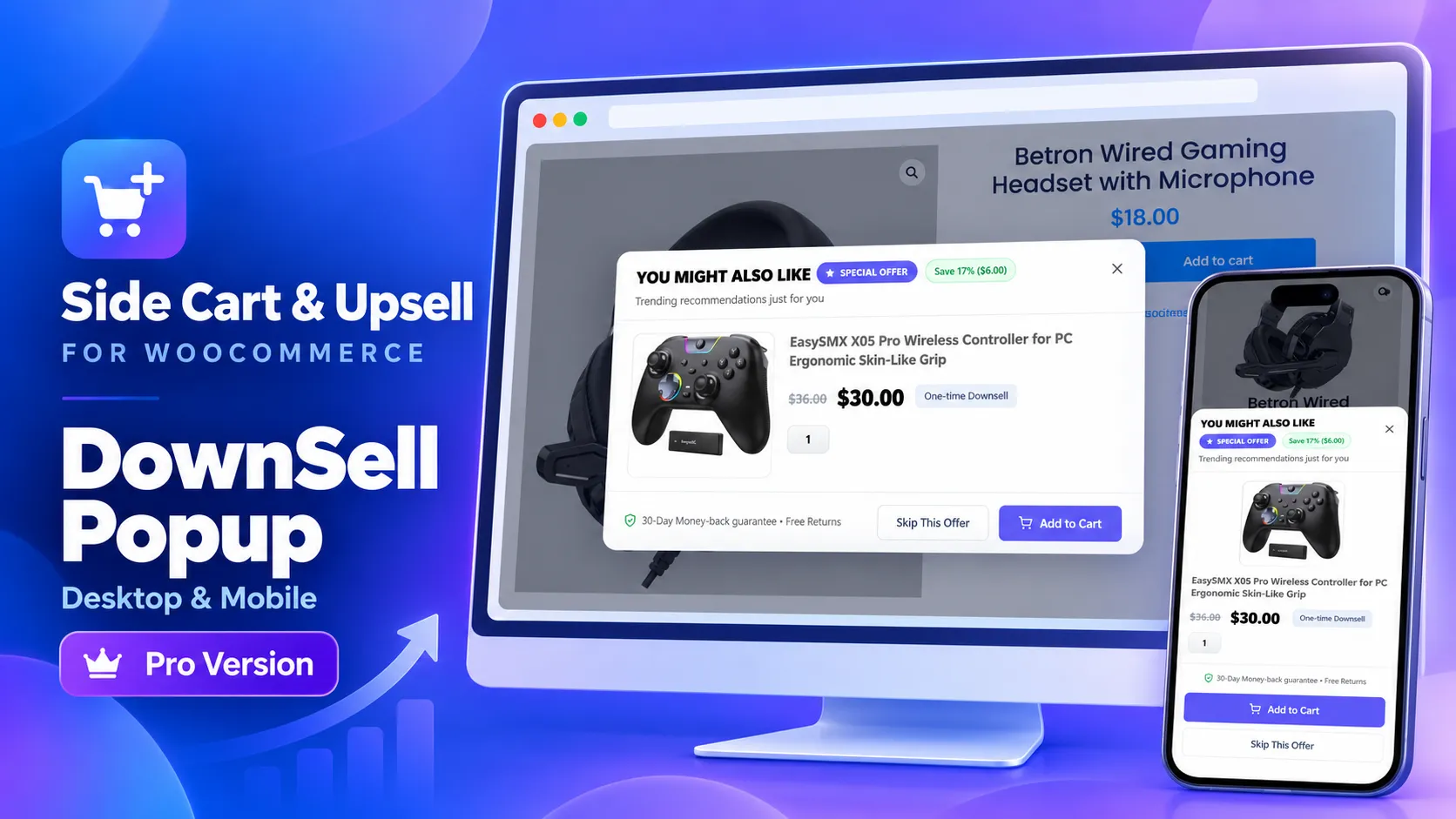
WooCommerce Downsell Popups — Offer a More Affordable Alternative
Give shoppers another option when they decline an offer. Show a lower-priced alternative in a product or cart page popup, with its own price and optional discount. Turn a declined accessory offer into another opportunity to add to the order.
Premium Cart Theme, Promo Banner, Stock Countdown
A higher-converting cart drawer layout, a promo banner for flash sales or discount codes, a configurable urgency countdown, extra themes and sizes, and instant product previews without leaving the page.
Why Store Owners Choose This Plugin Over Other WooCommerce Side Cart & Upsell Plugins
Most free WooCommerce side cart plugins stop at the slide-out drawer and lock cross-sells, conditional logic, and discounts behind a paywall. This plugin ships upsells, cross-sells, product recommendations, add-ons, custom conditions, and automatic discounts free from day one — Pro adds the premium theme, gamified rewards, and urgency tools on top.
Works With Your Existing Stack
Fully compatible with block themes, the WooCommerce Store API, classic themes, and major page builders (Elementor, Divi). Tested against leading caching plugins including WP Rocket, Perfmatters, Autoptimize, and SG Optimizer, so it won’t conflict with your existing performance setup.
Free vs Pro — What You Get
| Feature | Free | Pro |
|---|---|---|
| AJAX Side Cart (Mini Cart) | ✅ | ✅ |
| Side Cart Upsells | ✅ | ✅ |
| Product Recommendations & Add-Ons | ✅ | ✅ |
| Cart & Checkout Page Upsells | ✅ | ✅ |
| Custom Conditions (role, login, cart contents/subtotal) | ✅ | ✅ |
| Automatic Discounts | ✅ | ✅ |
| Premium Cart Theme | — | ✅ |
| Rewards & Milestones Bar | — | ✅ |
| Free Shipping Progress Bar | — | ✅ |
| Side Cart Promo Banner | — | ✅ |
| Add-to-Cart / Checkout Popups | — | ✅ |
| Stock Countdown Timer | — | ✅ |
| Extra Themes & Sizes | — | ✅ |
| Product Quick View | — | ✅ |
| Product & Cart Add-ons Popups | — | ✅ |
| Product & Cart Downsell Popups | — | ✅ |
Frequently Asked Questions
What is a WooCommerce Side Cart? A WooCommerce Side Cart (also called a mini cart or cart drawer) is a slide-out panel that shows cart contents without reloading the page, replacing the need to visit a separate cart page for quick edits.
How do I add an AJAX Mini Cart to WooCommerce? Install a side cart plugin, activate it, and enable the Side Cart option in settings — no custom code or theme editing needed. Cart updates then happen instantly via AJAX.
What is the best WooCommerce upsell plugin? The best WooCommerce upsell plugin combines an AJAX side cart with upsells, cross-sells, and product recommendations across the product page, cart, and checkout — with conditional logic to target the right offer to the right customer.
How can I increase Average Order Value in WooCommerce? Show relevant upsells and cross-sells at every stage of the funnel, combine them with automatic discounts, and add incentives like a free shipping threshold or milestone rewards to make upgrading easy to say yes to.
Can I customize the Side Cart’s colors, text, and layout? Yes. Colors, button text, icon position, and cart title can all be styled from the plugin settings without touching code.
How do I show a free shipping progress bar in my WooCommerce cart? Enable the Free Shipping Progress Bar feature, set your threshold, and the bar displays live inside the Side Cart, showing customers how much more to spend to qualify.
What’s the difference between the Free and Pro versions? Free includes the full AJAX Side Cart, upsells, cross-sells, product recommendations, add-ons, custom conditions, and automatic discounts. Pro adds a premium cart theme, promo banner, rewards and milestones bar, free shipping progress bar, add-to-cart and checkout popups, a stock countdown timer, extra themes and sizes, and product quick view.