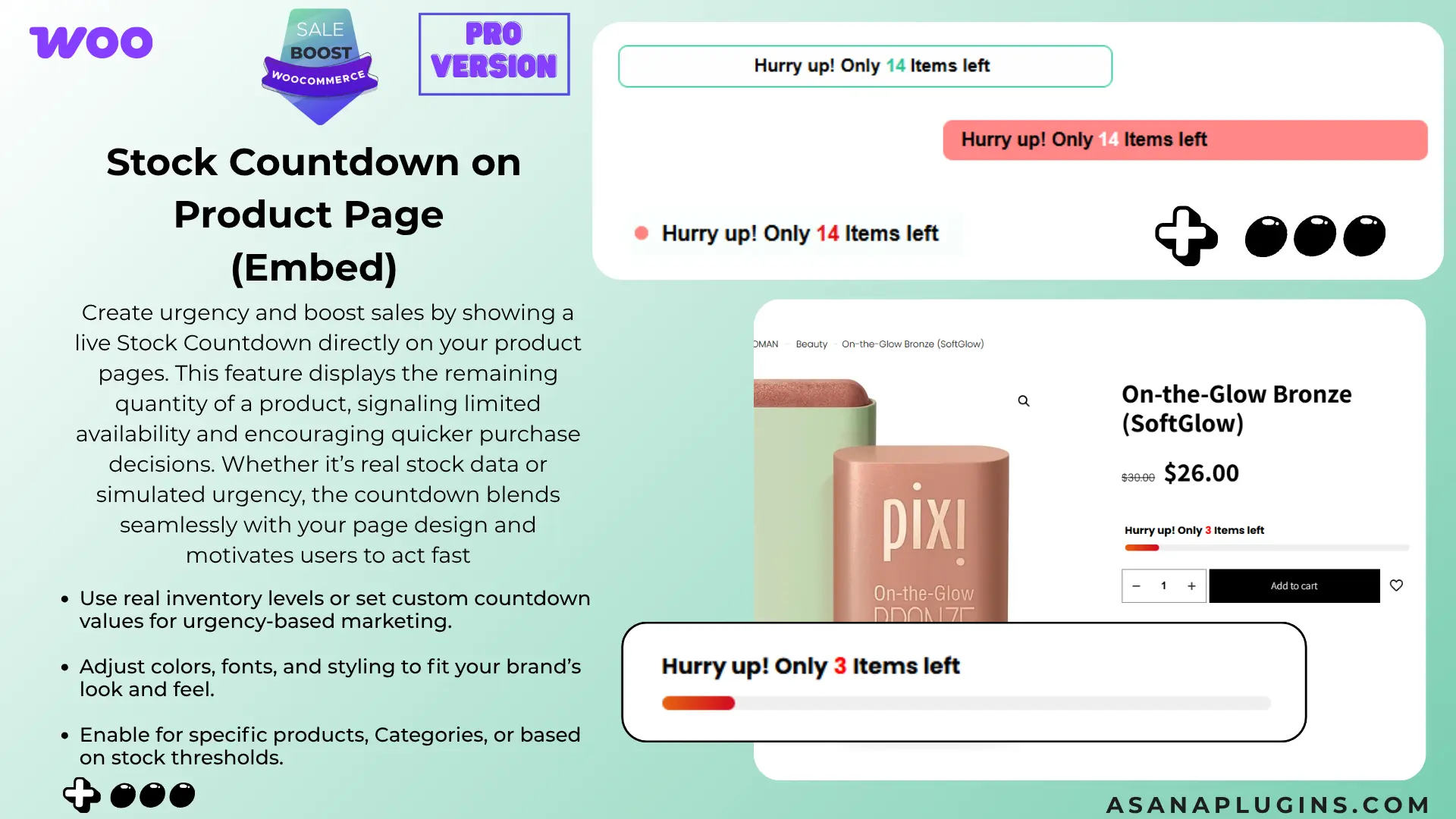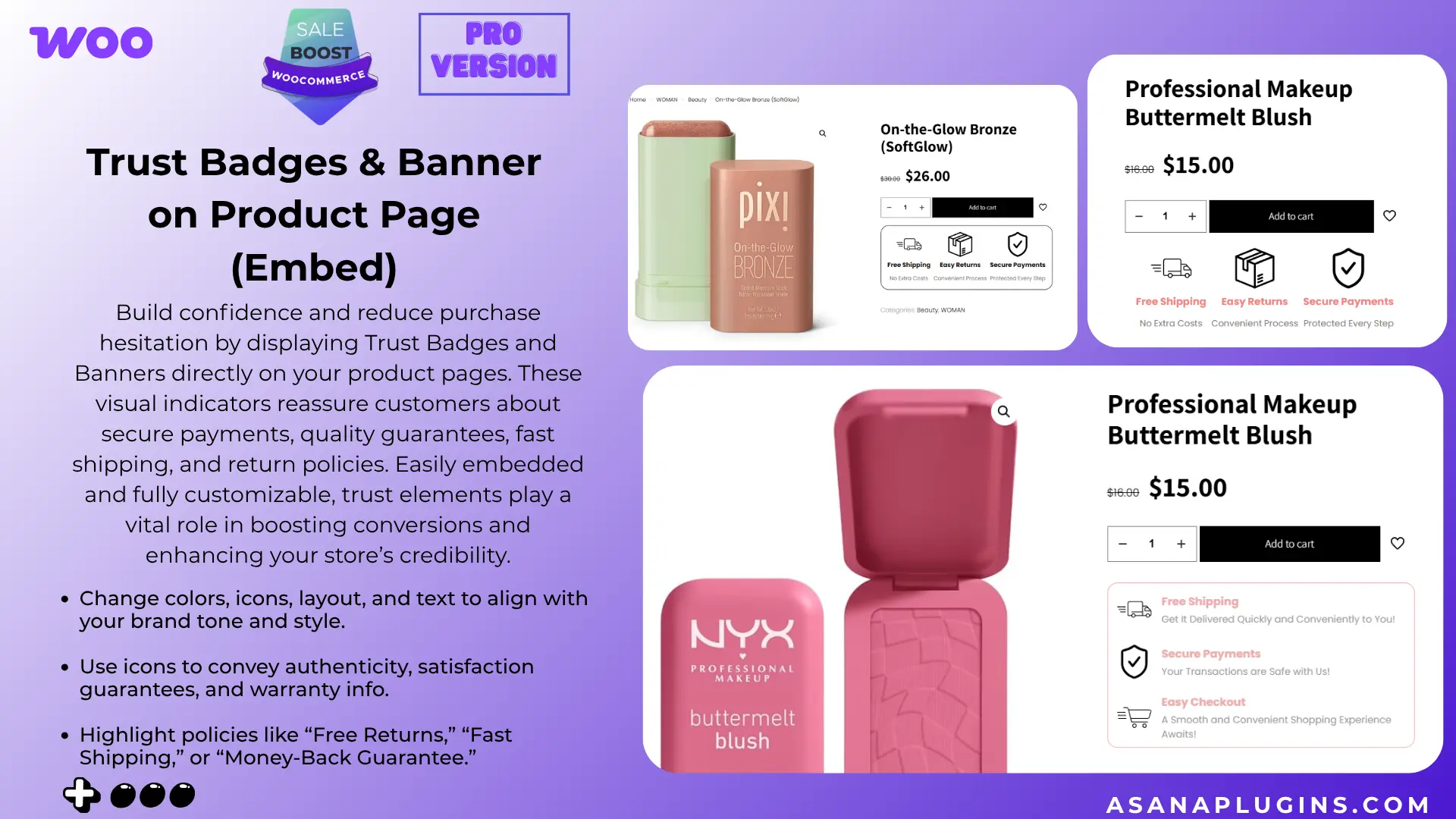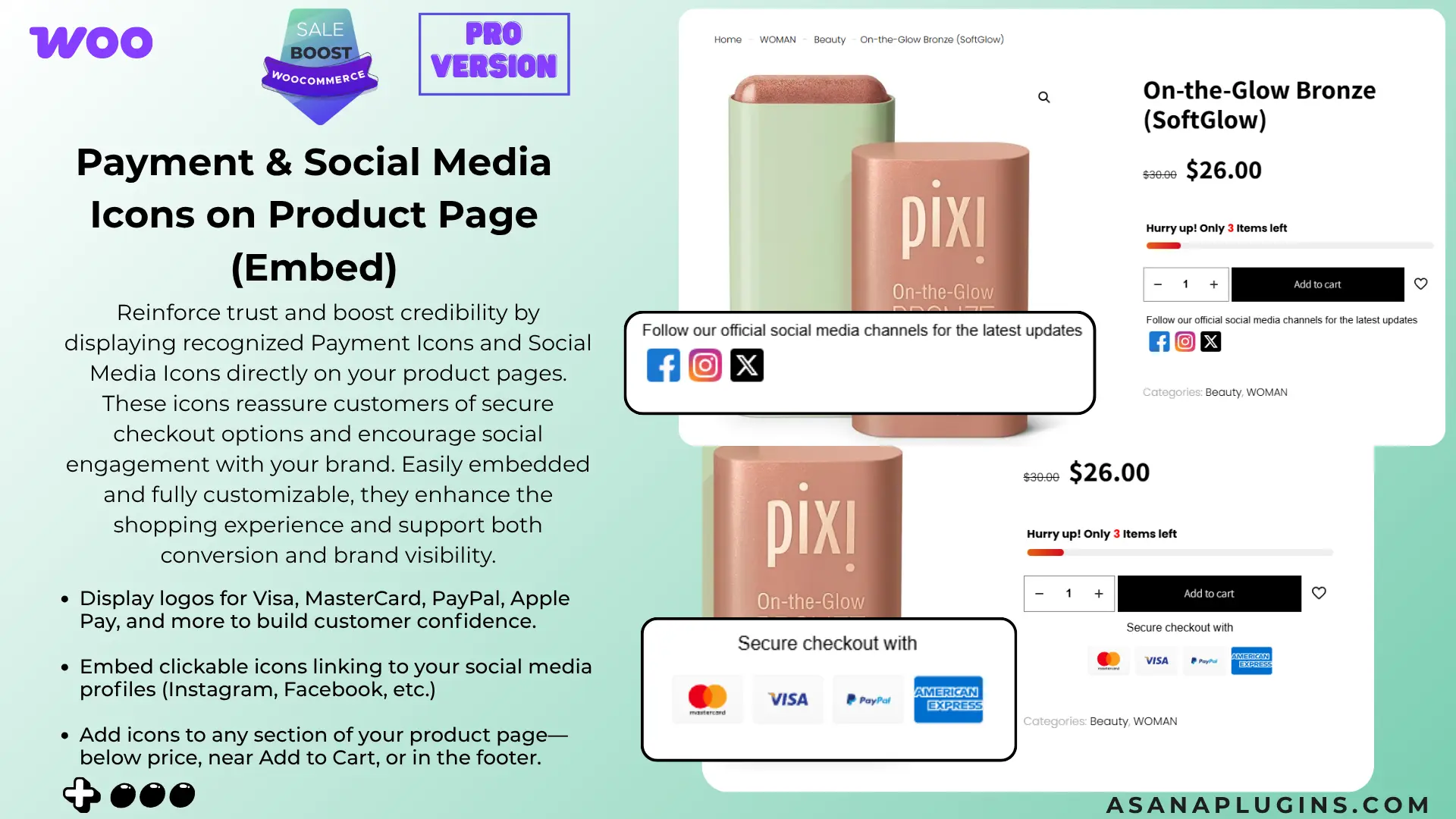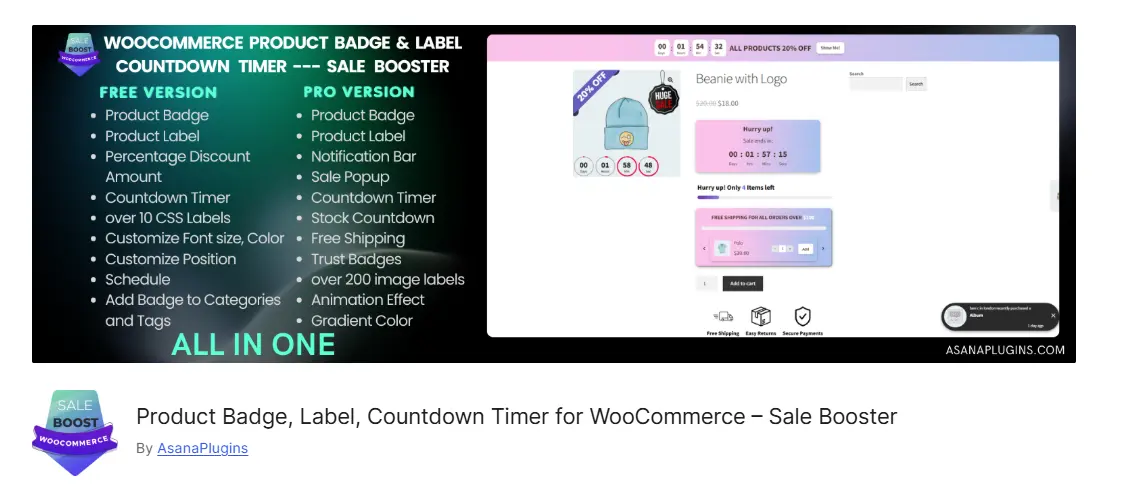
Posted on — Leave a comment

How to Add Product Badges in WooCommerce: Free + Pro Methods (2026)

Learning how to add product badges in WooCommerce helps you make important product information visible before a shopper opens a product page. A simple “30% Off,” “New Arrival,” “Low Stock,” or “Free Shipping” label can help visitors understand an offer while they scan a WooCommerce shop or category page.

In this guide, you’ll learn how to add product badges in WooCommerce without custom theme code. We’ll start with the free version of Sale Badges and Product Labels for WooCommerce, then cover the Pro features that help when you need image badges, advanced targeting, countdown timers, notification bars, or store-feature tools.

Quick answer: install and activate the plugin, open Sale Booster in WordPress, create a badge, choose its design, assign a product condition, and save. The badge then appears on matching products in your shop or product pages.

How to Add Product Badges in WooCommerce: What You Need

A WooCommerce product badge is a visual label displayed on a product image or product card. It can communicate a promotion, product status, availability, or a useful buying detail without changing the product title.

Common examples include:

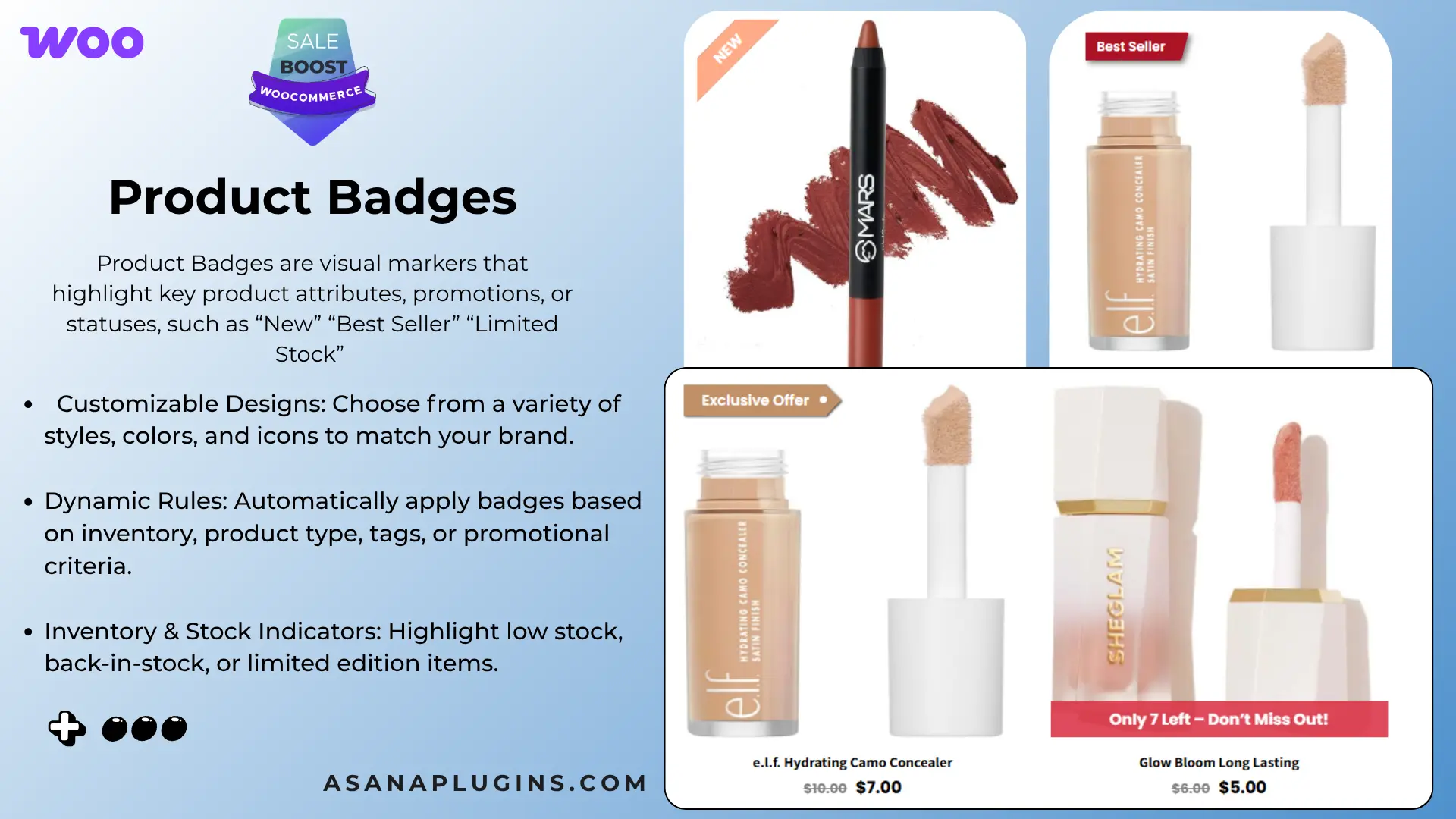
  • Promotion: Sale, 20% Off, Black Friday, or Clearance.
  • Availability: Sold Out, Back in Stock, Limited Stock, or Pre-Order.
  • Merchandising: New Arrival, Best Seller, Featured, or Staff Pick.
  • Service information: Free Shipping, Handmade, or Secure Payment.
  • Urgency: a countdown timer for a genuine limited-time offer.

WooCommerce includes a default “Sale!” indicator for sale-priced products, but it does not provide a complete visual badge system for every use case. A badge plugin adds reusable designs, targeting rules, placement controls, and—depending on the version—timers and campaign bars.

How to Add Product Badges in WooCommerce: Choose a Method

MethodBest forWhat you get
Custom codeDevelopers with a very specific theme workflowMaximum control, but you maintain the PHP/CSS and compatibility yourself
Free pluginMost stores adding text, CSS, or basic automatic labelsVisual badge creation, live preview, product/category/tag rules, sale and stock conditions, scheduling, and shortcode support
Pro pluginCampaigns and advanced merchandisingImage and modern badge libraries, advanced customer/product rules, countdowns, notification bars, popups, embeds, Quick View, and Sticky Add to Cart

For most store owners, the free plugin is the simplest way to learn how to add product badges in WooCommerce and replace a plain sale indicator with a consistent badge system. You can upgrade later when your campaigns need features that are not part of the free version.

How to Add Product Badges in WooCommerce: Install the Free Plugin

Before you begin, make sure WooCommerce is installed and active. The plugin requires WooCommerce because its display rules read product, sale, stock, category, and tag data from your store.

  1. In WordPress, go to Plugins → Add New.
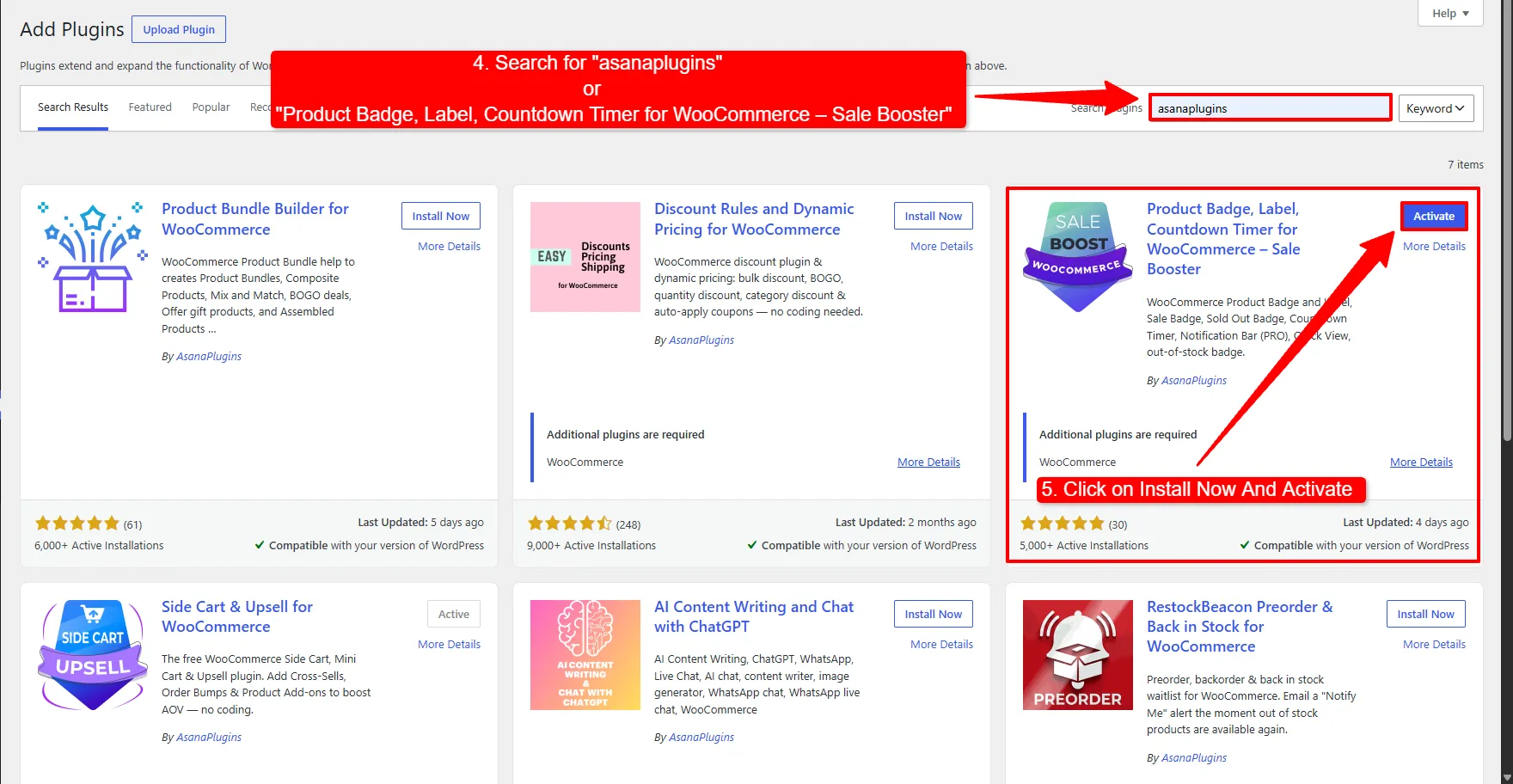
  2. Search for Sale Badges and Product Labels for WooCommerce.
  3. Click Install Now, then Activate.
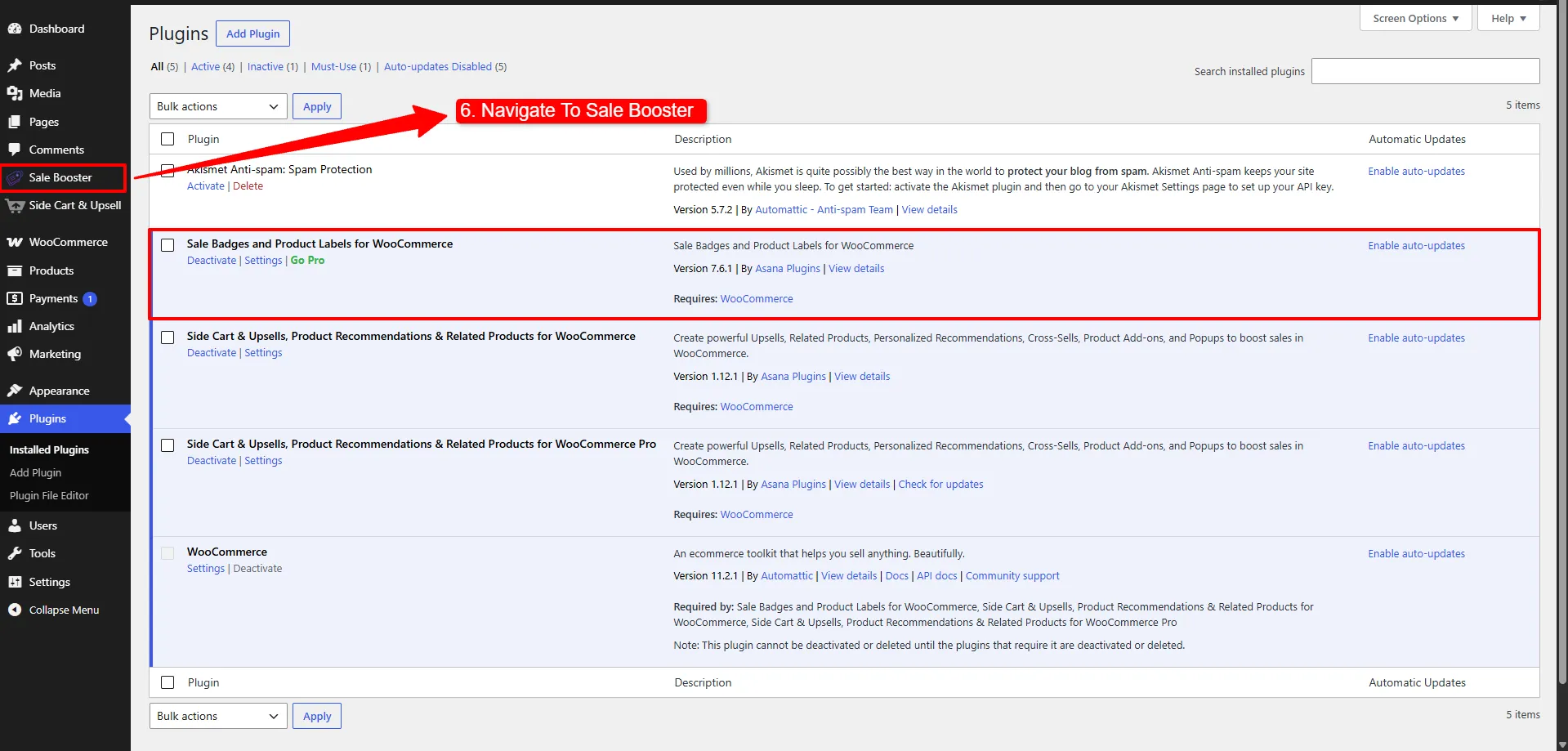
  4. Open Sale Booster from the WordPress admin menu.

You can also download the plugin from the WordPress.org plugin directory. Keep WooCommerce active while configuring the badges so the product selector and conditions can load correctly.
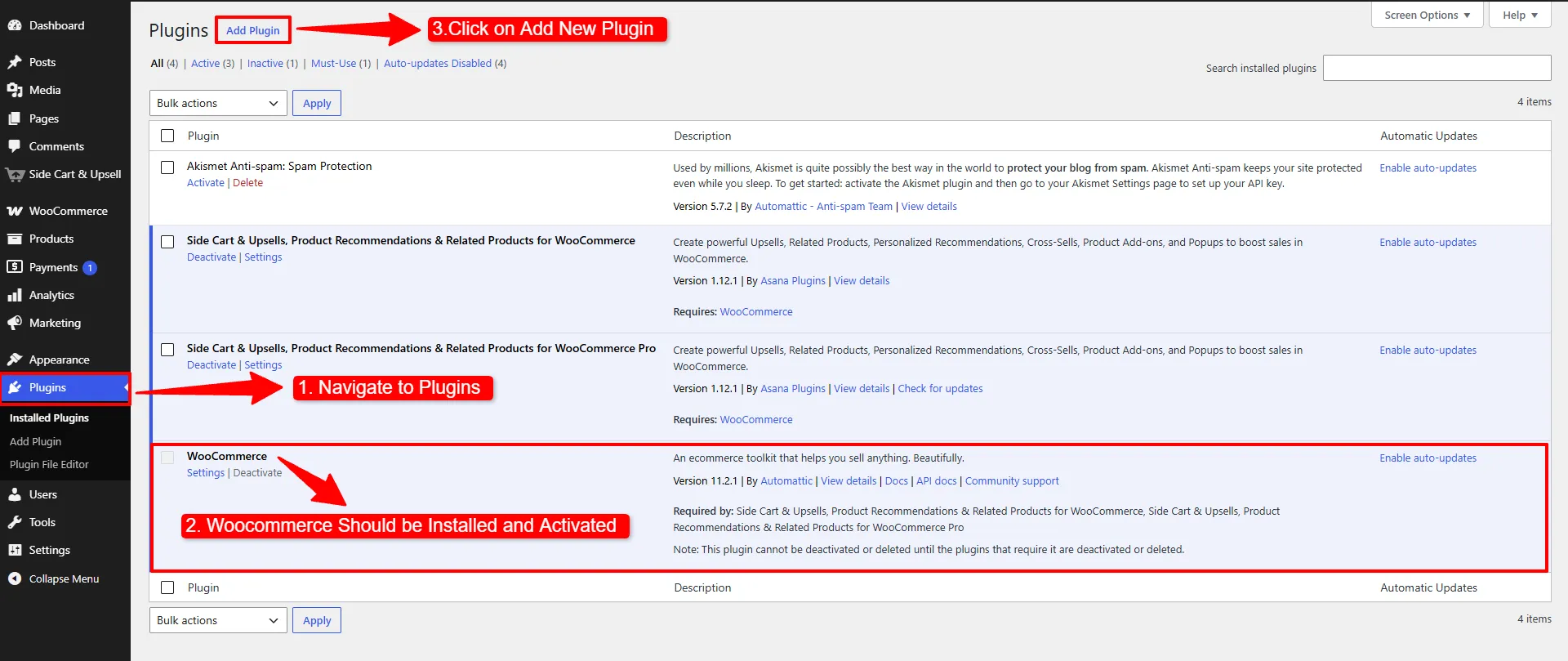
WordPress Plugins screen with WooCommerce active and Add New Plugin highlighted
First, check that WooCommerce is active, then click Add New Plugin.
Search results showing the Sale Booster plugin and its Activate button
Search for the plugin, click Install Now, and then Activate.
Activated Sale Booster plugin and its WordPress admin menu entry
After activation, open Sale Booster from the WordPress menu.

How to Add Product Badges in WooCommerce: Create Your Badge

From Sale Booster, open the badges screen and choose Add New. Give the badge an internal name that describes its purpose, such as “Summer Sale,” “New Arrival,” or “Free Shipping.” Turn on its status when you are ready to preview it.

Add product badges in WooCommerce using the Sale Booster Badges tab and Add New button
Go to Sale Booster → Badges → Add New.

Use a name that will still make sense when your badge library grows. The internal name is for administration; the customer-facing label is configured in the badge design settings.

Choose a badge type

The free version includes flexible CSS labels and a basic fixed-date countdown. Start with a CSS label when you want short text that adapts cleanly to your theme. The screenshots also show Pro options; use the feature labels below to choose the right method.

  • CSS label: a text-based badge with selectable shapes, colors, typography, position, and effects.
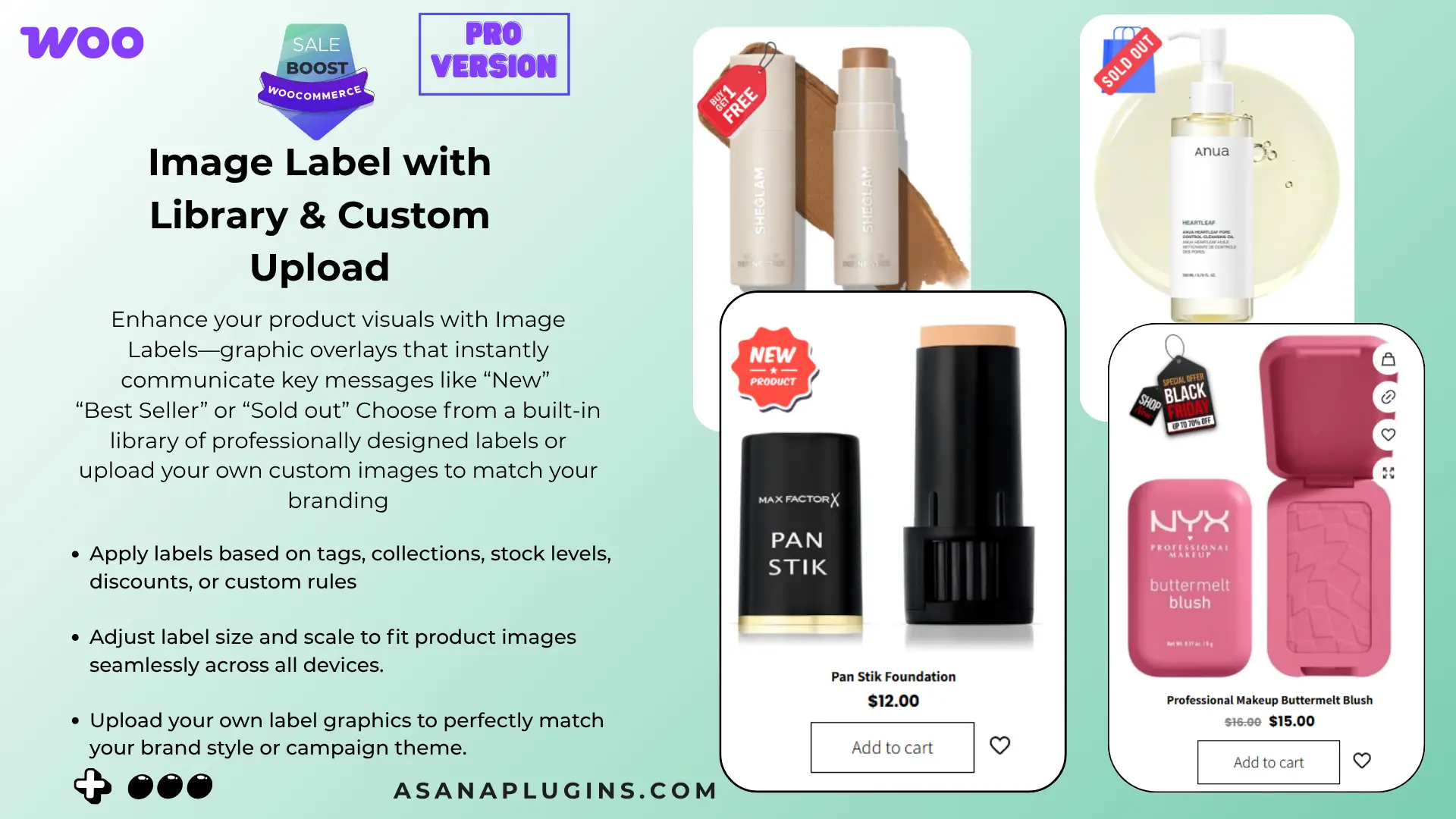
  • Image label: an uploaded or library image, available in Pro.
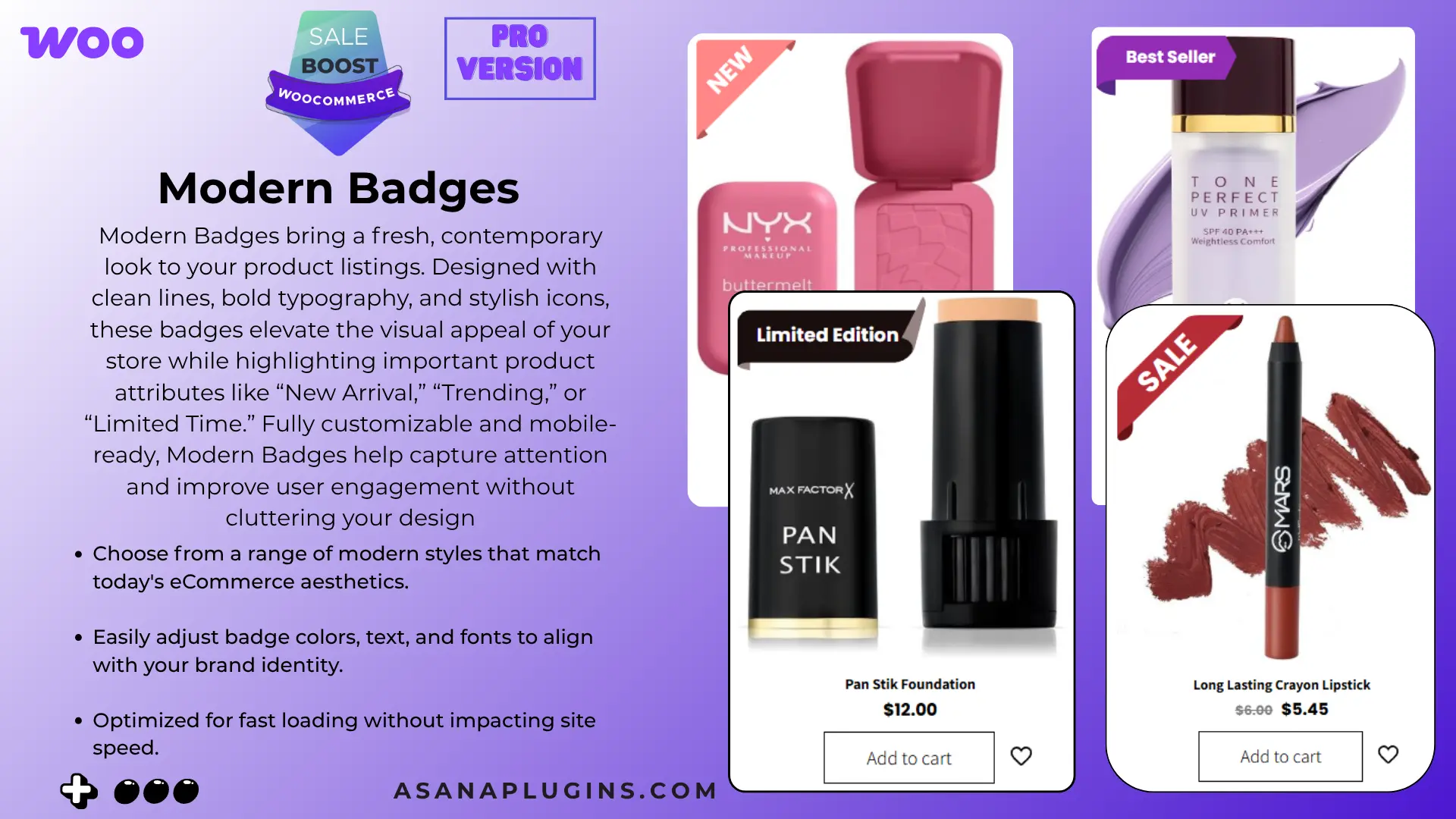
  • Modern or advanced label: preset visual treatments and deeper style controls, available in Pro.
  • Countdown timer: a basic fixed-date timer is included in Free; additional designs and evergreen timers are available in Pro.

Enter customer-facing text such as New, Best Seller, or {saved_percent} OFF when the dynamic discount placeholder is available in your editor. Dynamic placeholders are useful because the displayed discount can follow the product’s current pricing instead of requiring a separate badge for every percentage.

For the example below, name the badge Badge-New and choose New Arrival under Quick Badges. In CSS Labels, keep the label text short, select On Image, and choose a tag shape. Enable Display on Archive Page and Display on Product Page if you want both locations.
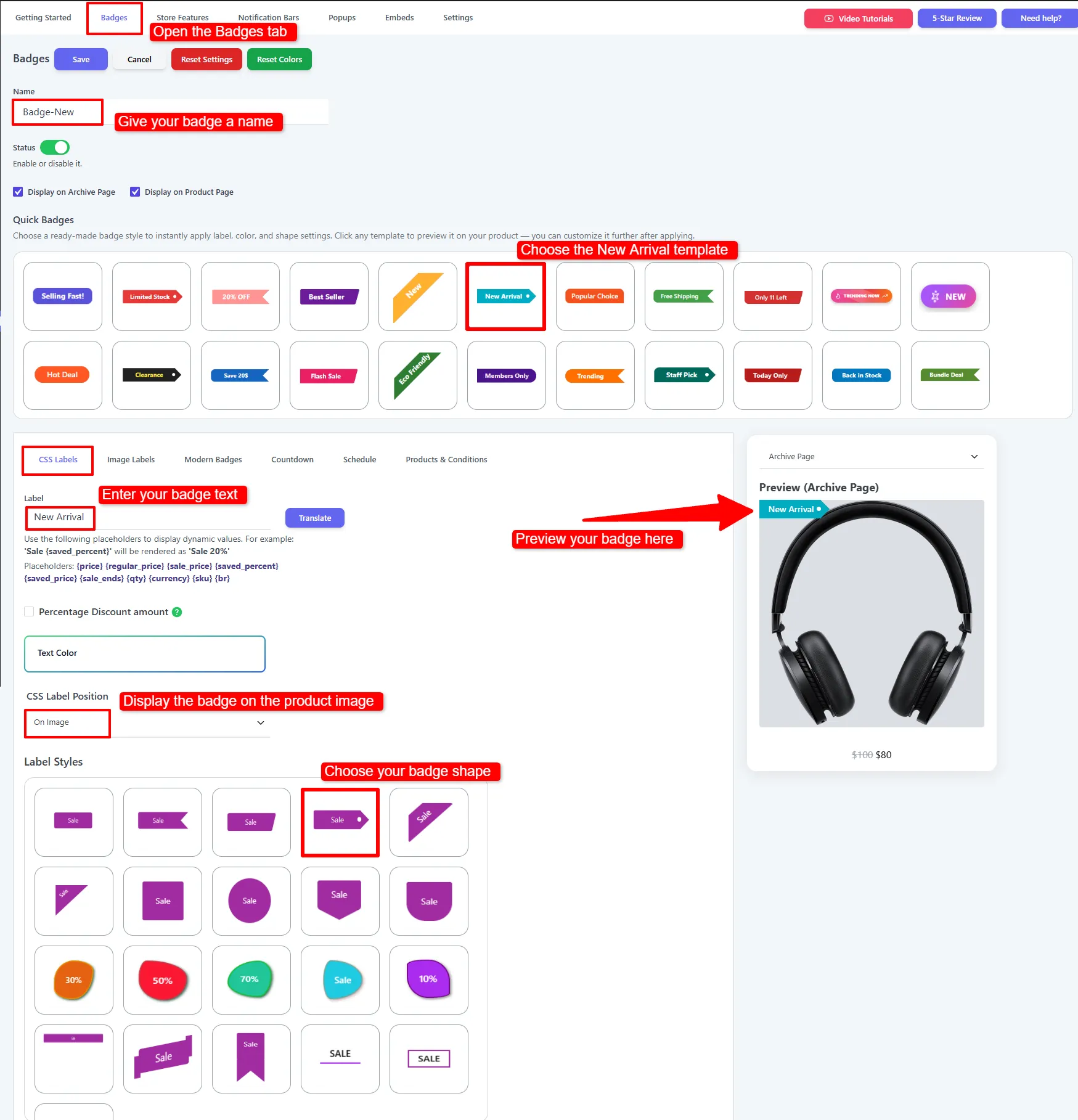
Design New Arrival product badges in WooCommerce with a CSS label and tag shape
Choose the New Arrival template, edit the label, and preview its shape on the product image.

Style and position your product badge

Use the live preview while you choose the shape, color, font size, weight, opacity, rotation, and position. The goal is to make the badge noticeable without hiding the product image, price, or product title.

Useful placement choices include top-left, top-right, bottom-left, and bottom-right. If the label overlaps a theme’s sale indicator, either move the new label or enable the option to hide the default WooCommerce on-sale badge. You can also adjust the hook or display position when a theme places product images in an unusual markup structure.

Keep the text short. “30% Off” is easier to scan than a sentence, while “Free Shipping” is usually clearer than a small icon with no explanation. On mobile, test the smallest product card in your grid; a badge that looks balanced on desktop can cover too much of the image on a narrow screen.

The screenshot uses a 14-pixel font, 30-pixel line height, font weight 600, and a 100-by-30-pixel badge. Treat these as a starting point: adjust the archive and product page styles separately, then check that the full label fits. Select Top and Left to place it in the upper-left corner.
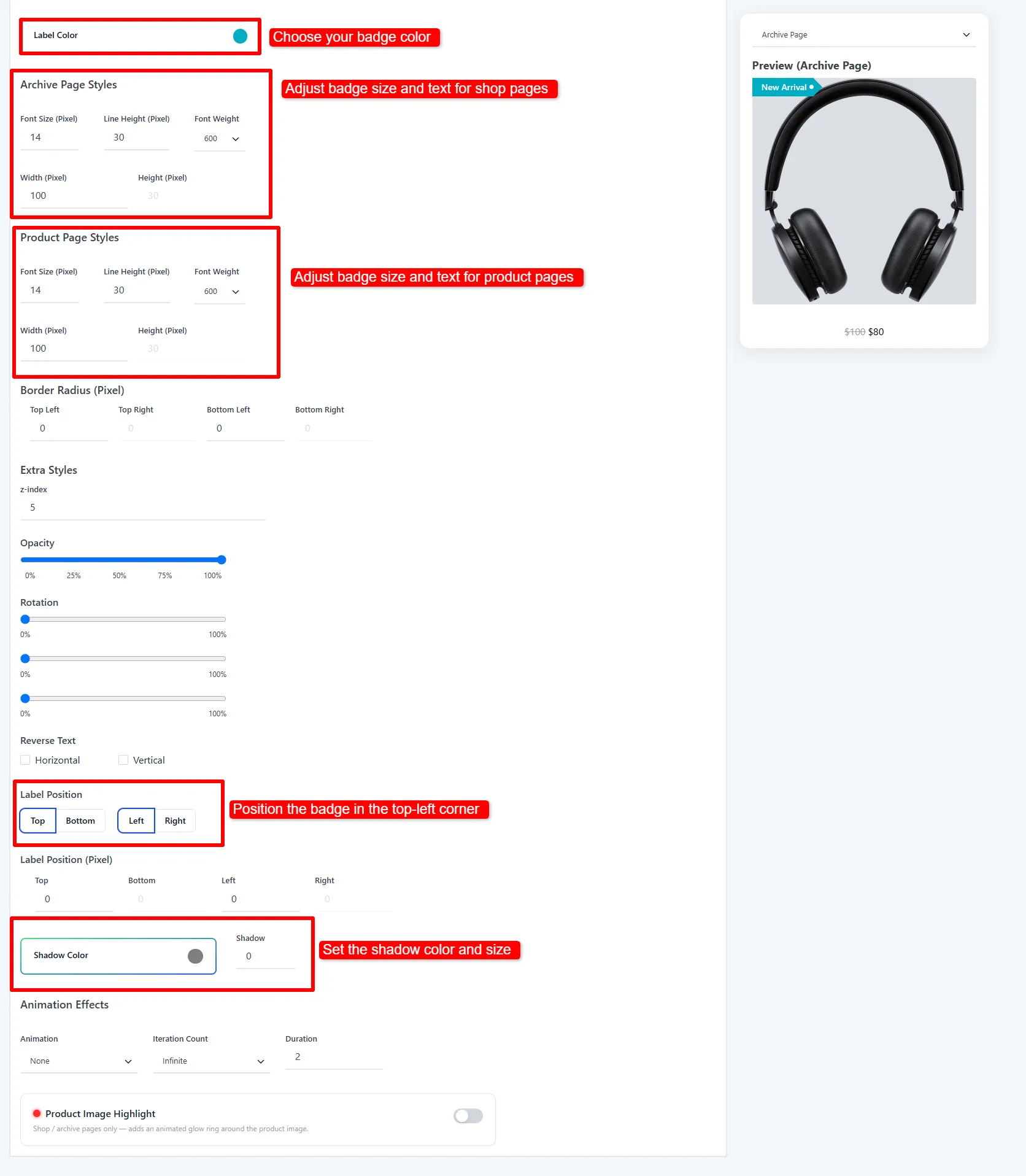
Style controls for product badges in WooCommerce, including color, size, and top-left placement
Adjust the color and dimensions for both page types, then choose the badge position.

How to Add Product Badges in WooCommerce: Target Products

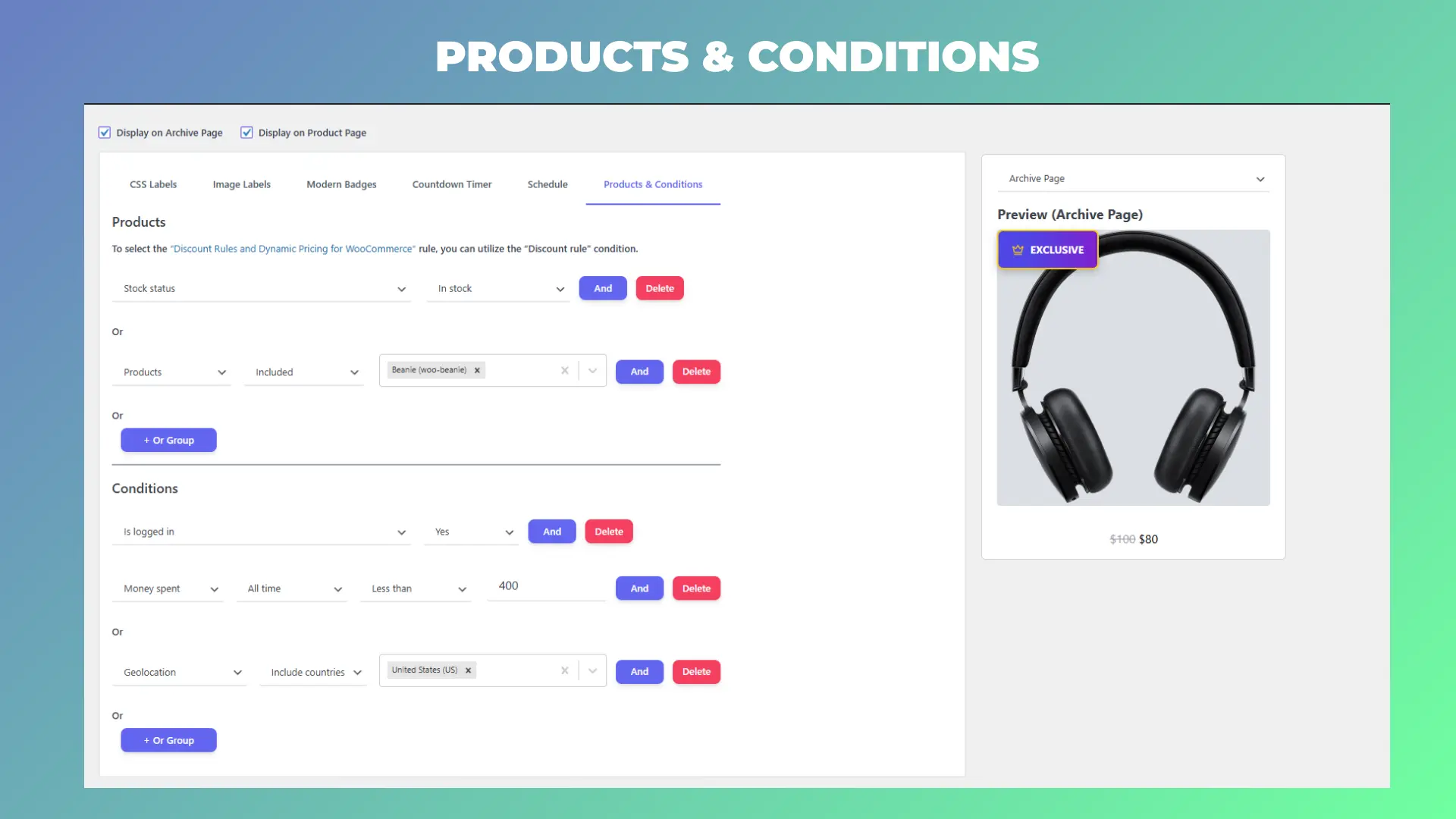
A badge becomes useful when it appears on the right products automatically. In the Products & Conditions area, choose the condition that matches your campaign.

  • Specific products: show the badge on a hand-picked set of products.
  • Category: target every product in a category such as Shoes or Summer Collection.
  • Tag: target products marked with a WooCommerce tag.
  • On sale: apply a sale label to products with an active sale price.
  • Stock status: show In Stock, Out of Stock, or Backorder labels.
  • All products: use a store-wide message when the same label belongs everywhere.

Use the narrowest condition that fits the message. A “Clearance” badge should not appear on every product just because the store has one clearance category. If you combine multiple rules, review the result on both a shop archive and a single product page.

Example: automatically label new arrivals (Pro)

For a New Arrival badge, set Stock status → In stock. Click And in the same group, then choose Recently Added → Days → 7. This Pro rule shows the badge only when both conditions match. Click Save.

Keep these rules in one AND group. Putting them in separate OR groups would also label older products simply because they are in stock. In the free version, select your new products manually or use a dedicated product tag instead.
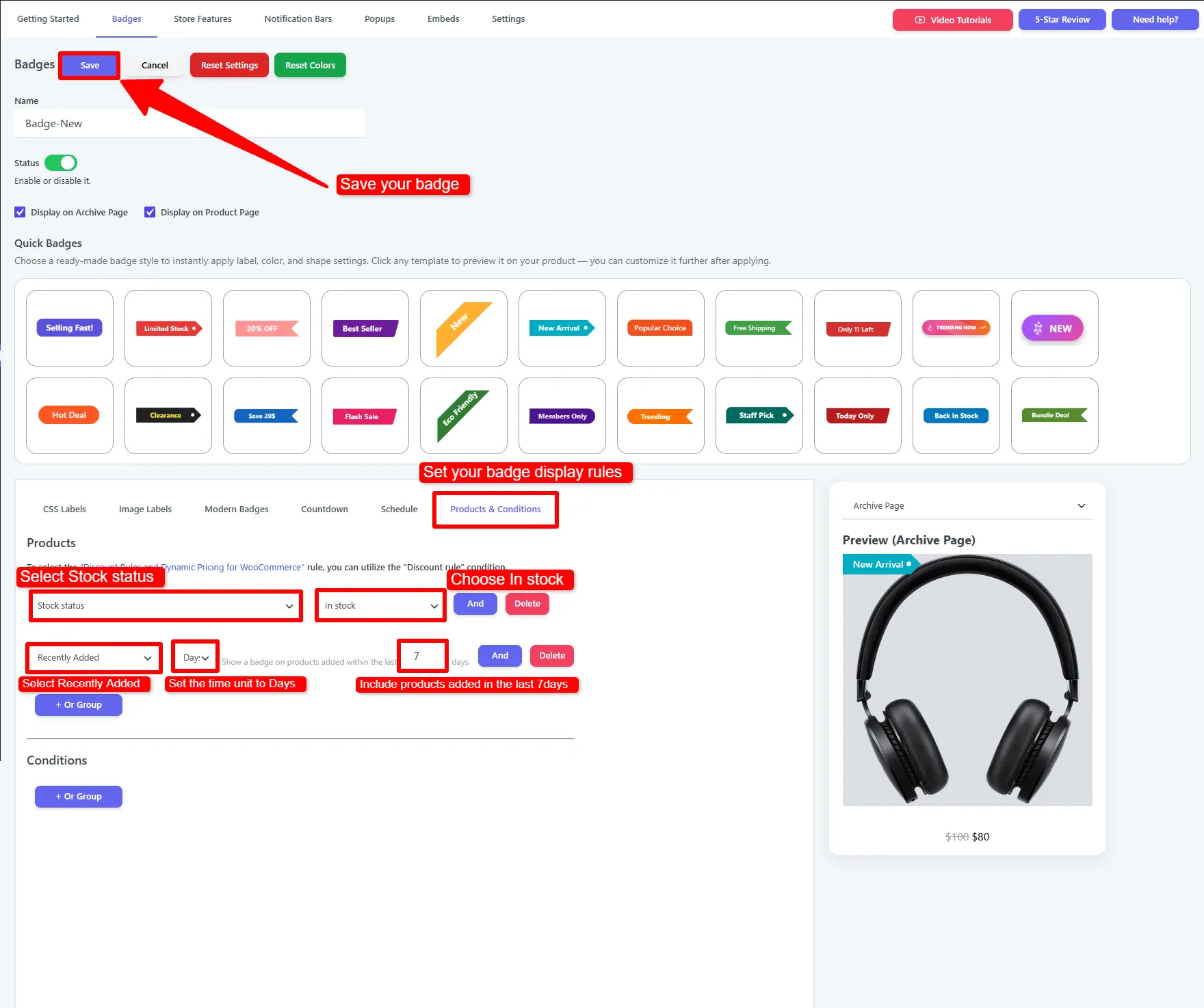
Rules for product badges in WooCommerce combining In stock AND Recently Added within 7 days
Pro example: show New Arrival only on in-stock products added within the last seven days.

For more examples, see the WooCommerce badge conditions documentation.

Add a dynamic percentage discount badge

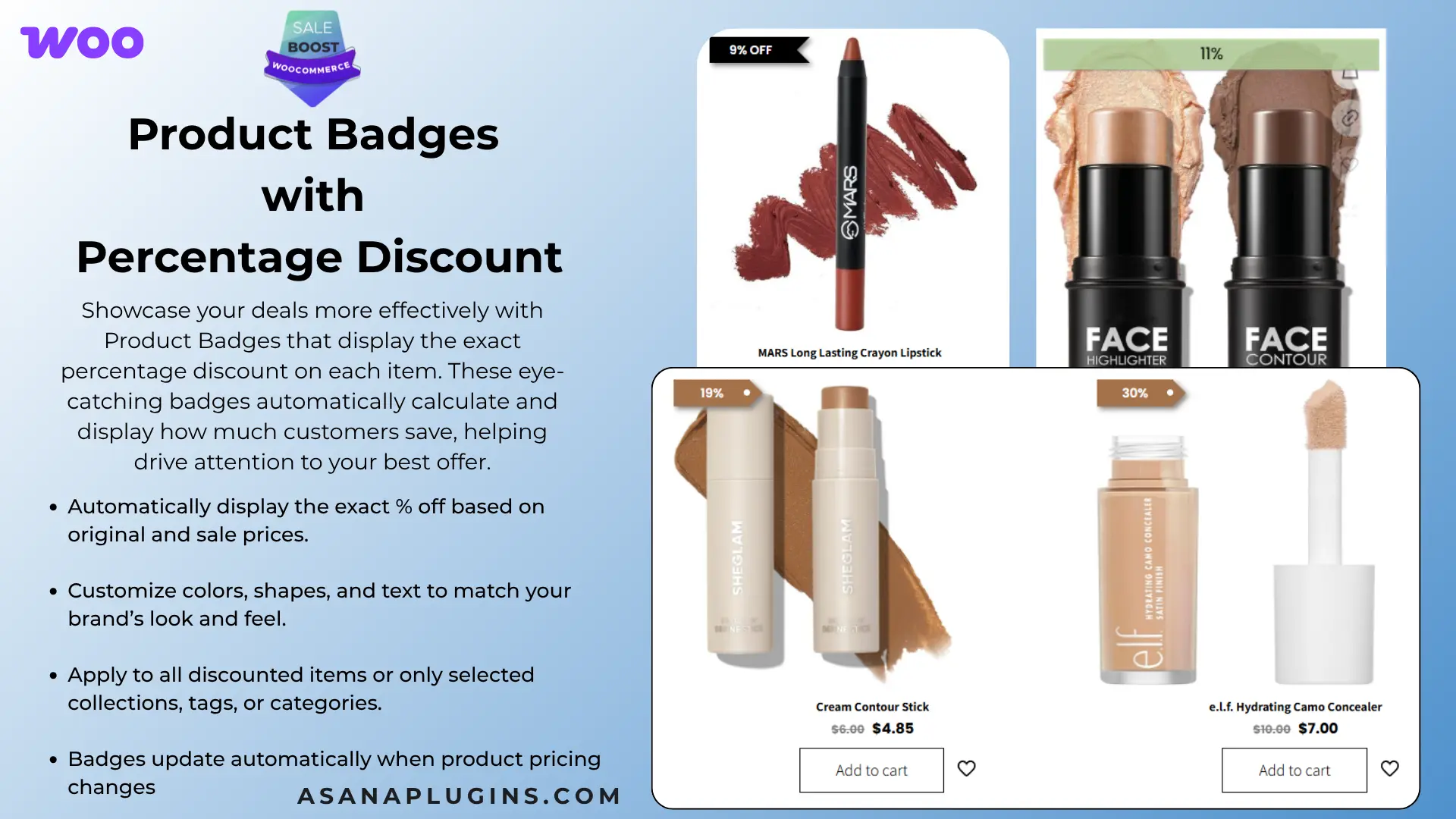
Create a second badge named Badge-Saved-Percent. Choose a percentage-off template, open CSS Labels, and enter {saved_percent} OFF in the Label field. The placeholder includes the percent sign, so you do not need to add another one. For example, a product reduced from $100 to $80 displays 20% OFF.
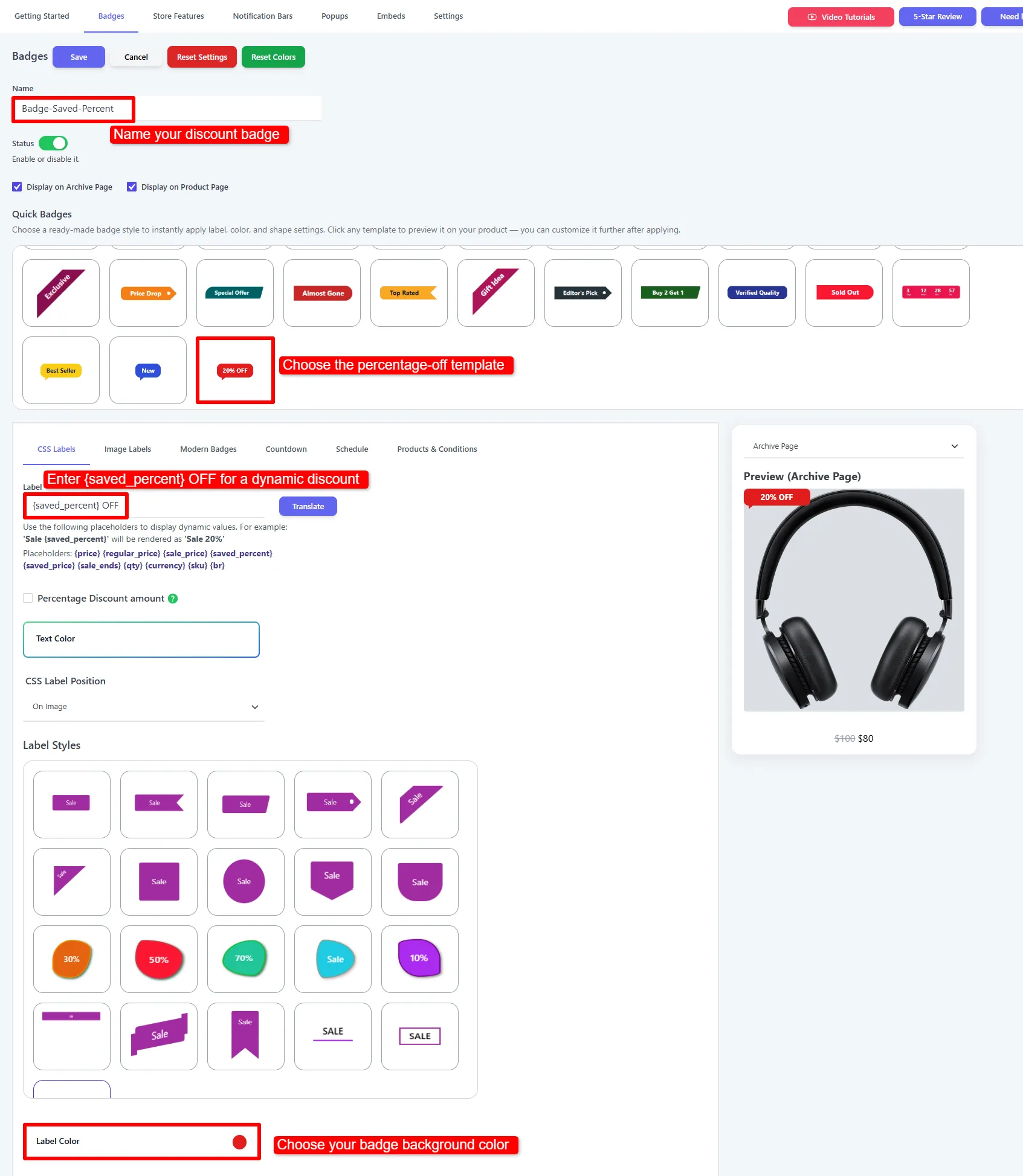
Add percentage-off product badges in WooCommerce using the saved_percent label placeholder
Enter {saved_percent} OFF so the discount text follows each product’s pricing.

Choose a clear background and text color. If the label needs more separation from the product photo, set Shadow Color to black and Shadow to 2. Keep animation off when a static badge communicates the offer clearly.
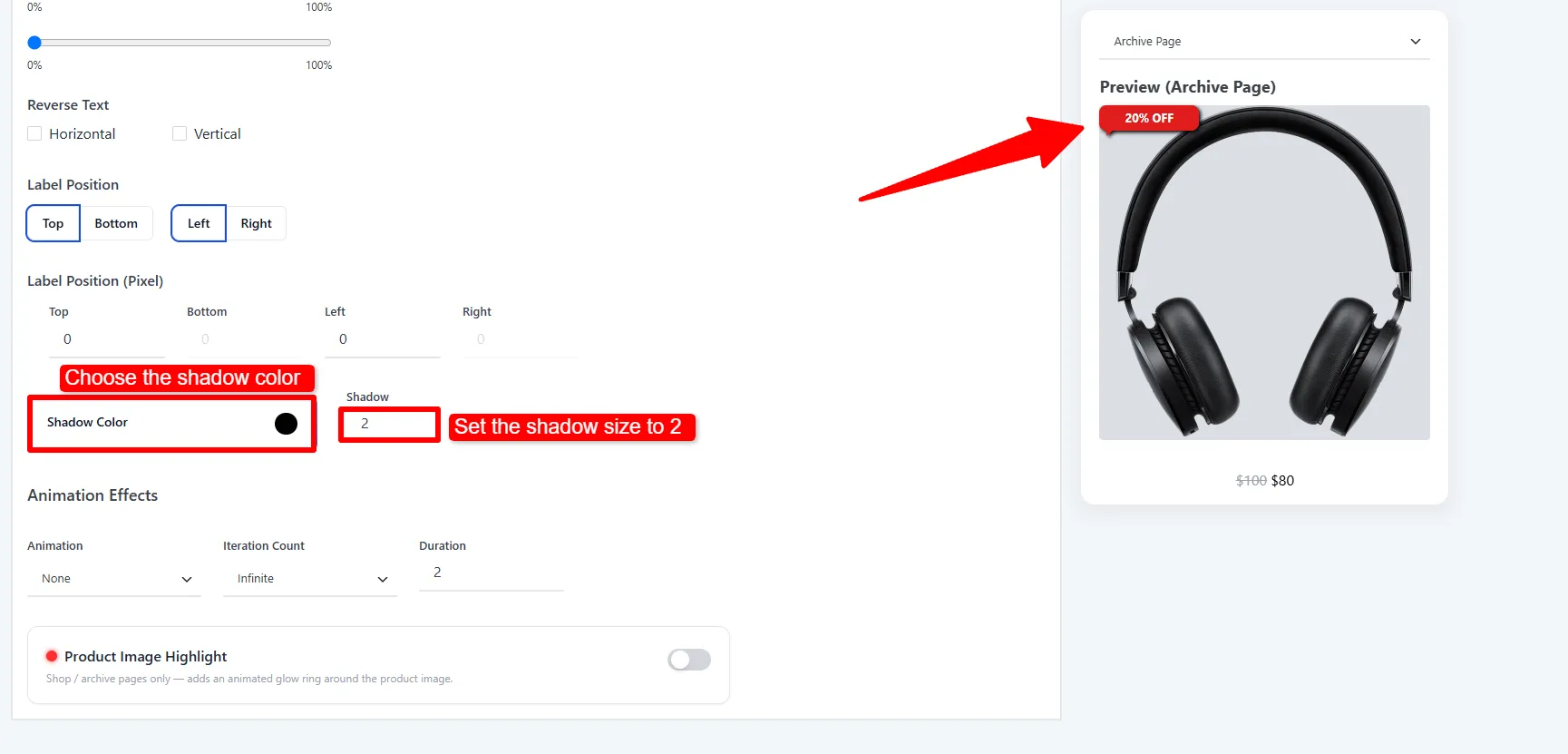
Percentage discount badge preview with black Shadow Color and Shadow set to 2
Optional: use a black shadow with a value of 2 to separate the badge from the product image.

Next, open Products & Conditions and select Is on sale → Yes. Click Save. This targets discounted products instead of applying a discount claim to your entire catalog. Check products with different discounts and at least one product that is not on sale.
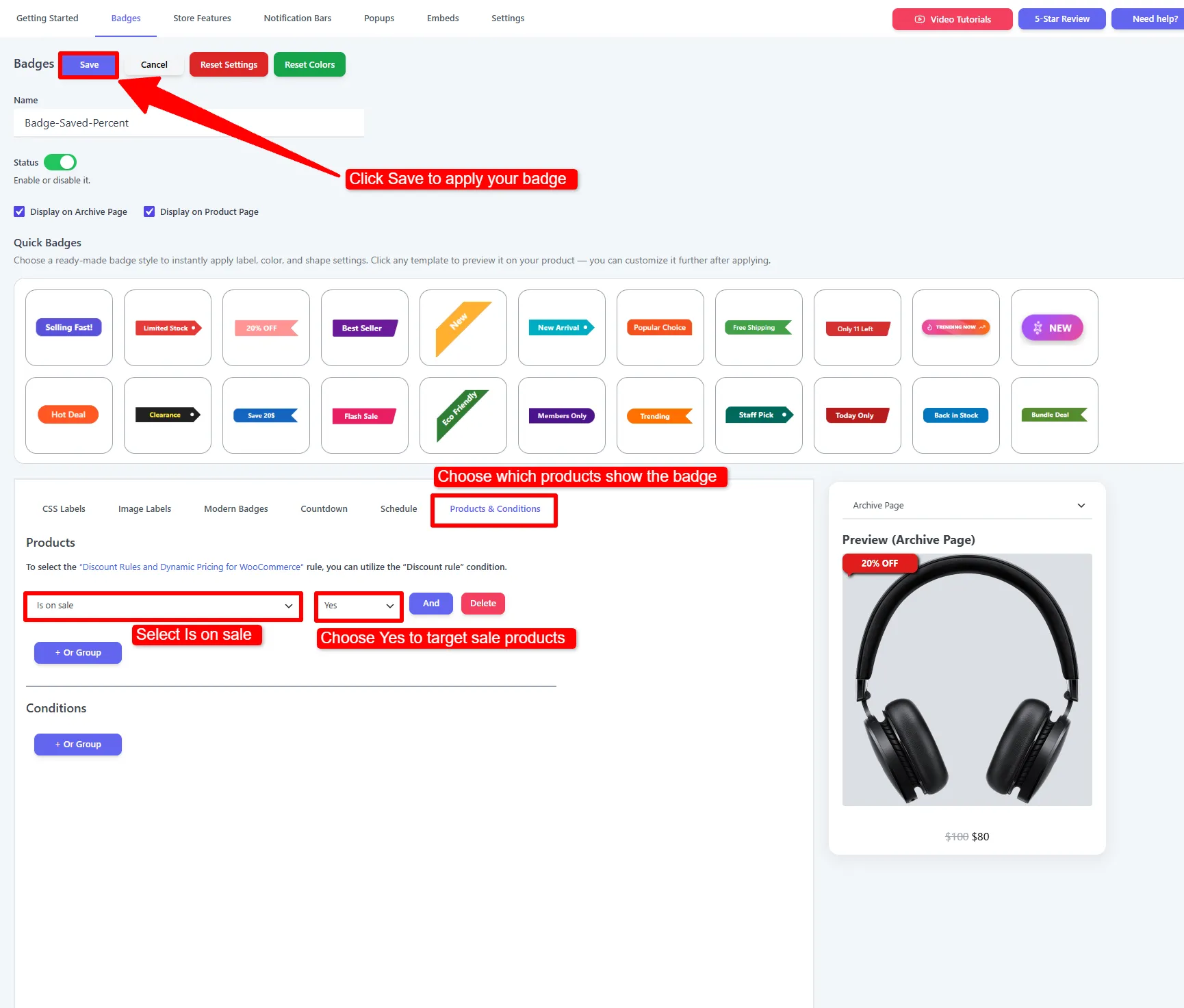
Apply product badges in WooCommerce to sale products with Is on sale set to Yes
Set Is on sale to Yes, then save the percentage discount badge.

How to Add Product Badges in WooCommerce: Verify the Result

Save the badge, then open a shop or category page that contains a matching product. Check the result at desktop and mobile widths. Also open a single product page if you want the badge there too.
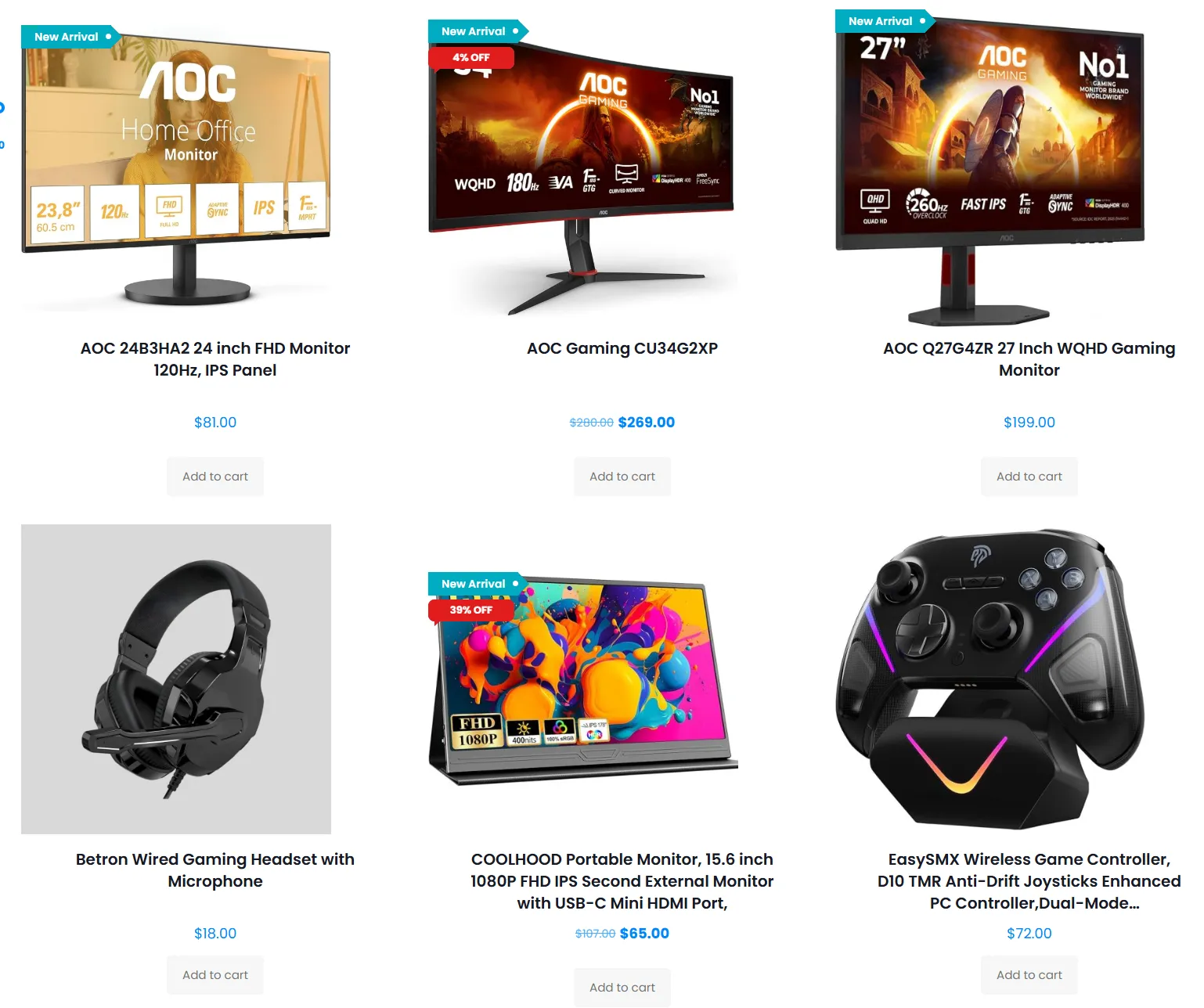
How to add product badges in WooCommerce: storefront showing New Arrival and percentage-off labels
Storefront result: New Arrival and dynamic discount badges appear on matching products.

If the badge does not appear, check these items first:

  1. The badge status is enabled.
  2. The product actually matches the selected condition.
  3. The badge is configured to show in the location you are viewing.
  4. Your theme has not moved or replaced the WooCommerce product-image hook.
  5. A cache or optimization plugin is serving an older page.
  6. The badge is not hidden by the global settings or a mobile-only rule.

How to Add Product Badges in WooCommerce with Pro

The Pro version is useful when a text label is not enough for your promotion. It adds a library of image labels, modern badge presets, advanced conditions, and campaign elements that work across product pages and the wider store.

Use image and modern badges

Choose from more than 200 image-label designs, upload your own artwork, or use modern gradient and preset badge styles. Image labels are a good fit for seasonal campaigns, “Black Friday,” “Pre-Order,” and other messages where the visual treatment matters as much as the words.

Target by customer or product data

Pro conditions can target user login status, user roles, total customer spend, quantity, regular price, sale price, total price, shipping class, best sellers, recently added products, and other product attributes. These rules let you show a VIP message to logged-in customers, a volume message to products above a quantity threshold, or a best-seller label without maintaining a manual product list.

Add a product countdown badge

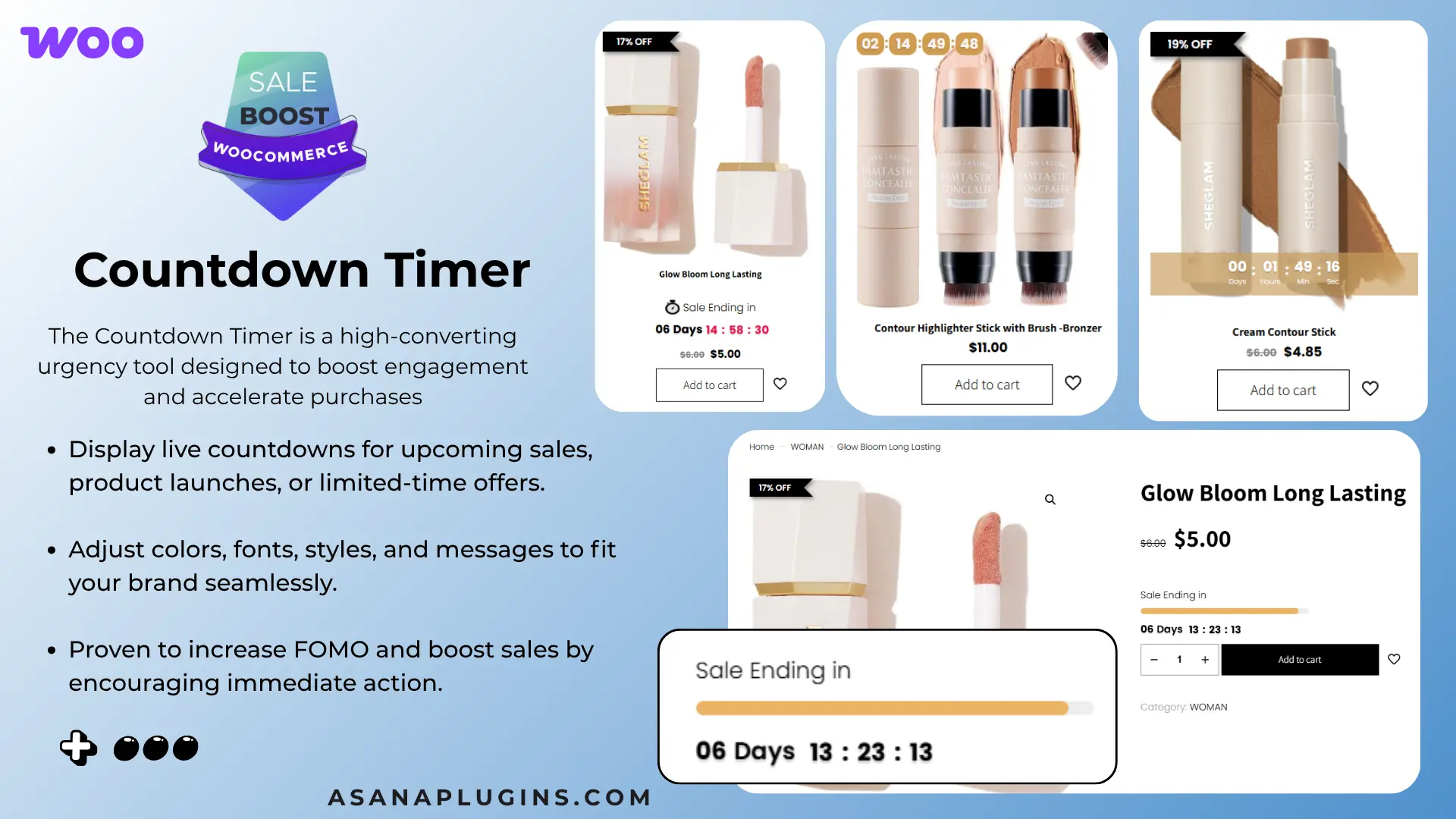
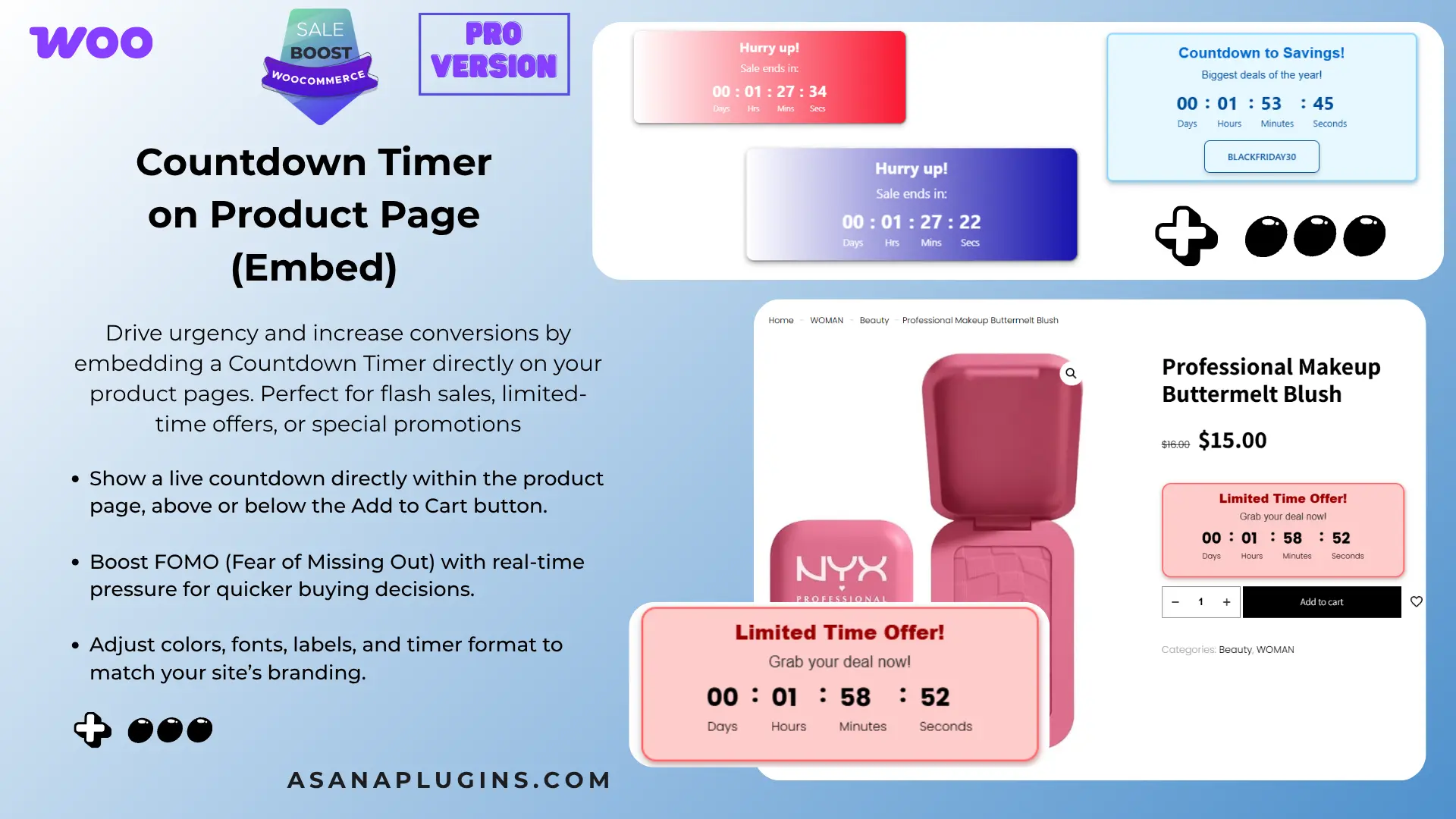
A countdown badge can show the remaining time for a genuine limited-time offer. Free includes a basic fixed-date timer. Pro adds more timer designs and evergreen modes; the progress-bar design shown below is a Pro example.

Open the badge’s Countdown tab, choose On Image, and select a timer style. Set Countdown Timer Mode to Pick A Start / End Date, then enter your own campaign’s start and end times. The dates in this screenshot are examples.

To reproduce the layout, choose Bottom and Bar, then adjust the background, text, and progress colors. Set matching product rules and save the badge. A timer communicates the deadline; also schedule the actual WooCommerce sale to end when promised.
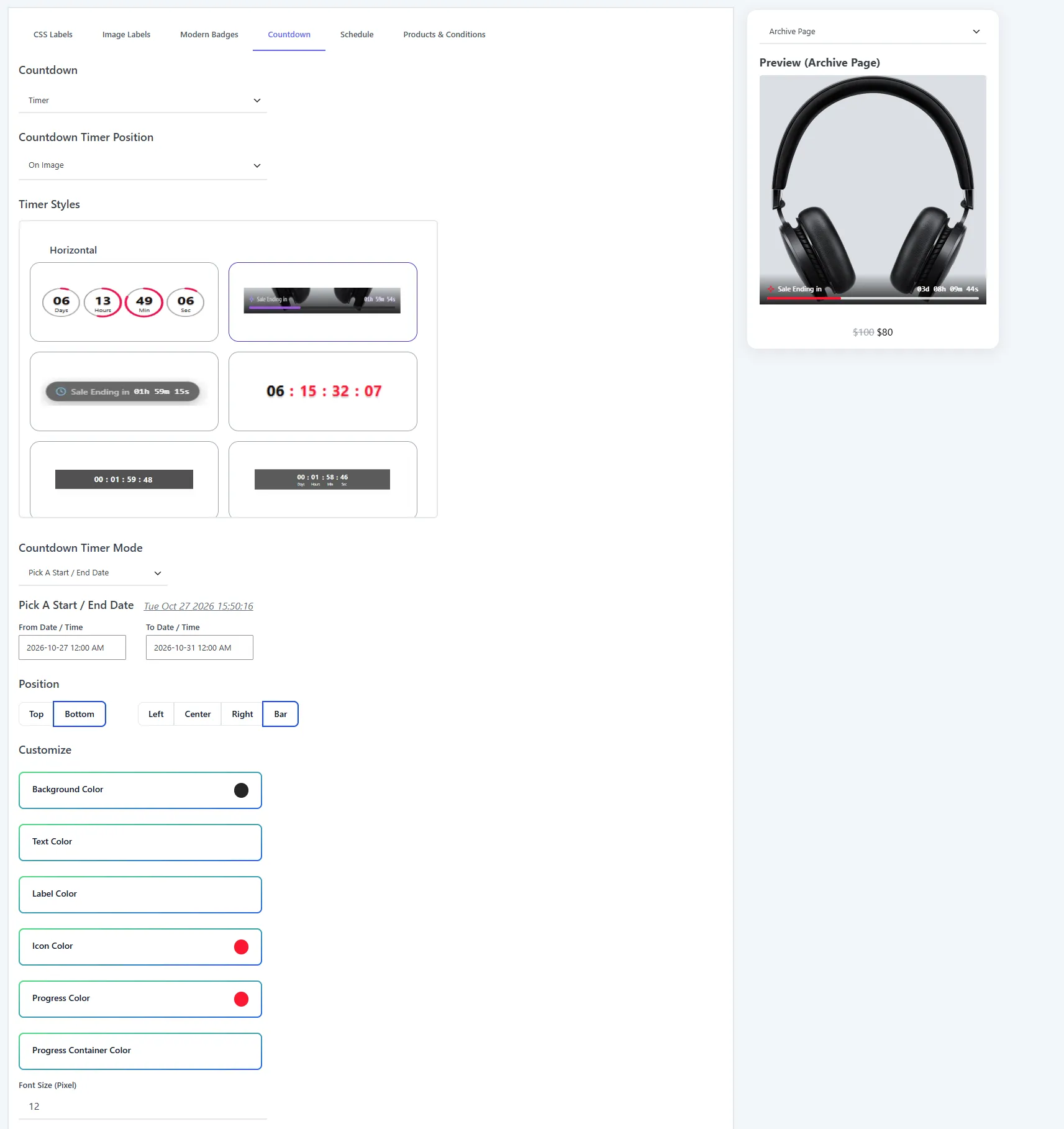
Countdown badge editor with a fixed start and end date and a bottom-bar timer preview
Pro example: choose a progress timer, enter your campaign dates, and position it as a bottom bar.

Use notification bars for store-wide campaigns

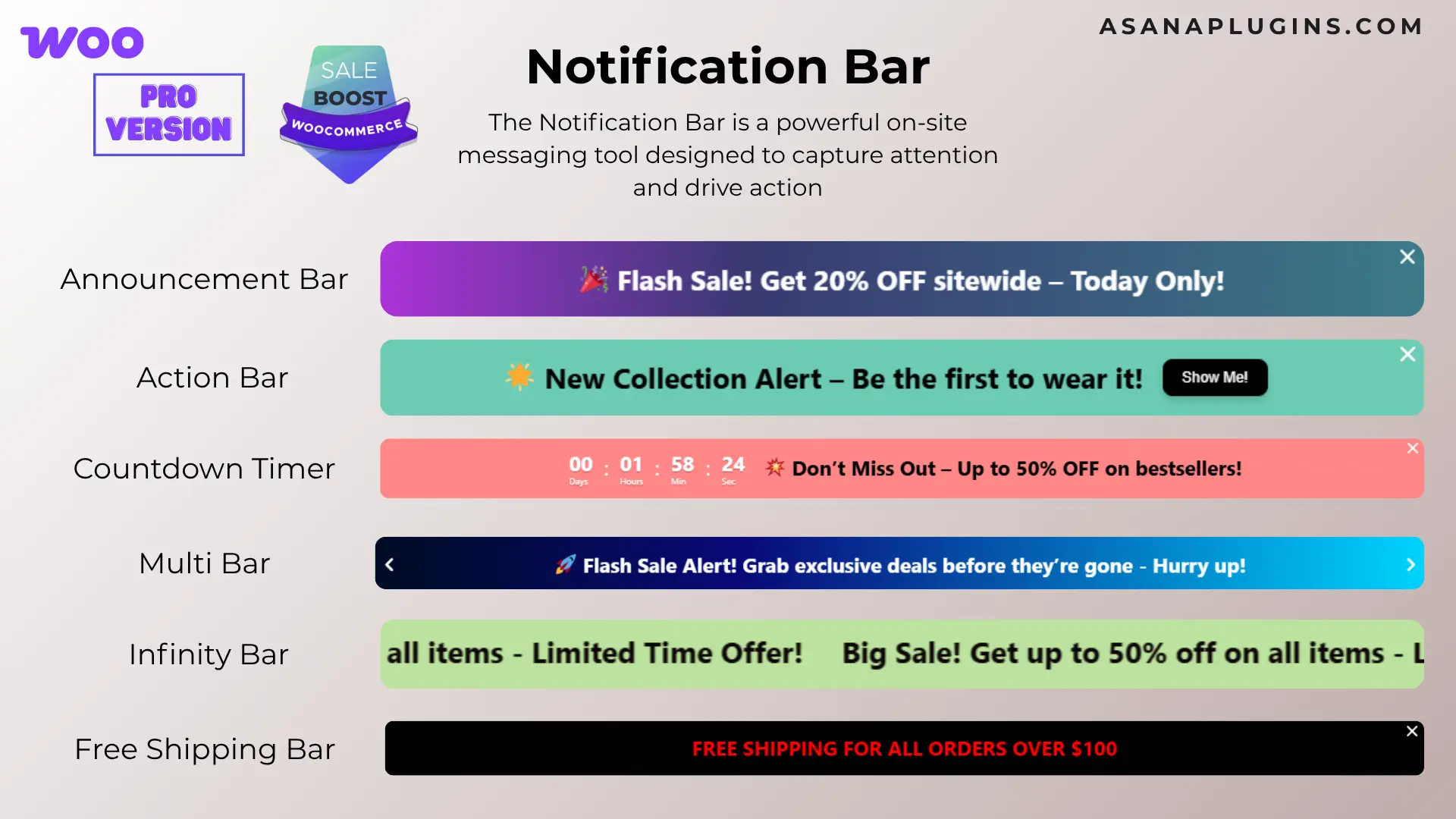
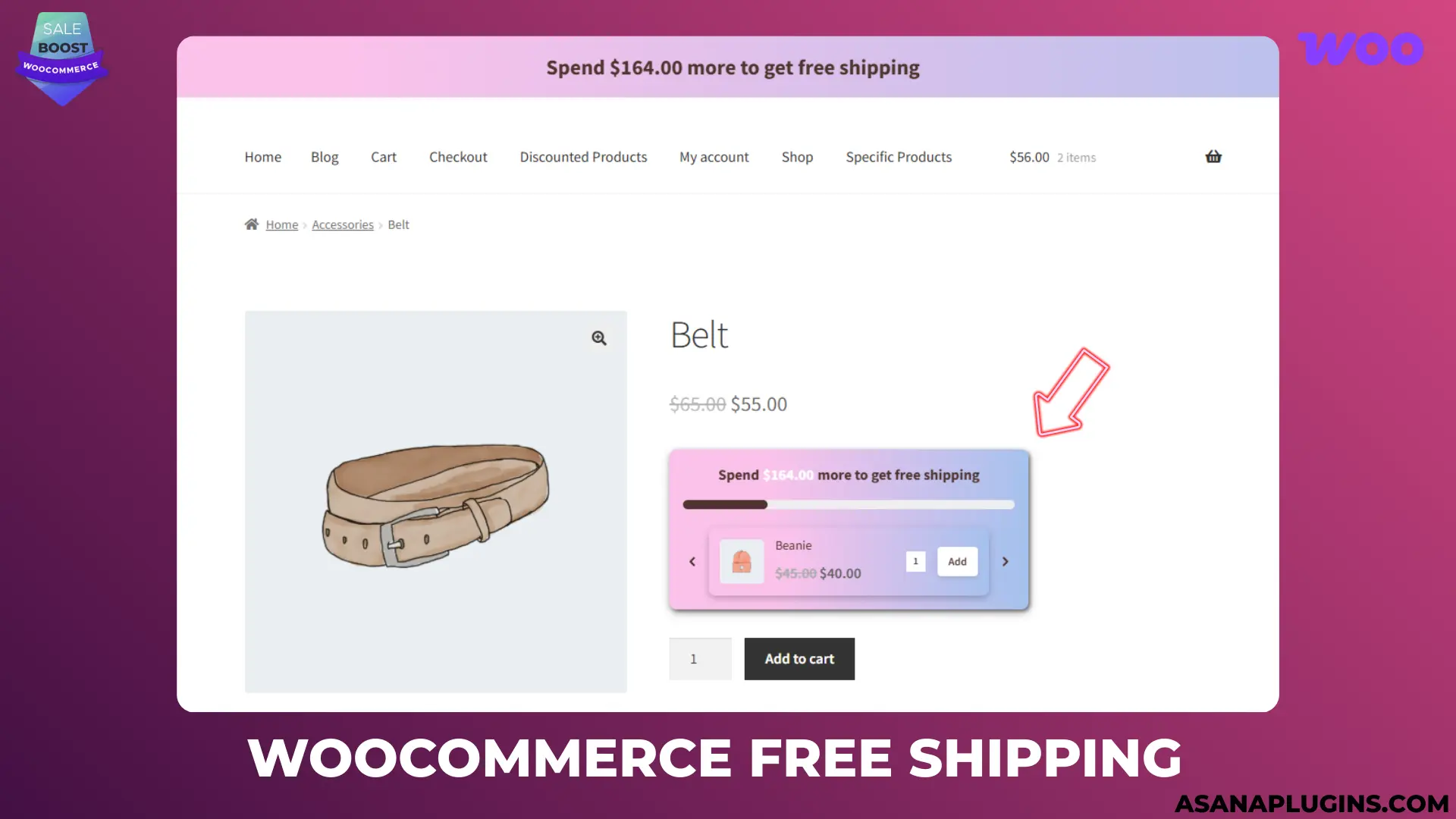
Pro also includes notification bars for announcements, actions, countdowns, free shipping, and other campaign messages. These are separate from the product countdown badge shown above. Open Sale Booster → Notification Bars to create a store-wide message, then choose its content, timing, and display rules.

For more examples, see the WooCommerce sales countdown timer guide.

Optional: add a badge with a shortcode

If your theme or page builder needs a manual placement, the plugin provides the [asnp_badge] shortcode. Use [asnp_badge] for the current product context, or use [asnp_badge product_id="7"] when you need to render the badge for a specific product. The hide="1" option can be used for product-page placement.

Shortcodes are best used when you understand the page layout. For normal shop grids and product templates, automatic placement is usually easier to maintain because the badge follows your WooCommerce product output.

Best Practices When You Add Product Badges in WooCommerce

  • Use one clear message per badge. Do not combine “New,” “Sale,” “Limited,” and “Free Shipping” into one tiny label.
  • Match the rule to the claim. Only show scarcity or deadline language when the offer or inventory really is limited.
  • Keep a consistent color system. Reserve one accent for discounts, one for availability, and one for shipping or service information.
  • Test product-image contrast. A white badge can disappear on light product photography; use the live preview with representative products.
  • Check mobile layouts. Make sure the label does not hide the product image or cover a variation selector.
  • Schedule campaign badges. Add start and end dates for seasonal promotions so expired labels do not remain visible.
  • Pair badges with a useful landing page. A “Summer Sale” badge should lead to a page where shoppers can browse the matching products.

Free vs Pro: which version do you need?

Choose the free version if you need custom CSS labels, basic product/category/tag/sale/stock rules, scheduling, positioning controls, and a no-code way to improve your WooCommerce product cards.

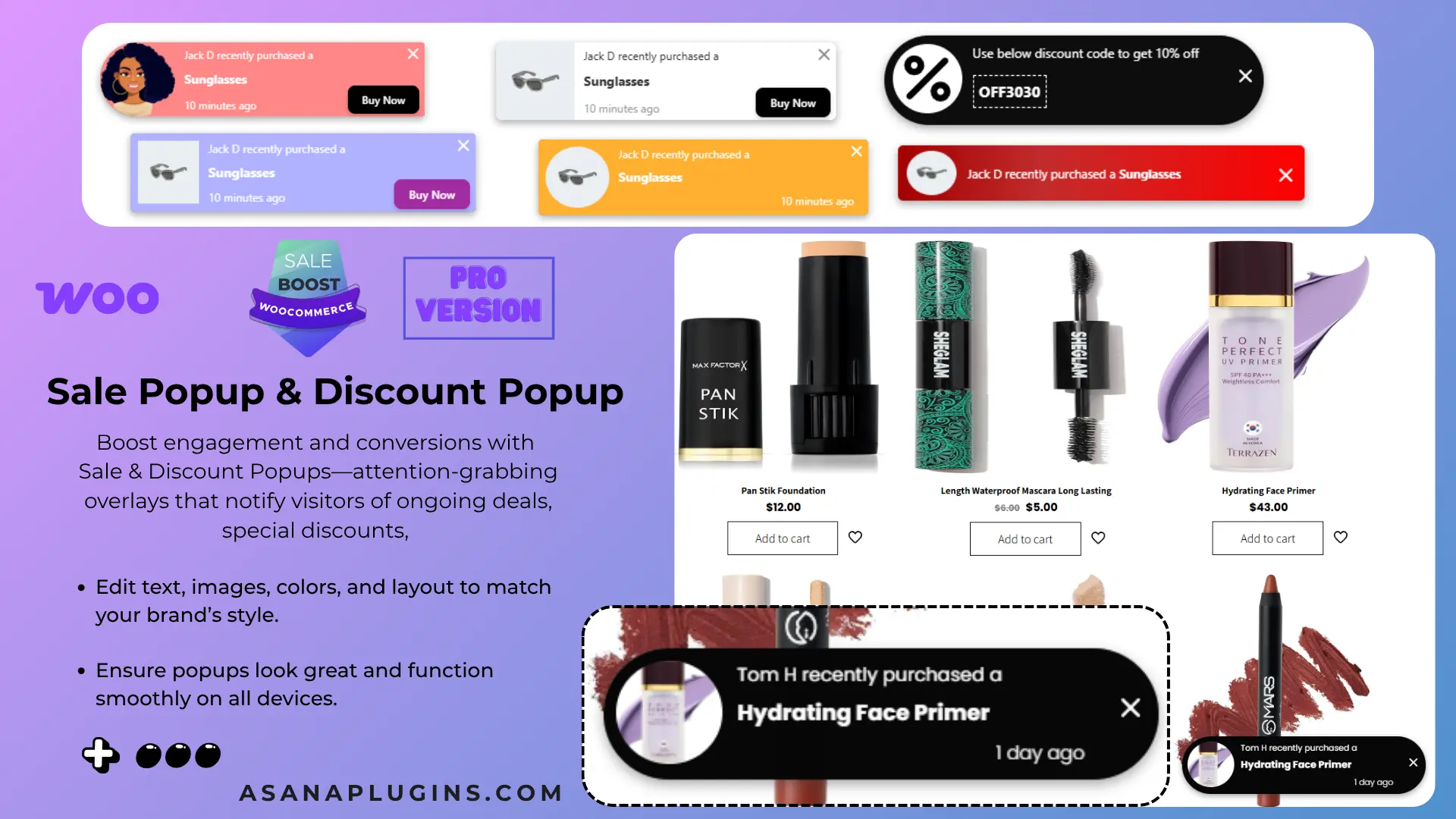
Choose Pro if you need image-label libraries, modern presets, advanced user and price conditions, product image highlights, countdown timer templates, notification bars, sales popups, embeds, Quick View, or Sticky Add to Cart. The free plugin and Pro extension are designed to work together, so you can begin with a small badge system and add campaign features as your store grows.

See the Pro features and upgrade options →

Frequently asked questions

Can I add product badges in WooCommerce without coding?

Yes. Install Sale Badges and Product Labels for WooCommerce, create a badge in Sale Booster, choose a condition, and save. The plugin handles the front-end placement for standard WooCommerce layouts.

Can I show a badge only on sale products?

Yes. Choose the on-sale condition so the label is applied to products with an active sale price. The badge can be removed automatically when the product no longer matches the rule.

Can I replace the default WooCommerce “Sale!” badge?

Yes. Create a custom sale label and use the plugin setting that hides the default WooCommerce on-sale badge. Check the result in both the shop loop and the single product layout.

Can I show different badges by category?

Yes. Create separate badges or rules and target each WooCommerce category. This is useful for messages such as “New Season,” “Clearance,” or “Free Shipping” that apply to different product groups.

Why is my badge not showing?

Confirm that the badge is active, the product matches its condition, the display location is enabled, and caching is cleared. If the theme changes the standard WooCommerce product-image markup, use the plugin’s hook or compatibility settings and test again.

Related tutorials: WooCommerce sale badge guide, product labels guide, and sales countdown timer guide.

Next steps

You now have a complete no-code workflow for how to add product badges in WooCommerce: install the plugin, create a reusable design, target the right products, verify the storefront, and add Pro campaign features only when you need them.

Start with one focused badge—such as a percentage-off label for sale products—then add category rules, scheduling, and a countdown bar for your next real promotion. For deeper setup details, continue with the badge installation documentation and the badge management guide.
Updated on — Leave a comment

10 Best Woocommerce Product Label Plugins in 2026

If your WooCommerce store still relies on the default “Sale!” badge, you’re leaving conversions on the table. Product labels — the small badges, tags, and countdown stickers layered over your product images — do more than decorate a listing.
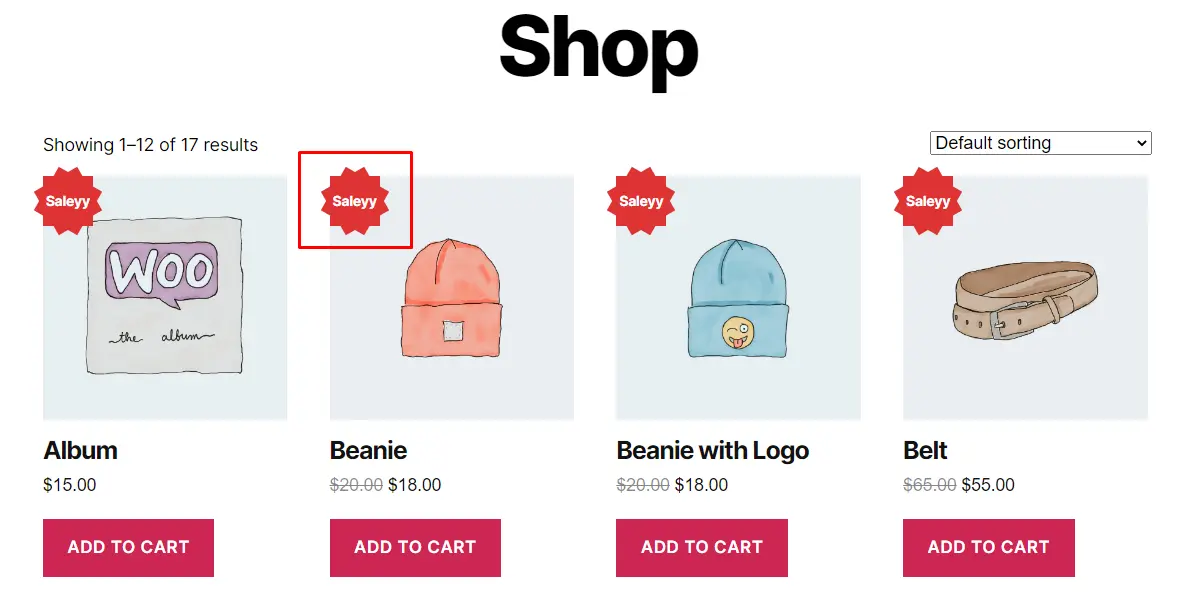
They flag urgency, highlight savings, call out bestsellers, and nudge a browsing visitor toward checkout, often without them consciously noticing why. That’s why choosing from the best WooCommerce product label plugins matters more than most store owners realize: the right plugin turns a plain catalog into a persuasive storefront, while the wrong one adds clutter, slows page speed, or breaks on your theme.

We’ve researched, compared, and refreshed this list for 2026, weighing setup ease, styling flexibility, performance, and free-vs-pro value across each option. Whether you want a simple “Out of Stock” sticker, an animated countdown timer, or fully custom image badges tied to specific sale rules, one of these ten plugins should fit your store.

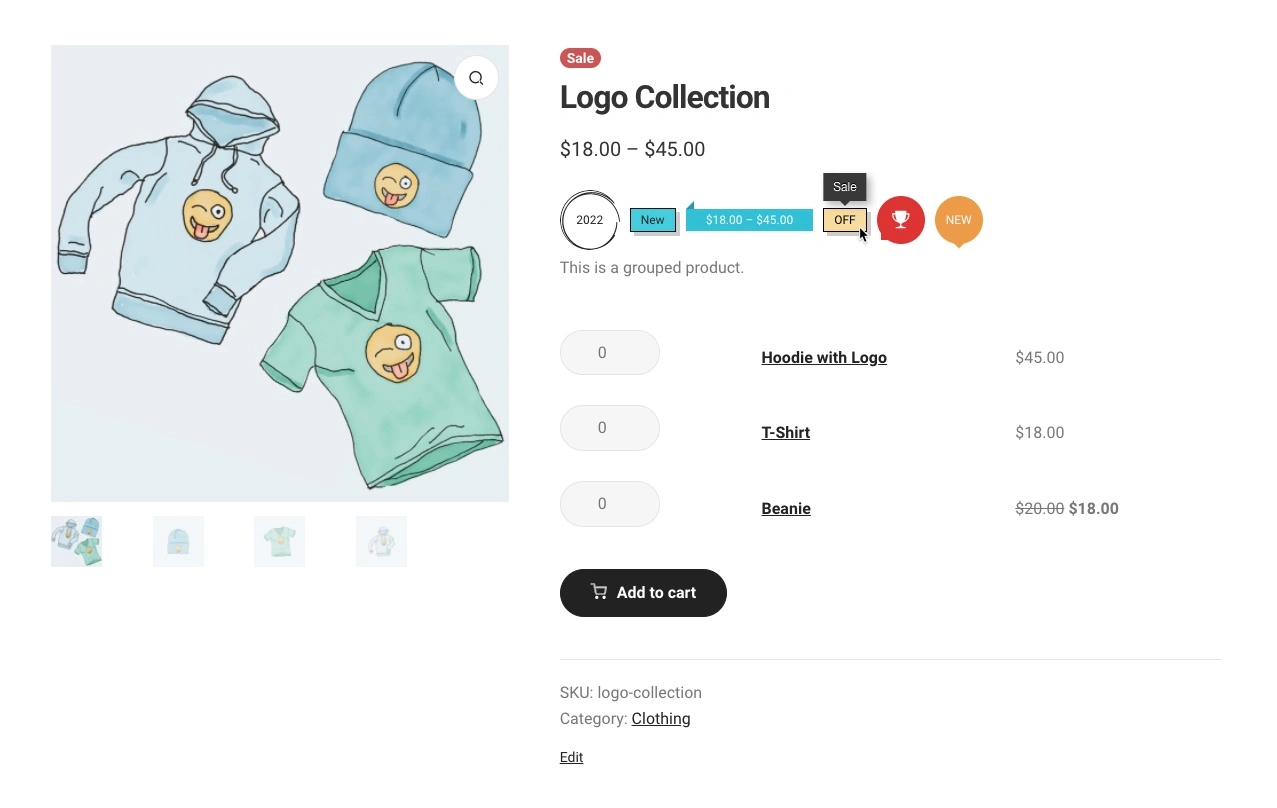
1. Product Badge, Label, Countdown Timer for WooCommerce – Sale Booster

WooCommerce Product Badge, Label, Countdown Timer: Elevate your store’s appeal with customized badges and countdown timers (PRO Version). Enhance your WooCommerce store with sale badges, product labels, and countdown timers to drive sales. This all-in-one plugin empowers you to create eye-catching labels and scheduled badges for products, categories, and tags. Highlighting discount values, product quantities, ratings, shipping classes, stock status, and sale status, these labels provide valuable information to your customers. Plus, leverage the power of countdown timers to create urgency and drive conversions. With an intuitive interface, easily customize labels and replace default on-sale badges. Take your WooCommerce store to new heights with visually appealing badges, labels, and countdown timers tailored to your unique offerings.

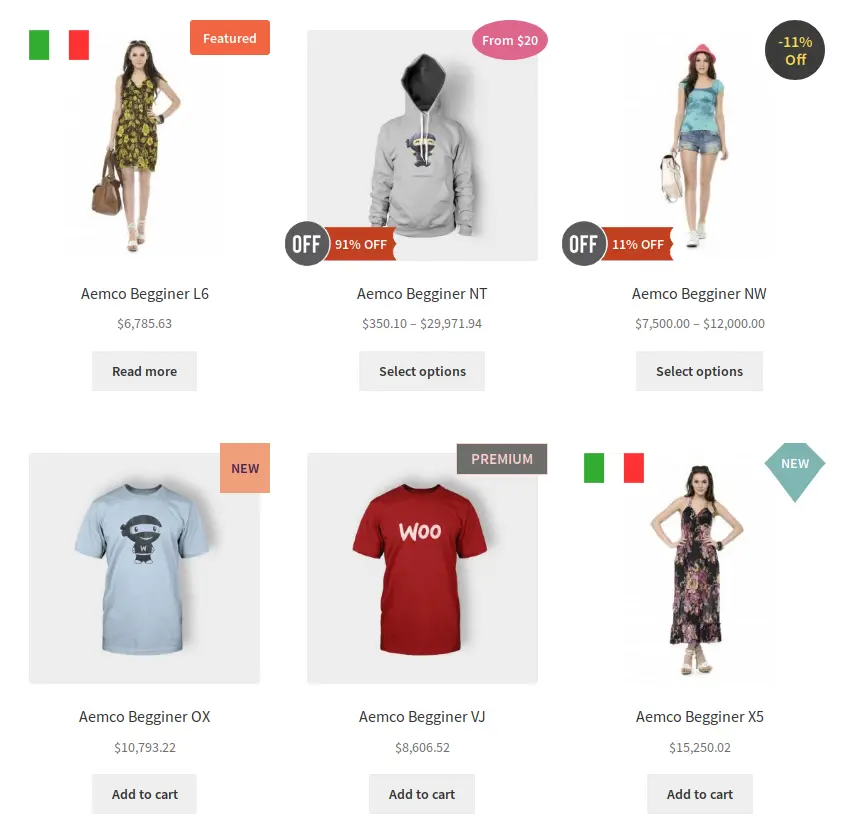
Examples

🚀FEATURES

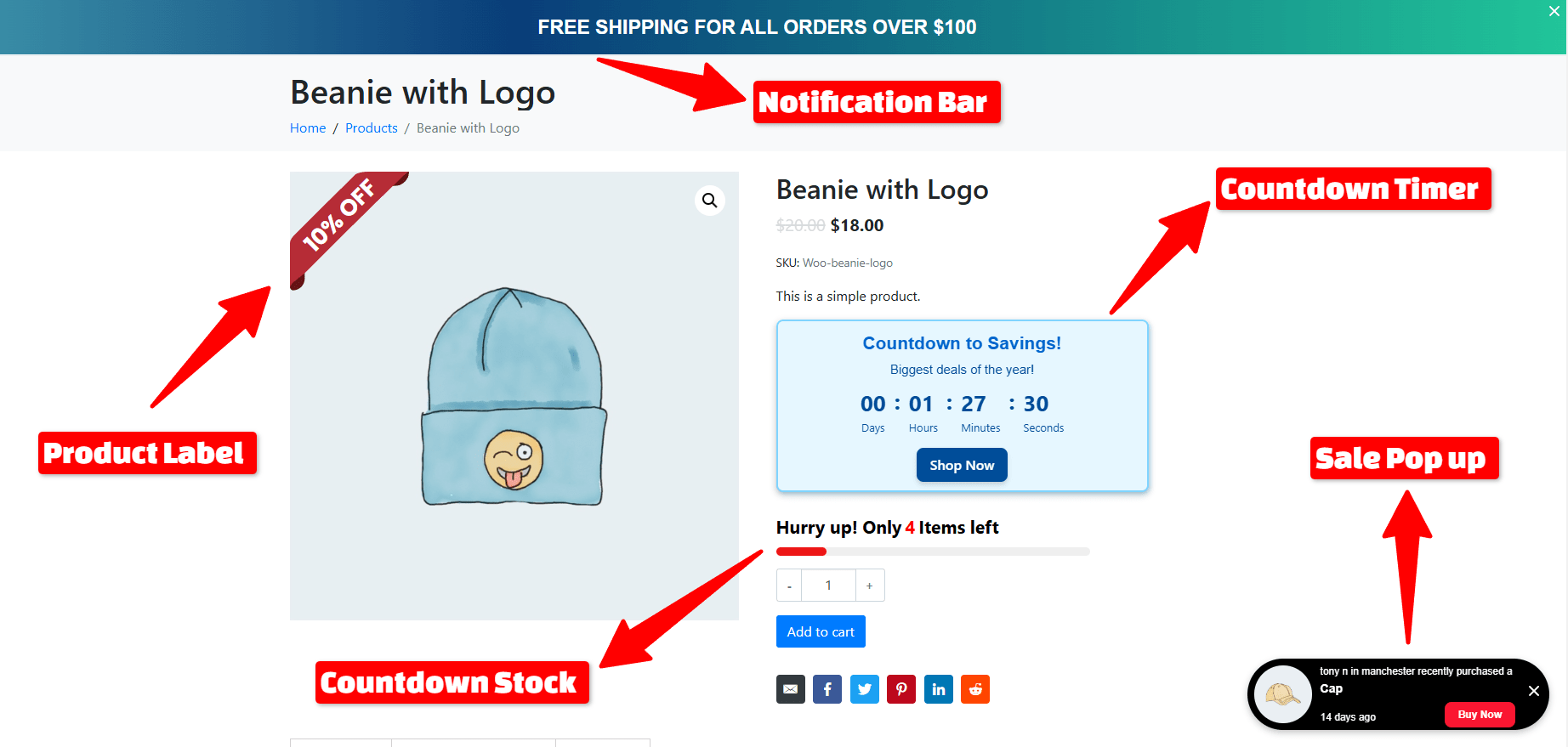
Let’s take a brief look at some of the cool features of this plugin:

  • Over 15 Product Badges
  • Over 10 Modern Badges
  • Free Shipping With Upsell
  • Free Shipping Bar
  • Order Notifications
  • Over 200 Image Labels
  • Trust Badges
  • Payment icons
  • Social Media Icons
  • Countdown Timer
  • Countdown Stock
  • Sales Pop-up
  • Notification Bar
  • Over 10 CSS Labels
  • Over 10 Countdown Timers
  • 10 Animation Effects
  • Add Badge to Out Of Image Position
  • Incorporate Gradient Colors
  • Implement Discount Rules
  • Add a Percentage Discount amount
  • Rotate CSS Labels, Image Labels, and Advanced Labels
  • Add Easy Custom labels on products
  • Access CSS label templates
  • Preview is available live for easy placement and customization
  • Add Badges to specific WooCommerce products, categories, or tags
  • Add Badges to “Is On Sale”
  • Add Badges to “In Stock” and “Out Of Stock”
  • Customize label attributes, including color, font size, line height, width, opacity, position, and much more
  • Transform And Rotate Css Labels
  • Set Toggle To the visibility of badges
  • Include an option to set an expiration Date and Time for badges
  • A unique feature for adjusting hooks that control the presentation of product labels, beneficial if your theme encounters issues displaying them or if you wish to reposition the labels
  • Adjust the Position of CSS Labels, Image Labels, and Advanced Labels
  • Include both Vertical and Horizontal Timers
  • Personalize Sale Timers with Styling Options
  • Sale Image Labels
  • Percentage Off Image Labels
  • Coming Soon Image Labels
  • Pre-Order Image Labels
  • Free Image Labels
  • Black Friday Image Labels
  • Valentine’s Day Image Labels
  • Xmas Image Labels

Tested with more than 40+ Themes

  • Flatsome
  • WoodMart 
  • Avada 
  • The7
  • Divi
  • Betheme
  • Uncode 
  • Enfold 
  • Bridge 
  • Salient
  • JupiterX 
  • XStore 
  • Porto 
  • StoreFront
  • Astra
  • OceanWP
  •  and much more

📽️Demo

Visit this plugin Live Demo here to see how it works.

💵Pricing

  • SINGLE SITE 👉 €60.00 €30.00
  • 5 SITES 👉 €200.00 €60.00
  • 25 SITES 👉 €400.00 €99.00

📽️ Video Tutorial

🖼️Screenshots

2. Advanced Woo Labels – Product Labels for WooCommerce


With the Advanced Woo Labels plugin, you can effortlessly generate labels or badges for all your WooCommerce products. Utilize label conditions to selectively display labels based on specific products, pages, or users. Customize label styles using the built-in options.

Capture users’ attention by incorporating information within labels such as discount value, product quantity, product rating, shipping class, stock status, sale status, and more.

🚀FEATURES

Let’s take a brief look at some of the cool features of this plugin:

  • Create unlimited number of labels for each WooCommerce product.
  • Display label in two positions: on product image or before title. Align label at any side of this position.
  • Use labels with custom text. Write any text inside product labels. Also use special text variables to show important product information like Price, Sale price, Discount percentage, Discount amount, SKU, Quantity.
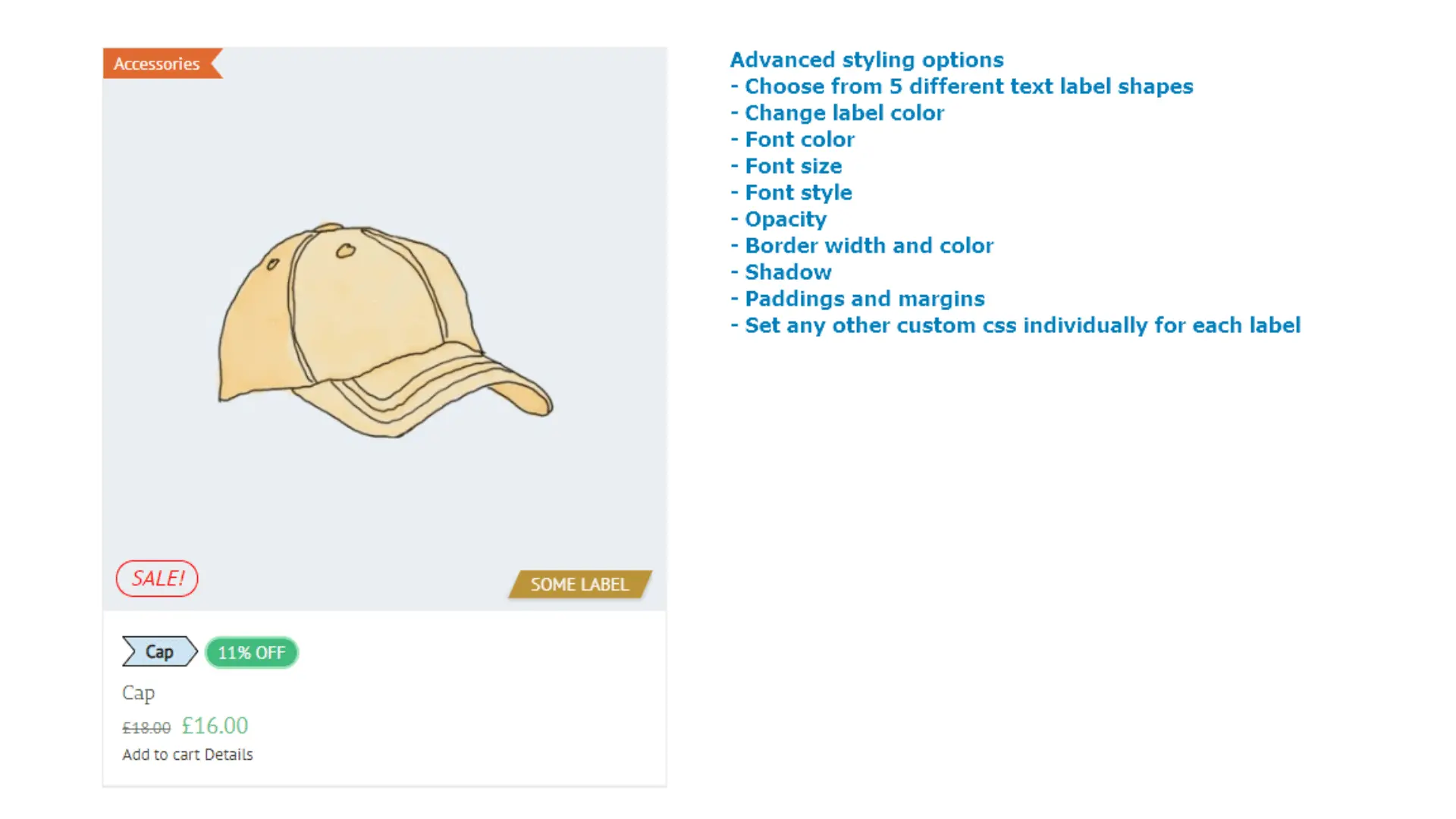
  • Choose from 5 different text label shapes. Set unique styles for each of them with help of custom styling options.
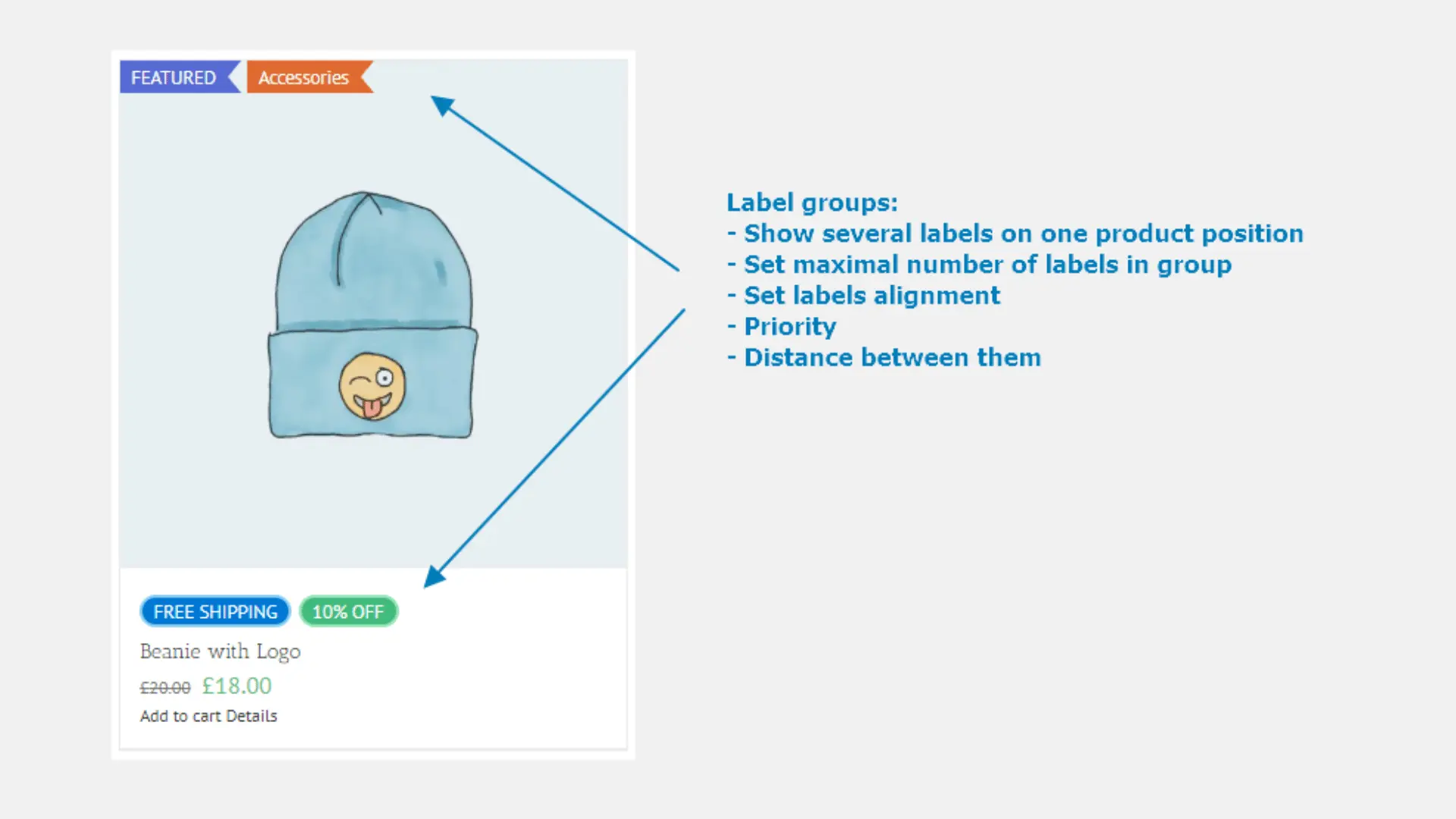
  • Label groups. Show several labels for one product. Set maximal number of such labels, their alignment, priority, distance between them.
  • Label conditions. Show labels based on specific product, page or user conditions. Combine conditions to ‘AND’ and ‘OR’ groups to create more complex label rules.
  • Create unlimited label variations with advanced styling options: change label color, font color, font size, opacity, paddings and margins, set any other custom css individually for each label.
  • Cool admin panel with labels live preview.
  • Special option to change hooks that used to display product labels if your theme has some problem with showing them or if you want to change labels position.
  • Page builder plugins support: Gutenberg, Elementor, Beaver Builder, WPBakery, Divi Builder, Avada Builder, etc.

📽️Demo

Visit this plugin Live Demo here to see how it works.

💵Pricing

  • SINGLE SITE 👉 $59
  • 5 SITES 👉 $79
  • Unlimited SITES 👉 $149

🖼️Screenshots

3. Advanced Product Labels for WooCommerce

The Advanced Product Labels plugin makes creating labels a breeze, allowing you to swiftly promote your free products or showcase special attributes such as “Free Shipping.” With the flexibility of conditions, you can assign each label to specific products within your shop, ensuring targeted promotion and highlighting of key features.

🚀FEATURES

Let’s take a brief look at some of the cool features of this plugin:

  • Custom labels on products
  • Labels for products by specific conditions
  • Labels by: product name, product category, sale status, stock status, bestsellers position, price, total sales count
  • Labels custom text and discount percentage type
  • Labels custom background and text colors
  • Custom label position
  • Multiple labels for one product
  • CSS templates
  • Custom image template
  • Better position for labels
  • Font size for labels
  • Font family for labels
  • Dimensions(px|em|%) for the Height, Width, Font size, Line height, Padding and Margin
  • z-index for labels

📽️Demo

Visit this plugin Live Demo here to see how it works.

💵Pricing

  • SINGLE SITE 👉 $34
  • 3 SITES 👉 $54
  • 5 SITES 👉 $84
  • 10 SITES 👉 $129

🖼️Screenshots

4. Product Labels For Woocommerce (Sale Badges)


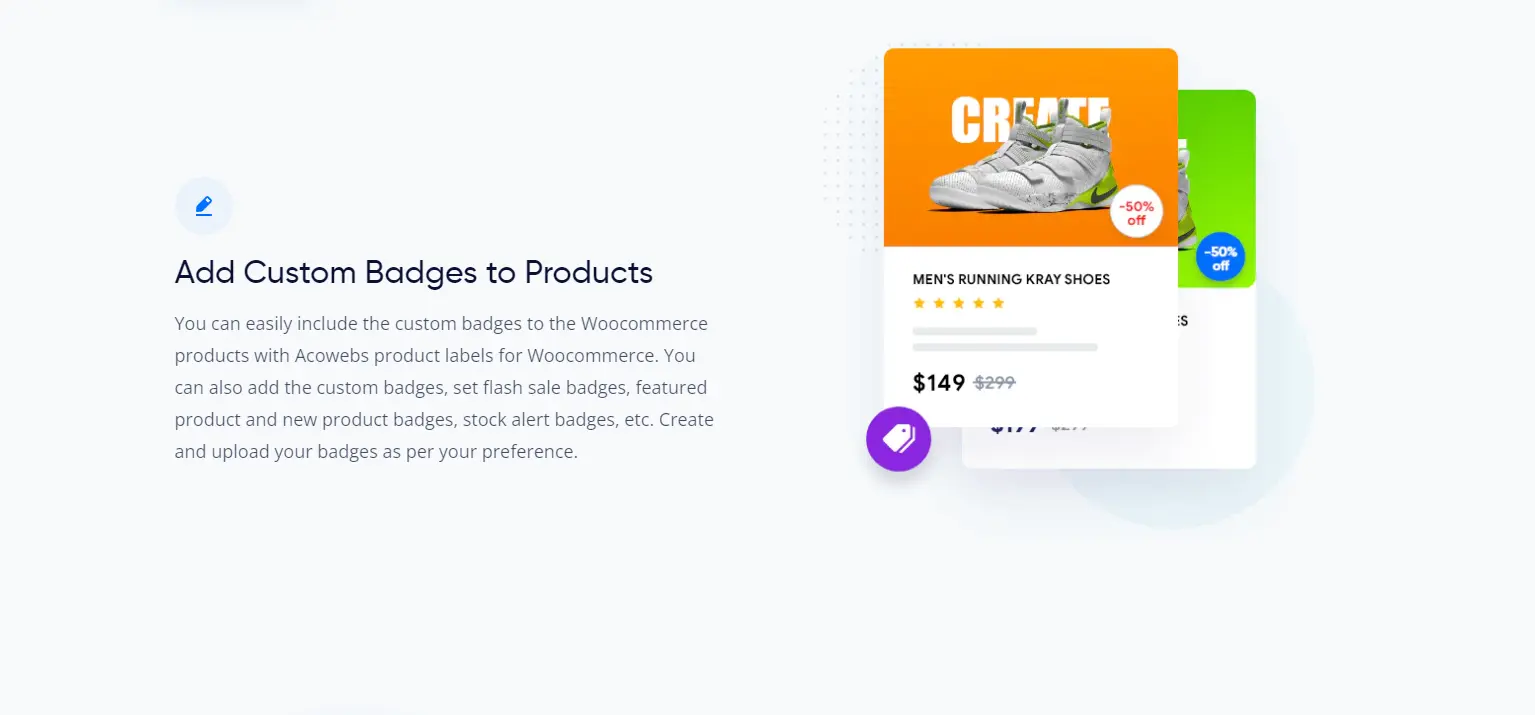
The WooCommerce Product Labels plugin, also known as WooCommerce Sale Badges, simplifies the creation of product labels or badges effortlessly. With its user-friendly interface, you can easily craft custom product labels for WooCommerce products. Whether you want to add labels to specific products or categories or replace the default WooCommerce On Sale badges, this plugin offers the flexibility to do so with ease.

🚀FEATURES

Let’s take a brief look at some of the cool features of this plugin:

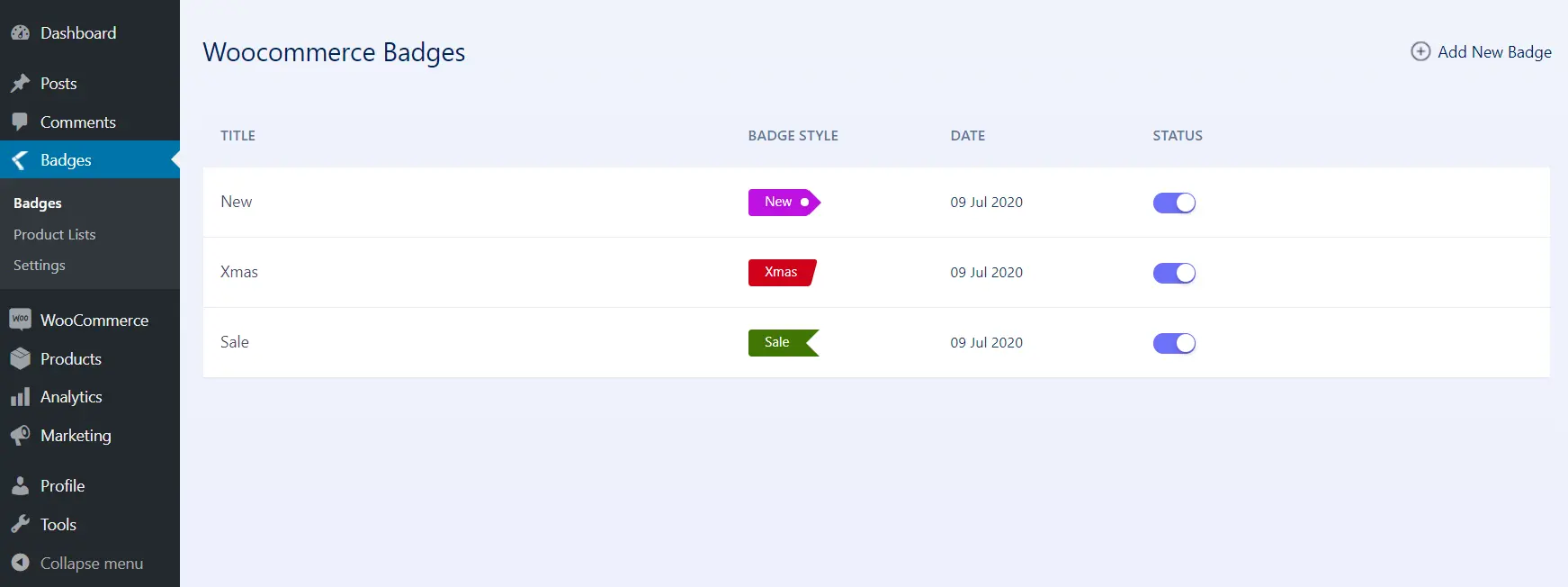
  • Can easily create / manage badges with our easy to use UI.
  • Option to customize badge color, font size, line height, width, opacity, position etc.
  • Live preview for easy positioning / styling.
  • Default / commonly used badge styles available to choose from.
  • Option to set hide / show badges.
  • Option to set badges to a set of products / category.
  • Option to set badges to all products ‘On Sale’.
  • Option to set badges to ‘Out Of Stock’ products.
  • Option to set expiry date & time on badges.
  • Option to hide the default WooCommerce ‘On Sale’ Badge.
  • Option to show discount percenatge (sale / regular price difference) as Badge text.

📽️Demo

Visit this plugin Live Demo here to see how it works.

💵Pricing

  • SINGLE SITE 👉 $43
  • 5 SITES 👉 $99

🖼️Screenshots

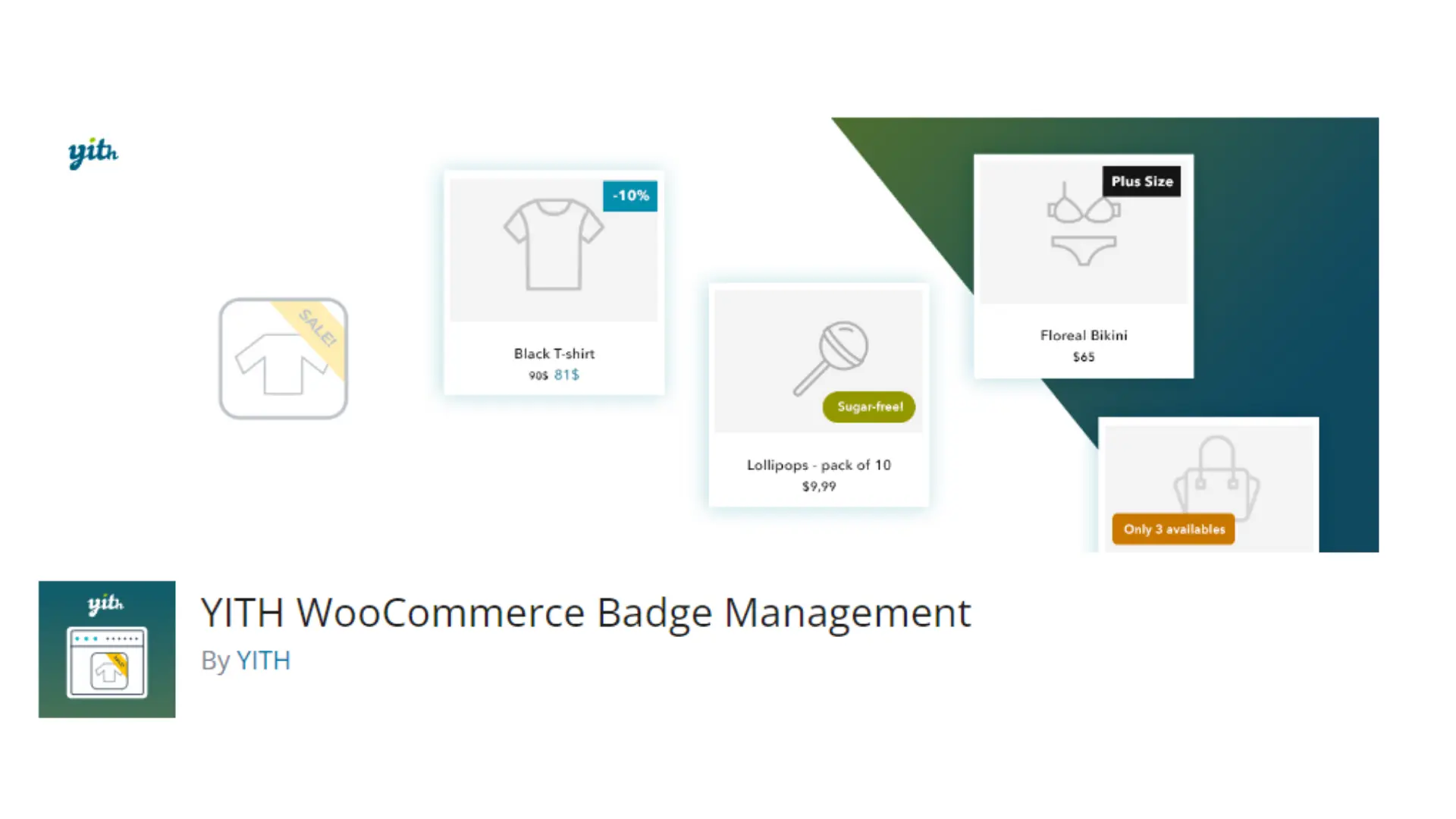
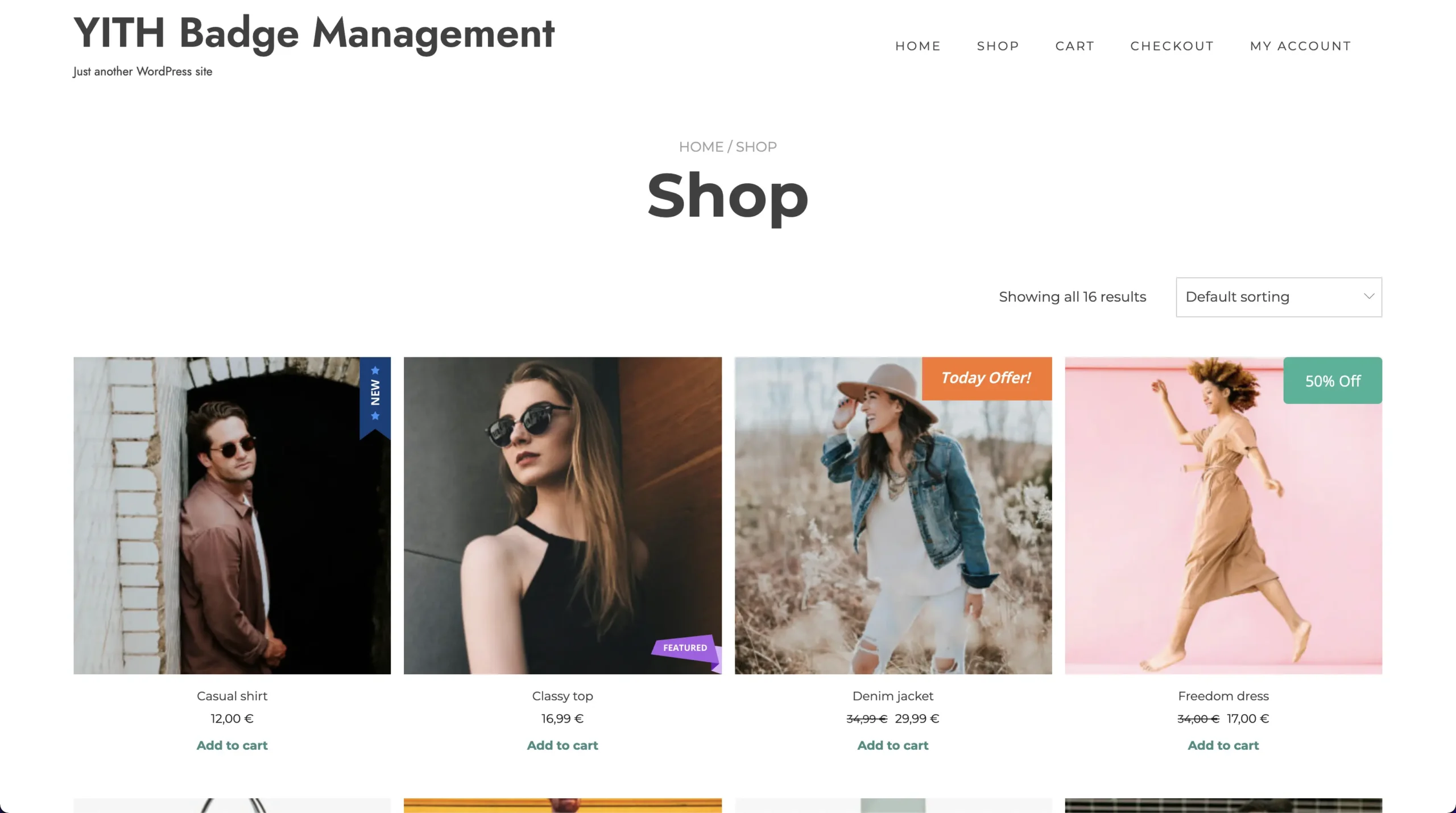
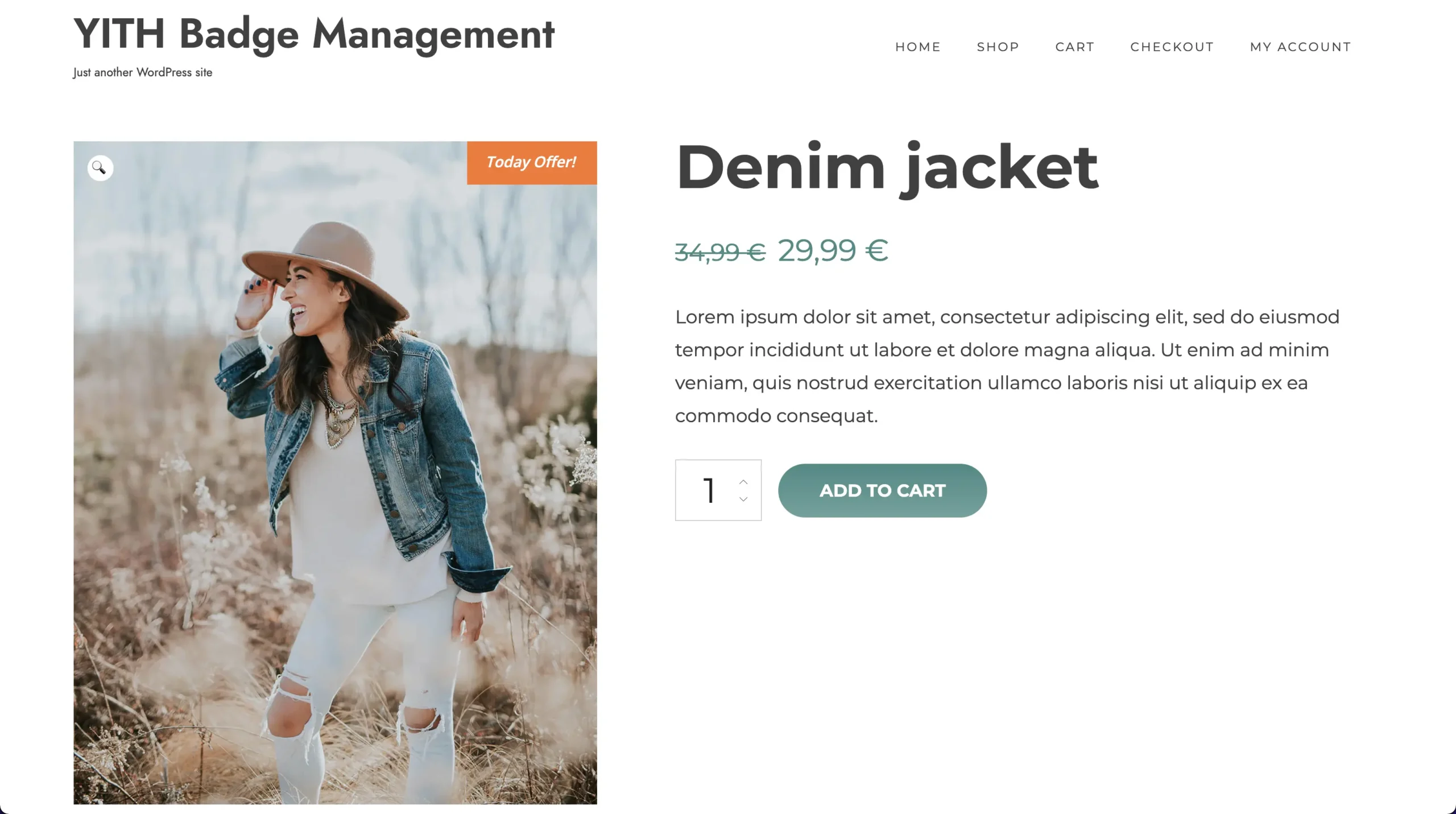
5. YITH WooCommerce Badge Management


Utilizing product badges is an effective strategy for enhancing sales within your e-commerce platform. These badges serve to spotlight key products, whether they’re new arrivals, popular items, featured selections, or others. Moreover, product badges can leverage potent psychological triggers such as scarcity, social proof, and urgency, effectively stimulating sales.

🚀FEATURES

Let’s take a brief look at some of the cool features of this plugin:

  • Create unlimited badges using the advanced builder
  • Create simple textual badges, with or without background
  • Create image badges and choose from 9 different images
  • Set the badge size
  • Set the padding for the textual badges
  • Set the badges border radius
  • Set the badge position (top, bottom, center) and alignment (left, right, center)
  • Hide or replace the default WooCommerce “on sale” badge
  • Assign badges to products

📽️Demo

Visit this plugin Live Demo here to see how it works.

💵Pricing

  • € 79,99/ year

🖼️Screenshots

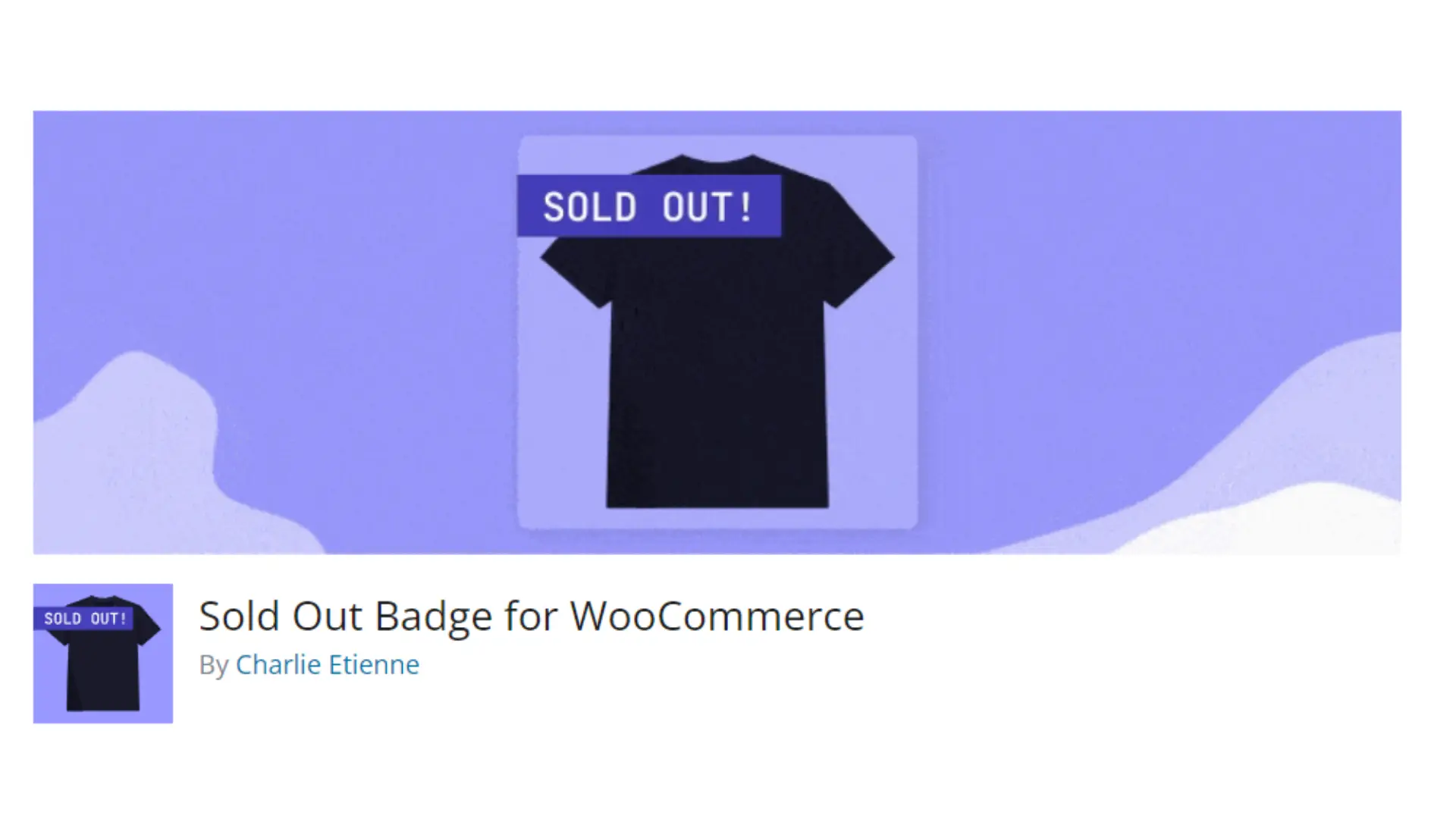
6. Sold Out Badge for WooCommerce


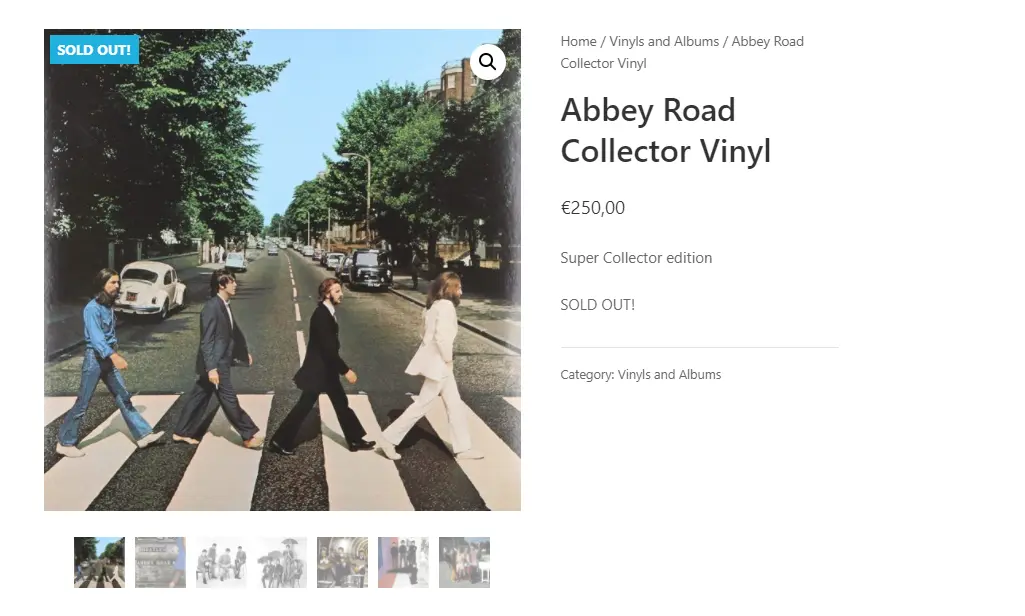
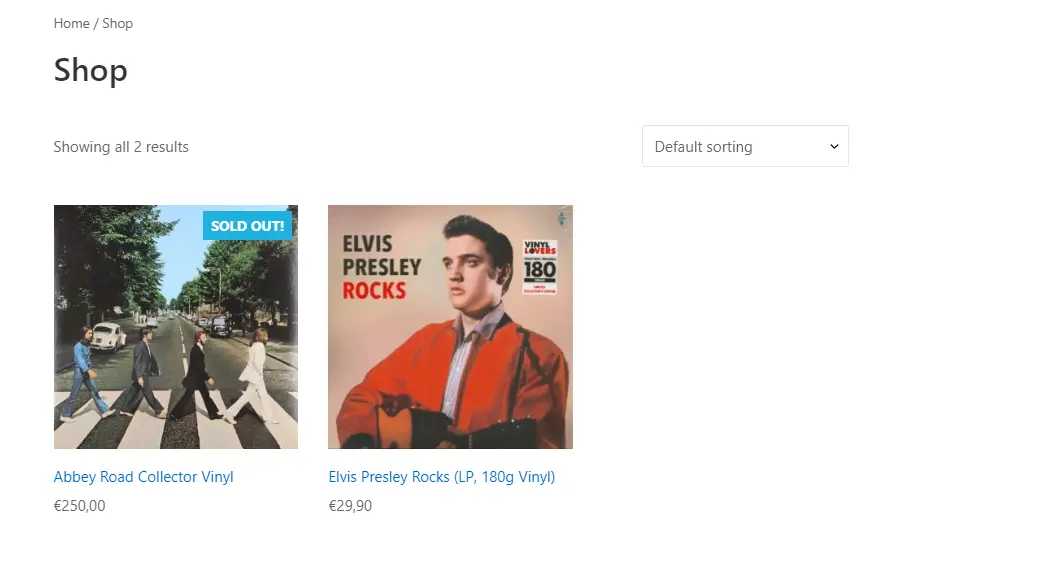
Show a “Sold Out!” badge on products that are out of stock. This plugin for WooCommerce will display a badge on the product thumbnail, featuring the text you’ve specified, when the product becomes out of stock.

🚀FEATURES

Let’s take a brief look at some of the cool features of this plugin:

  • Badge text (you can replace “Sold Out” with any text you want, like “Out of stock” or “Coming Soon“)
  • Badge background color
  • Badge text color
  • Badge font size
  • Badge width
  • Badge height
  • …
  • An option to hide “Sale” badge if you get an overlap (checked by default)

📽️Demo

Visit this plugin Live Demo here to see how it works.

🖼️Screenshots

7. WPC Badge Management for WooCommerce


The WPC Badge Management plugin is incredibly versatile, multipurpose, and powerful. Specifically designed for managing badges in online shops and WooCommerce sites, it goes beyond simple product labeling. It serves as a potent tool for ecommerce business owners, aiding them in increasing conversion rates, boosting sales and revenues, ensuring speedy checkout processes, and enhancing customer retention rates.

🚀FEATURES

Let’s take a brief look at some of the cool features of this plugin:

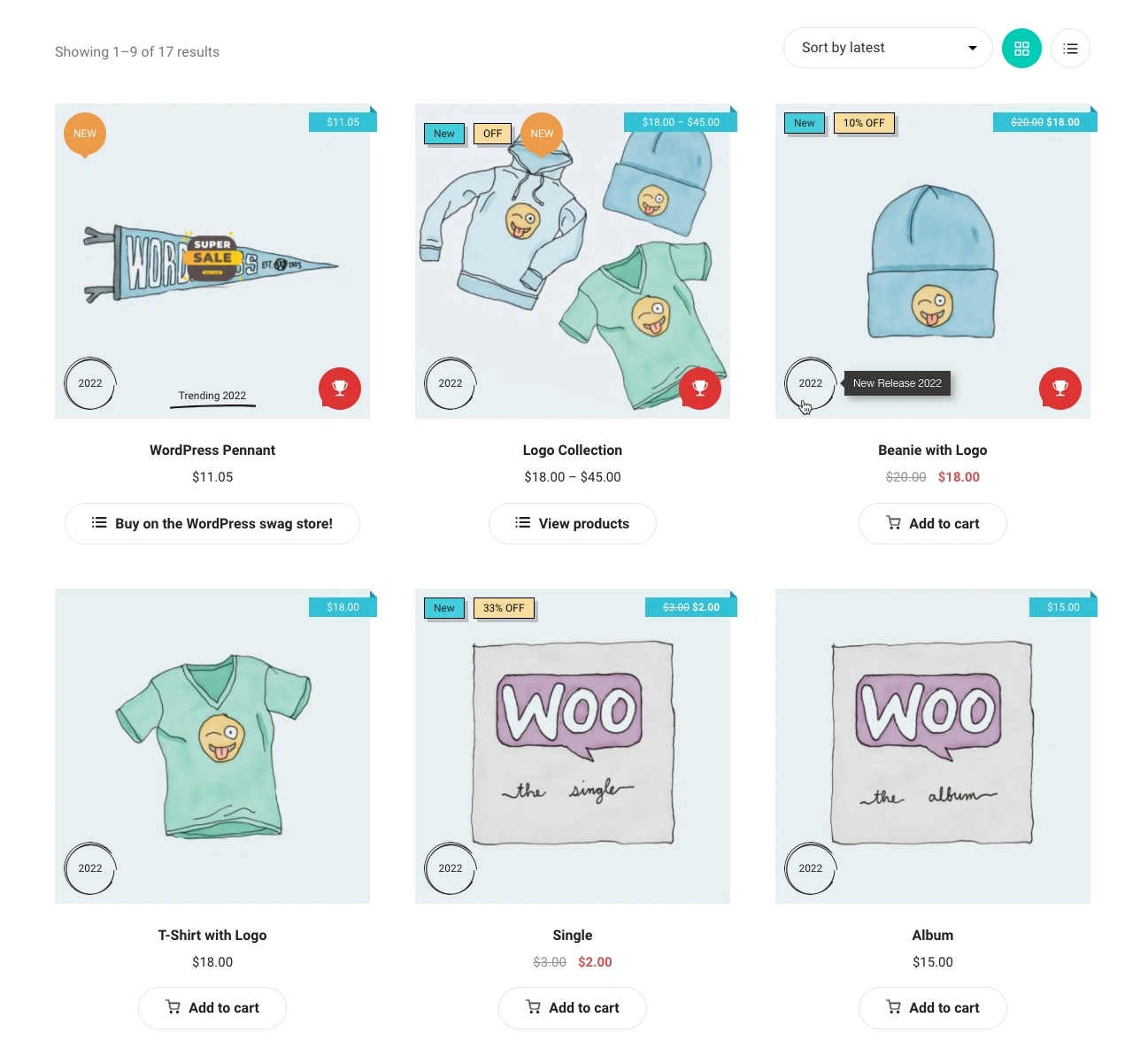
  • More than 22 styles of badges that diversify in images, colors, shapes, texts, etc.
  • Highly customizable Global Badges: excerpt, applicable objects, position, text, colors, tooltip & order
  • Multi-level object application: storewide (all products), on-sale, featured, out of stock, selected tags, categories, brands, product types, specific attributes
  • Various positions: Show or hide badges in more than 10 positions on pages & product images
  • Icons & short-code supported custom text for badges
  • Icon library: support FontAwesome, Feather, Ionicons
  • Orderable badges: input the order to be arranged when there are various badges inserted
  • Instant preview of badges on product image
  • Quickly preview all details of badges from the dashboard
  • (PREMIUM) Using a combination of conditionals
  • (PREMIUM) Groupable badges: manage positions of badges in groups on the single product page, archive page and product image
  • (PREMIUM) Product-level badge management: customize badges for specific products
  • WPC Smart Quick View integration: Customizable position on quick view popup
  • WPC Countdown Timer integration: Customizable badges using custom countdown timer short-code
  • Compatible with WPC plugins, most common WordPress themes and WooCommerce add-ons

📽️Demo

Visit this plugin Live Demo here to see how it works.

💵Pricing

  • SINGLE SITE 👉 $29
  • 5 SITES 👉 $59
  • UNLIMITED 👉 $99

🖼️Screenshots

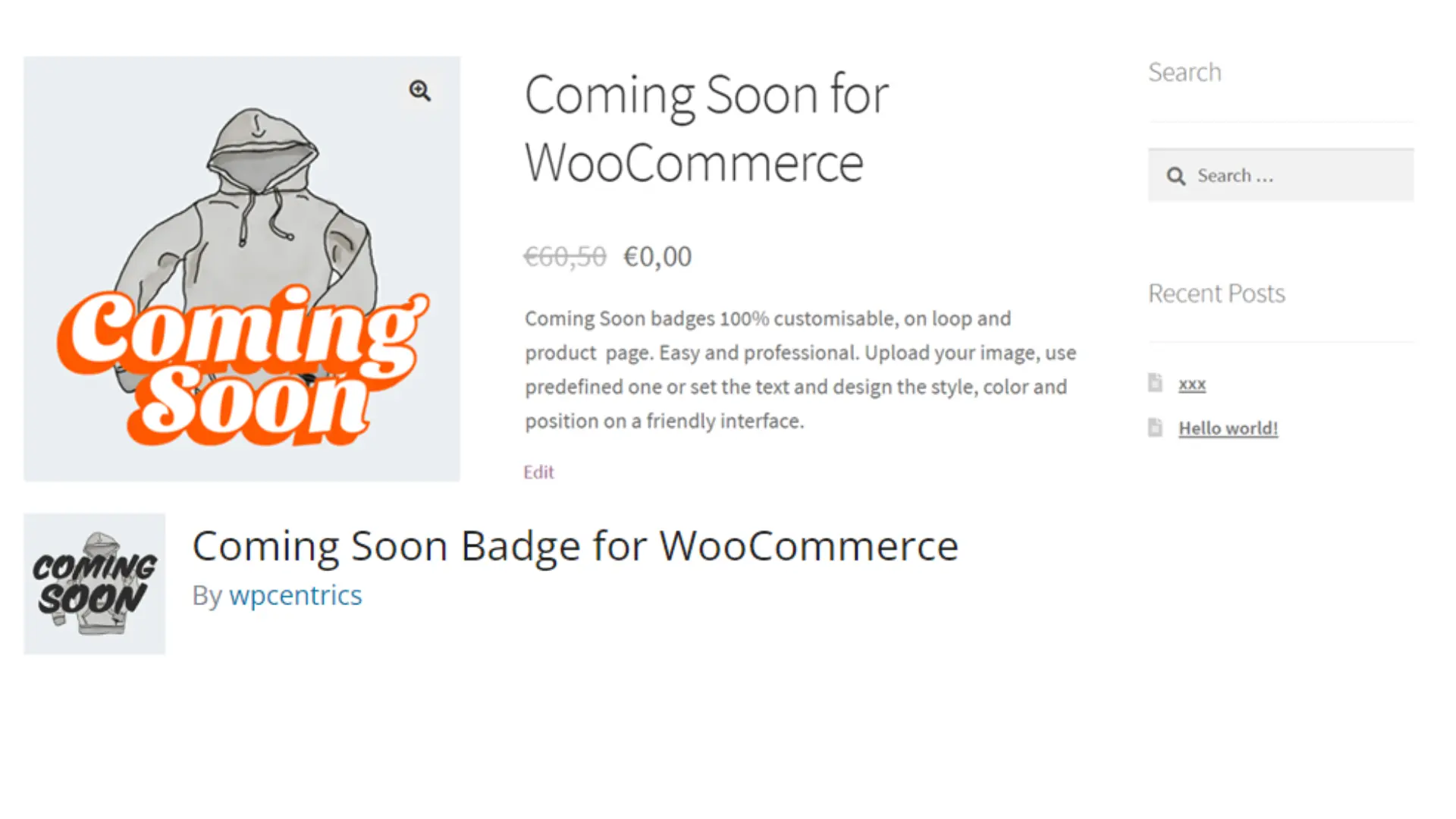
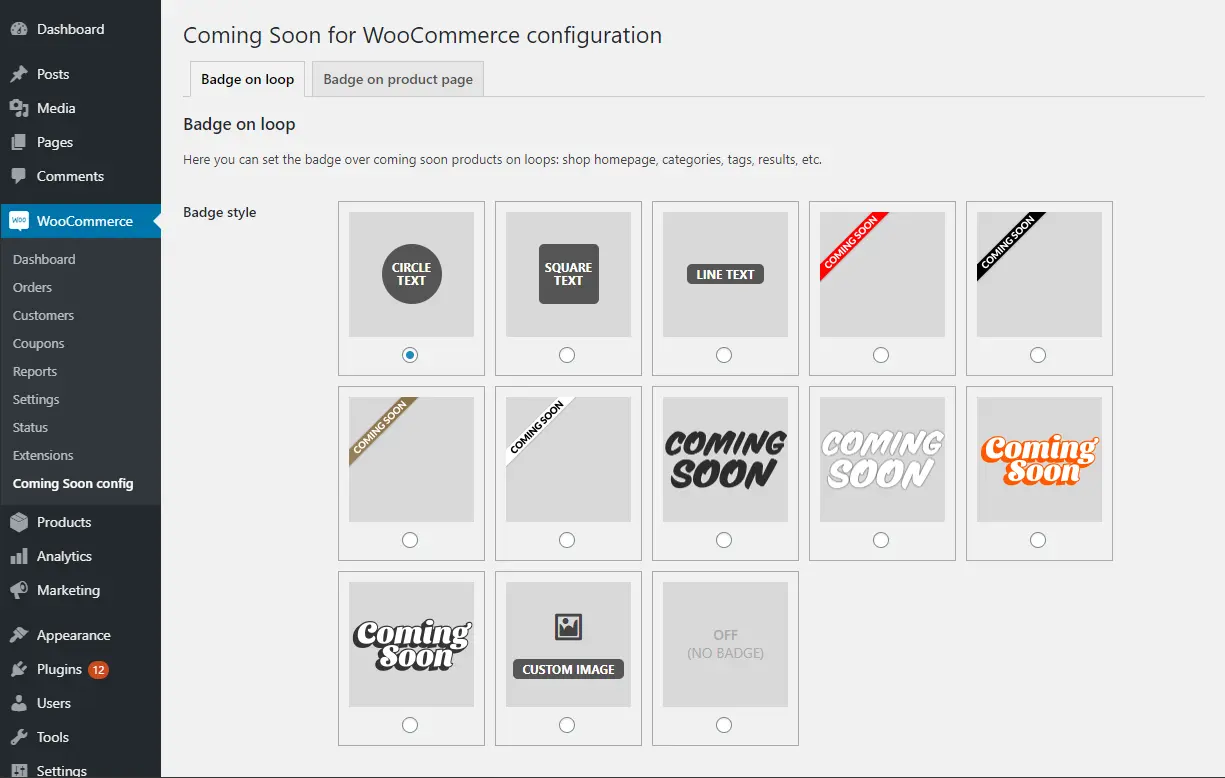
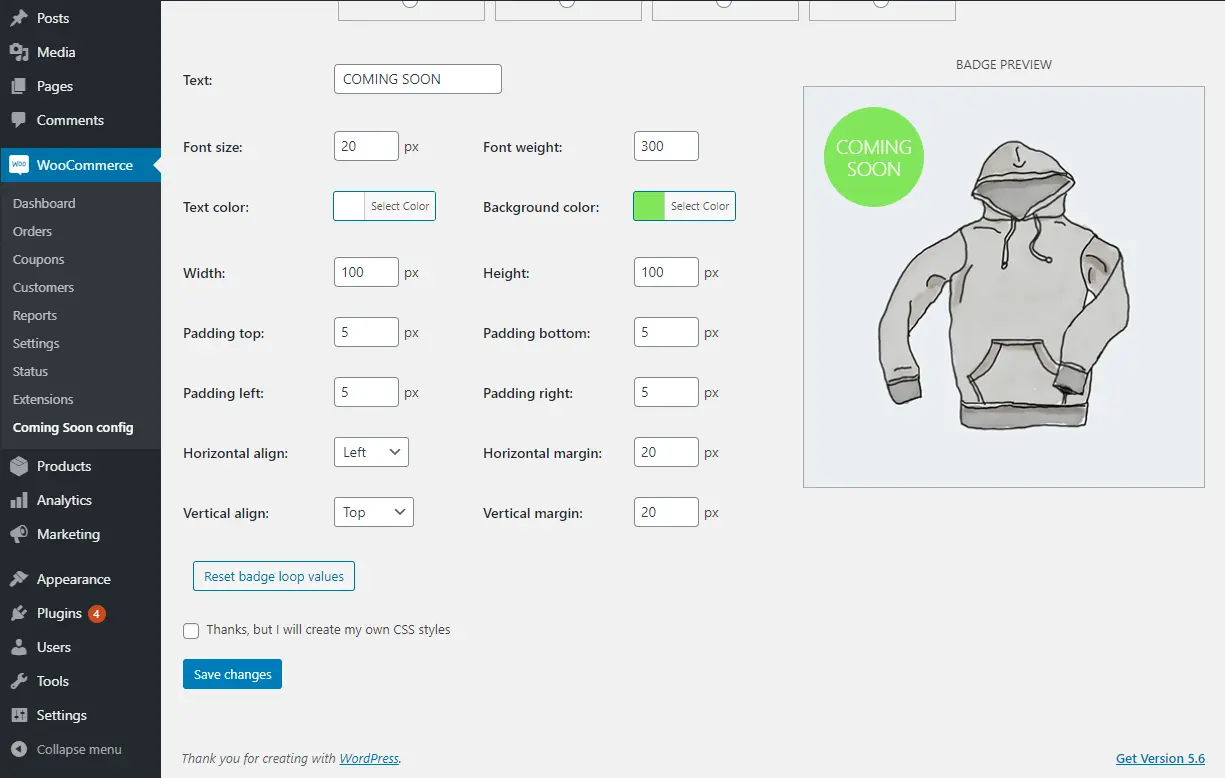
8. Coming Soon Badge for WooCommerce

Easily design your “Coming Soon” badge for WooCommerce products and select which products will display it!

🚀FEATURES

Let’s take a brief look at some of the cool features of this plugin:

  • Custom badge with full control over design: position, size, colors, font-weight, margins, paddings, etc.
  • Super easy and friendly designer: all without writing one line of CSS, with visual live preview
  • Set the same or distinct badge for products loop / product page (or switch off the badge on one of them)
  • Upload your own image if you prefer, or de-activate all plugin CSS generation and add your own
  • After configuration, switch on/off product coming soon badge with a simple checkbox on product edition
  • Compatible with most of WooCommerce themes
  • Compatible with Elementor and Divi

📽️Demo

Visit this plugin Live Demo here to see how it works.

🖼️Screenshots

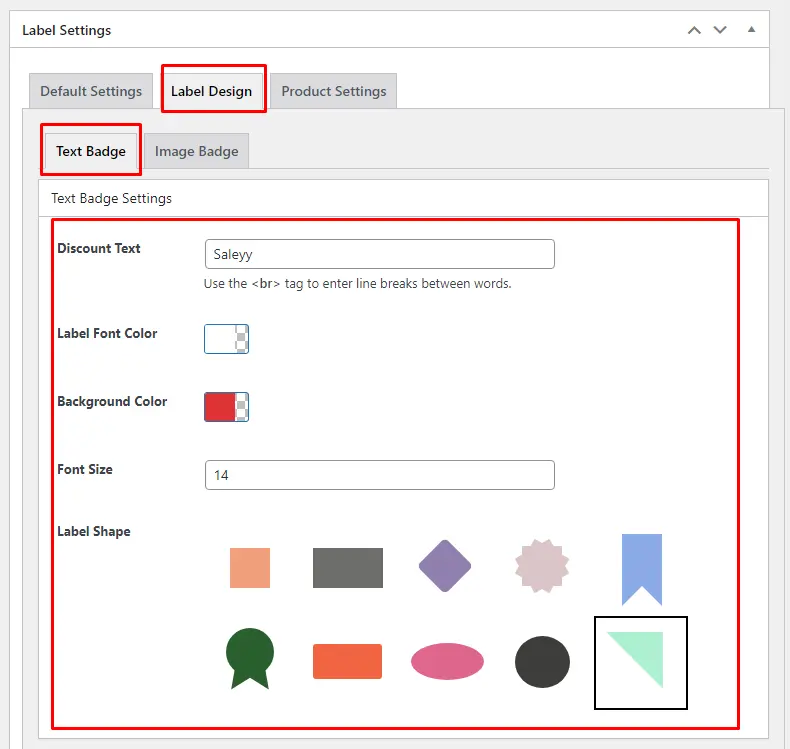
9. Product Badges For Woocommerce


The Product Badges for WooCommerce plugin provides an additional badge on the shop page, single product page, and category page.

🚀FEATURES

Let’s take a brief look at some of the cool features of this plugin:

  • Easy to use
  • You can add new product badges.
  • You can select Show Label.
  • Select Product badge position.
  • Customized Label font size, color and background color.
  • Add Product Discount Text.
  • You can Select Label Shape or Image Badge select.
  • Product Badges add conditionally with product wise and tag wise.
  • WPML Support

📽️Demo

Visit this plugin Live Demo here to see how it works.

💵Pricing

  • SINGLE SITE 👉 $25

🖼️Screenshots

10. Product Badge Manager For Woocommerce


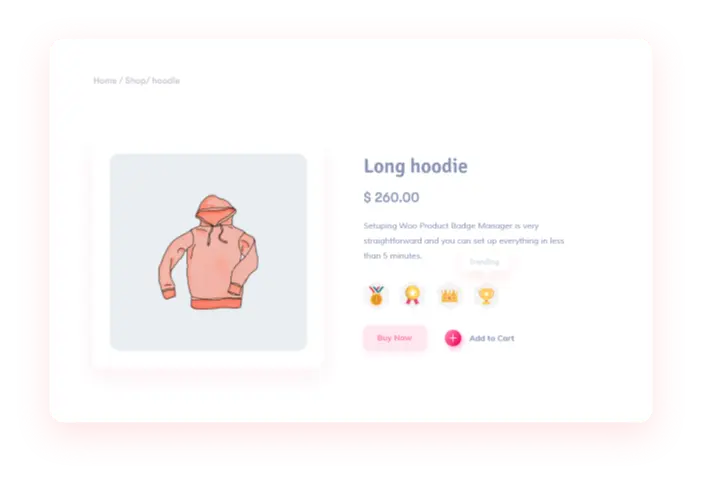
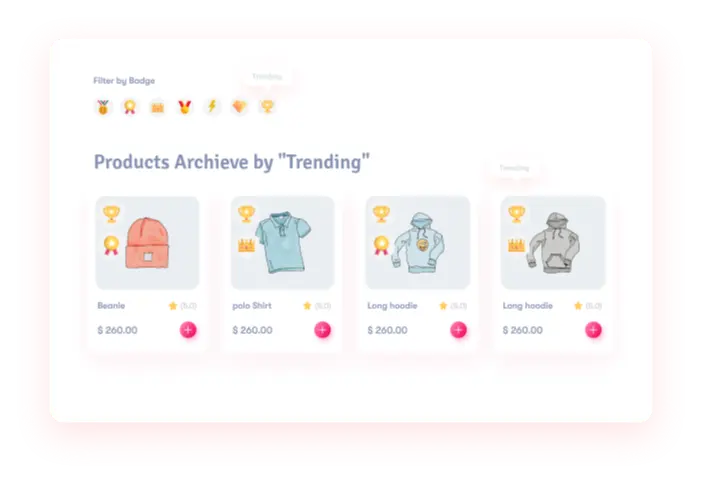
Product Badge Manager for WooCommerce enables you to create unlimited product badges and assign them to your WooCommerce products based on various criteria such as category, attributes, terms, popularity, sales, time, stocks, and more. You can also filter the product archive using these badges.

🚀FEATURES

Let’s take a brief look at some of the cool features of this plugin:

  • Easy to use
  • You can add new product badges.
  • You can select Show Label.
  • Select Product badge position.
  • Customized Label font size, color and background color.
  • Add Product Discount Text.
  • You can Select Label Shape or Image Badge select.
  • Product Badges add conditionally with product wise and tag wise.
  • WPML Support

📽️Demo

Visit this plugin Live Demo here to see how it works.

💵Pricing

  • SINGLE SITE 👉 $25

🖼️Screenshots

Updated on — Leave a comment

10 Best Woocommerce Badge Plugins in 2025

Unveiling the ultimate guide to the 10 best WooCommerce badge plugins in 2025! Elevate your online store’s visibility and customer engagement with these carefully curated badge solutions. Whether you’re highlighting discounts, showcasing bestsellers, or indicating product quality, these plugins offer unparalleled versatility and functionality. Explore this comprehensive list to find the perfect badge plugin tailored to your store’s needs and stay ahead of the competition in 2025.

1. Badge and Product Label for WooCommerce

WooCommerce Badge and Countdown Timer elevate your store’s appeal with customized badges and countdown timers. Maximize your store’s performance and captivate your customers with powerful WooCommerce tools designed to boost sales and engagement. Highlight bestsellers, new arrivals, and special offers with eye-catching WooCommerce product badges that grab attention instantly. Create urgency and drive faster purchases using a dynamic WooCommerce countdown timer for flash sales, limited-time deals, and promotions. Build credibility and social proof with real-time WooCommerce order notifications that show shoppers your store is active and trusted by others. Plus, encourage higher cart values with a fully customizable WooCommerce free shipping bar that motivates customers to reach shipping thresholds.

With these conversion-focused features, you’ll drive urgency, build trust, and turn browsers into loyal buyers—effortlessly

🚀FEATURES

Let’s take a brief look at some of the cool features of this plugin:

  • Over 20 Product Badges
  • Over 10 Modern Badges
  • Add Free Shipping on Product Page
  • Add Discount Popup
  • Add Trust Badges for embeds
  • Add Social Media Icons for embeds
  • Add Payment Icons for embeds
  • Add Multi Bar
  • Add Infinity Bar
  • Add Countdown stock for embeds
  • Add Announcement feature for embeds
  • Add Sales Pop-up
  • Add Notification Bar
  • Add Free Shipping Bar
  • Over 200 Image Labels
  • Over 10 CSS Labels
  • 5 Advanced Labels
  • 8 Timers Template
  • 10 Animation Effects
  • Add Badge to Out Of Image Position
  • Incorporate Gradient Colors
  • Implement Discount Rules
  • Add a Percentage Discount amount
  • Rotate CSS Labels, Image Labels, and Advanced Labels
  • Add Easy Custom labels on products
  • Access CSS label templates
  • Preview is available live for easy placement and customization
  • Add Badges to specific WooCommerce products, categories, or tags
  • Add Badges to “Is On Sale”
  • Add Badges to “In Stock” and “Out Of Stock”
  • Customize label attributes, including color, font size, line height, width, opacity, position, and much more
  • Transform And Rotate Css Labels
  • Set Toggle To the visibility of badges
  • Include an option to set an expiration Date and Time for badges
  • A unique feature for adjusting hooks that control the presentation of product labels, beneficial if your theme encounters issues displaying them or if you wish to reposition the labels
  • Adjust the Position of CSS Labels, Image Labels, and Advanced Labels
  • Include both Vertical and Horizontal Timers
  • Personalize Sale Timers with Styling Options
  • Sale Image Labels
  • Percentage Off Image Labels
  • Coming Soon Image Labels
  • Pre-Order Image Labels
  • Free Image Labels
  • Black Friday Image Labels
  • Valentine’s Day Image Labels
  • Xmas Image Labels

Tested with more than 40+ Themes

  • Flatsome
  • WoodMart 
  • Avada 
  • The7
  • Divi
  • Betheme
  • Uncode 
  • Enfold 
  • Bridge 
  • Salient
  • JupiterX 
  • XStore 
  • Porto 
  • StoreFront
  • Astra
  • OceanWP
  •  and much more

📽️Demo

Visit this plugin Live Demo here to see how it works.

💵Pricing

  • SINGLE SITE 👉 €60.00 €30.00
  • 5 SITES 👉 €200.00 €60.00
  • 25 SITES 👉 €400.00 €99.00

🖼️Screenshots

2. Advanced Woo Labels – Product Labels for WooCommerce


With the Advanced Woo Labels plugin, you can effortlessly generate labels or badges for all your WooCommerce products. Utilize label conditions to selectively display labels based on specific products, pages, or users. Customize label styles using the built-in options.

Capture users’ attention by incorporating information within labels such as discount value, product quantity, product rating, shipping class, stock status, sale status, and more.

🚀FEATURES

Let’s take a brief look at some of the cool features of this plugin:

  • Create unlimited number of labels for each WooCommerce product.
  • Display label in two positions: on product image or before title. Align label at any side of this position.
  • Use labels with custom text. Write any text inside product labels. Also use special text variables to show important product information like Price, Sale price, Discount percentage, Discount amount, SKU, Quantity.
  • Choose from 5 different text label shapes. Set unique styles for each of them with help of custom styling options.
  • Label groups. Show several labels for one product. Set maximal number of such labels, their alignment, priority, distance between them.
  • Label conditions. Show labels based on specific product, page or user conditions. Combine conditions to ‘AND’ and ‘OR’ groups to create more complex label rules.
  • Create unlimited label variations with advanced styling options: change label color, font color, font size, opacity, paddings and margins, set any other custom css individually for each label.
  • Cool admin panel with labels live preview.
  • Special option to change hooks that used to display product labels if your theme has some problem with showing them or if you want to change labels position.
  • Page builder plugins support: Gutenberg, Elementor, Beaver Builder, WPBakery, Divi Builder, Avada Builder, etc.

📽️Demo

Visit this plugin Live Demo here to see how it works.

💵Pricing

  • SINGLE SITE 👉 $59
  • 5 SITES 👉 $79
  • Unlimited SITES 👉 $149

🖼️Screenshots

3. Advanced Product Labels for WooCommerce

The Advanced Product Labels plugin makes creating labels a breeze, allowing you to swiftly promote your free products or showcase special attributes such as “Free Shipping.” With the flexibility of conditions, you can assign each label to specific products within your shop, ensuring targeted promotion and highlighting of key features.

🚀FEATURES

Let’s take a brief look at some of the cool features of this plugin:

  • Custom labels on products
  • Labels for products by specific conditions
  • Labels by: product name, product category, sale status, stock status, bestsellers position, price, total sales count
  • Labels custom text and discount percentage type
  • Labels custom background and text colors
  • Custom label position
  • Multiple labels for one product
  • CSS templates
  • Custom image template
  • Better position for labels
  • Font size for labels
  • Font family for labels
  • Dimensions(px|em|%) for the Height, Width, Font size, Line height, Padding and Margin
  • z-index for labels

📽️Demo

Visit this plugin Live Demo here to see how it works.

💵Pricing

  • SINGLE SITE 👉 $34
  • 3 SITES 👉 $54
  • 5 SITES 👉 $84
  • 10 SITES 👉 $129

🖼️Screenshots

4. Product Labels For Woocommerce (Sale Badges)


The WooCommerce Product Labels plugin, also known as WooCommerce Sale Badges, simplifies the creation of product labels or badges effortlessly. With its user-friendly interface, you can easily craft custom product labels for WooCommerce products. Whether you want to add labels to specific products or categories or replace the default WooCommerce On Sale badges, this plugin offers the flexibility to do so with ease.

🚀FEATURES

Let’s take a brief look at some of the cool features of this plugin:

  • Can easily create / manage badges with our easy to use UI.
  • Option to customize badge color, font size, line height, width, opacity, position etc.
  • Live preview for easy positioning / styling.
  • Default / commonly used badge styles available to choose from.
  • Option to set hide / show badges.
  • Option to set badges to a set of products / category.
  • Option to set badges to all products ‘On Sale’.
  • Option to set badges to ‘Out Of Stock’ products.
  • Option to set expiry date & time on badges.
  • Option to hide the default WooCommerce ‘On Sale’ Badge.
  • Option to show discount percenatge (sale / regular price difference) as Badge text.

📽️Demo

Visit this plugin Live Demo here to see how it works.

💵Pricing

  • SINGLE SITE 👉 $43
  • 5 SITES 👉 $99

🖼️Screenshots

5. YITH WooCommerce Badge Management


Utilizing product badges is an effective strategy for enhancing sales within your e-commerce platform. These badges serve to spotlight key products, whether they’re new arrivals, popular items, featured selections, or others. Moreover, product badges can leverage potent psychological triggers such as scarcity, social proof, and urgency, effectively stimulating sales.

🚀FEATURES

Let’s take a brief look at some of the cool features of this plugin:

  • Create unlimited badges using the advanced builder
  • Create simple textual badges, with or without background
  • Create image badges and choose from 9 different images
  • Set the badge size
  • Set the padding for the textual badges
  • Set the badges border radius
  • Set the badge position (top, bottom, center) and alignment (left, right, center)
  • Hide or replace the default WooCommerce “on sale” badge
  • Assign badges to products

📽️Demo

Visit this plugin Live Demo here to see how it works.

💵Pricing

  • € 79,99/ year

🖼️Screenshots

6. Sold Out Badge for WooCommerce


Show a “Sold Out!” badge on products that are out of stock. This plugin for WooCommerce will display a badge on the product thumbnail, featuring the text you’ve specified, when the product becomes out of stock.

🚀FEATURES

Let’s take a brief look at some of the cool features of this plugin:

  • Badge text (you can replace “Sold Out” with any text you want, like “Out of stock” or “Coming Soon“)
  • Badge background color
  • Badge text color
  • Badge font size
  • Badge width
  • Badge height
  • …
  • An option to hide “Sale” badge if you get an overlap (checked by default)

📽️Demo

Visit this plugin Live Demo here to see how it works.

🖼️Screenshots

7. WPC Badge Management for WooCommerce


The WPC Badge Management plugin is incredibly versatile, multipurpose, and powerful. Specifically designed for managing badges in online shops and WooCommerce sites, it goes beyond simple product labeling. It serves as a potent tool for ecommerce business owners, aiding them in increasing conversion rates, boosting sales and revenues, ensuring speedy checkout processes, and enhancing customer retention rates.

🚀FEATURES

Let’s take a brief look at some of the cool features of this plugin:

  • More than 22 styles of badges that diversify in images, colors, shapes, texts, etc.
  • Highly customizable Global Badges: excerpt, applicable objects, position, text, colors, tooltip & order
  • Multi-level object application: storewide (all products), on-sale, featured, out of stock, selected tags, categories, brands, product types, specific attributes
  • Various positions: Show or hide badges in more than 10 positions on pages & product images
  • Icons & short-code supported custom text for badges
  • Icon library: support FontAwesome, Feather, Ionicons
  • Orderable badges: input the order to be arranged when there are various badges inserted
  • Instant preview of badges on product image
  • Quickly preview all details of badges from the dashboard
  • (PREMIUM) Using a combination of conditionals
  • (PREMIUM) Groupable badges: manage positions of badges in groups on the single product page, archive page and product image
  • (PREMIUM) Product-level badge management: customize badges for specific products
  • WPC Smart Quick View integration: Customizable position on quick view popup
  • WPC Countdown Timer integration: Customizable badges using custom countdown timer short-code
  • Compatible with WPC plugins, most common WordPress themes and WooCommerce add-ons

📽️Demo

Visit this plugin Live Demo here to see how it works.

💵Pricing

  • SINGLE SITE 👉 $29
  • 5 SITES 👉 $59
  • UNLIMITED 👉 $99

🖼️Screenshots

8. Coming Soon Badge for WooCommerce

Easily design your “Coming Soon” badge for WooCommerce products and select which products will display it!

🚀FEATURES

Let’s take a brief look at some of the cool features of this plugin:

  • Custom badge with full control over design: position, size, colors, font-weight, margins, paddings, etc.
  • Super easy and friendly designer: all without writing one line of CSS, with visual live preview
  • Set the same or distinct badge for products loop / product page (or switch off the badge on one of them)
  • Upload your own image if you prefer, or de-activate all plugin CSS generation and add your own
  • After configuration, switch on/off product coming soon badge with a simple checkbox on product edition
  • Compatible with most of WooCommerce themes
  • Compatible with Elementor and Divi

📽️Demo

Visit this plugin Live Demo here to see how it works.

🖼️Screenshots

9. Product Badges For Woocommerce


The Product Badges for WooCommerce plugin provides an additional badge on the shop page, single product page, and category page.

🚀FEATURES

Let’s take a brief look at some of the cool features of this plugin:

  • Easy to use
  • You can add new product badges.
  • You can select Show Label.
  • Select Product badge position.
  • Customized Label font size, color and background color.
  • Add Product Discount Text.
  • You can Select Label Shape or Image Badge select.
  • Product Badges add conditionally with product wise and tag wise.
  • WPML Support

📽️Demo

Visit this plugin Live Demo here to see how it works.

💵Pricing

  • SINGLE SITE 👉 $25

🖼️Screenshots

10. Product Badge Manager For Woocommerce


Product Badge Manager for WooCommerce enables you to create unlimited product badges and assign them to your WooCommerce products based on various criteria such as category, attributes, terms, popularity, sales, time, stocks, and more. You can also filter the product archive using these badges.

🚀FEATURES

Let’s take a brief look at some of the cool features of this plugin:

  • Easy to use
  • You can add new product badges.
  • You can select Show Label.
  • Select Product badge position.
  • Customized Label font size, color and background color.
  • Add Product Discount Text.
  • You can Select Label Shape or Image Badge select.
  • Product Badges add conditionally with product wise and tag wise.
  • WPML Support

📽️Demo

Visit this plugin Live Demo here to see how it works.

💵Pricing

  • SINGLE SITE 👉 $25

🖼️Screenshots