
Finding the best WooCommerce discount plugins can help you increase sales, encourage larger orders, and run promotional campaigns without manually changing product prices. Whether you want to offer bulk discounts, create Buy One Get One Free (BOGO) deals, reward loyal customers, or automate seasonal promotions, the right WooCommerce discount plugin makes managing these offers much easier.
WooCommerce includes basic coupon functionality, but it doesn’t provide every pricing strategy that growing stores need. Creating advanced quantity discounts, tiered pricing, automatic BOGO offers, customer-specific discounts, and conditional cart promotions usually requires an additional plugin.
In this guide, we’ll compare 10 WooCommerce discount plugins in 2026, including free and premium options. We’ll examine their features, pricing, advantages, and limitations to help you choose the right solution for your store.
We’ll also look at how product badges, countdown timers, and promotional notifications can make your discounts more visible to shoppers.
Whether you need a WooCommerce dynamic pricing plugin, a bulk discount solution, a BOGO plugin, or a tool for coupon automation, you’ll find suitable options below.
Table of Contents
- Quick Comparison of the Best WooCommerce Discount Plugins
- How We Evaluated These WooCommerce Discount Plugins
- 1. Discount Rules and Dynamic Pricing for WooCommerce (AsanaPlugins)
- 2. Discount Rules for WooCommerce (Flycart)
- 3. Advanced Dynamic Pricing for WooCommerce (AlgolPlus)
- 4. WooCommerce Discount Manager (Barn2)
- 5. Dynamic Pricing with Discount Rules for WooCommerce (Acowebs)
- 6. Advanced Coupons for WooCommerce
- 7. YayPricing – WooCommerce Dynamic Pricing and Discounts
- 8. YITH WooCommerce Dynamic Pricing and Discounts
- 9. ELEX WooCommerce Dynamic Pricing and Discounts
- 10. Smart Coupons for WooCommerce (WebToffee)
- Bonus: Sale Booster – Product Badges, Countdown Timers, and Promotional Tools for WooCommerce
- 1. Custom WooCommerce Product Badges and Labels
- 2. Dynamic Discount Badges
- 3. WooCommerce Countdown Timers
- 4. Schedule Product Badges
- 5. Quick View for WooCommerce Products
- 6. Sticky Add to Cart
- 7. Sales Popups and Discount Notifications
- 8. Free Shipping Progress Bar
- 9. Trust Badges, Payment Icons, and Promotional Banners
- Free vs. Pro Comparison
- Pros
- Cons
- Pricing
- Why Use Discount Rules and Sale Booster Together?
- How WooCommerce Discounts Can Increase Sales and Average Order Value
- How Much More Revenue Can a WooCommerce Store Generate with Discounts?
- How to Choose the Right WooCommerce Dynamic Pricing Plugin
- Frequently Asked Questions
- What is the best free WooCommerce discount plugin?
- What is the best WooCommerce dynamic pricing plugin?
- How do I automatically apply discounts in WooCommerce?
- Can I create Buy One Get One Free offers in WooCommerce?
- Can I create bulk discounts in WooCommerce?
- Can I schedule WooCommerce discounts?
- Do WooCommerce discount plugins slow down a website?
- Can I use multiple WooCommerce discount plugins together?
- What is the difference between a discount plugin and a sale badge plugin?
- Final Verdict: Choosing the Best WooCommerce Discount Plugin
Quick Comparison of the Best WooCommerce Discount Plugins
Here is a quick overview of the best WooCommerce discount plugins and what makes each one useful.
| Plugin | Free version | Dynamic pricing | BOGO | Bulk discounts | Best for |
|---|---|---|---|---|---|
| Discount Rules & Dynamic Pricing (AsanaPlugins) | Yes | Yes | Yes | Yes | All-around discount campaigns |
| Discount Rules for WooCommerce (Flycart) | Yes | Yes | Pro | Yes | Advanced discount rules |
| Advanced Dynamic Pricing (AlgolPlus) | Yes | Yes | Pro | Yes | Complex pricing conditions |
| WooCommerce Discount Manager (Barn2) | No | Yes | Yes | Yes | Discount creation and display |
| Dynamic Pricing With Discount Rules (Acowebs) | Yes | Yes | Pro | Yes | Flexible product pricing |
| Advanced Coupons | Yes | Limited | Pro | Limited | Advanced coupon campaigns |
| YayPricing | Yes | Yes | Yes | Yes | Dynamic promotions |
| YITH Dynamic Pricing & Discounts | No | Yes | Yes | Yes | Advanced promotional rules |
| ELEX Dynamic Pricing & Discounts | Yes | Yes | Pro | Yes | Weight- and quantity-based pricing |
| Smart Coupons (WebToffee) | Yes | Coupon-based | Yes | Limited | Coupon management |
Important: The availability of specific features depends on the plugin version and license. Some free versions offer basic functionality while reserving advanced conditions and promotional options for Pro.
Which WooCommerce Discount Plugin Is Best for Your Store?
If you don’t have time to read all ten reviews, here are our recommendations by use case.
| Your requirement | Recommended plugin |
|---|---|
| Best all-around discount plugin | Discount Rules and Dynamic Pricing |
| Best free discount solution | Discount Rules and Dynamic Pricing |
| Advanced rule-based discounts | Flycart Discount Rules |
| Complex dynamic pricing conditions | Advanced Dynamic Pricing |
| Discount tables and storefront displays | Barn2 Discount Manager |
| Flexible product and quantity pricing | Acowebs Dynamic Pricing |
| Coupon marketing and store credit | Advanced Coupons |
| Modern dynamic pricing and promotions | YayPricing |
| Advanced BOGO and gift campaigns | YITH Dynamic Pricing |
| Weight-based and quantity discounts | ELEX Dynamic Pricing |
| Coupon automation | WebToffee Smart Coupons |
How We Evaluated These WooCommerce Discount Plugins
There are many WooCommerce discount plugins, but not all of them solve the same problem.
Some are designed to create dynamic product prices, while others specialize in coupon marketing, BOGO promotions, or customer-specific pricing.
To make this comparison useful, we considered the following criteria:
1. Discount types
We considered whether each plugin supports percentage discounts, fixed discounts, BOGO offers, quantity discounts, tiered pricing, cart discounts, and other common promotions.
2. Rule flexibility
We looked at the ability to target specific products, categories, customers, user roles, and cart conditions.
3. Automation
We considered automatic discount application, scheduled promotions, and coupon automation.
4. Ease of use
A discount plugin should make it easy to create and manage promotional rules without requiring custom code.
5. Frontend discount presentation
Customers should be able to understand available discounts. We considered product-page messages, pricing tables, discounted prices, and savings displays.
6. Free and Pro functionality
We compared the functionality available in free versions against premium upgrades.
7. Pricing, maintenance, and support
We considered official license pricing where publicly available, documentation, update activity, and customer feedback.
Disclosure: AsanaPlugins develops the first plugin in this comparison. We’ve identified that relationship and included competing products with their own advantages and limitations to help store owners make informed decisions.
1. Discount Rules and Dynamic Pricing for WooCommerce (AsanaPlugins)
Best for: Store owners who want a comprehensive discount solution with BOGO deals, bulk pricing, automatic coupons, and advanced dynamic pricing.
Free version: Available on WordPress.org.
Pro version: €39–€99, depending on the selected license.
WordPress.org rating: 4.7/5.
Active installations: 9,000+.
Official website: Discount Rules and Dynamic Pricing for WooCommerce
Free download: Download Discount Rules
Documentation: Discount Rules Documentation
Discount Rules and Dynamic Pricing for WooCommerce by AsanaPlugins is a comprehensive solution for creating product discounts, cart promotions, quantity-based pricing, and BOGO campaigns.
It allows store owners to create promotional rules without manually editing product prices or requiring customers to enter coupon codes for every offer.
One of its biggest advantages is its free version, which already supports many of the discount types that WooCommerce store owners commonly need.
Main Features
Product and category discounts
Create percentage-based and fixed-amount discounts for individual products, selected categories, or your entire store.
For example:
- Apply 20% off to an entire product category.
- Give customers $10 off selected products.
- Run a storewide percentage discount during Black Friday.
- Schedule a promotion for a specific date range.
You can also exclude selected products from discount rules when some items should remain at their regular prices.
WooCommerce Bulk and Quantity Discounts
Encourage customers to purchase more by offering lower prices when they buy larger quantities.
For example:
| Quantity | Discount |
|---|---|
| 1–4 items | Regular price |
| 5–9 items | 10% off |
| 10–19 items | 15% off |
| 20+ items | 20% off |
Basic quantity-based discount tiers are available in the free version. Pro adds more advanced tiered pricing conditions and customer-specific pricing.
The plugin can also display a quantity pricing table on the product page so customers can see how much they save when purchasing more.
WooCommerce BOGO Deals and Buy One Get One Free Offers
Create different BOGO promotions, including:
- Buy 1 Get 1 Free.
- Buy 2 Get 1 Free.
- Buy 3 Get 1 Free.
- Buy X Get Y.
- Buy X and receive Y at a discounted price.
- Buy products from selected categories and receive additional products.
For example, you can allow customers to purchase two units of a product and receive a third unit for free.
The free version supports common BOGO scenarios for simple and variable products. Advanced category-based and variation-specific BOGO conditions are available in Pro.
Read how to create Buy One Get One Free deals in WooCommerce for more information.
Automatic WooCommerce Discounts and Manual Coupons
Create automatic coupons that apply when customers meet specific conditions, or use traditional coupon codes for targeted promotions.
For example, automatically apply a 10% discount when the cart subtotal reaches $100.
Cart and order discounts
Create discounts based on cart value, product quantities, and other conditions.
Examples include:
- Spend $100 and receive 10% off.
- Spend $200 and receive 15% off.
- Apply a discount when a minimum number of products is added to the cart.
- Run a storewide cart promotion during a seasonal sale.
Shipping promotions
Create free-shipping methods based on cart total, product weight, and other conditions.
The plugin also supports scheduled shipping methods and rules for showing or hiding shipping options. Advanced shipping conditions and the dedicated shipping-discount functionality are available through the relevant Pro features and add-on.
Advanced WooCommerce Discount Rules and Customer Targeting
The Pro version provides more advanced options, including:
- User-role and wholesale pricing.
- Purchase-history conditions.
- First-order discounts.
- Customer-specific pricing.
- Advanced tiered pricing.
- Live product-page price updates.
- Product bundle discounts.
- Mix-and-match pricing.
- Conditional checkout fees.
- URL coupons.
- Recurring discounts for WooCommerce Subscriptions.
- Advanced shipping discounts.
These capabilities are useful when you want to create different offers for wholesale customers, returning customers, or shoppers who meet particular cart conditions.
Free vs. Pro Comparison
| Feature | Free | Pro |
|---|---|---|
| Product discounts | Yes | Yes |
| Category discounts | Yes | Yes |
| Storewide discounts | Yes | Yes |
| Basic quantity discounts | Yes | Yes |
| Advanced tiered pricing | Limited | Yes |
| BOGO deals | Yes | Yes |
| Category-based BOGO | No | Yes |
| Variation-specific BOGO | Limited | Yes |
| Automatic coupons | Yes | Yes |
| Manual coupons | Yes | Yes |
| Cart-total discounts | Yes | Yes |
| Basic free-shipping conditions | Yes | Yes |
| Advanced shipping conditions | No | Yes |
| Advanced user-role pricing | No | Yes |
| Purchase-history conditions | No | Yes |
| Live product-price display | No | Yes |
| Product bundle discounts | No | Yes |
| Mix-and-match discounts | No | Yes |
| Conditional checkout fees | No | Yes |
| URL coupons | No | Yes |
Pros
- Generous free version with several useful discount types.
- Supports multiple BOGO scenarios.
- Offers bulk and quantity-based pricing.
- Automatically applies eligible discounts.
- Supports scheduled promotional rules.
- Displays quantity pricing tables and product-page messages.
- Provides cart and checkout savings information.
- Advanced conditions support more targeted campaigns.
- Detailed documentation and video tutorials.
Cons
- Advanced pricing rules can take some time to learn.
- Sophisticated customer-targeting and pricing scenarios require Pro.
- Stores using multiple discount extensions should test rule interactions and checkout compatibility.
Pricing
The official product page displays Pro license options ranging from €39 to €99, depending on the selected license.
The free version is available through WordPress.org.
You can start with the free version and upgrade when you need advanced pricing conditions, customer-specific discounts, or additional promotional capabilities.
Verdict: Discount Rules and Dynamic Pricing is an excellent starting point for stores that need more than basic WooCommerce coupons. Its combination of free BOGO, quantity discounts, cart promotions, and advanced Pro functionality makes it a strong all-around choice.
Download the free plugin | Explore Pro
2. Discount Rules for WooCommerce (Flycart)

Best for: Stores that need a flexible discount-rule engine and advanced promotional conditions.
Free version: Available.
Pro version: Single-site pricing is listed at $255 for three years, equivalent to $85 per year at regular pricing. Promotional offers may reduce the total.
Active installations: 100,000+.
Official website: Discount Rules for WooCommerce
Discount Rules for WooCommerce by Flycart is one of the established options in the WooCommerce dynamic pricing category.
It allows store owners to configure discounts based on products, quantities, cart totals, customer roles, and other conditions.
The plugin is particularly useful for stores that need more control over how discounts are calculated.
Main Features
- Percentage-based discounts.
- Fixed-price discounts.
- Storewide promotions.
- Product-specific discounts.
- Category-based discount rules.
- Bulk and tiered pricing.
- Quantity-based discounts.
- Cart subtotal discounts.
- User-role-based pricing.
- Purchase-history conditions.
- Product variation discounts.
- BOGO promotions.
- Free-product offers.
- Scheduled promotions.
- Product and cart discount messages.
- Multiple discount-rule conditions.
For example, you can offer 10% off when customers purchase five products, or create a special discount for wholesale customers.
The Pro version provides more advanced promotions, including BOGO, product bundles, customer-specific conditions, and additional targeting options.
Pros
- Established plugin with a large installed base.
- Extensive discount-rule functionality.
- Supports bulk and tiered pricing.
- Advanced customer conditions.
- Multiple promotional strategies.
- Detailed documentation.
Cons
- Several advanced promotional features require Pro.
- Advanced rule configurations may be complicated for beginners.
- The feature set may be excessive for stores that only need basic discounts.
Pricing
The official pricing page lists the single-site Pro license at $255 for three years, equivalent to $85 per year at regular pricing.
Five-site and 25-site licenses are also available.
Check the official pricing page for active promotional offers and renewal terms.
Verdict: Flycart is a strong option for stores that need an established discount engine with advanced rules. It is particularly worth considering when you need complex targeting and are comfortable purchasing a premium license.
Download the free version | View Pro pricing
3. Advanced Dynamic Pricing for WooCommerce (AlgolPlus)
Best for: Stores that need advanced discount calculations, complex cart conditions, and dynamic pricing.
Free version: Available.
Pro version: Starts at $60/year for one website.
Official website: Advanced Dynamic Pricing for WooCommerce
Advanced Dynamic Pricing for WooCommerce by AlgolPlus provides a rule-based system for configuring product and cart discounts.
It is useful for stores that need more control over discount calculations, customer conditions, and combinations of products.
Main Features
- Product-specific discounts.
- Category-based pricing rules.
- Bulk and quantity discounts.
- Cart discounts.
- Product-combination conditions.
- Customer and user-role conditions.
- Purchase-history conditions.
- BOGO promotions in Pro.
- Gift-product promotions.
- Scheduled promotional rules.
- Dynamic frontend pricing.
- Shipping-method conditions.
- Payment-method conditions.
- Discounts based on exact time periods.
For example, a store can offer a special discount to customers placing their first order, or create promotions based on the total weight of products in the cart.
The Pro version also supports updating prices dynamically when customers change quantities on product pages.
Pros
- Flexible discount calculations.
- Supports advanced cart conditions.
- Useful for stores with complex pricing requirements.
- Dynamic frontend pricing.
- Multiple license options.
Cons
- The number of settings can be overwhelming for beginners.
- Advanced promotions require the paid version.
- Complex pricing strategies require careful testing.
Pricing
The official website lists the following Pro licenses:
| License | Annual price |
|---|---|
| 1 website | $60 |
| 3 websites | $120 |
| 5 websites | $180 |
| 10 websites | $250 |
The license includes one year of updates and support.
Verdict: Advanced Dynamic Pricing is worth considering if your store relies on complex pricing conditions, product combinations, and customer-specific offers.
Download the free version | View Pro pricing
4. WooCommerce Discount Manager (Barn2)
Best for: Store owners who want to create discounts and display promotional offers clearly on product pages.
Free version: No standalone WordPress.org version listed.
Premium version: Check the current official pricing and licensing options.
Official website: WooCommerce Discount Manager
WooCommerce Discount Manager by Barn2 focuses on making it easier to create discounts and communicate promotional offers to shoppers.
One of its main strengths is its attention to how discounts are presented on the storefront.
This is important because customers need to understand available offers before deciding to add more products to their carts.
Main Features
- Percentage and fixed-price discounts.
- Total-spend discounts.
- Product and category promotions.
- Storewide sales.
- BOGO and free-product offers.
- Buy X products for a fixed price.
- Quantity-based discount tiers.
- Bulk pricing.
- Volume bundles.
- User-role-based pricing.
- Customer-specific pricing.
- Scheduled promotions.
- Product-page discount messages.
- Quantity pricing tables.
- Cart savings displays.
For example, you can offer five products for $100 or give customers a percentage discount when they purchase a minimum quantity.
The plugin also allows store owners to display promotional messages and pricing tables that help customers understand how much they can save.
Pros
- Strong focus on discount presentation.
- Multiple discount types in one plugin.
- Quantity pricing tables.
- Scheduled promotional rules.
- Customer and role targeting.
- Guided setup and support.
Cons
- No standalone free version is listed.
- Licensing may be less attractive for stores looking for a low-cost single-purpose plugin.
- Stores needing advanced coupon marketing may need an additional coupon plugin.
- Some discount display configurations require additional setup.
Pricing
Barn2 offers individual plugin licensing and bundle options. Its current official product page also promotes an All Access Pass.
Because the available licensing and bundle offers can change, check the current purchase options before selecting a plan.
Verdict: Barn2 is a good option if your priority is creating straightforward promotions and displaying them clearly on product and cart pages. It is particularly attractive to store owners who prefer a guided setup process.
View WooCommerce Discount Manager
5. Dynamic Pricing with Discount Rules for WooCommerce (Acowebs)
Best for: Stores that need flexible product discounts, quantity pricing, and customer-based promotional rules.
Free version: Available.
Pro version: Starts at $49/year for one website, with lifetime options listed by the vendor.
Official website: Acowebs Dynamic Pricing
Acowebs Dynamic Pricing with Discount Rules is designed to help WooCommerce store owners create conditional pricing rules and promotional campaigns.
It provides options for applying discounts based on products, quantities, users, and cart conditions.
Main Features
- Product-based discount rules.
- Category-based pricing.
- Percentage and fixed-price discounts.
- Quantity discounts.
- Bulk pricing.
- Cart-based discounts.
- BOGO promotions in Pro.
- Gift-product offers in Pro.
- User-role restrictions.
- Individual customer targeting.
- Purchase-history conditions.
- Usage limits.
- Scheduled discounts.
- Product-page pricing tables.
- Active-discount shortcodes.
For example, you can configure a promotion that gives customers a discount when purchasing multiple quantities of a product.
The Pro version also supports gifting products when customers meet certain conditions, such as purchasing from a selected category or reaching a minimum cart value.
Pros
- Offers a range of discount types.
- Supports quantity-based pricing.
- Provides customer and role restrictions.
- Includes scheduling and usage-limit options.
- Offers product-page pricing tables.
- Supports multilingual websites.
Cons
- Advanced features require the Pro version.
- The number of configuration options may require some learning.
- Its free version uses virtual coupons, so WooCommerce coupon functionality must remain enabled.
- The frontend experience should be tested with your active theme.
Pricing
The vendor’s listed pricing includes:
| License | Annual | Lifetime |
|---|---|---|
| 1 website | $49 | $119 |
| Up to 5 websites | $119 | $249 |
Check the official pricing page for the current license options.
Verdict: Acowebs is worth considering if you need conditional discount rules, product pricing tables, and scheduled promotions in one plugin.
Download the free version | Explore Pro
6. Advanced Coupons for WooCommerce
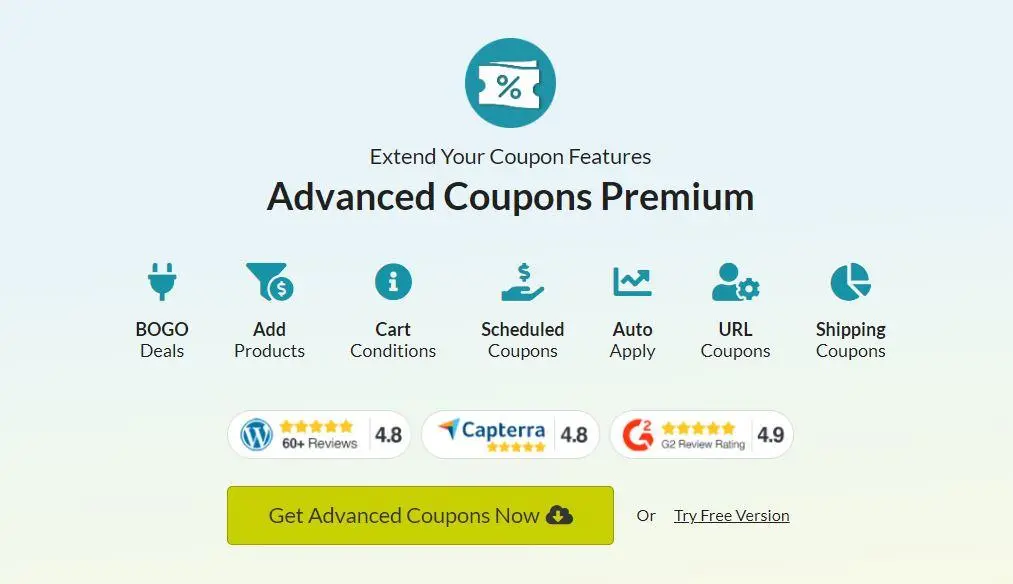
Best for: Stores that focus on coupon marketing, BOGO coupon campaigns, and store-credit promotions.
Free version: Available.
Premium version: Growth pricing and introductory offers vary; check the current official pricing page.
Official website: Advanced Coupons
Advanced Coupons takes a different approach from traditional dynamic-pricing plugins.
Instead of focusing primarily on changing product prices according to quantities, it expands WooCommerce’s coupon functionality.
This makes it especially useful for stores that use coupons as part of their marketing strategy.
Main Features
- Advanced coupon conditions.
- BOGO coupon offers.
- Automatic coupon application.
- Coupon scheduling.
- URL coupons.
- Store credit.
- Advanced shipping discounts.
- Payment-method restrictions.
- User-role restrictions.
- Cashback coupons.
- Subscription-related coupon functionality.
- Cart discount conditions.
- Coupon usage restrictions.
For example, you can create a coupon that gives customers a free product when they purchase a qualifying item.
You can also share coupon links through email campaigns or social media, allowing customers to activate promotions without manually entering a coupon code.
Pros
- Strong coupon-management functionality.
- Useful for marketing campaigns.
- BOGO coupon support.
- URL coupons and automatic application.
- Store-credit functionality.
- Free version available.
- Established product with extensive documentation.
Cons
- Not a complete replacement for every dynamic-pricing plugin.
- Some advanced coupon functionality requires Pro.
- Premium licensing may be expensive for stores that only need basic discounts.
- Multiple coupon conditions can take time to configure.
Pricing
Advanced Coupons provides free and premium plans. Its Growth plan has been advertised with an introductory price of $99.50/year compared with a regular listed price of $199/year.
These are promotional figures and should be checked at the official checkout before publication.
Verdict: Advanced Coupons is a particularly good choice if your promotional strategy revolves around coupon codes, store credit, and targeted coupon campaigns rather than extensive dynamic product pricing.
Download Advanced Coupons Free | View pricing
7. YayPricing – WooCommerce Dynamic Pricing and Discounts
Best for: Stores that want modern dynamic pricing rules, BOGO campaigns, and product or cart promotions.
Free version: Available.
Premium version: The WooCommerce marketplace lists a $99 one-year plan.
Official website: YayPricing
YayPricing is a dynamic-pricing plugin designed to simplify the creation of promotional campaigns in WooCommerce.
It provides a visual approach to creating pricing rules and supports multiple promotional strategies, including BOGO offers, bulk pricing, and product bundles.
Main Features
- Product discounts.
- Cart discounts.
- Bulk pricing.
- Tiered pricing.
- Buy X Get Y promotions.
- BOGO offers.
- Product bundle discounts.
- Category-based rules.
- User-role conditions.
- Cart conditions.
- Scheduled promotions.
- Discount usage limits.
- Checkout fees.
- Discount messages and pricing tables.
- Product and cart promotional displays.
For example, you can offer a percentage discount when customers purchase a minimum quantity, or create a Buy X Get Y campaign for selected products.
The plugin also supports different conditions for determining when a promotional rule should apply.
Pros
- Modern administration interface.
- Multiple dynamic pricing strategies.
- BOGO and bulk pricing support.
- Product bundle promotions.
- Flexible discount conditions.
- Regular feature development.
- Free version available.
Cons
- Some advanced features require Pro.
- Smaller installed base than some established competitors.
- Complex campaigns still require testing.
- The free version has limited premium functionality and support.
Pricing
The WooCommerce marketplace lists the Premium one-year plan at $99. A two-year option is also available.
The free version can be downloaded from WordPress.org.
Verdict: YayPricing is worth considering if you prefer a modern interface and want to create different types of dynamic pricing campaigns without manually changing product prices.
Download YayPricing | View Premium pricing
8. YITH WooCommerce Dynamic Pricing and Discounts
Best for: Stores that need advanced promotional offers, quantity-based discounts, and gift products.
Free version: No standalone free version listed.
Premium version: Paid license; check the official product page for current pricing.
Official website: YITH WooCommerce Dynamic Pricing and Discounts
YITH WooCommerce Dynamic Pricing and Discounts is a premium solution for creating different promotional rules and pricing strategies.
It supports a variety of promotional scenarios, including quantity discounts, BOGO deals, cart discounts, and free gifts.
Main Features
- Buy One Get One promotions.
- Buy 2 Get 1 Free and 3-for-2 offers.
- Product-specific discounts.
- Category discounts.
- Storewide promotions.
- Quantity-based pricing.
- Product and cart discount rules.
- Gift products.
- Free-shipping conditions.
- Customer and user-role targeting.
- Purchase-history conditions.
- Scheduled promotions.
- Dynamic product and cart messages.
- Countdown-based promotional offers.
- Quantity pricing tables.
One useful feature is the ability to give shoppers free products when they meet certain conditions.
For example, you can offer a free gift when customers spend more than $100 or purchase a particular product.
YITH also allows store owners to control how different promotional rules interact.
Pros
- Extensive promotional options.
- Supports multiple BOGO and gift scenarios.
- Quantity pricing tables.
- Customer and role targeting.
- Scheduled campaigns.
- Integrates with other YITH extensions.
- Detailed documentation.
Cons
- No standalone free version is listed.
- Premium pricing may be excessive for small stores.
- Some integrations require additional YITH extensions.
- The number of options may be unnecessary for stores with basic discount requirements.
Pricing
YITH offers a premium license with updates and technical support. Check the current official product page for the exact license price and renewal terms.
Verdict: YITH is a good choice for store owners who want an extensive promotional system and already use other products in the YITH ecosystem.
View YITH Dynamic Pricing & Discounts
9. ELEX WooCommerce Dynamic Pricing and Discounts
Best for: Stores that need quantity-, weight-, and price-based discount rules.
Free version: Available.
Premium version: Available; check the official website for current license pricing.
Official website: ELEXtensions
ELEX WooCommerce Dynamic Pricing and Discounts provides rule-based pricing for products and categories.
One of its distinguishing features is the ability to calculate discounts using different parameters, including quantity, product weight, price, and total units.
This makes it particularly useful for stores selling products where weight and quantity are important pricing factors.
Main Features
The free version supports:
- Product-specific discounts.
- Category discounts.
- Quantity-based pricing.
- Weight-based discounts.
- Price-based rules.
- Total-unit conditions.
- Percentage discounts.
- Fixed-amount discounts.
- Fixed product pricing.
- Discount expiry dates.
- User-role conditions.
- Product-page pricing tables.
- Maximum discount limits.
The Pro version adds additional capabilities, including:
- BOGO promotions.
- Tag-based discount rules.
- Advanced category and cart rules.
- Product-combination discounts.
- Customer restrictions.
- Purchase-history conditions.
- Multi-product pricing rules.
- Advanced promotional conditions.
For example, you can offer a 20% discount when customers purchase a specific number of products, or configure a pricing rule based on the combined weight of items in the cart.
Pros
- Supports weight-based discount rules.
- Offers several pricing conditions.
- Allows maximum discount limits.
- Includes a free version.
- Useful for stores with quantity- or weight-based products.
- Supports product pricing tables.
Cons
- The free version does not include every advanced promotion.
- Some advanced features require Pro.
- Smaller WordPress.org user base than several established competitors.
- Some complex rule combinations require careful configuration.
Pricing
The free plugin is available through WordPress.org. Check the ELEX website for current Pro license options and pricing.
Verdict: ELEX is worth considering if you sell products by weight or need pricing rules based on several different product and cart parameters.
Download ELEX Free | Visit ELEXtensions
10. Smart Coupons for WooCommerce (WebToffee)
Best for: Stores that need coupon automation, BOGO offers, and promotional coupon management.
Free version: Available.
Premium options: Check the official WebToffee website for current premium products and pricing.
Official website: WebToffee
Smart Coupons for WooCommerce by WebToffee is a coupon-focused plugin that expands the promotional capabilities of the default WooCommerce coupon system.
It allows store owners to create different coupon types and apply restrictions based on products, categories, customers, and checkout conditions.
Main Features
- BOGO coupon offers.
- Automatic coupon application.
- Coupon restrictions.
- Product and category restrictions.
- Quantity-based conditions.
- Subtotal-based discounts.
- Shipping-method restrictions.
- Payment-method restrictions.
- User-role restrictions.
- Giveaway coupons.
- Coupon URLs.
- Coupon categorization.
- Coupon customization.
- Displaying available coupons to shoppers.
For example, you can create a coupon that automatically applies when a customer purchases a specific product or meets a minimum order quantity.
You can also create promotional coupons for selected products and categories.
Pros
- Useful free coupon functionality.
- Supports BOGO offers.
- Automatic coupon application.
- Product and category restrictions.
- Coupon URLs.
- Large WordPress.org user base.
- Good option for coupon-based promotions.
Cons
- Primarily focused on coupons rather than a complete dynamic-pricing engine.
- Advanced coupon workflows may require additional premium products.
- Not the ideal choice if you mainly need complex product-level pricing tables and tiered pricing.
Pricing
The WordPress.org plugin is available for free. WebToffee offers additional premium coupon products and extensions, with pricing depending on the selected product and license.
Check the official website for current options.
Verdict: Smart Coupons is a good option for stores that want to expand their coupon marketing capabilities without replacing WooCommerce’s existing coupon system.
Download Smart Coupons Free | Explore WebToffee
Bonus: Sale Booster – Product Badges, Countdown Timers, and Promotional Tools for WooCommerce

Best for: Store owners who want to highlight discounts, create promotional urgency, and make special offers more visible throughout their WooCommerce store.
Free version: Available.
Pro version: €39–€99, depending on the selected license.
Official website: Sale Booster for WooCommerce
Free download: Sale Booster on WordPress.org
Documentation: Sale Booster Documentation
Creating an attractive discount is important, but customers also need to notice it.
A promotional campaign can be difficult to communicate if shoppers cannot easily see which products are discounted, how much they can save, or when an offer expires.
This is where Sale Booster by AsanaPlugins comes in.
Unlike dynamic-pricing plugins, Sale Booster is not designed to calculate and apply discount rules. Instead, it focuses on displaying promotions and making products more attractive through customizable badges, countdown timers, notifications, and promotional bars.
It complements discount plugins by helping store owners communicate their offers more effectively.
1. Custom WooCommerce Product Badges and Labels
Sale Booster allows you to create custom product badges and labels to highlight special offers and product information.
For example, you can display:
- 20% OFF.
- 50% OFF.
- Black Friday Sale.
- Cyber Monday Deal.
- Buy 2 Get 1 Free.
- New Arrival.
- Best Seller.
- Limited-Time Offer.
- Free Shipping.
- Sold Out.
You can customize label colors, text, font sizes, positions, and other design options.
The plugin also supports CSS labels, image labels, and multiple badge styles.
2. Dynamic Discount Badges
Instead of manually creating a different badge for every product, use dynamic placeholders to display information such as:
- Discount percentage.
- Amount saved.
- Regular price.
- Sale price.
- Product quantity.
- SKU.
- Sale end date.
For example, a product with a regular price of $100 and a sale price of $80 can display:
“20% OFF – SAVE $20”
This makes it easier for customers to understand the value of an offer.
3. WooCommerce Countdown Timers
Countdown timers are useful for limited-time promotions.
Sale Booster allows store owners to display countdown timers for scheduled sales and promotional campaigns.
You can use them for:
- Black Friday sales.
- Cyber Monday promotions.
- Flash sales.
- Seasonal discounts.
- Product launches.
- Limited-time offers.
The Pro version also provides additional timer designs, animations, and display options.
4. Schedule Product Badges
You can schedule badges to appear and disappear automatically.
For example, you can create a Black Friday badge that appears on November 27 and expires at the end of the promotional campaign.
You can also target particular products, categories, and tags.
This is useful when you want to prepare promotional labels in advance rather than manually enabling and disabling them.
5. Quick View for WooCommerce Products
Sale Booster includes a Quick View feature that allows customers to view product details from the shop page without opening the individual product page.
The Pro version provides additional Quick View themes and customization options.
This can make browsing easier, particularly in stores with large product catalogs.
6. Sticky Add to Cart
The Pro version provides a sticky Add to Cart bar on product pages.
It can display:
- Product name.
- Price.
- Quantity selector.
- Variation selector.
- Add to Cart button.
The bar can be customized with different designs, animations, and desktop/mobile display settings.
This helps keep the purchase option accessible while customers scroll through product information.
7. Sales Popups and Discount Notifications
Use promotional popups to highlight special offers and campaigns.
The Pro version includes Sales Popups, Discount Popups, and Notification Bars.
You can use these elements to communicate seasonal promotions, limited-time offers, and other important announcements.
8. Free Shipping Progress Bar
The Pro version includes a Free Shipping Bar that shows shoppers how much more they need to spend to qualify for free shipping.
For example:
“Spend $20 more to unlock FREE SHIPPING!”
Once the customer reaches the required cart value, the message can change to confirm that free shipping has been unlocked.
This is particularly useful when you want to encourage customers to add another product to their cart.
9. Trust Badges, Payment Icons, and Promotional Banners
Sale Booster Pro also provides additional promotional elements, including:
- Trust badges.
- Payment icons.
- Social media icons.
- Announcement bars.
- Countdown banners.
- Multiple promotional bars.
- Sales notifications.
- Seasonal promotional designs.
These features help store owners communicate important information and highlight campaigns without creating every promotional element manually.
Free vs. Pro Comparison
| Feature | Free | Pro |
|---|---|---|
| Custom product labels | Yes | Yes |
| CSS label templates | Yes | Yes |
| Image labels | Yes | Yes |
| Dynamic discount placeholders | Yes | Yes |
| Scheduled badges | Yes | Yes |
| Product and category targeting | Yes | Yes |
| Countdown timer | Yes | Yes |
| Quick View | Yes | Advanced themes |
| Sticky Add to Cart | No | Yes |
| Discount Popup | No | Yes |
| Sales Popup | No | Yes |
| Notification Bar | No | Yes |
| Free Shipping Bar | No | Yes |
| Trust Badges | No | Yes |
| Payment Icons | No | Yes |
| Social Media Icons | No | Yes |
| Countdown Banner | No | Yes |
| Advanced promotional embeds | No | Yes |
| Advanced badge conditions | Limited | Yes |
Pros
- Customizable product badges and labels.
- Dynamic discount placeholders.
- Scheduled product badges.
- Countdown timer functionality.
- Multiple CSS and image label designs.
- Quick View functionality.
- Sticky Add to Cart in Pro.
- Free shipping and notification bars in Pro.
- Supports Elementor and WPML.
- Compatible with Discount Rules and Dynamic Pricing.
Cons
- It does not calculate or apply dynamic discount rules by itself.
- Advanced promotional displays require Pro.
- Some features may require styling adjustments depending on the active theme.
- Store owners should avoid displaying too many badges, popups, and countdown timers simultaneously.
Pricing
Sale Booster offers a free version through WordPress.org.
The Pro product page currently displays license options ranging from €39 to €99, depending on the selected license.
Why Use Discount Rules and Sale Booster Together?
Discount Rules and Sale Booster serve different purposes, which makes them useful together.
Discount Rules calculates and applies the promotion, while Sale Booster helps customers notice and understand it.
For example, imagine that you want to run a 30% Black Friday promotion.
You can use Discount Rules to:
- Create a 30% discount for selected products.
- Schedule the discount to start and end automatically.
- Apply the discount to eligible customers.
- Display the discounted price and savings.
Then use Sale Booster to:
- Display a Black Friday badge on qualifying products.
- Show a countdown timer.
- Add a promotional notification bar.
- Highlight the free-shipping offer.
The result is a promotion that is both functional and clearly communicated to shoppers.
Verdict: Sale Booster is a useful complementary plugin for stores that want to make their discounts more visible. If you already use a discount plugin, Sale Booster adds product badges, countdown timers, promotional notifications, and other storefront marketing tools.
How WooCommerce Discounts Can Increase Sales and Average Order Value
Discounts are not just about reducing product prices. When planned properly, they can help improve several important ecommerce metrics.
Let’s look at some ways discounts can benefit your store.
1. Increase Average Order Value with Bulk Discounts
Bulk discounts encourage customers to purchase larger quantities to receive a better price.
For example:
| Quantity | Price per item | Total |
|---|---|---|
| 1 item | $20 | $20 |
| 5 items | $18 | $90 |
| 10 items | $16 | $160 |
Customers receive a lower unit price when purchasing more products, while the store increases the total value of each order.
This strategy is particularly useful for wholesale stores, cosmetics, clothing, accessories, and products customers regularly purchase.
2. Encourage More Purchases with BOGO Deals
Buy One Get One Free promotions give customers an additional reason to purchase.
For example, instead of buying one product for $30, customers can receive two products for the same price.
You can also create variations such as:
- Buy 2 Get 1 Free.
- Buy 3 Get 1 Free.
- Buy Product A and Get Product B Free.
- Buy One Get One 50% Off.
These offers can help move inventory and increase the number of items sold per order.
However, calculate your product costs carefully before offering free products.
3. Encourage Customers to Spend More with Cart Discounts
Minimum-spend promotions encourage customers to increase their cart value.
For example:
“Spend $100 and get 15% off your order.”
A customer with $85 worth of products may decide to add another product to qualify for the discount.
This strategy is useful when the additional purchase increases the order’s profitability.
4. Attract New Customers with First-Order Discounts
A first-order discount can encourage visitors who have never purchased from your store to complete their first transaction.
For example:
“Get 10% off your first purchase.”
You can also create targeted discounts for newsletter subscribers, registered users, or specific customer groups.
5. Encourage Repeat Purchases with Customer-Specific Discounts
Reward loyal customers with special offers based on their purchase history.
For example:
- Give VIP customers 15% off.
- Reward customers after five completed orders.
- Offer returning customers a special coupon.
- Give wholesale customers different pricing.
These strategies can help build customer loyalty and encourage repeat purchases.
How Much More Revenue Can a WooCommerce Store Generate with Discounts?
Let’s look at a simplified example.
Suppose your WooCommerce store receives 1,000 visitors every month.
Assume that your original conversion rate is 2%, with an average order value of $50.
Now imagine that a promotional campaign increases the conversion rate to 2.5% and average order value to $55.
| Metric | Before promotion | After promotion |
|---|---|---|
| Monthly visitors | 1,000 | 1,000 |
| Conversion rate | 2% | 2.5% |
| Orders | 20 | 25 |
| Average order value | $50 | $55 |
| Monthly revenue | $1,000 | $1,375 |
In this hypothetical example, monthly revenue increases by $375, or 37.5%.
Important: These numbers are illustrative, not measured results or a guarantee that discounts will produce the same improvement in your store. Actual profitability depends on product margins, discount costs, shipping, payment fees, and other expenses.
The lesson is that a well-planned discount strategy should focus on profitable orders, not simply increasing the number of discounts offered.
Read how to run a Black Friday sale in WooCommerce.
Why the Structure of a Discount Matters
Not all promotions influence shoppers in the same way.
Consider these two offers:
Offer A: Get $5 off when you spend $25.
Offer B: Get 20% off, up to a maximum discount of $5.
Both can provide a maximum saving of $5, but they communicate different incentives.
Offer A encourages customers to reach a minimum spending threshold. Offer B focuses on a percentage discount with a spending cap.
A 2026 academic study published in the Journal of Consumer Research examined threshold promotions and capped discounts across seven preregistered studies, including a field study. It found that lower-trigger threshold promotions could increase purchase intentions and conversion rates compared with economically equivalent capped discounts, although purchase amounts could be lower.
This illustrates an important point: the structure of a promotion can matter as much as its discount value.
How to Choose the Right WooCommerce Dynamic Pricing Plugin
Choosing a discount plugin depends on your promotional strategy and the type of products you sell.
Here are some important things to consider before installing one.
1. Identify the Discount Types You Need
Start by deciding which promotional strategies you want to implement.
Do you need:
- Percentage and fixed discounts?
- BOGO promotions?
- Bulk and quantity discounts?
- Cart-total discounts?
- Automatic coupons?
- Customer-specific pricing?
- Free-shipping promotions?
- Scheduled campaigns?
- Product bundle discounts?
Not every plugin supports all these features in its free version.
Choose one that supports your current requirements and can accommodate your future promotional strategies.
2. Check the Free and Pro Versions
Many WooCommerce discount plugins offer free versions, but advanced features may require a premium license.
Compare the features before purchasing.
If you only need basic percentage discounts and coupons, a free plugin may be sufficient.
However, if you need advanced pricing rules, customer-specific discounts, or complex BOGO campaigns, consider a premium solution.
3. Check Compatibility with WooCommerce
Make sure the plugin supports your WordPress and WooCommerce versions.
You should also test compatibility with:
- Your active WordPress theme.
- Cart and checkout extensions.
- Subscription plugins, if applicable.
- Multi-currency plugins.
- Product bundle extensions.
- Other pricing and coupon plugins.
Pay particular attention to how multiple discount rules interact.
4. Consider How Discounts Appear to Customers
A discount should be easy to understand.
Look for features such as:
- Crossed-out original prices.
- Discounted product prices.
- Quantity pricing tables.
- Promotional messages.
- Savings information in the cart.
- Sale badges.
- Countdown timers.
A discount that customers cannot see or understand may not achieve its intended purpose.
5. Compare Pricing and Support
Don’t choose a plugin based only on its initial price.
Consider:
- Number of websites included.
- Annual renewal costs.
- Technical support.
- Documentation.
- Update frequency.
A well-maintained plugin with good documentation can save considerable time when configuring complex discount campaigns.
Frequently Asked Questions
What is the best free WooCommerce discount plugin?
Discount Rules and Dynamic Pricing for WooCommerce is a strong free option for stores that need bulk discounts, BOGO offers, category discounts, cart promotions, and automatic coupons.
Its free version covers several common promotional scenarios, while the Pro version adds more advanced pricing conditions and customer-targeting capabilities.
What is the best WooCommerce dynamic pricing plugin?
The best option depends on your requirements.
Discount Rules by AsanaPlugins, Flycart Discount Rules, and Advanced Dynamic Pricing by AlgolPlus are worth considering for stores that need dynamic product pricing and flexible discount conditions.
Compare their free and premium features before making a decision.
How do I automatically apply discounts in WooCommerce?
WooCommerce discount plugins can automatically apply eligible discounts when customers meet predefined conditions.
For example, you can configure a rule that applies a 10% discount when the cart reaches $100.
Plugins such as Discount Rules and Dynamic Pricing and Advanced Coupons support automatic discount or coupon functionality.
Can I create Buy One Get One Free offers in WooCommerce?
Yes. You can use a WooCommerce BOGO plugin to create promotions such as:
- Buy 1 Get 1 Free.
- Buy 2 Get 1 Free.
- Buy X Get Y Free.
- Buy one product and receive another product at a discount.
The available BOGO options depend on the plugin and its license.
Can I create bulk discounts in WooCommerce?
Yes. Bulk discount plugins allow you to reduce product prices based on the quantity purchased.
For example, you can offer 10% off when customers purchase five products and 20% off when they purchase ten.
Some plugins also display quantity pricing tables on product pages.
Can I schedule WooCommerce discounts?
Yes. Several WooCommerce discount plugins support scheduled promotions.
You can configure start and end dates for campaigns such as Black Friday, Cyber Monday, Christmas, and seasonal sales.
Some plugins also support specific times and recurring schedules.
Do WooCommerce discount plugins slow down a website?
A well-developed discount plugin should be designed to calculate pricing efficiently. However, performance can depend on the number of active rules, product catalog size, cart complexity, and other installed extensions.
To minimize performance problems:
- Avoid creating unnecessary discount rules.
- Test complex conditions.
- Use compatible caching configurations.
- Keep plugins updated.
- Monitor cart and checkout performance.
Always test discount calculations on a staging site before launching large promotional campaigns.
Can I use multiple WooCommerce discount plugins together?
You can install multiple discount plugins, but that does not mean their rules will always work together correctly.
For example, two plugins may attempt to modify the same product price or apply different discounts to the same cart.
Before using multiple discount extensions, test:
- Discount priorities.
- Coupon stacking.
- Product sale prices.
- Cart totals.
- Tax calculations.
- Checkout behavior.
Whenever possible, use one primary discount engine to manage your pricing rules.
What is the difference between a discount plugin and a sale badge plugin?
A discount plugin calculates and applies promotional prices based on rules and conditions.
A sale badge plugin displays promotional information to shoppers.
For example, Discount Rules can apply a 20% discount to selected products, while Sale Booster can display a 20% OFF badge and a countdown timer on those products.
The two plugins have different purposes and can complement each other.
Final Verdict: Choosing the Best WooCommerce Discount Plugin
The best WooCommerce discount plugin depends on the type of promotions you want to run.
Here are our recommendations:
| Requirement | Recommended plugin |
|---|---|
| Best all-around discount solution | Discount Rules and Dynamic Pricing |
| Best free discount solution | Discount Rules and Dynamic Pricing |
| Advanced discount rules | Flycart Discount Rules |
| Complex pricing conditions | Advanced Dynamic Pricing |
| Discount creation and presentation | Barn2 Discount Manager |
| Flexible product pricing | Acowebs Dynamic Pricing |
| Advanced coupon campaigns | Advanced Coupons |
| Modern dynamic promotions | YayPricing |
| Advanced gift and BOGO campaigns | YITH Dynamic Pricing |
| Weight-based and quantity discounts | ELEX Dynamic Pricing |
| Coupon automation | WebToffee Smart Coupons |
If you want a flexible discount solution with a generous free version, Discount Rules and Dynamic Pricing for WooCommerce is a great place to start.
You can create product and category discounts, bulk pricing, BOGO deals, cart promotions, and automatic coupons without purchasing a premium license.
When your store needs more advanced pricing conditions and customer-specific offers, you can upgrade to Pro.
And if you want to make your promotional campaigns more visible, combine your discount rules with Sale Booster to display product badges, countdown timers, sales notifications, and free-shipping progress bars.
The important thing is to choose a discount strategy that encourages customers to purchase more while keeping your store profitable.