
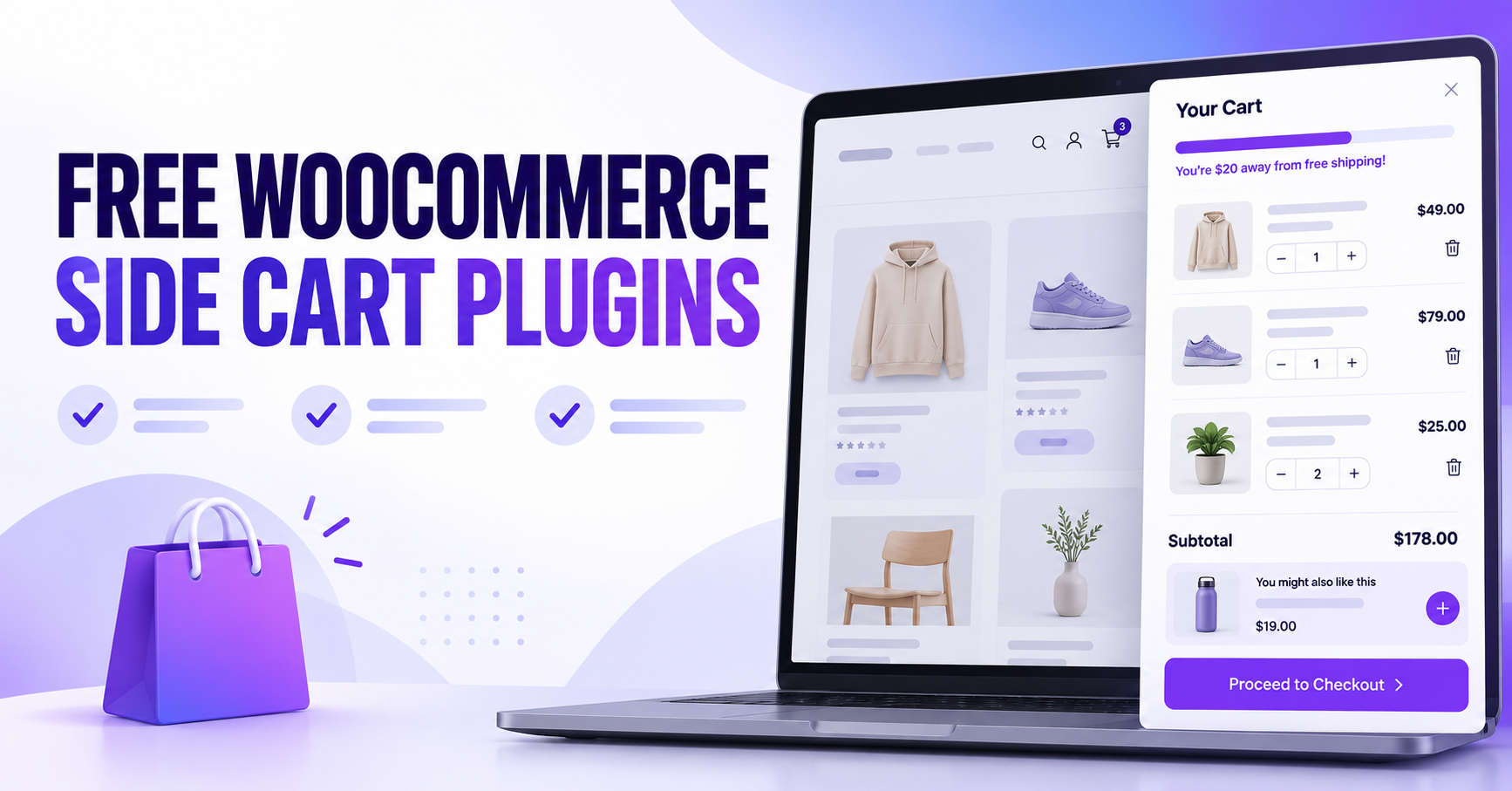
A free WooCommerce side cart plugin lets customers check their basket, update items, and move toward checkout while staying on the page they are browsing. Some free plugins also let you recommend an accessory, accept a coupon, or show how much more a customer needs to spend for free shipping.
In this guide, we compare five of the best free WooCommerce side cart plugins, including their features, demos, pricing, and screenshots. Start with AsanaPlugins if you want conditional offers across your store, or compare Caddy if a free shipping bar and in-cart recommendations are your main priorities.
Disclosure: AsanaPlugins develops the first plugin on this list. Features and listed prices were checked against official sources on October 31, 2026. This is a feature comparison, not a performance test. However, vendor demos and screenshots may include Pro features, which we identify below.
1. Side Cart & Upsell for WooCommerce by AsanaPlugins
Side Cart & Upsell for WooCommerce brings a slide-out cart and product offers into one plugin. Customers can review their basket in the drawer, while you choose relevant recommendations for the product page, side cart, Cart page, and Checkout page.
If you want a WooCommerce side cart plugin with targeted offers, this one gives you control over each offer. You can build conditions around the shopper or basket, then recommend an appropriate product with an optional discount. For example, an accessories store could suggest a matching belt when a customer adds an item from a selected category. However, the free edition supports up to three side-cart upsell rules.
Examples
- Side cart and storefront offers
- Product recommendations
- Product add-ons
- Cart and checkout offers — add a product first
- Add-to-cart upsell popup — Pro
🚀 Free WooCommerce Side Cart Features
Included in the free version:
- Open the floating cart icon, then review items in the AJAX drawer.
- Build up to three side-cart upsell rules so you can target different offers.
- Show product recommendations as well as related-product campaigns.
- Also offer product add-ons for complementary items.
- Offers on the Cart and Checkout pages.
- Conditions based on login status, user role, cart contents, item quantity, and subtotal.
- Apply offer discounts automatically so shoppers can see the savings.
- For example, adjust the cart appearance, text, and icons to match your store.
Available in Pro:
- Unlimited side-cart rules and dedicated exclusions for items already in the cart or previously purchased.
- Free shipping progress bar and reward milestones.
- Premium cart theme, promo banner, and countdown.
- Upsell, add-ons, and downsell popups.
- Additional offer layouts and product quick view.
See the side-cart upsell documentation for the rule limit and available controls. Therefore, choose this plugin when targeted offers matter more than having a shipping bar on the free plan.
📽️ Demo
Explore the AsanaPlugins storefront demo, then follow our free side-cart setup tutorial to build your own drawer. The demo also showcases Pro options.
💵 Free WooCommerce Side Cart Pricing (Free vs Pro)
- Free: download the base plugin from WordPress.org.
- Pro: optional upgrade; see the current licenses and offers.
📽️ Video Tutorial
Alternatively, watch the official free-features overview for a closer look at the plugin.
🖼️ Free WooCommerce Side Cart Screenshots

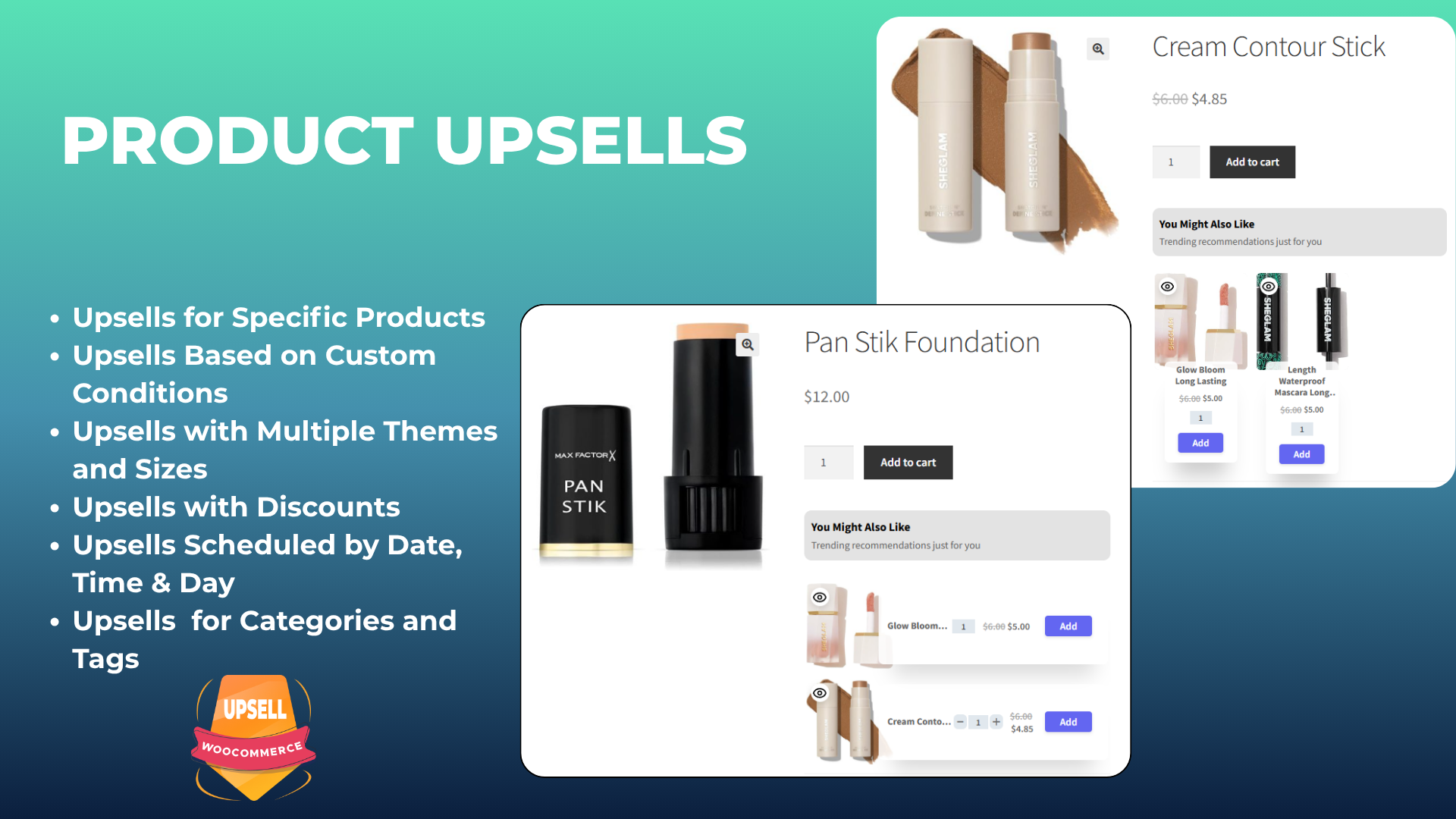


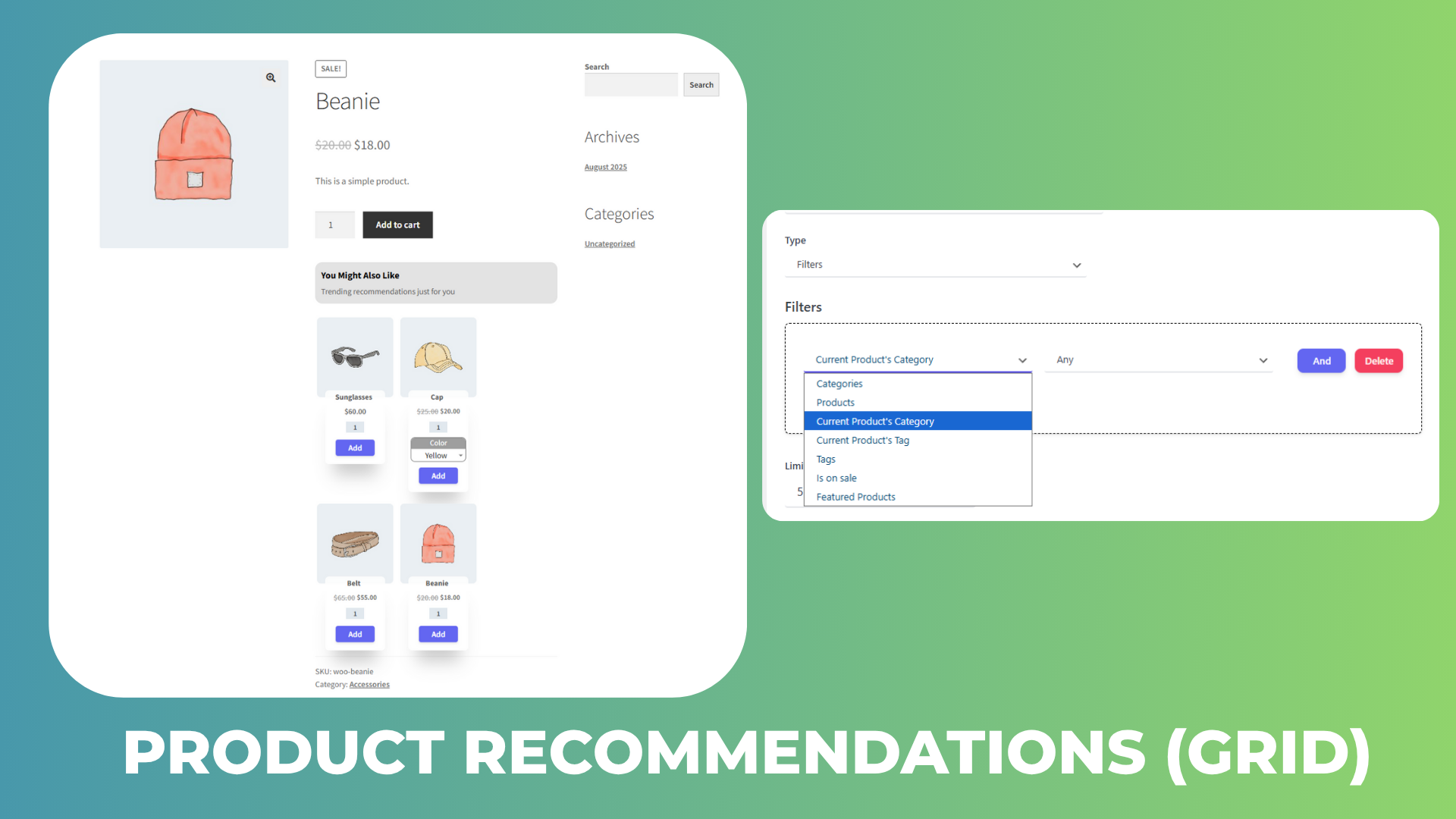


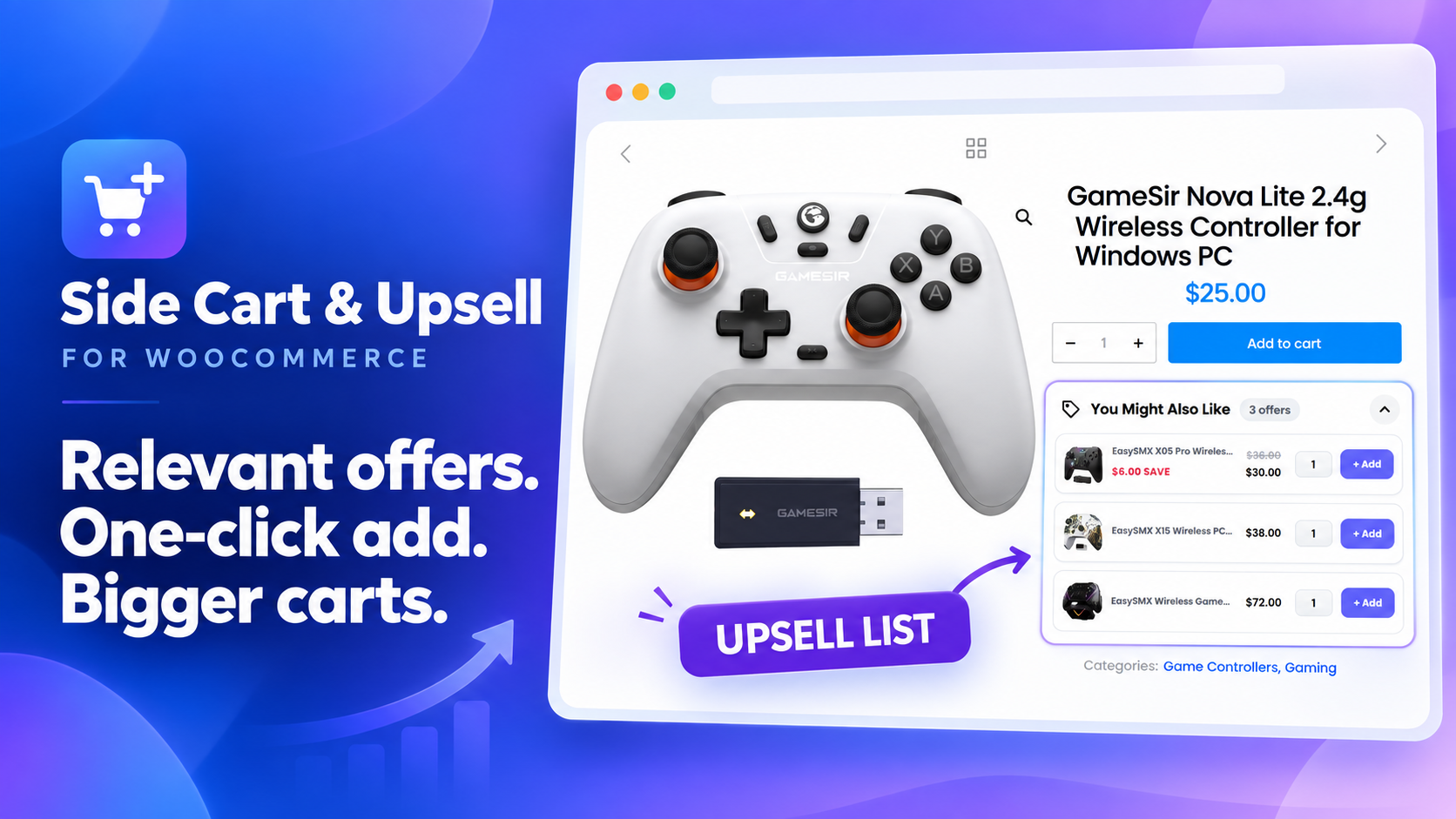
Screenshots from the plugin’s WordPress.org assets show the side cart, product and cart offers, checkout offers, recommendations, related products, add-ons, and an upsell list. These eight images are labeled as free features in the official plugin listing.
2. Caddy — Free WooCommerce Side Cart & Shipping Bar
Caddy is a useful side cart plugin when you want recommendations and shipping progress in the drawer. Lite also lets shoppers apply coupons and save products for later when they are logged in.
Caddy documents its use of the WooCommerce Store API and WordPress Interactivity API. However, these describe how it is built; they do not prove that it is faster than other cart plugins.
🚀 Free WooCommerce Side Cart Features
Included in Lite:
- Open the floating cart drawer and then adjust item quantities.
- Show upsell recommendations as well as cross-sells inside the cart.
- Free shipping progress meter.
- Coupon entry in the drawer.
- Logged-in shoppers can save products for later and then return to them.
- In addition, customize the drawer with CSS.
Pro adds: advanced workflows, cart analytics, multi-tier rewards, and further design controls. Basic recommendations are free. In contrast, the automation engine is a paid feature.
📽️ Demo
Visit the Caddy live demo to explore the drawer. Check the tier of any advanced feature you try.
💵 Pricing
- Lite: free.
- Single: $99/year for one website.
- Multi-Site: $199/year for five websites.
- Agency: $399/year for unlimited websites.
Source: Caddy pricing. In addition, annual plans include support and updates.
🖼️ Side Cart Screenshots
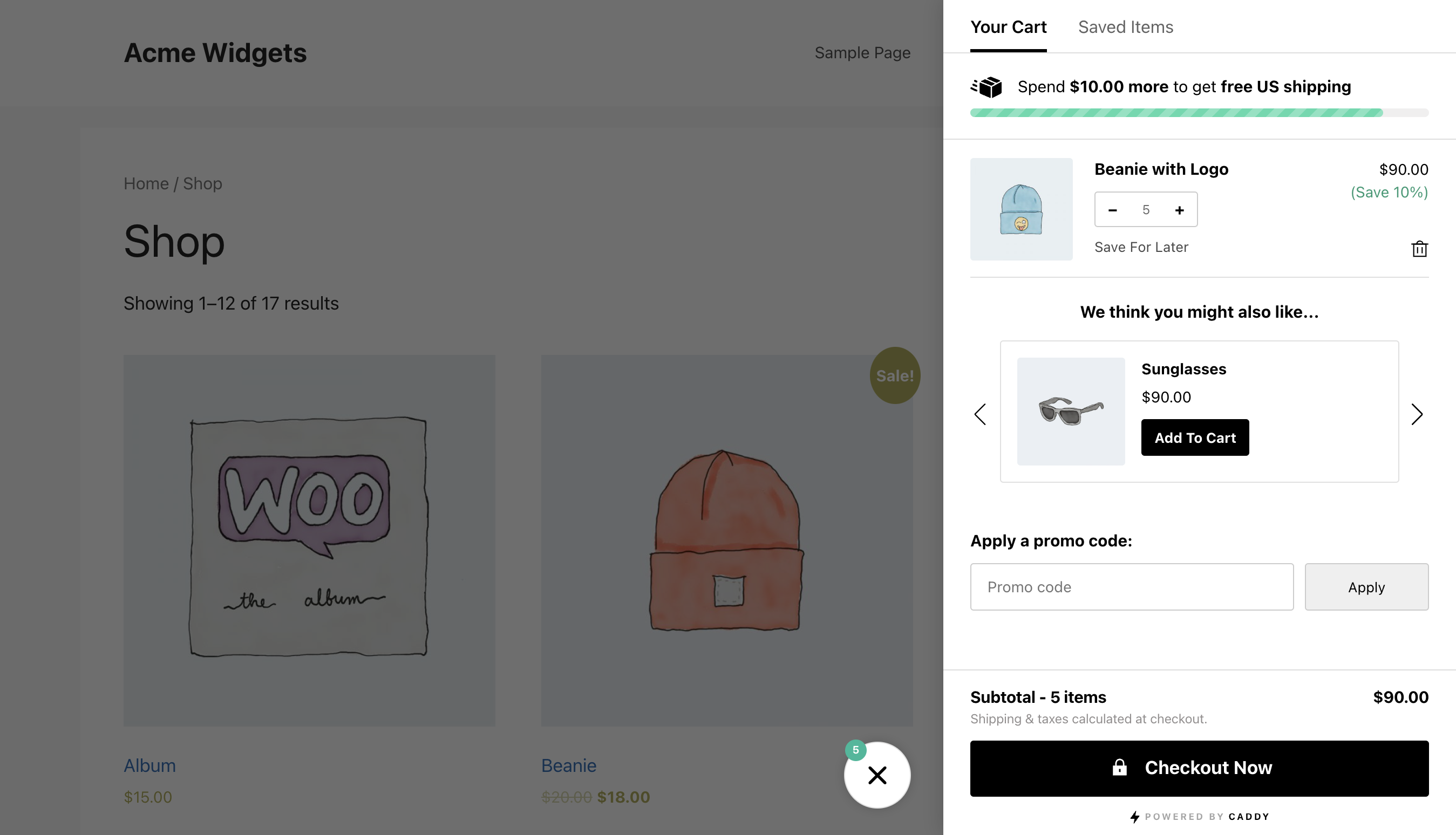

Caddy vendor example with recommendations and shipping progress. Screenshot: official WordPress.org listing.
3. Side Cart WooCommerce by Xootix
Xootix Side Cart WooCommerce focuses on a configurable cart drawer with a floating basket and appearance controls. For example, consider it when you want to adjust the cart’s layout and keep shoppers on the current page.
🚀 Free WooCommerce Side Cart Features
Included in the free version:
- AJAX drawer for viewing and managing items.
- Floating basket and menu integration.
- For example, change the cart width, height, colors, and icons.
- Hide the drawer on selected pages so it appears only where you need it.
- Also edit quantities in the free edition, starting with version 2.8.0.
Pro adds: product recommendations, in-drawer coupons, shipping calculation, rewards, and additional payment options.
The 2.8.0 changelog confirms free quantity editing, although an older marketing section still groups quantity management under Pro.
📽️ Demo
Try the Xootix side-cart demo. However, the demo includes paid recommendations and reward features.
💵 Pricing
- Free: base cart plugin.
- Pro, single site: $29.
- Pro, up to five sites: $89.
- Pro, unlimited sites: $139.
Source: Xootix product page. The license includes one year of updates. After that, renew it to keep receiving updates and register new sites.
🖼️ Side Cart Screenshots

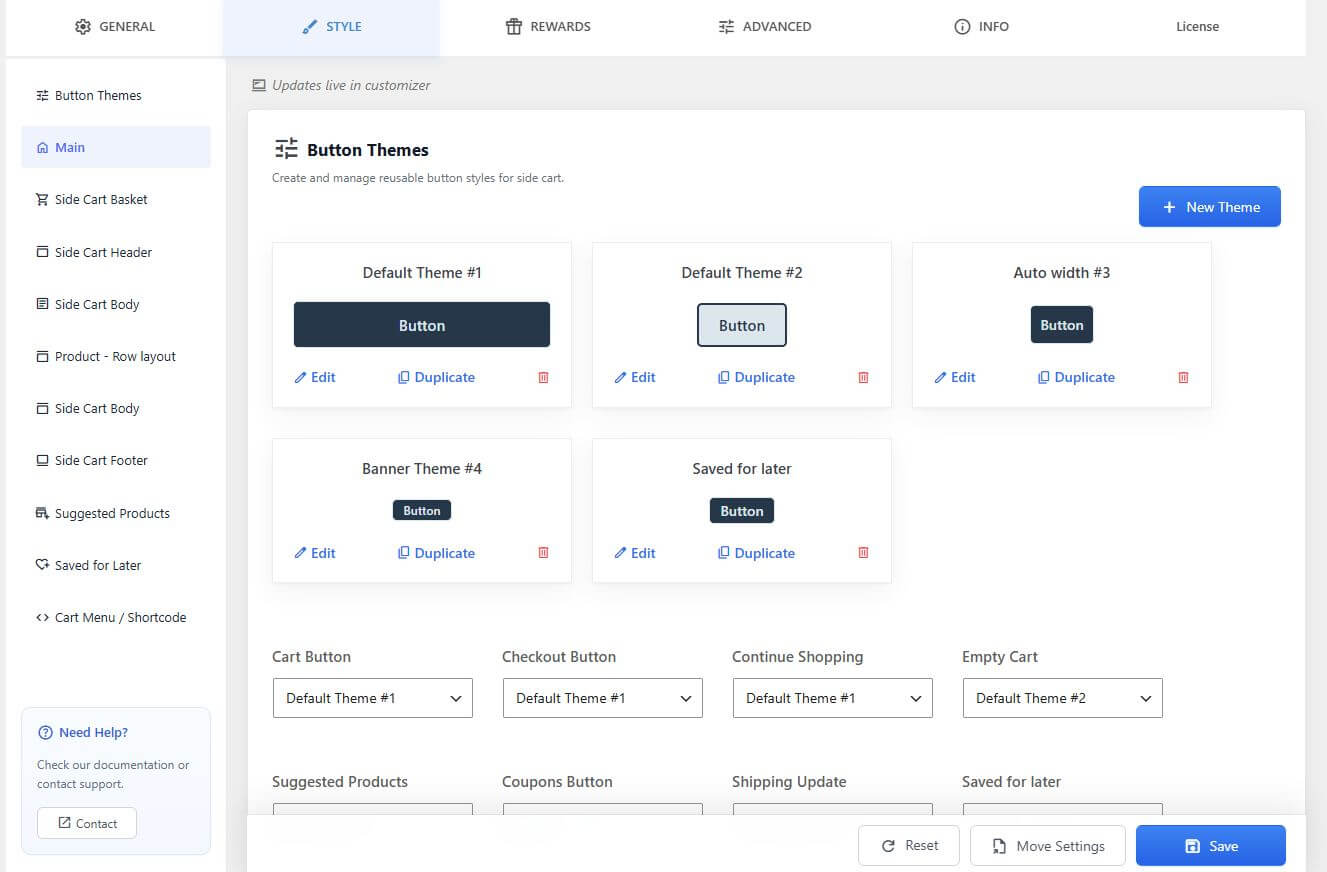
Pro features shown: recommendations, rewards, coupon entry, and express payment controls are not a free-tier feature checklist. Screenshot: official WordPress.org listing.
4. Sliding Cart for WooCommerce by FunnelKit
FunnelKit Cart Lite gives shoppers a drawer where they can change quantities, remove products, and apply a coupon. Therefore, this WooCommerce side cart plugin suits stores that want cart controls without buying an upsell toolkit immediately.
🚀 Free WooCommerce Side Cart Features
Included in Lite:
- Slide-in cart with a cart icon.
- AJAX item changes and removal.
- Quantity editing inside the drawer.
- For example, keep the coupon field open or let shoppers expand it.
- In addition, adjust the cart text, colors, and styling.
Pro adds: in-cart upsells and cross-sells, milestone rewards, free-shipping incentives, and additional checkout options. These are distinct from the free coupon field.
📽️ Demo
Explore the official cart showcase and the free and Pro setup walkthrough. However, the showcase includes premium features.
💵 Pricing
- Cart Lite: free on WordPress.org.
- Paid cart features: available through qualifying FunnelKit plans. Compare the specific Slide Cart Pro features in the current plan table, including introductory and renewal terms.
Installing Cart Lite does not include every FunnelKit funnel or automation product.
🖼️ Side Cart Screenshots
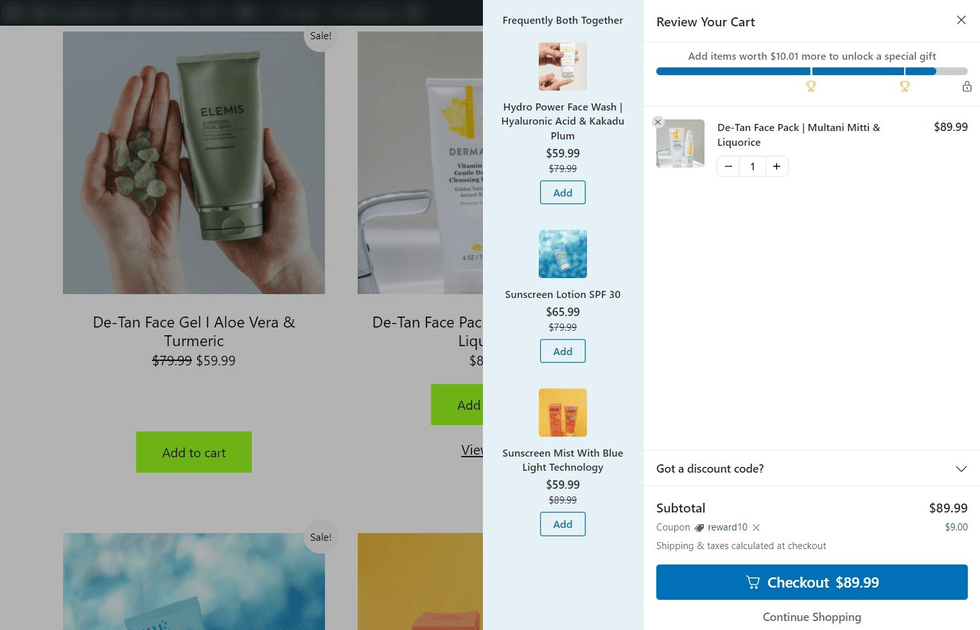

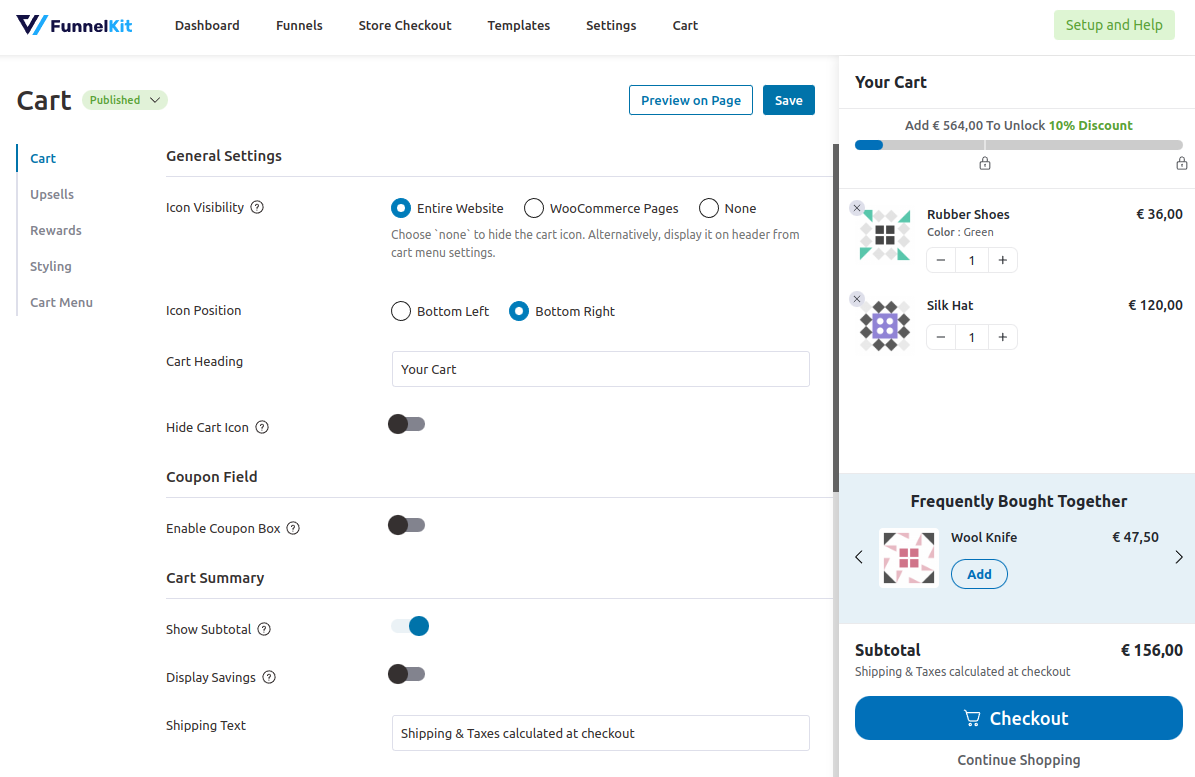
Pro features shown: the recommendations and rewards in this vendor example require a paid tier. Screenshot: official WordPress.org listing.
5. Modern Cart — WooCommerce Side Cart & Popup Cart
Modern Cart offers a slide-out cart with a coupon form and shipping progress. As a result, it is another free WooCommerce side cart plugin to compare when a visible shipping goal matters most.
🚀 Free WooCommerce Side Cart Features
Free features documented by the vendor:
- Side-cart drawer and floating cart icon.
- Change items and quantities with AJAX so the page does not need to reload.
- Also let shoppers enter a coupon directly in the cart.
- Show a free shipping progress bar so shoppers can see the remaining amount.
Pro adds: in-cart product recommendations and additional display and design controls.
Popup availability needs checking: the directory listing says both drawer and popup modes are included, but the settings guide labels the Cart Type selector Pro. Therefore, verify the free version before choosing it specifically for a popup.
📽️ Demo
Open the official Modern Cart demo launcher to explore the product. However, the demo may include Pro features.
💵 Pricing
- Free: base plugin from WordPress.org.
- Pro annual: advertised at $99 for the first year, renewing at $149/year, for up to three websites.
- Pro lifetime: advertised at $299 for up to three websites.
Source: Modern Cart pricing. Because offers can change, check the selected term before purchase.
🖼️ Side Cart Screenshots

Pro features shown: the product recommendations in this vendor screenshot are paid features. Screenshot: official WordPress.org listing.
Which free WooCommerce side cart plugin should you choose?
The right free WooCommerce side cart plugin depends on the feature you need today. For example, AsanaPlugins suits stores that want conditional offers across product, cart, and checkout pages. In contrast, Caddy is a strong alternative when free recommendations and a shipping bar matter most. Xootix offers a configurable drawer, FunnelKit Lite includes convenient coupon and item controls, and Modern Cart provides another shipping-bar option.
Before choosing, test a simple product, a variable product, a coupon, and a complete test order with your theme. Next, check mobile scrolling and keyboard access, and make sure the shipping message agrees with checkout. Above all, activate one cart drawer at a time while comparing.
Ready to try the first option? Follow our WooCommerce side-cart setup tutorial or use the Side Cart & Upsell documentation to create your first drawer and offer.