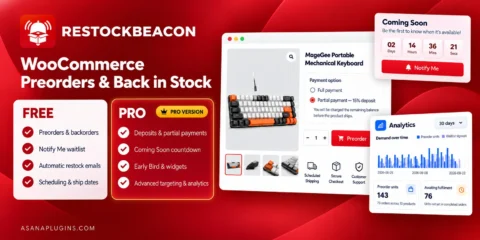
WooCommerce Preorder Deposit & Back in Stock
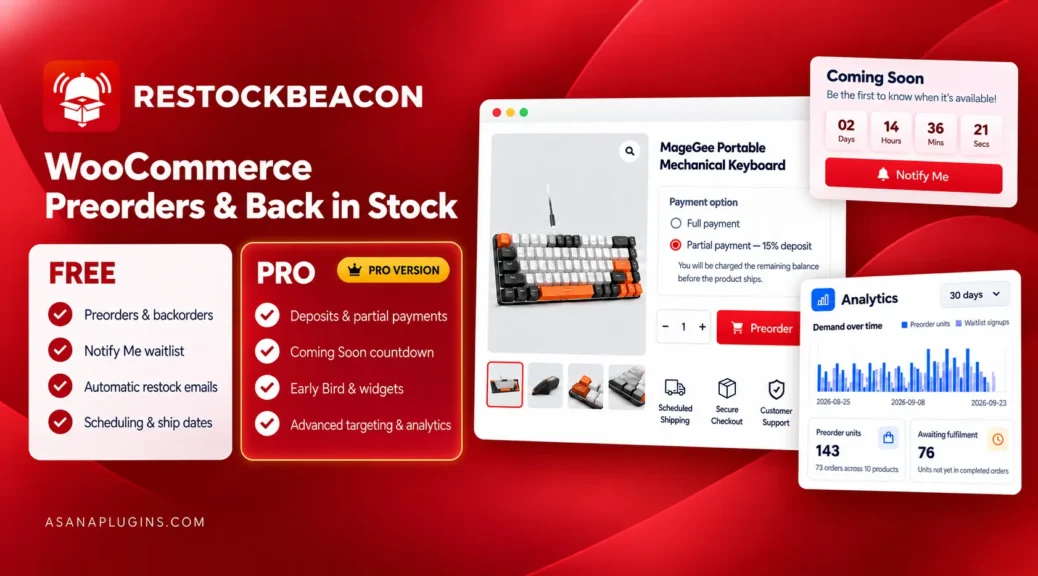
WooCommerce preorder deposit features built in
RestockBeacon Pro is a WooCommerce preorder deposit plugin for stores that sell products before release or restock. Let customers pay a fixed or percentage deposit, clearly show the remaining balance, and combine preorders with pricing, customer-facing widgets, advanced campaign rules, Coming Soon launches, and waitlist insights.
RestockBeacon Pro works alongside the free RestockBeacon plugin. Meanwhile, the free version already manages core Pre-order, Backorder, Back in stock, and Notify Me campaigns. In addition, Pro adds the payment, launch, targeting, analytics, and selling controls needed for more advanced product releases.
How Free and Pro work together: Core Pre-order and Back in stock campaigns remain available with Free. However, the advanced controls described as Pro features only become available and usable while RestockBeacon Pro is installed and active. The Analytics dashboard is a Pro-only feature.
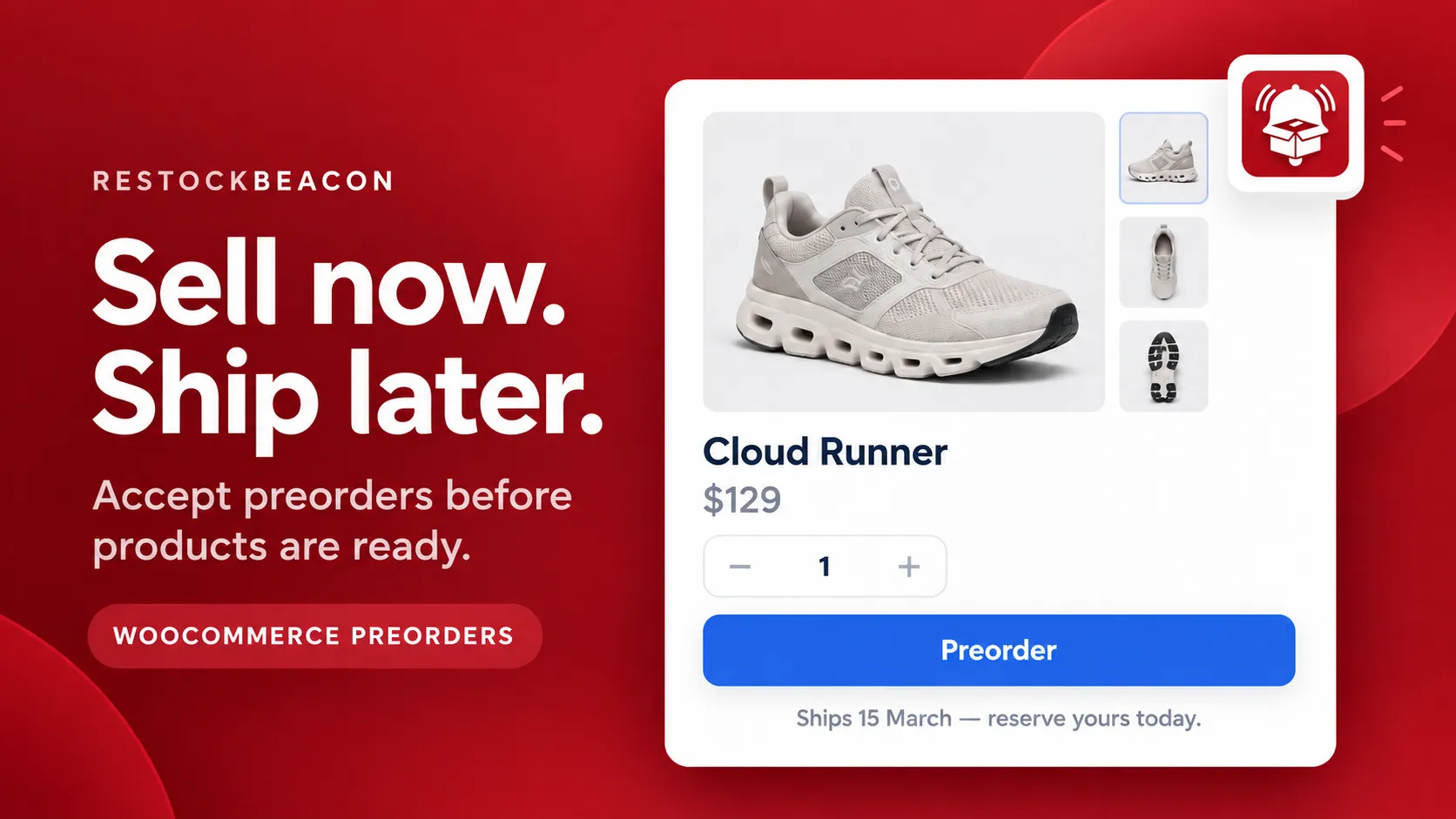
WooCommerce preorder deposit campaigns: sell now and fulfil later
Accept orders before a product launches or returns to inventory. Next, create a Pre-order campaign, select the products it should cover, add an expected shipping date, and replace the standard purchase action with a clear Preorder button.
As a result, the product page tells customers when the item is expected to ship. Furthermore, RestockBeacon carries the preorder details into the cart, checkout, order record, and customer communication.
Examples of Preorder & Back in Stock for WooCommerce
- Preorder Button with Ship Date
- Notify Me Back in Stock Form
- Variable Product Preorder
- Deposit / Partial Payment
- Preorder Discount & Early Bird Pricing
- Preorder Countdown, Progress Bar & Info Panel
- Limited Preorders
- Sold Out Preorder Notify Me
- Coming Soon Countdown
- Restock Countdown
Core Pre-order features included with Free
- Pre-order and backorder campaign modes
- Custom Add to Cart button text
- Customer-facing preorder messages
- Expected shipping dates
- Preorder notes in the cart and checkout
- Order and line-item preorder tagging
- Preorder confirmation emails
- Simple and variable product support
- Campaign scheduling with start and end dates
- WooCommerce Cart and Checkout Blocks support
Unlock advanced Pre-order options with Pro
Pro activation required: RestockBeacon Pro adds payment, pricing, launch, targeting, and customer-facing controls to the core preorder workflow.
- Fixed or percentage deposits
- Optional full or partial payment choices
- Preorder discounts and Early Bird pricing
- Coming Soon product launches
- Shipping countdown timers
- Purchased, Production, and Shipping timelines
- Shipping, payment, and limited-run information panels
- Preorder quantity limits
- Stop-selling stock thresholds
- Mixed-cart prevention
- User-role and country restrictions
- Category and product-tag targeting
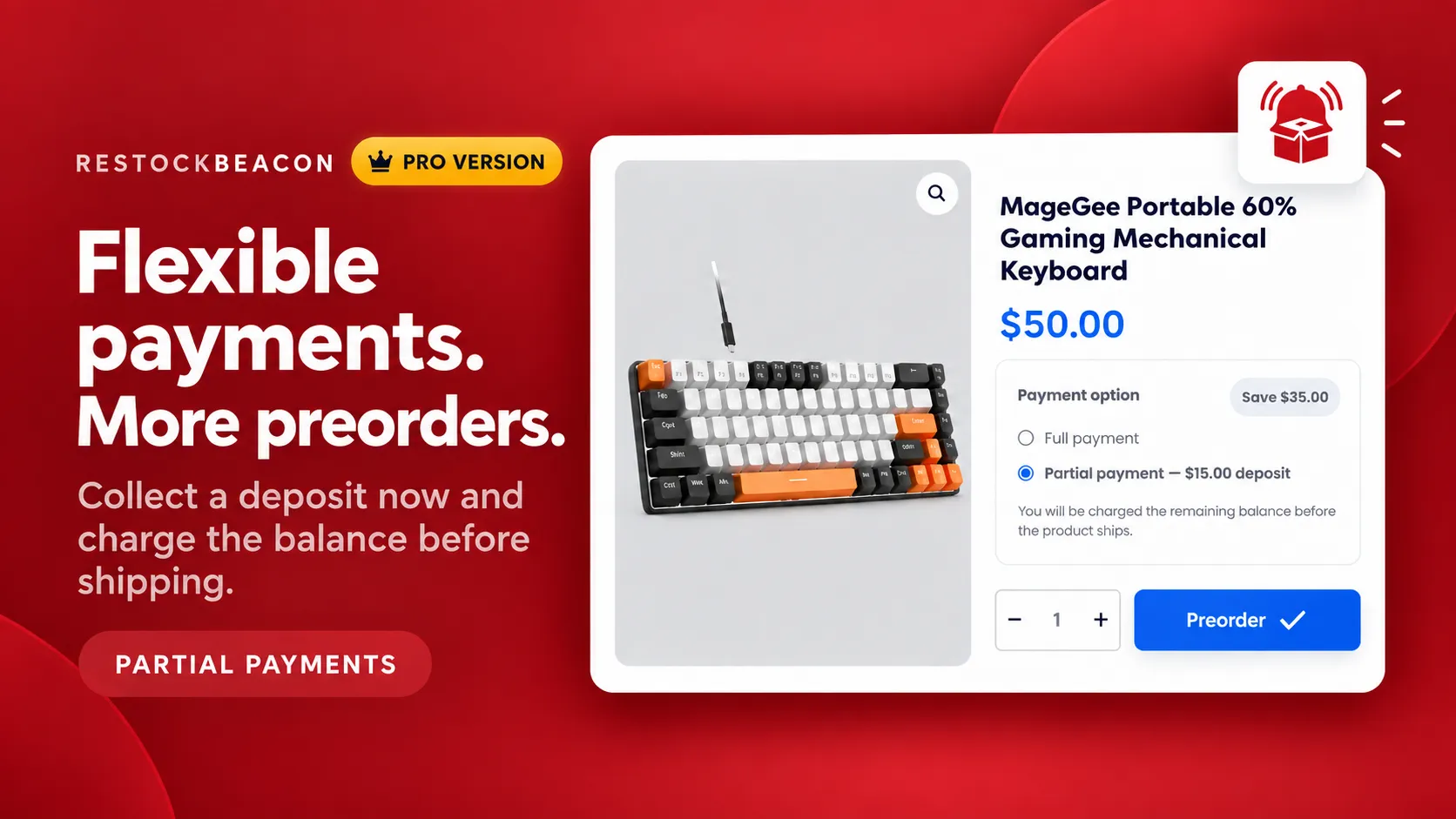
Let customers pay a WooCommerce preorder deposit today
Asking customers to pay the full price several weeks before shipping can make a preorder feel like a bigger decision. Therefore, a WooCommerce preorder deposit gives shoppers a smaller commitment today while still creating a real WooCommerce order.
Pro activation required: Set a fixed or percentage deposit for a preorder campaign. You can let customers choose between full and partial payment, or require the deposit for every preorder.
- Offer fixed or percentage deposits.
- Let customers choose full or partial payment.
- Display the amount due today on the product page.
- Show payment information in the cart and checkout.
- Record the deposit and remaining balance on the order.
- Display the payment details in customer and admin order views.
Important: The current release records the remaining balance for manual collection before fulfilment. However, it does not automatically charge the customer later. WooCommerce calculates tax against the complete order while the customer pays the configured deposit at checkout.
Promote your WooCommerce preorder deposit with Early Bird pricing
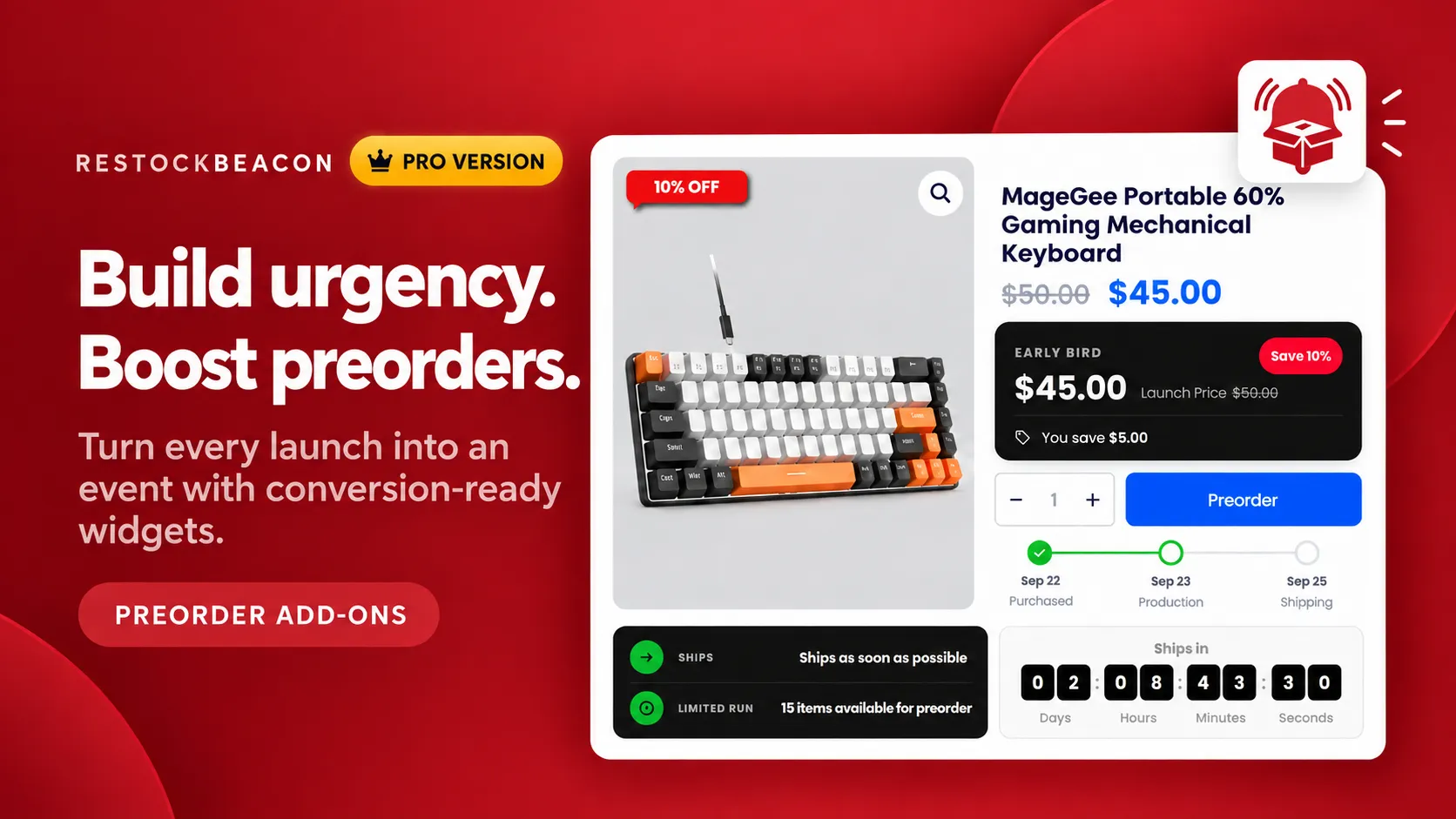
Pro activation required: Apply a fixed or percentage discount to preorder products. RestockBeacon can display the regular price beside the preorder price, making the benefit clear before the customer adds the product to the cart.
For example, the Early Bird widget compares the launch price with the current preorder price. It appears only when the customer receives a genuine saving.
Show customers what happens next
Add customer-facing widgets that explain the preorder schedule, production progress, payment terms, and available quantity.
- Early Bird pricing: Compare the current preorder price with the future launch price.
- Shipping countdown: Count down to the expected shipping date.
- Progress timeline: Display Purchased, Production, and Shipping stages.
- Information panel: Show shipping, payment, and limited-run information.
- Limited availability: Tell shoppers how many items remain available for preorder.
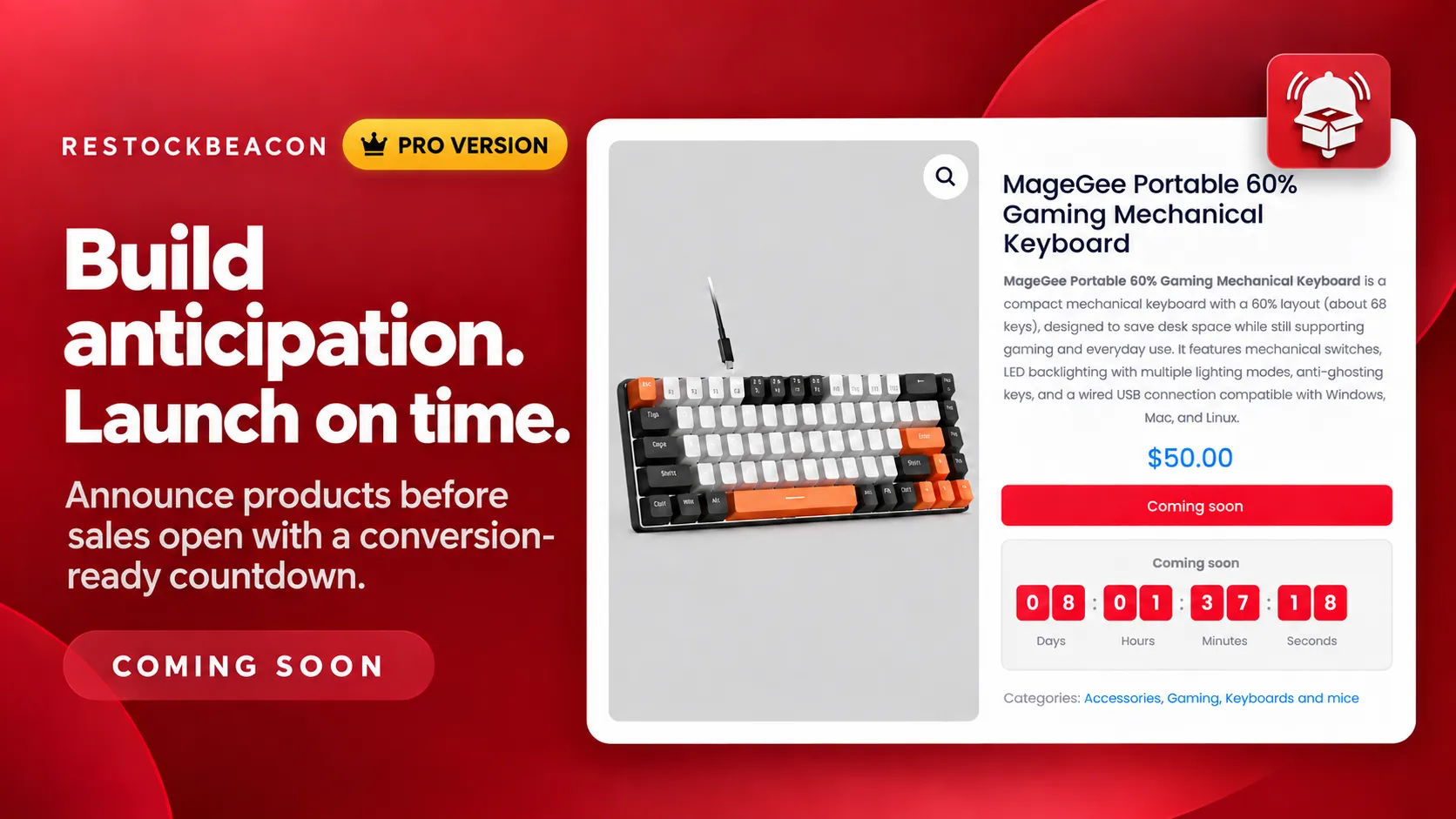
Announce products with Coming Soon campaigns
Pro activation required: Promote a product before sales open. Replace the purchase action with a Coming Soon message and show a live countdown to the launch date.
As a result, shoppers receive a clear release schedule while the future product remains visible in your catalog. You can control the launch message, countdown labels, colours, timing, and expired-state text.
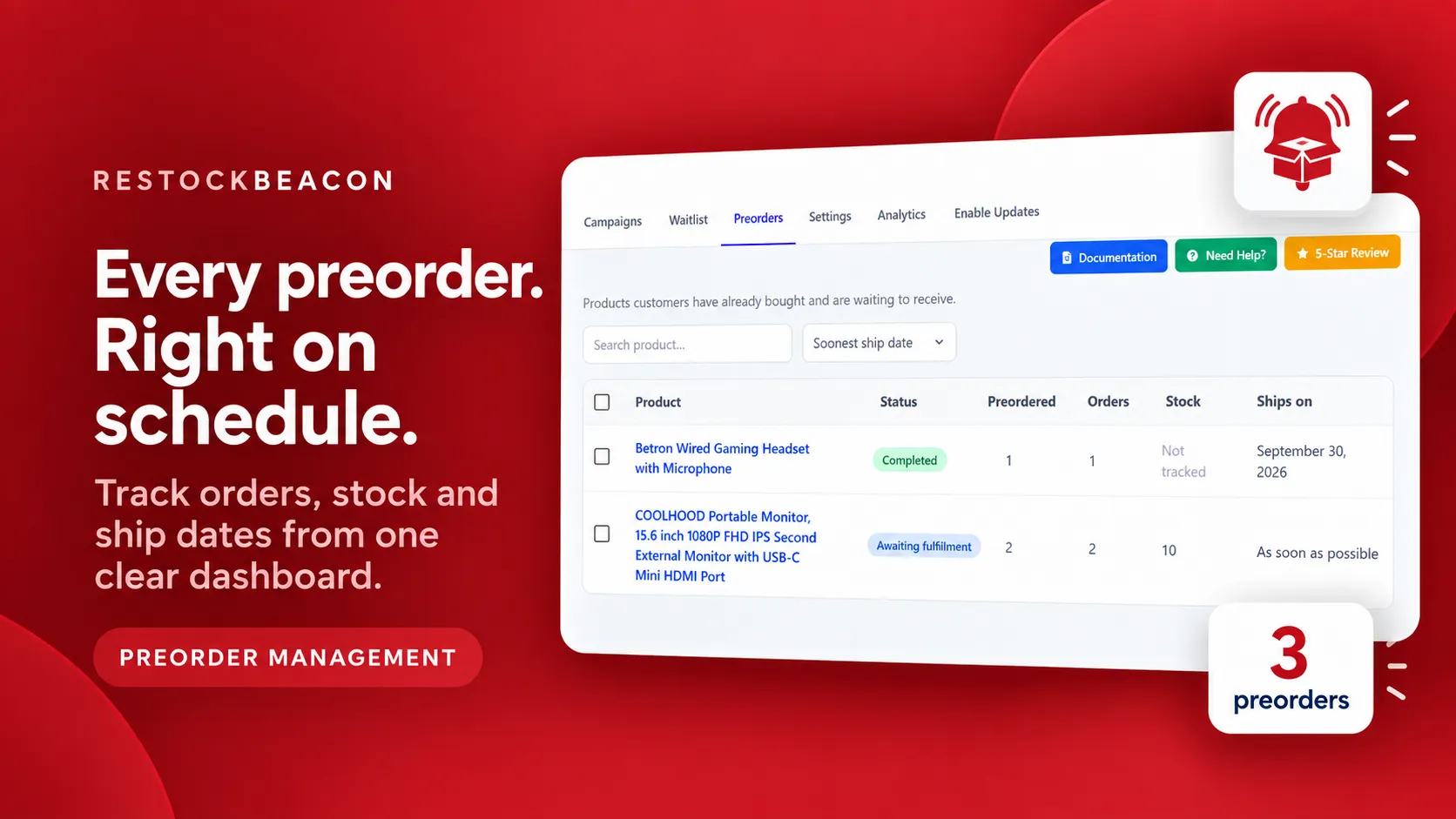
Manage every preorder from one dashboard
See which products customers have already ordered and are waiting to receive. Search products, sort by expected shipping date, and review fulfilment status, preorder quantities, order totals, stock information, and shipping dates.
Therefore, this central view helps store managers identify orders awaiting fulfilment without opening every WooCommerce order separately.
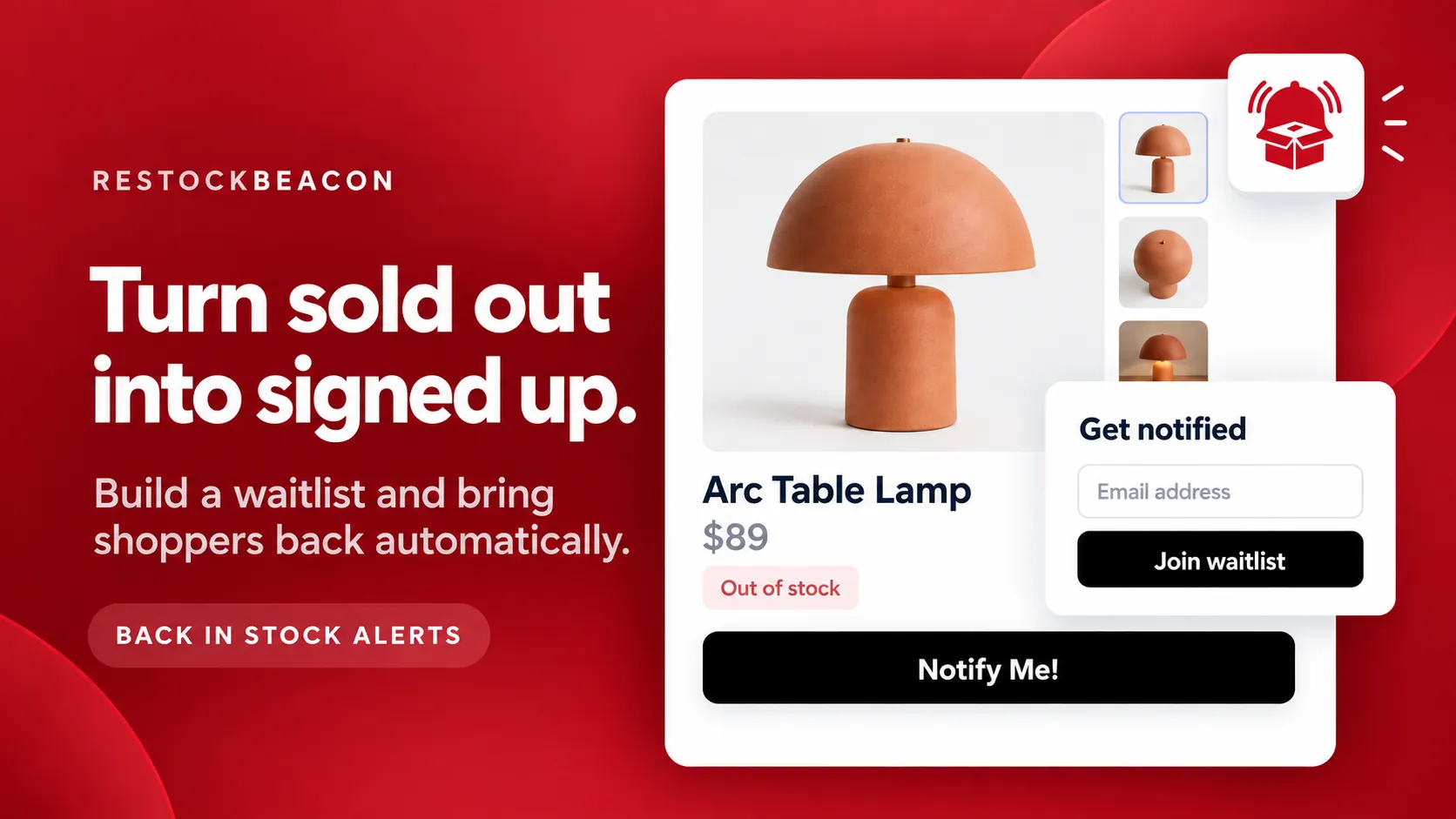
Back in stock: turn unavailable products into a waitlist
Instead of hiding a sold-out product, RestockBeacon replaces the unavailable purchase action with a Notify Me button. Consequently, customers can join the product waitlist instead of leaving the store without taking action.
When inventory returns, RestockBeacon queues back-in-stock emails through WooCommerce Action Scheduler. Meanwhile, it processes the notifications in the background and marks customers as notified to prevent duplicate messages.
Core Back in stock features included with Free
- Back in stock and Notify Me campaigns
- Customizable Notify Me button
- Waitlist signup modal
- Email validation and customer consent
- Honeypot and rate-limiting spam protection
- Logged-in customer email prefill
- Automatic back-in-stock emails
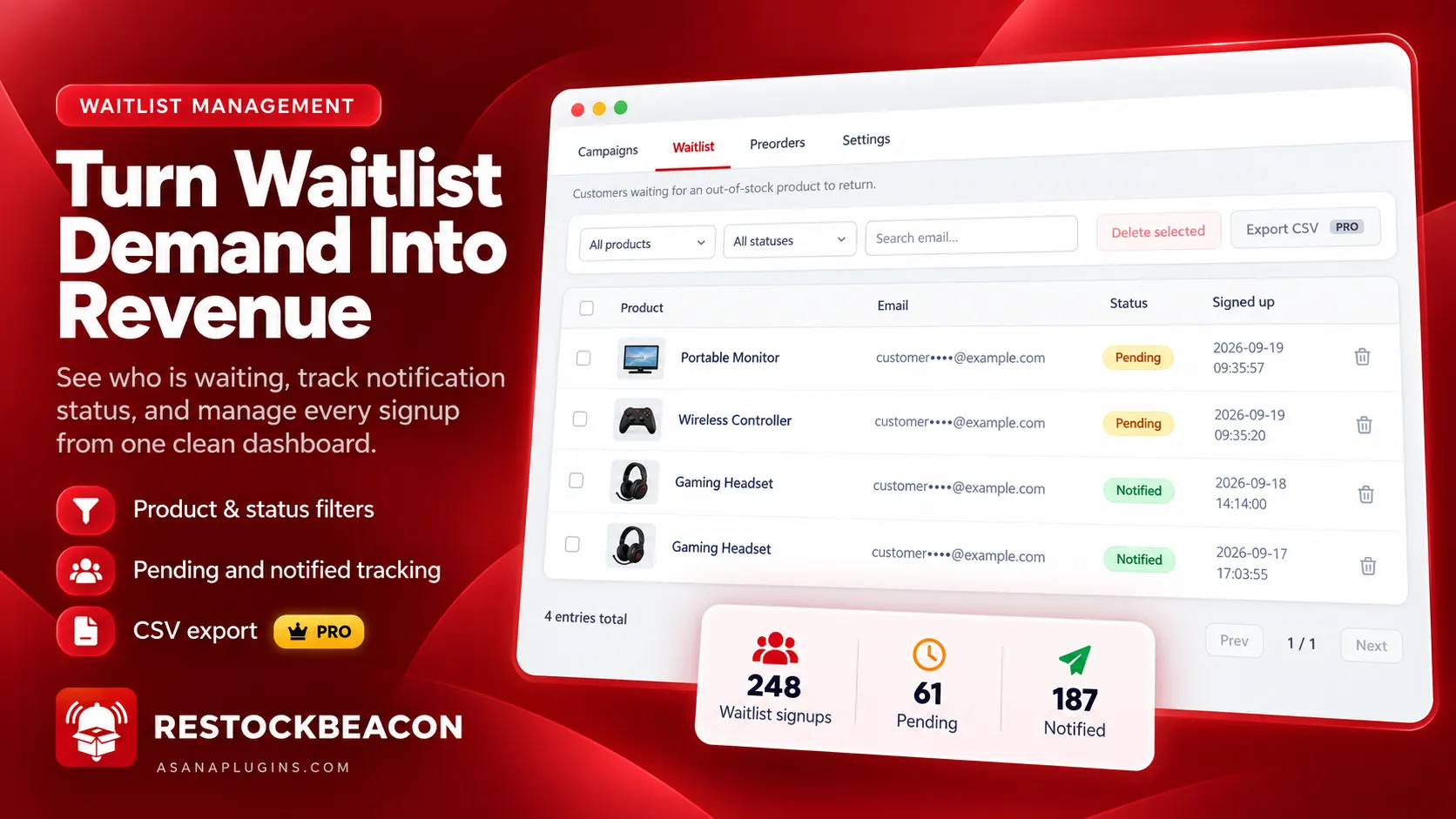
- Waitlist filtering by product and status
- Individual and bulk entry deletion
- Centered back-in-stock email layout
- My Account waitlist management
- Notify Me shortcode and Gutenberg block
Unlock advanced Back in stock options with Pro
Pro activation required: Pro extends the Free waitlist workflow with additional email layouts, advanced campaign targeting, CSV export, and demand analytics.
- Export the filtered waitlist as a CSV file.
- Target Back in stock campaigns by product category or tag.
- Use Hero, Split, and Minimal email layouts.
- Review waitlist demand in the Analytics dashboard.
- Identify products with the most pending customer interest.
- Compare pending and notified waitlist entries.
The main waitlist screen remains available with Free. However, CSV export and the advanced Pro controls only work while RestockBeacon Pro is active.
Analytics: understand preorder and waitlist demand
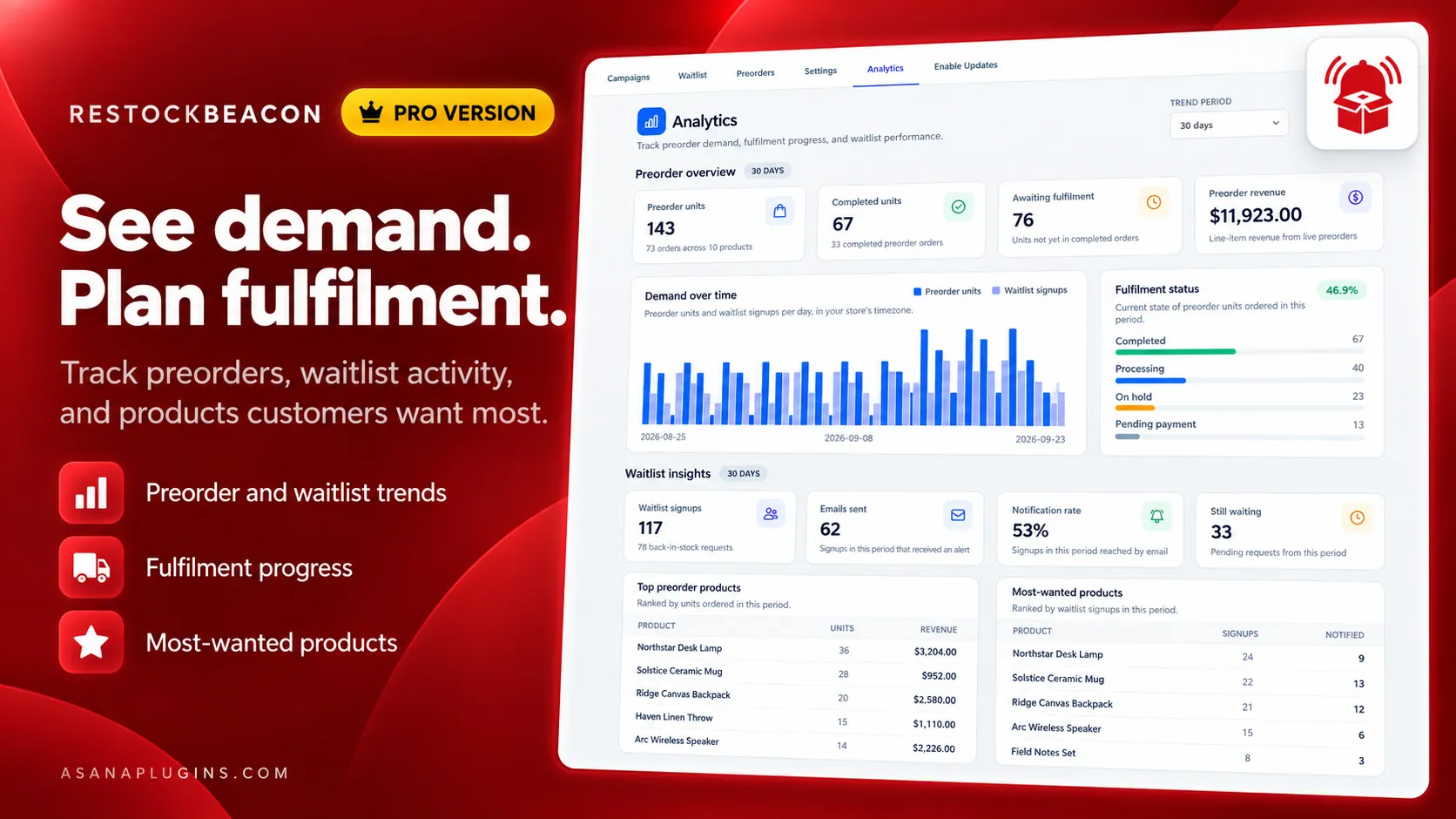
Pro activation required: The Analytics page is a Pro-only feature. It becomes available when RestockBeacon Pro is installed and active.
For example, use one dashboard to review preorder demand, fulfilment progress, revenue recorded from live preorders, waitlist activity, and the products customers request most often.
- Preorder units: See how many units customers ordered during the selected period.
- Completed units: Review fulfilled preorder quantities.
- Awaiting fulfilment: See how many ordered units still require action.
- Preorder revenue: Review line-item revenue from live preorders.
- Demand over time: Compare preorder units and waitlist signups by date.
- Fulfilment status: Review completed, processing, on-hold, and pending-payment quantities.
- Waitlist signups: See how many customers requested availability notifications.
- Emails sent: Review the number of waitlist entries that received an alert.
- Notification rate: Compare notified customers with total waitlist demand.
- Still waiting: Identify requests that have not received a restock alert.
- Top preorder products: Rank products by preorder units and recorded revenue.
- Most-wanted products: Rank unavailable products by waitlist demand.
Analytics reports preorder, fulfilment, waitlist, and notification activity. It does not claim that every back-in-stock notification produced a completed purchase.
Control exactly who can preorder
Pro activation required: Advanced targeting and selling rules let you control which products and customers can participate in a campaign.
- Category and tag targeting: Include or exclude products by WooCommerce category or product tag.
- Mixed-cart prevention: Keep preorder and regular products in separate orders.
- Preorder quantity limits: Cap the total number of units available for preorder.
- Stop-selling threshold: Stop accepting preorders when available stock reaches a chosen level.
- User-role rules: Make a preorder available to selected customer roles, including wholesale customers.
- Country rules: Restrict preorder availability using billing or shipping countries.
- Automatic status tagging: Label products by preorder, backorder, or back-in-stock status.
These restrictions are optional. Therefore, they do not affect store behaviour until they are enabled and configured.
Match Back in stock emails to your brand
The Free plugin includes the Centered Back in stock email layout. In addition, Pro adds Hero, Split, and Minimal layouts.
Each design can use your logo, colours, social links, product image, campaign text, and call-to-action button. Therefore, you can change the presentation without rebuilding the waitlist workflow.
WooCommerce preorder deposit features: Free vs Pro
The Free plugin is a complete preorder and back-in-stock system. It is not a time-limited trial. Add Pro when you need deposits, pricing controls, launch widgets, advanced rules, CSV export, or analytics.
| Feature | Free | Pro |
|---|---|---|
| Core Pre-order and Backorder campaigns | ✓ | ✓ |
| Custom Preorder button and message | ✓ | ✓ |
| Shipping dates and preorder order tagging | ✓ | ✓ |
| Preorder management dashboard | ✓ | ✓ |
| Back in stock and Notify Me campaigns | ✓ | ✓ |
| Waitlist signup form with consent and spam protection | ✓ | ✓ |
| Automatic back-in-stock emails | ✓ | ✓ |
| Waitlist management and filtering | ✓ | ✓ |
| Centered Back in stock email layout | ✓ | ✓ |
| My Account Preorders area | ✓ | ✓ |
| Simple and variable products | ✓ | ✓ |
| HPOS and Cart & Checkout Blocks compatibility | ✓ | ✓ |
| Deposits and partial payments | — | ✓ |
| Preorder discounts | — | ✓ |
| Early Bird pricing | — | ✓ |
| Coming Soon campaigns | — | ✓ |
| Countdown, progress, and information widgets | — | ✓ |
| Hero, Split, and Minimal email layouts | — | ✓ |
| Category and product-tag targeting | — | ✓ |
| Mixed-cart prevention | — | ✓ |
| Preorder quantity limits and stock thresholds | — | ✓ |
| User-role and country restrictions | — | ✓ |
| Automatic product status tagging | — | ✓ |
| Waitlist CSV export | — | ✓ |
| Preorder and waitlist analytics | — | ✓ |
The Free plugin already handles the complete core workflow. 1. However, Pro features only become available and usable when the Pro add-on is installed and active.
Launch your first campaign in three steps
- Install the Free plugin. Add RestockBeacon Pro alongside it when you need the advanced options.
- Create a campaign. Choose Pre-order or Back in stock, select products, configure the schedule, and add the customer-facing message.
- Enable the Pro options you need. Configure deposits, pricing, widgets, Coming Soon behaviour, targeting rules, or analytics access.
Campaigns remove the need to edit every product individually. Create the campaign once, choose its targets, and let RestockBeacon apply the correct behaviour.
Requirements
| WordPress | 6.5 or newer |
|---|---|
| WooCommerce | 8.5 or newer |
| PHP | 7.4 or newer |
| Required for Pro | RestockBeacon Free version 1.0.0 or newer, installed and active |
RestockBeacon supports WooCommerce High-Performance Order Storage, Cart and Checkout Blocks, classic and block themes, and simple and variable products.
WooCommerce preorder deposit payment options
Give customers the choice to pay a fixed or percentage deposit when placing a preorder. RestockBeacon Pro clearly displays the amount due today and the remaining balance, helping customers understand the payment terms before ordering.
WooCommerce preorder deposit campaign controls
Create more flexible product launches with advanced campaign rules, Coming Soon availability, Early Bird pricing, countdowns, and customer-facing preorder information. These advanced selling controls are available when RestockBeacon Pro is enabled.
WooCommerce preorder deposit analytics and insights
Review preorder activity, monitor customer demand, and use waitlist insights to make better stocking and launch decisions. RestockBeacon Pro brings your preorder, back-in-stock, and campaign information together in one place.
WooCommerce preorder deposit balance information
Show customers how much they pay now and what balance remains before the product ships. Clear payment information helps prevent confusion and gives shoppers more confidence when placing a preorder.
WooCommerce preorder deposit launch scheduling
Prepare upcoming releases with Coming Soon campaigns, availability dates, countdown widgets, and scheduled preorder offers. RestockBeacon Pro helps you communicate when ordering opens and when customers can expect shipping.
WooCommerce preorder deposit and back-in-stock management
Manage preorders and product restock demand from the same WooCommerce workflow. Use advanced preorder controls alongside waitlists and back-in-stock insights to understand demand before purchasing more inventory.
WooCommerce preorder deposit customer experience
Present customers with clear preorder buttons, deposit choices, remaining-balance details, and expected shipping information directly on the product page. This creates a smoother buying experience from selection through fulfilment.
WooCommerce preorder deposit Early Bird pricing
Reward early customers with promotional launch pricing and clearly display the savings available during the offer. RestockBeacon Pro helps turn upcoming product releases into structured sales campaigns.
WooCommerce preorder deposit campaign targeting
Control where and when advanced preorder features appear by configuring campaign rules around your product launch. This gives you greater flexibility without applying the same preorder experience across your entire store.
Frequently asked questions
Do I need the Free RestockBeacon plugin?
Yes. RestockBeacon Pro is an add-on and requires the Free plugin. If Pro is deactivated, the Free plugin continues managing its core Pre-order, Back in stock, waitlist, and automatic restock email features.
Are Pre-order and Back in stock available with Free?
Yes. Core Pre-order, Backorder, Back in stock, and Notify Me campaigns are included with Free. Pro adds deposits, discounts, widgets, Coming Soon campaigns, advanced targeting, CSV export, and analytics.
When do the Pro options become available?
The advanced options become available and usable when RestockBeacon Pro is installed and active. Analytics is a Pro-only page.
How does a WooCommerce preorder deposit work?
Select a fixed or percentage deposit in the preorder campaign. The customer pays that amount at checkout, while RestockBeacon records the remaining balance on the WooCommerce order.
Is the remaining balance charged automatically?
No. The current release records the balance for manual collection. After collecting it, an administrator can mark the preorder balance as paid from the order actions.
Can customers pay the complete amount instead?
Yes. A Pro campaign can offer both full and partial payment choices, or require partial payment only.
How is tax handled with a deposit?
WooCommerce calculates tax against the complete order. The customer pays the configured deposit at checkout, while the remaining balance and its recorded tax share stay on the order.
How do Back in stock notifications work?
Customers join the product waitlist using the Notify Me form. When inventory returns, RestockBeacon queues the notification emails in the background and marks each customer as notified.
Do customers need an account to join the waitlist?
No. Guest customers can join using their email address. Logged-in customers can have their account email prefilled.
Is Analytics included with Free?
No. The Analytics dashboard is available only when RestockBeacon Pro is installed and active.
Can I export the waitlist?
Waitlist management and filtering are included with Free. CSV export requires RestockBeacon Pro.
Does RestockBeacon work with variable products?
Yes. The campaign system supports simple and variable products, including variation-level waitlist signups.
Does it support HPOS and WooCommerce Blocks?
Yes. RestockBeacon declares compatibility with WooCommerce High-Performance Order Storage and Cart and Checkout Blocks.
Can I restrict preorders by role or country?
Yes, with Pro. Enable the optional user-role or country rules and select the permitted roles or locations.
Can I try the core workflow before buying Pro?
Yes. The Free version has no time limit and includes core Pre-order, Back in stock, waitlist, and automatic restock email functionality. Download RestockBeacon from WordPress.org.
Start accepting preorders with a deposit
Install RestockBeacon Free, add RestockBeacon Pro, and create a campaign that makes the payment and fulfilment plan clear from the first click.
Use a WooCommerce preorder deposit to lower the initial commitment. Then add the pricing, launch, targeting, and analytics tools your store needs.