Installation
Follow this guide to install the Easy Upsells, Related Products & Product Recommendations for WooCommerce plugin for your WordPress site.
Free Version
Step 1:
Go to the Easy Upsells, Related Products & Product Recommendations for WooCommerce and download the plugin.
Step 2:
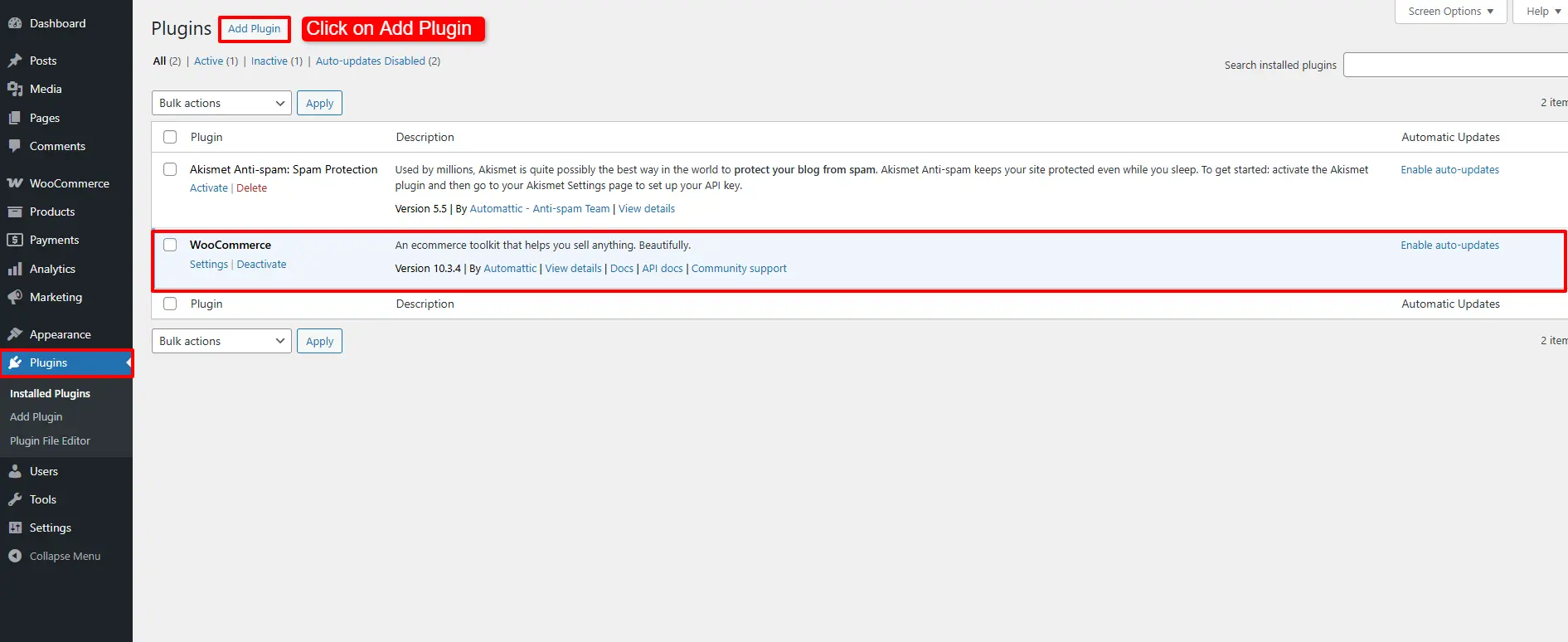
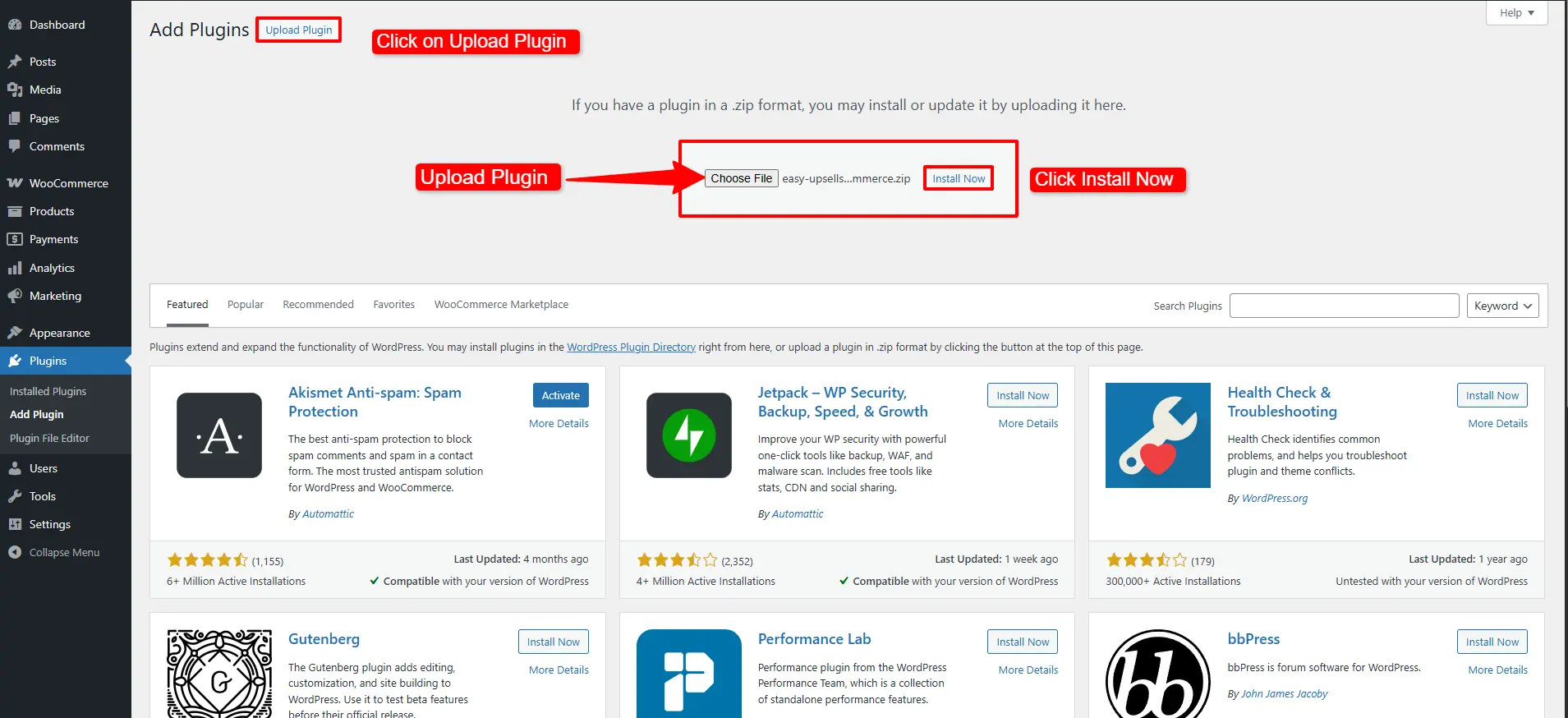
In your WordPress dashboard, navigate to Plugins → Add New → Upload Plugin. Make sure WooCommerce is installed before uploading the plugin.
Step 3:
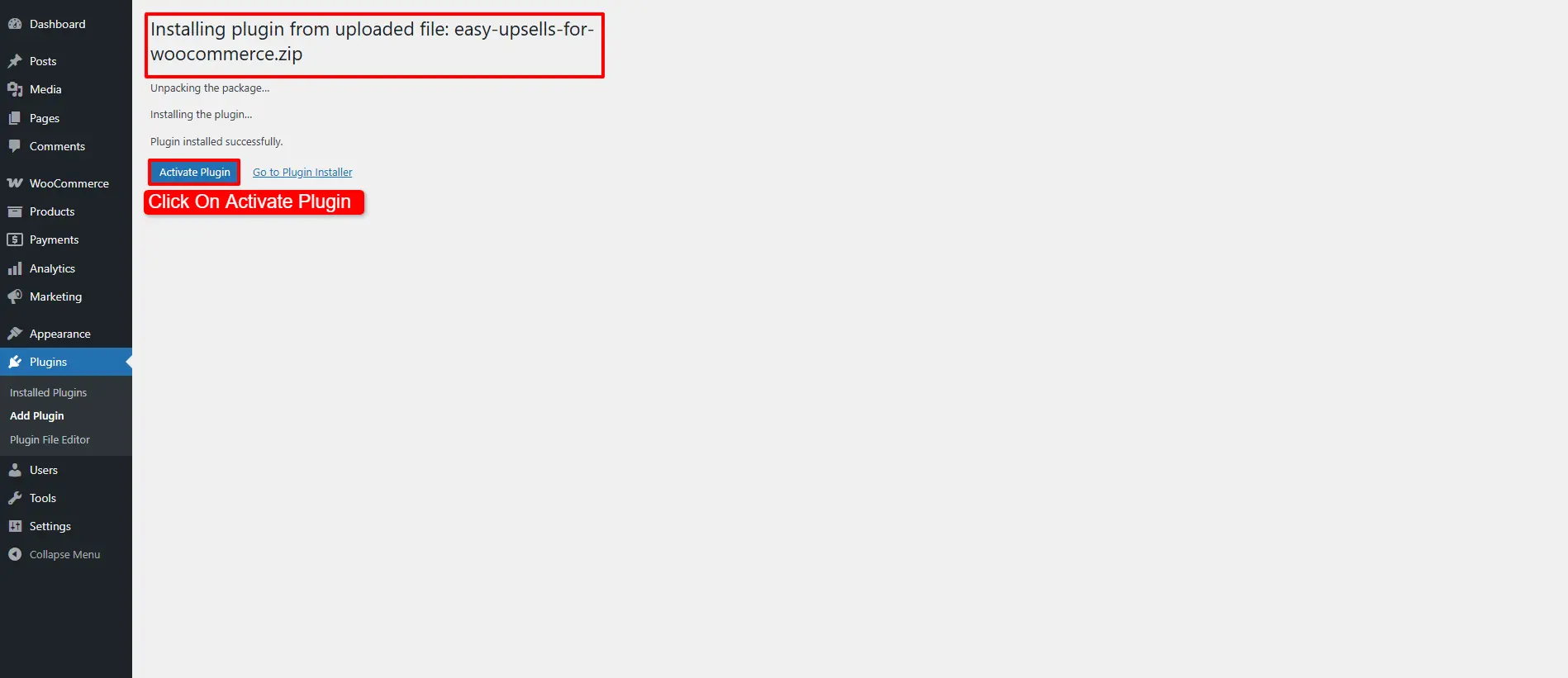
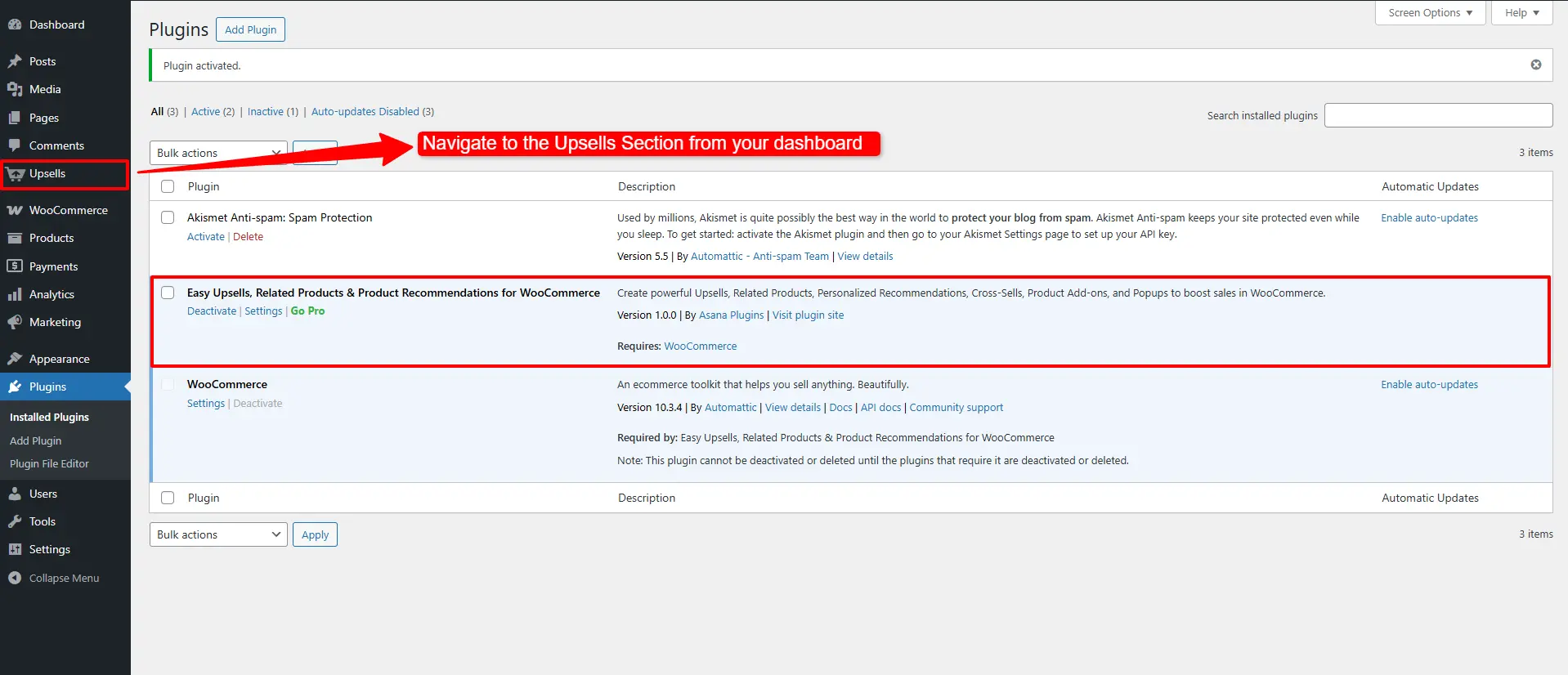
Once installed and activated, navigate to the Upsells Section from your dashboard to configure the plugin.
Pro Version
Step 1:
Visit the official website to download the WooCommerce Upsells & Related Products – Boost Sales with Smart Recommendations plugin.
Step 2:
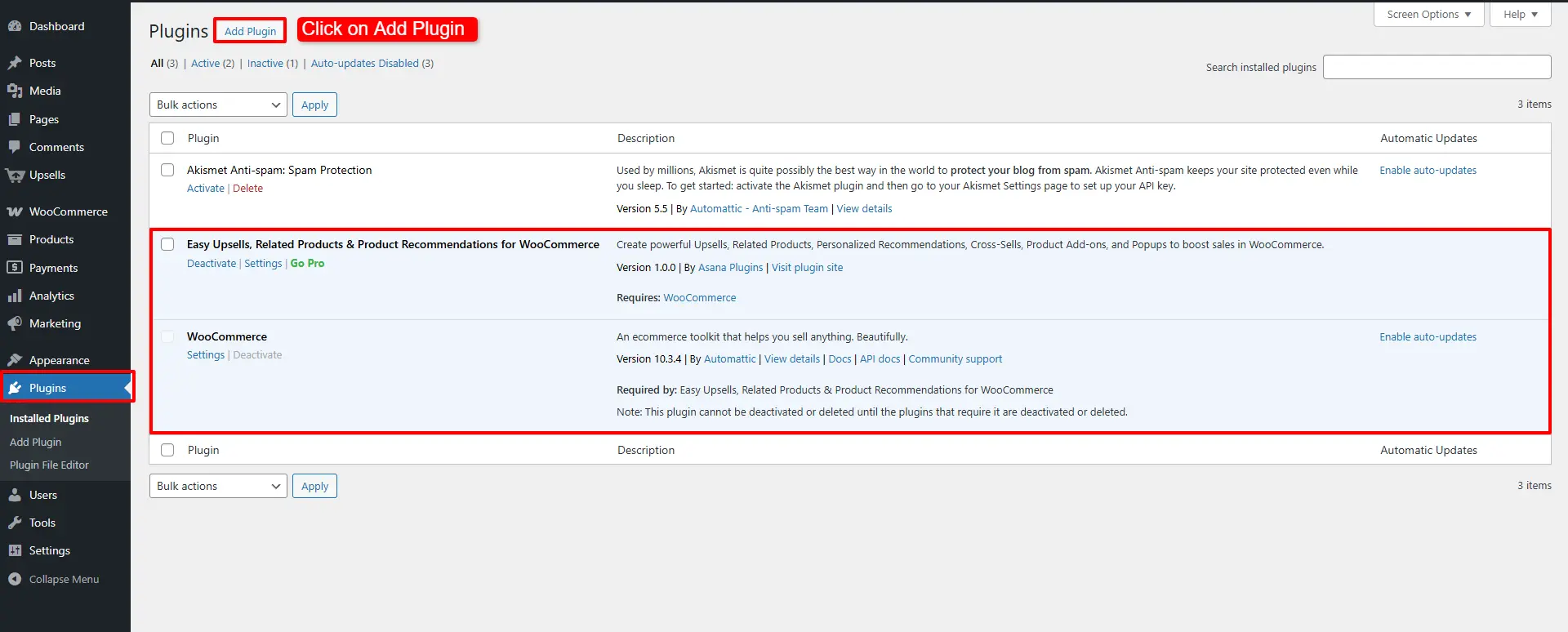
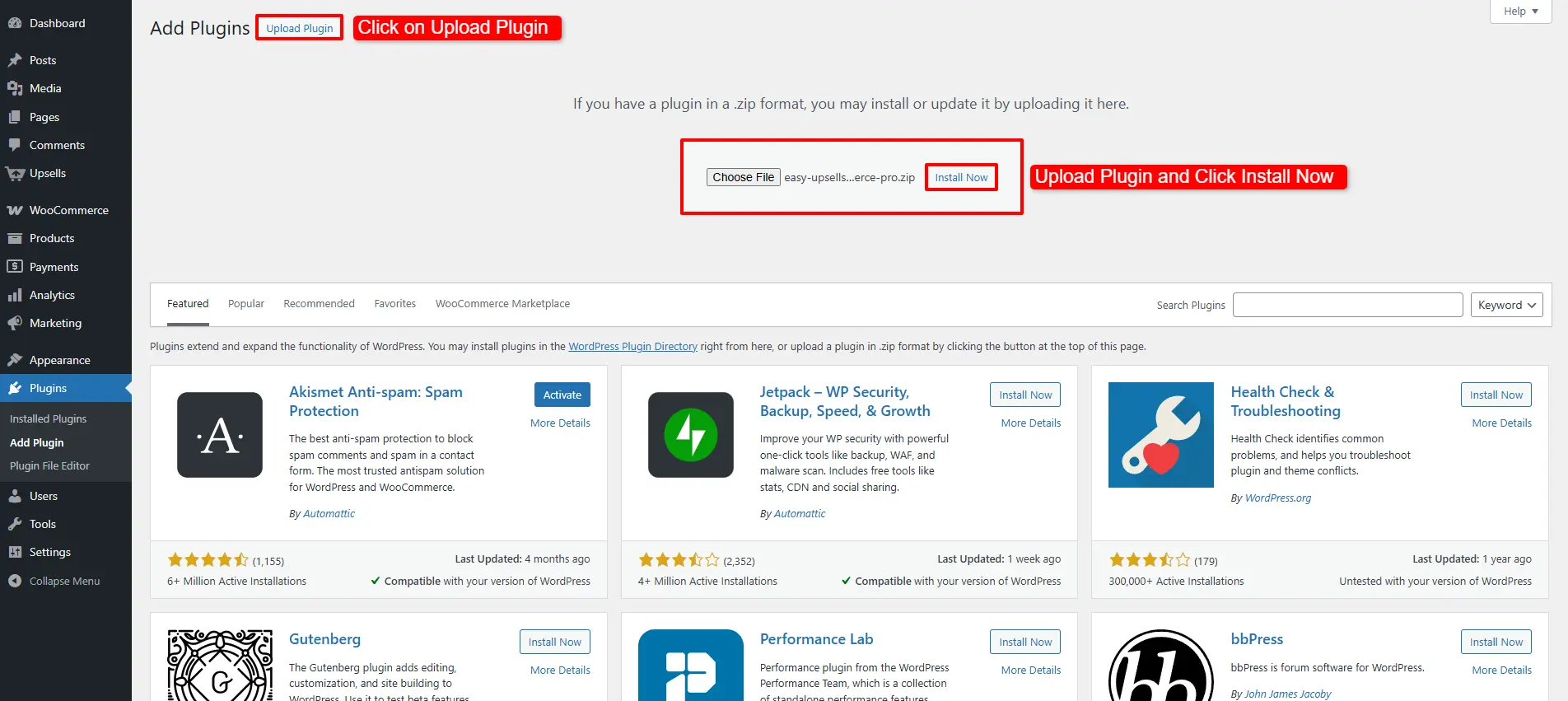
In your WordPress dashboard, go to Plugins → Add New → Upload Plugin. Ensure both WooCommerce and the free version of Upsell are installed before uploading the Pro version.
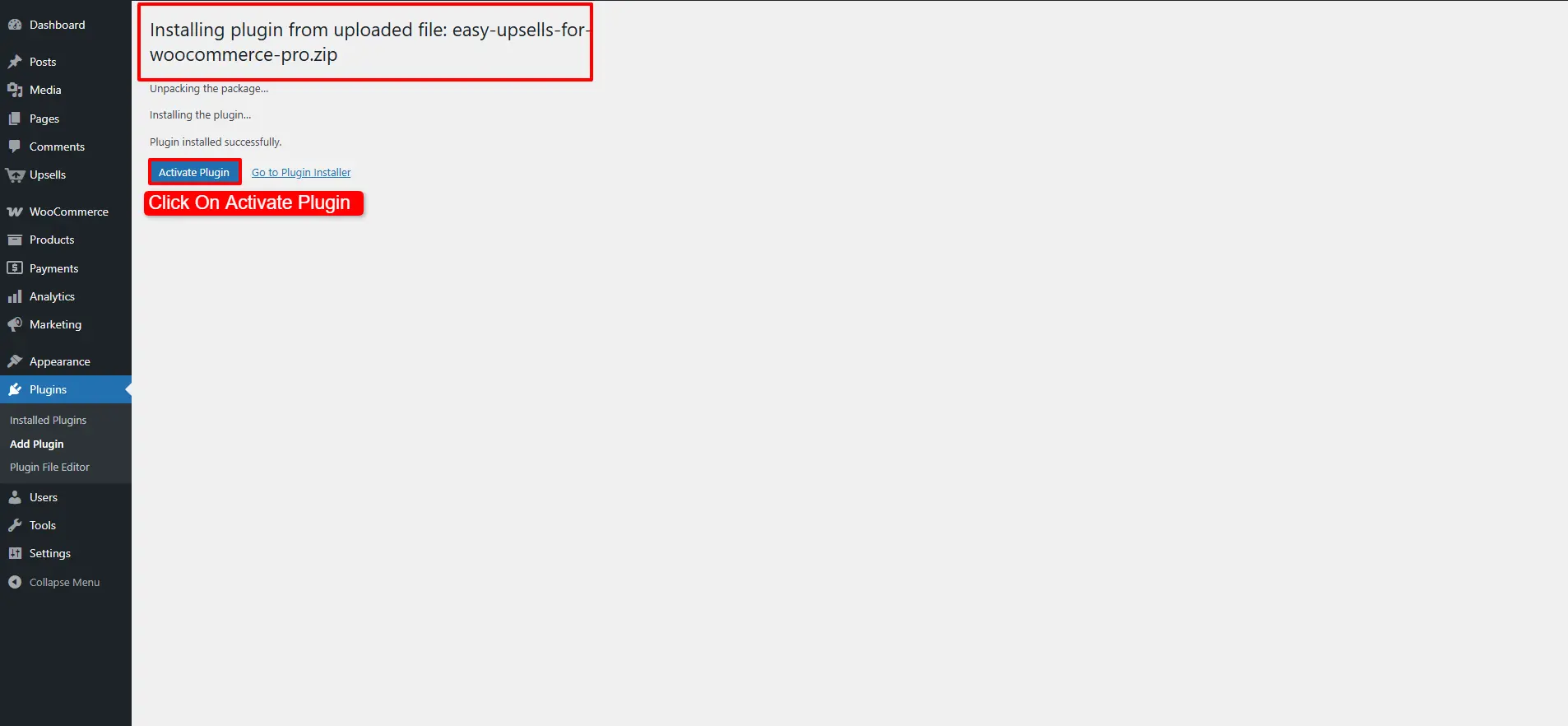
Step 3:
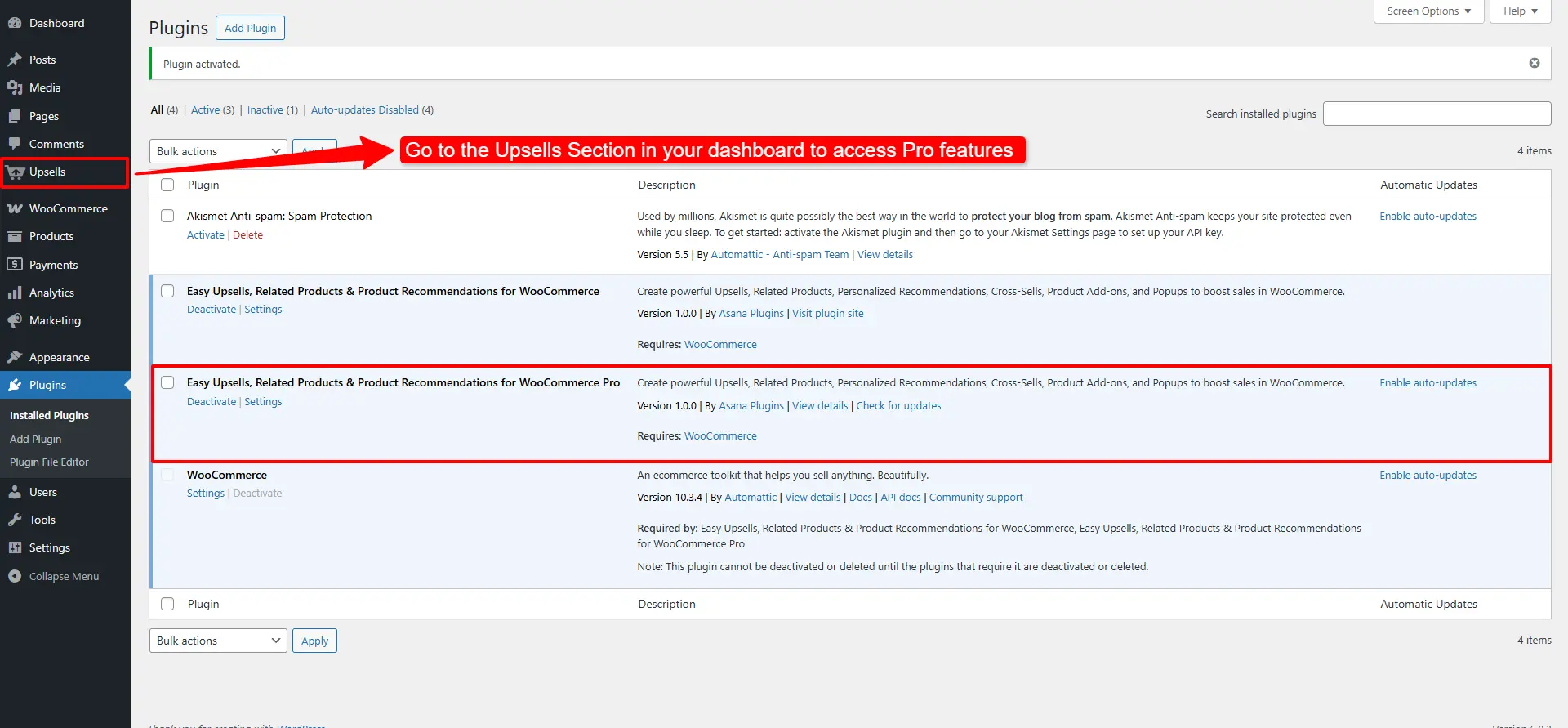
After activation, go to the Upsells Section in your dashboard to access Pro features.